
PaintCode 2vs3由于resizableImageWithCapInsets而不兼容
PaintCode 2vs3由于resizableImageWithCapInsets而不兼容
提问于 2016-11-24 08:22:57
最近,我从使用PaintCode 2转向使用PaintCode 3,我与xCode/Swift一起使用它。
然而,我注意到,我的所有图像生成函数的行为并没有不同。它们连接到标准的addopt帽插口。
下面是一个示例,您可以找到一个画布"ViewMissingImage",以及它是如何在PaintCode中配置的(2或3是相同的)。
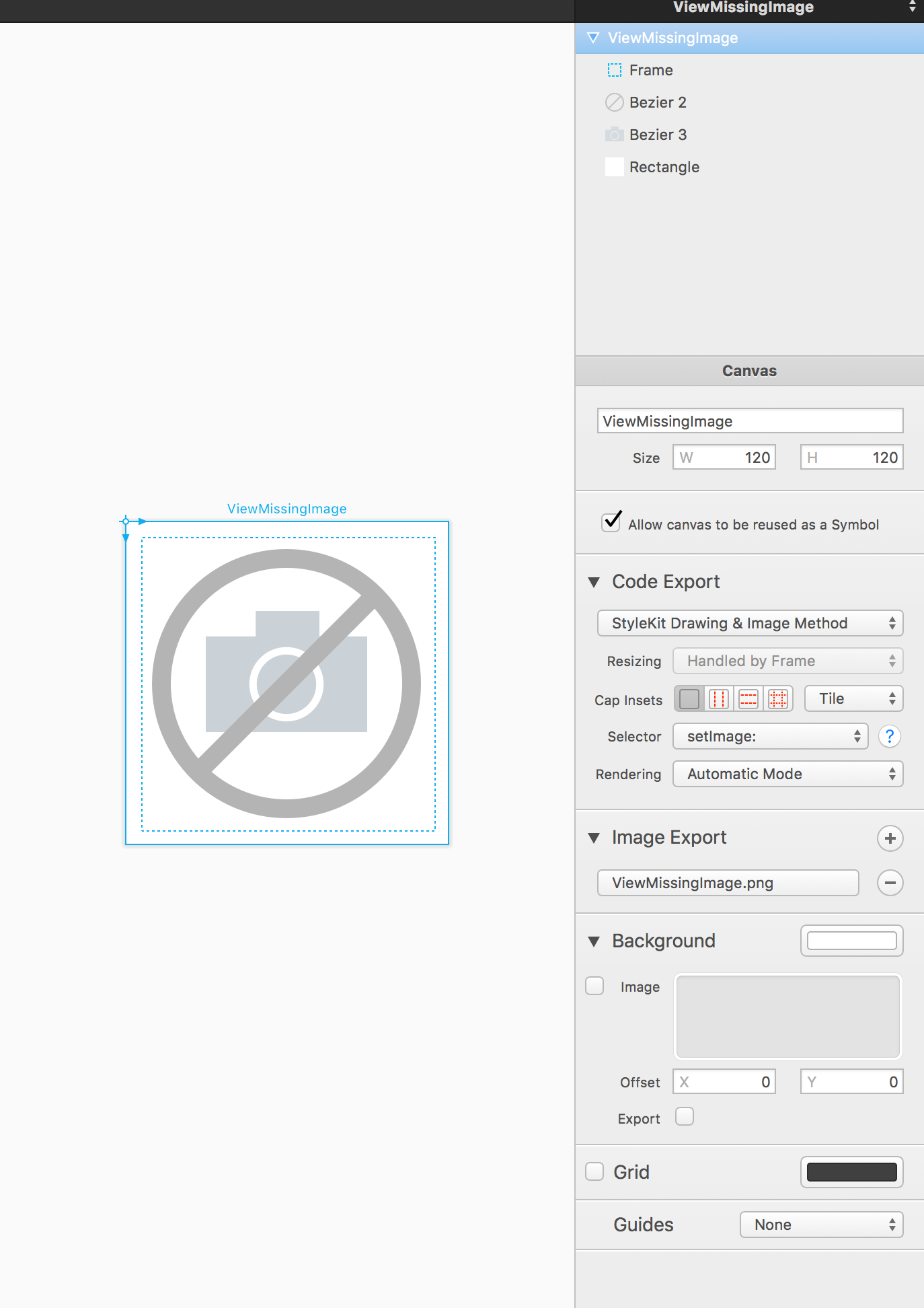
通过PaintCode 2生成的代码
public class func imageOfViewMissingImage(frame frame: CGRect = CGRect(x: 6, y: 5, width: 109, height: 109)) -> UIImage {
    UIGraphicsBeginImageContextWithOptions(frame.size, false, 0)
        PaintCode.drawViewMissingImage(frame: CGRect(x: 0, y: 0, width: frame.size.width, height: frame.size.height))

    let imageOfViewMissingImage = UIGraphicsGetImageFromCurrentImageContext()
    UIGraphicsEndImageContext()

    return imageOfViewMissingImage
}
通过PaintCode 3生成的代码
public dynamic class func imageOfViewMissingImage(imageSize imageSize: CGSize = CGSize(width: 109, height: 109)) -> UIImage {
    UIGraphicsBeginImageContextWithOptions(imageSize, false, 0)
        PaintCode.drawViewMissingImage(frame: CGRect(x: 0, y: 0, width: imageSize.width, height: imageSize.height))

    let imageOfViewMissingImage = UIGraphicsGetImageFromCurrentImageContext()!.resizableImageWithCapInsets(UIEdgeInsetsZero, resizingMode: .Tile)
    UIGraphicsEndImageContext()

    return imageOfViewMissingImage
}
我认为PaintCode 2从来没有使用过capp接口,也许是个bug?我不想要这些帽子,我怎么才能摆脱它们呢?
回答 1
Stack Overflow用户
回答已采纳
发布于 2016-11-24 08:57:53
解决方案很简单:
将帽子嵌入到“拉伸”上,而不是PaintCode UI中的瓷砖!
页面原文内容由Stack Overflow提供。腾讯云小微IT领域专用引擎提供翻译支持
原文链接:
https://stackoverflow.com/questions/40781194
复制相关文章
相似问题
腾讯云开发者

Copyright © 2013 - 2026 Tencent Cloud. All Rights Reserved. 腾讯云 版权所有
深圳市腾讯计算机系统有限公司 ICP备案/许可证号:粤B2-20090059  粤公网安备44030502008569号
腾讯云计算(北京)有限责任公司 京ICP证150476号 | 京ICP备11018762号