
如何配置logmein救援中的实例聊天
如何配置logmein救援中的实例聊天
提问于 2016-11-17 12:08:21
我正在编写windows窗体应用程序,并使用windows窗体应用程序用户能够连接到技术支持技术员,在这种情况下使用能够启动聊天实例。
寻找这个解决方案是Logmein救援
回答 1
Stack Overflow用户
回答已采纳
发布于 2016-11-17 12:18:27
步骤1:登录Logmein救援管理中心,转到频道选项卡,并使用自托管即时聊天复制自定义实时支持表单
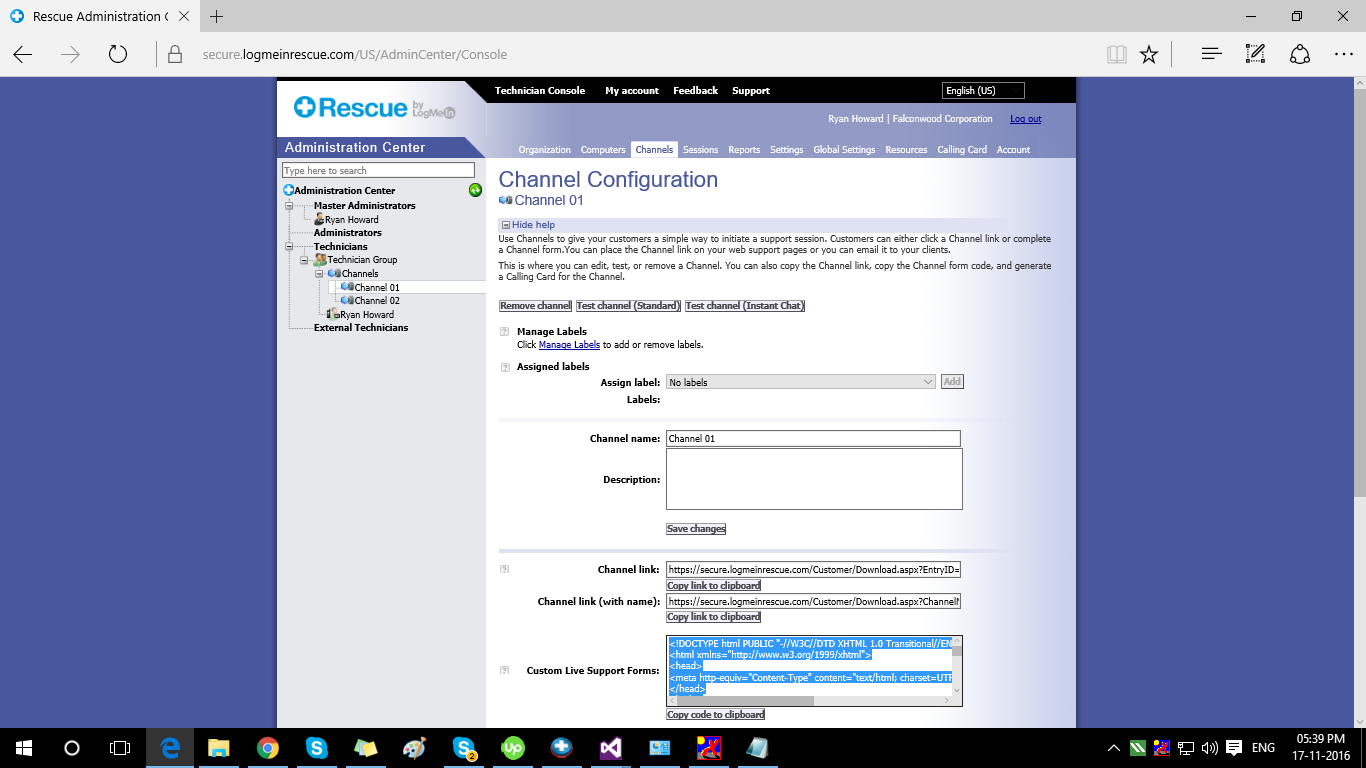
步骤2:在windows窗体应用程序中创建新的html页面,并在此页面中粘贴此html。
Stpe 3:在表单应用程序中添加WebBrowser Control webBrowser1。并在此浏览器控件中导航已装箱的新html页。
 public partial class InstanceChat : Form
    {
        public InstanceChat()
        {
            InitializeComponent();
            webBrowser1.Navigate(AppDomain.CurrentDomain.BaseDirectory + "logmein from.html");
        }
    }
步骤4: html页面包含
<!DOCTYPE html PUBLIC "-//W3C//DTD XHTML 1.0 Transitional//EN" "http://www.w3.org/TR/xhtml1/DTD/xhtml1-transitional.dtd">
<html xmlns="http://www.w3.org/1999/xhtml">
<head>
    <meta http-equiv="Content-Type" content="text/html; charset=UTF-8" />
    <script type="text/javascript" src="https://secure.logmeinrescue.com/InstantChat/InstantChat.aspx"></script>
    <script type="text/javascript">
        function loadInstantChat(){
            var ICLoader = new RescueInstantChatLoader();
            ICLoader.ICContainer = "ICContainer";
            ICLoader.HostedCSS = "https://secure.logmeinrescue.com/InstantChat/Standard/InstantChat.css";
            ICLoader.HostedLanguagesForChatOnlyMode = "https://secure.logmeinrescue.com/InstantChat/LanguagesForChatOnlyMode.js";
            ICLoader.HostedLanguagesForAppletMode = "https://secure.logmeinrescue.com/InstantChat/LanguagesForAppletMode.js";
            ICLoader.EntryID = "421042";
            ICLoader.Name = document.getElementById("Name").value; /* optional */
            ICLoader.Comment1 = document.getElementById("Comment1").value; /* optional */
            ICLoader.Comment2 = document.getElementById("Comment2").value; /* optional */
            ICLoader.Comment3 = document.getElementById("Comment3").value; /* optional */
            ICLoader.Comment4 = document.getElementById("Comment4").value; /* optional */
            ICLoader.Comment5 = document.getElementById("Comment5").value; /* optional */
            ICLoader.Tracking0 = ""; /* optional */
            ICLoader.Language = ""; /* optional */
            ICLoader.HostedErrorHandler = function(ErrorName){} /* optional */
            ICLoader.Start();}
        function handleRebootOrRefresh(){
            if ((window.location + "").indexOf("rescuewebsessionid") != -1){document.getElementById("ICContainer").style.display=""; loadInstantChat();} /* optional */
            if (window.location.hash.length == webSessionIdLength + 1){document.getElementById("ICContainer").style.display=""; loadInstantChat();} /* optional */
        }
    </script>
</head>
<body onload="handleRebootOrRefresh();">
    <table>
        <tr><td>Please enter your name: </td><td><input id="Name" type="text" maxlength="64" /></td></tr>
        <tr><td>Custom Field 1: </td><td><input id="Comment1" type="text" maxlength="512" /></td></tr>
        <tr><td>Custom Field 2: </td><td><input id="Comment2" type="text" maxlength="512" /></td></tr>
        <tr><td>Custom Field 3: </td><td><input id="Comment3" type="text" maxlength="256" /></td></tr>
        <tr><td>Custom Field 4: </td><td><input id="Comment4" type="text" maxlength="64" /></td></tr>
        <tr><td>Custom Field 5: </td><td><input id="Comment5" type="text" maxlength="64" /></td></tr>
    </table>
    <input type="button" value="Channel 01" onclick="document.getElementById('ICContainer').style.display=''; loadInstantChat();" />
    <div id="ICContainer" style="position: absolute; left: 0px; top: 0px; width: 400px; height: 500px; display: none"></div>
</body>
</html>
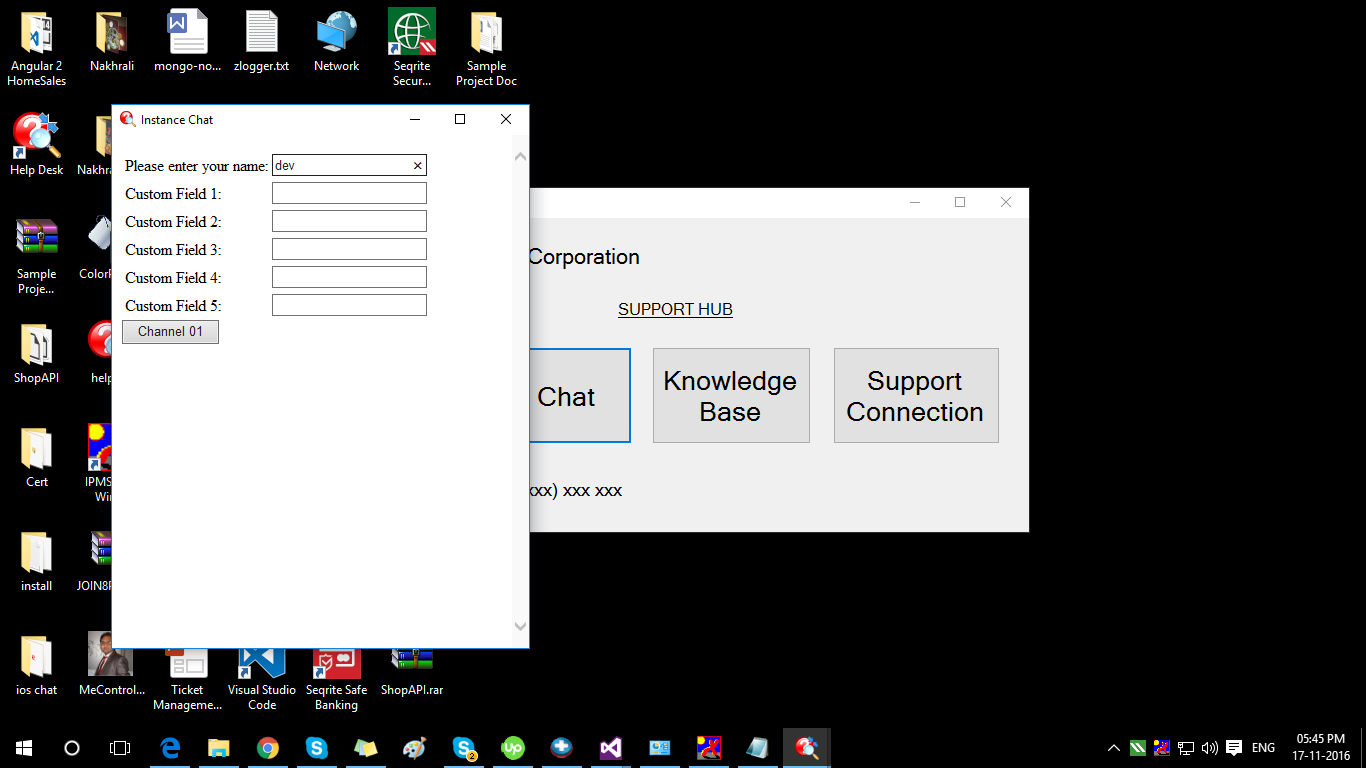
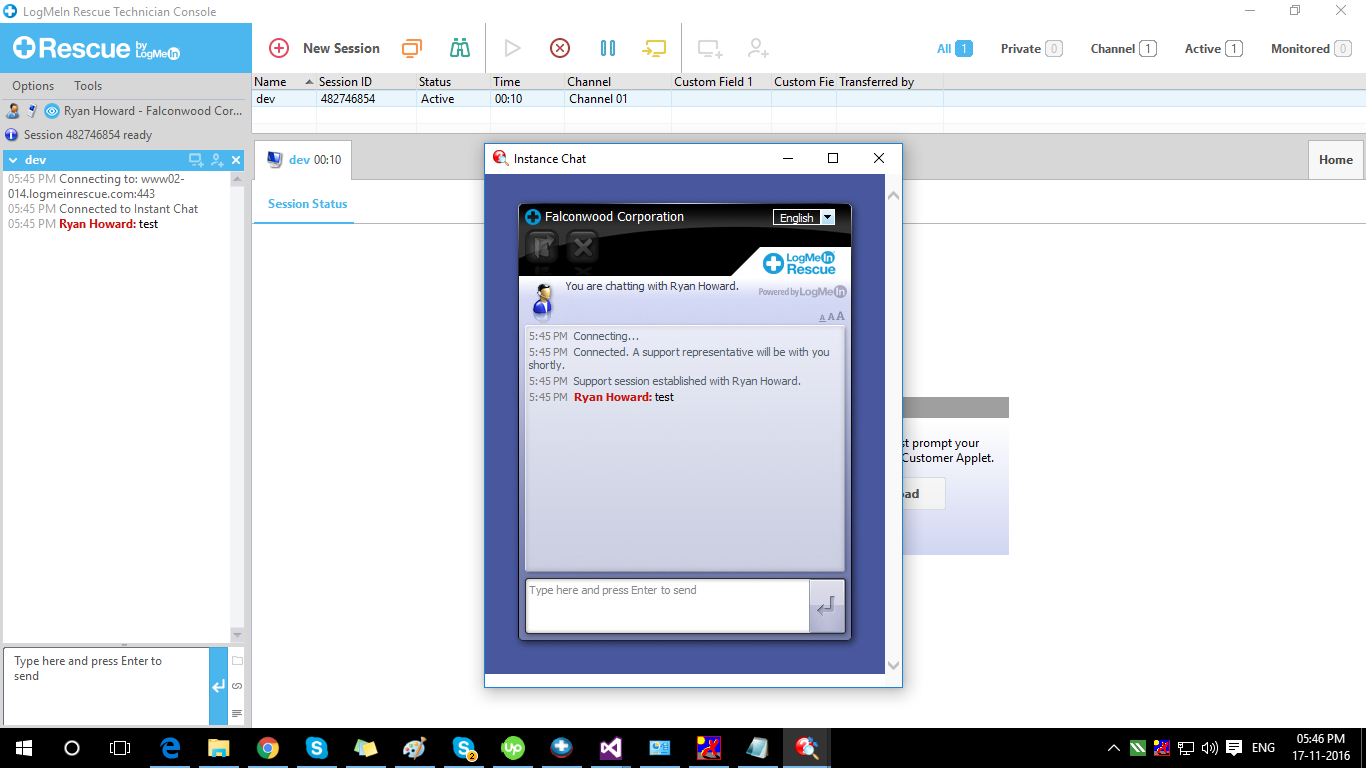
使用应用程序中的windows,技术人员和客户端之间的hance聊天开始:
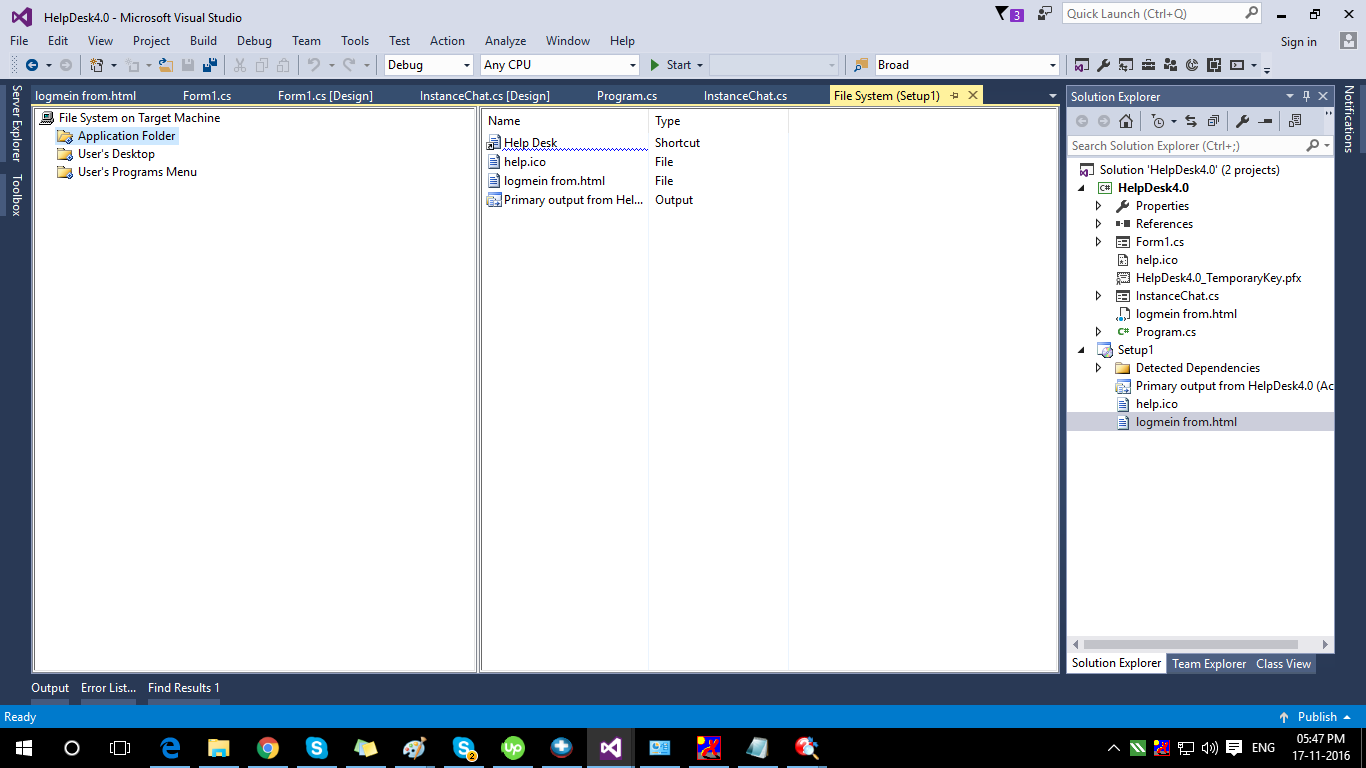
步骤5:创建安装文件并将html页面添加到安装程序的应用程序Forler中,因此它在安装后工作。
页面原文内容由Stack Overflow提供。腾讯云小微IT领域专用引擎提供翻译支持
原文链接:
https://stackoverflow.com/questions/40654499
复制相关文章
相似问题
腾讯云开发者

Copyright © 2013 - 2026 Tencent Cloud. All Rights Reserved. 腾讯云 版权所有
深圳市腾讯计算机系统有限公司 ICP备案/许可证号:粤B2-20090059  粤公网安备44030502008569号
腾讯云计算(北京)有限责任公司 京ICP证150476号 | 京ICP备11018762号