
不能更新UITabBar barTintColor
在viewDidLoad中,我尝试了以下方法来更新我的UITabBar的背景或"barTintColor“。通过使用[[UITabBar appearance] setBarTintColor:[UIColor blackColor]];,我可以使用objective来完成这个任务。
我试过的是:
    UITabBar.appearance().barTintColor = UIColor.white

    self.navigationController?.navigationBar.barTintColor = UIColor.white;

    UINavigationBar.appearance().barTintColor = UIColor.white

    UINavigationBar.appearance().backgroundColor = UIColor.white
我希望避免使用一些奇怪的NSNotificationCenter解决方案和从AppDelegate中进行更新。为什么这在Swift中这么难实现?会很感激你的洞见。
回答 2
Stack Overflow用户
发布于 2016-11-14 06:32:37
注意:下面的方法应该在Swift 3中工作,.Below代码必须进入您的viewDidLoad才能工作。
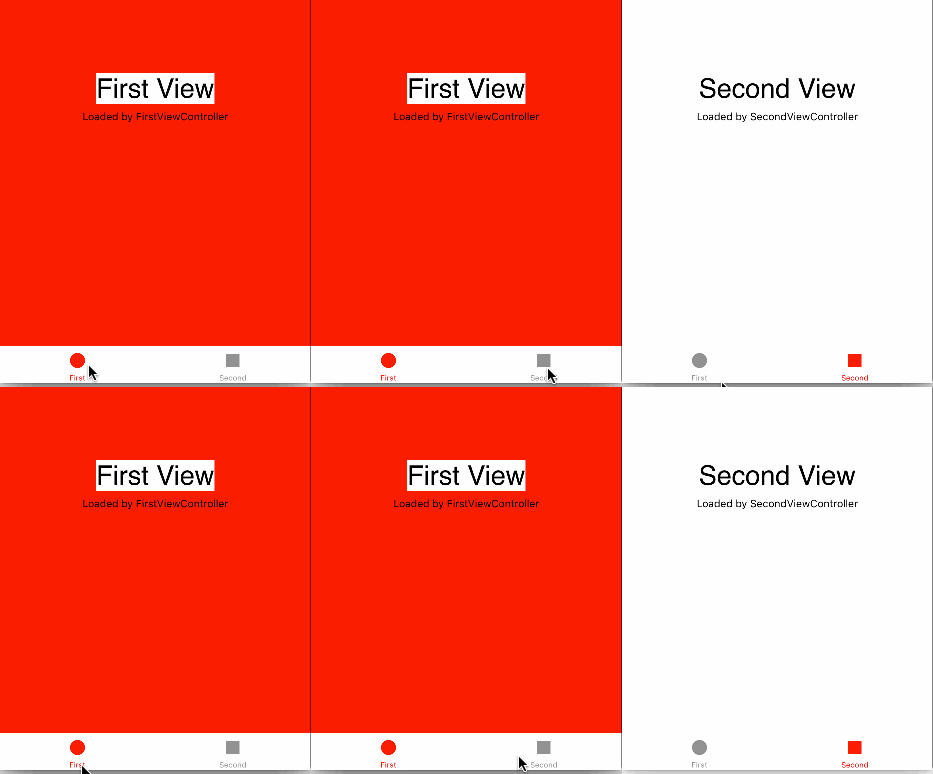
方法1:
    tabBarController?.tabBar.barTintColor = UIColor.white
    tabBarController?.tabBar.tintColor = UIColor.red
    tabBarController?.tabBar.isTranslucent = false
输出:
方法2:
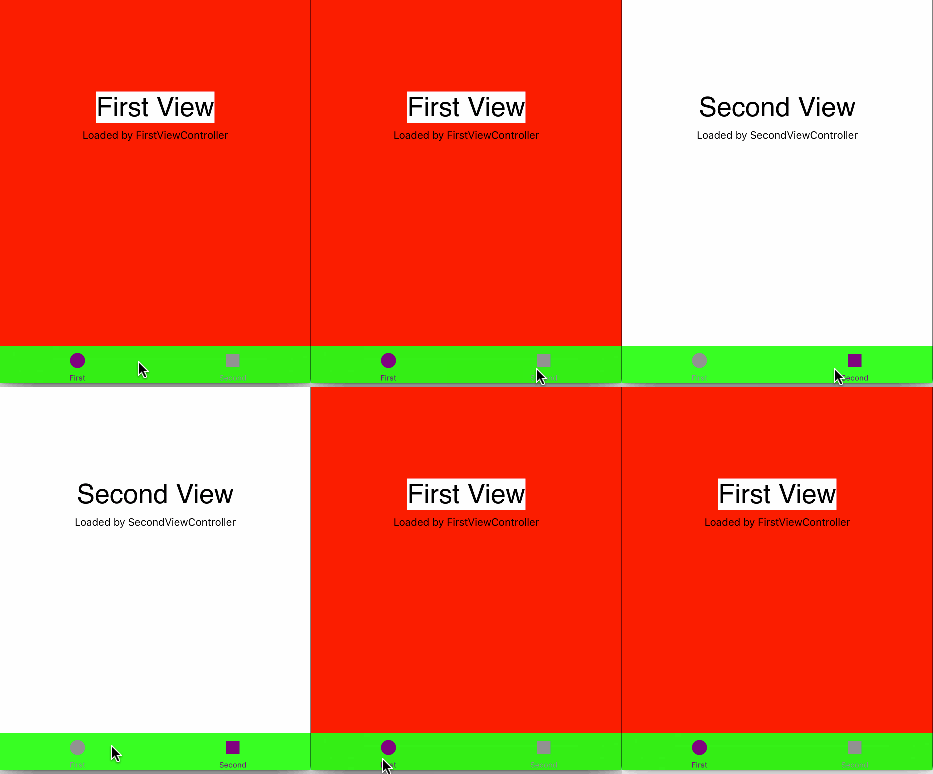
注:,我将barTintColour设置为绿色,以显示这两种方法都有效。
    UITabBar.appearance().barTintColor = UIColor.green // Its strange why this method didn't worked for you?.Try updating your post with viewDidLoad.Its a better way to understand the issue.
    UITabBar.appearance().tintColor = UIColor.purple
输出:
Stack Overflow用户
发布于 2016-11-13 23:37:11
我可以通过使用
[[UITabBar appearance] setBarTintColor:[UIColor blackColor]];使用objective来完成这一任务。
嗯,与之相对应的是UITabBar.appearance().barTintColor = UIColor.black。(我不知道如果您想要的是white,为什么所有代码都引用black。)
事实上,您说的是Swift而不是Objective,这对此功能没有任何影响。如果这在一个目标-C版本的应用程序,但不是在Swift版本,那么你是在做其他不同的Swift版本-一些你还没有透露给我们。
https://stackoverflow.com/questions/40579961
复制相似问题
腾讯云开发者

Copyright © 2013 - 2026 Tencent Cloud. All Rights Reserved. 腾讯云 版权所有
深圳市腾讯计算机系统有限公司 ICP备案/许可证号:粤B2-20090059  粤公网安备44030502008569号
腾讯云计算(北京)有限责任公司 京ICP证150476号 | 京ICP备11018762号