
垂直居中,可调母高
垂直居中,可调母高
提问于 2016-11-05 06:33:40
我使用带有两个col-sm-6类列的Bootstrap框架。它们的高度使用row-eq-height匹配,因为相邻的列只包含背景图像。
更新代码:
section, .section-img {
 position: relative;
 background-size: cover;
 background-repeat: no-repeat;
 background-position: center center;
 margin: 0; padding: 0;
}

 .row-eq-height {
  min-height: 400px;
  display: flex;
 }

.col-sm-6 {
 flex: 1;
 display: flex;
 align-items: center;
}

.section-content {
 flex: 1;
 text-align: center;
}<section class="row row-eq-height">
<div class="col-sm-6">
<div class="section-content">
.... content of post ...
</div>
</div>
<div class="col-sm-6 section-img" style="background-image:url('<?php ... image code ... ?>>
... image taking up all the space ....
</div>
</section>
代码在高度增加时对其进行中心和调整,但移除图像高度(行的等高)。图像应该和相邻的列一样高,所以图片显示。
最新产出:
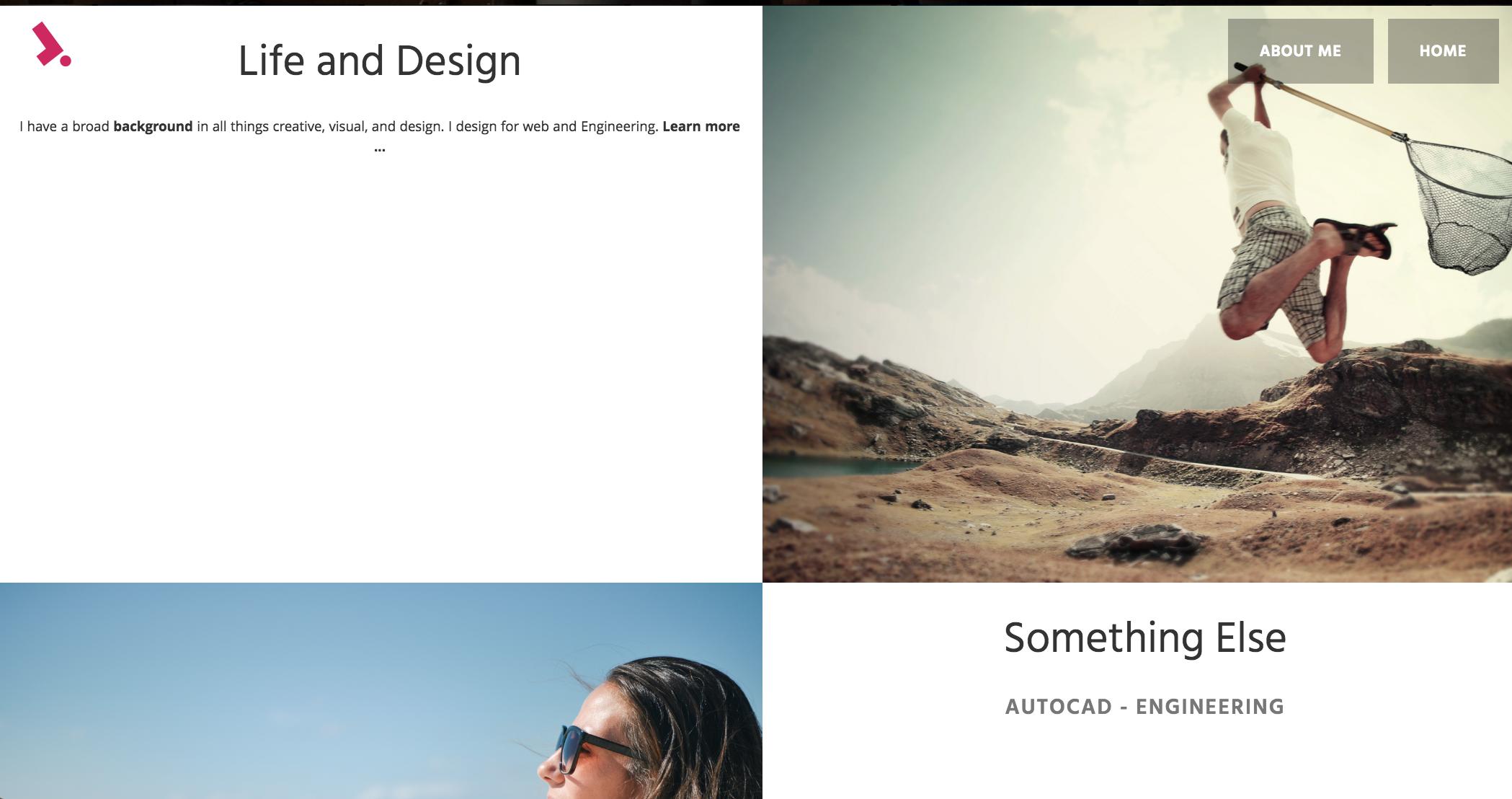
回答 2
Stack Overflow用户
回答已采纳
发布于 2016-11-05 07:33:02
由于您已经使用了flexbox,所以可以跳过position:absolute, transform: translate(),...部件来对事物进行中心化,并为此使用flexbox自己的属性。
.row-eq-height {
  min-height: 400px;
  display: flex;
}
.col-sm-6 {
  flex: 1;
  display: flex;
  align-items: center;
}
.section-content {
  flex: 1;
  text-align: center;
}
.section-img {
  background-size: cover;
  background-repeat: no-repeat;
  background-position: center center;
}<section class="row row-eq-height">
<div class="col-sm-6">
<div class="section-content">
.... content of post ...
<br> .... content of post ...
<br> .... content of post ...
<br> .... content of post ...
<br> .... content of post ...
<br> .... content of post ...
<br> .... content of post ...
</div>
</div>
<div class="col-sm-6 section-img" style="background-image: url(http://lorempixel.com/300/300/nature/1)">
</div>
</section>
Stack Overflow用户
发布于 2016-11-05 07:31:56
您可以使用css display:table选项,并且可以控制垂直对齐、顶部、中间、底部。
HTML

<section class="row row-eq-height">
  <div class="content-tbl">
    <div class="content-tbl-cell"> Text-goes-here </div>
    <div class="content-tbl-cell"> Text-goes-here </div>
  </div>
</section>
CSS
.content-tbl {display:table;width:100%;}
.content-tbl-cell {display:table-cell;width:50%;vertical-align:middle;padding:0 15px;}页面原文内容由Stack Overflow提供。腾讯云小微IT领域专用引擎提供翻译支持
原文链接:
https://stackoverflow.com/questions/40435470
复制相关文章
相似问题
腾讯云开发者

Copyright © 2013 - 2026 Tencent Cloud. All Rights Reserved. 腾讯云 版权所有
深圳市腾讯计算机系统有限公司 ICP备案/许可证号:粤B2-20090059  粤公网安备44030502008569号
腾讯云计算(北京)有限责任公司 京ICP证150476号 | 京ICP备11018762号