
如何使用hc_rangeSelector()
如何使用hc_rangeSelector()
提问于 2016-11-04 11:18:13
我正在策划一个财务日内时间意甲的R-闪闪发光的项目,使用高级包机包。为了获得输出,我对服务器部分使用了以下代码(请注意,xtsPrices()是一个返回xts日间时间-serie的函数):
output$plot <- renderHighchart({

y <- xtsPrices()

highchart() %>%
  hc_exporting(enabled = TRUE)%>%
  hc_add_series_ohlc(y) %>%
  hc_add_theme(hc_theme_538(colors = c("red", "blue", "green"),
                            chart = list(backgroundColor = "white") ))
})我在文档中看到,为了个性化缩放按钮,我必须处理hc_rangeSelector()函数,但我不知道如何在这个R-闪亮的环境中指定它们,如高库存API中的javascript示例所示。特别是-因为这是一天内的时间-意甲-我需要按钮,如“20分钟”,"1h","3h","1D“等。
回答 1
Stack Overflow用户
回答已采纳
发布于 2016-11-04 13:20:55
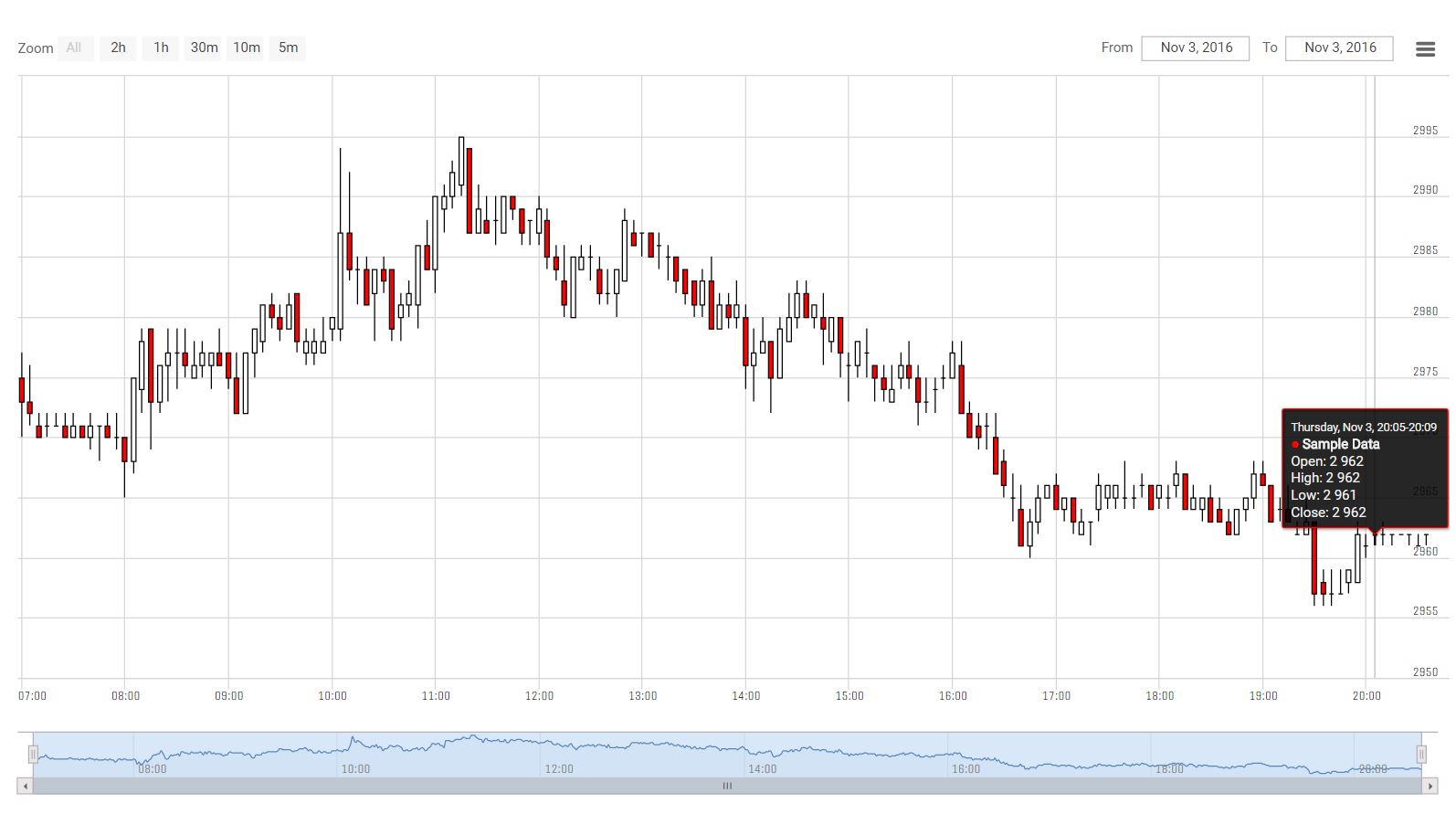
对于日内数据,您可以这样做:
hc <- highchart() %>%
  hc_exporting(enabled = TRUE) %>%
  hc_add_series_ohlc(y, yAxis = 0, name = "Sample Data", id = "T1",smoothed=TRUE,forced=TRUE,groupPixelWidth=24) %>%
  hc_rangeSelector( buttons = list(
    list(type = 'all', text = 'All'),
    list(type = 'hour', count = 2, text = '2h'),
    list(type = 'hour', count = 1, text = '1h'),
    list(type = 'minute', count = 30, text = '30m'),
    list(type = 'minute', count = 10, text = '10m'),
    list(type = 'minute', count = 5, text = '5m')
  )) %>%
  hc_add_theme(hc_theme_538(colors = c("red", "blue", "green"),chart = list(backgroundColor = "white") ))
hc
页面原文内容由Stack Overflow提供。腾讯云小微IT领域专用引擎提供翻译支持
原文链接:
https://stackoverflow.com/questions/40421331
复制相关文章
相似问题
腾讯云开发者

Copyright © 2013 - 2026 Tencent Cloud. All Rights Reserved. 腾讯云 版权所有
深圳市腾讯计算机系统有限公司 ICP备案/许可证号:粤B2-20090059  粤公网安备44030502008569号
腾讯云计算(北京)有限责任公司 京ICP证150476号 | 京ICP备11018762号