
PayUmoney安卓集成中的问题
我正在尝试将PayUMoney集成到我的应用程序中。
如果我使用以下测试凭据,应用程序会给出适当的输出;
String merchant_key = "kYz2vV";
String salt = "zhoXe53j";
String base_url = "https://test.payu.in/_payment";
String SUCCESS_URL = "https://www.payumoney.com/mobileapp/payumoney/success.php";
String FAILED_URL = "https://www.payumoney.com/mobileapp/payumoney/failure.php";
当我用活生生的凭证代替钥匙和盐时;
String merchant_key = "gtKFFx";
String salt = "eCwWELxi";
String base_url = "https://secure.payu.in/_payment";
String SUCCESS_URL = "https://www.payumoney.com/mobileapp/payumoney/success.php";
String FAILED_URL = "https://www.payumoney.com/mobileapp/payumoney/failure.php";
Webview显示我的错误就像;
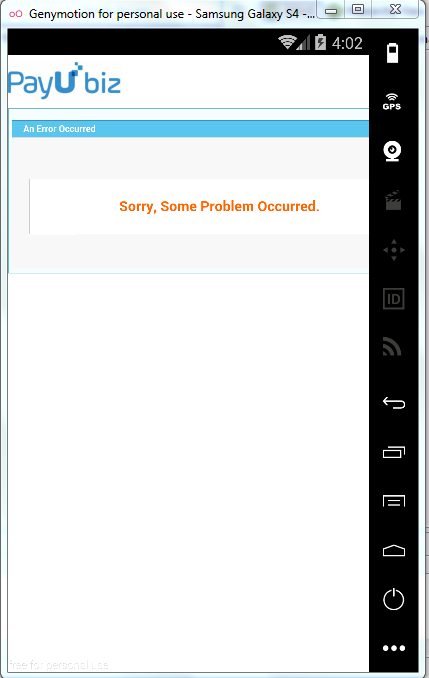
在这两种情况下,我都会派人跟着对位;
"amount" -> "2.00"
"phone" -> "1234567899"
"service_provider" -> "payu_paisa"
"txnid" -> "d14c0152fd952498ebbf"
"email" -> "test@gmail.com"
"hash" -> "b7f634896ec080f9f31424bd7c189e440f4cba573ada744dc2069ac9c79fa2bb95f3c7dc48f65eb123b0dd3c70de0b3fedfedca0ee3c013eb7a52c55e7833b31"
"surl" -> "https://www.payumoney.com/mobileapp/payumoney/success.php"
"furl" -> "https://www.payumoney.com/mobileapp/payumoney/failure.php"
"firstname" -> "test"
"productinfo" -> "Test"
"key" -> "gtKFFx"(for live) / "kYz2vV"(for test)
请给我一些解决办法。
谢谢。
回答 2
Stack Overflow用户
发布于 2016-10-25 07:17:32
我用这个参考文献解决了这个问题;
https://wordpress.org/support/topic/how-to-fix-payumoney-payubiz-plugin-error/
我使用了错误的键和盐值的Live。
其次,我在PayUbiz上有商人帐户,所以我需要在"service_provider“中传递空值。
Stack Overflow用户
发布于 2016-10-21 11:32:03
我使用了这个链接示例代码来集成PayU https://github.com/payu-intrepos/Android-SDK-Sample-App。
有关更多信息,您可以在这里查看Android PayU SDK集成( https://github.com/payu-intrepos/Documentations/wiki/6.-Android-SDK-Integration )。
我认为您没有传递所有参数--我使用下面这样的参数完成了它
String merchantKey = "YOUR_KEY";

String mandatoryKeys[] = { PayuConstants.KEY, PayuConstants.AMOUNT, PayuConstants.PRODUCT_INFO,
    PayuConstants.FIRST_NAME, PayuConstants.EMAIL, PayuConstants.TXNID, PayuConstants.SURL,
    PayuConstants.FURL, PayuConstants.USER_CREDENTIALS, PayuConstants.UDF1, PayuConstants.UDF2,
    PayuConstants.UDF3, PayuConstants.UDF4, PayuConstants.UDF5, PayuConstants.ENV};

String mandatoryValues[] = { merchantKey, "10.0", "myproduct", "firstname", "me@itsmeonly.com",
        ""+System.currentTimeMillis(), "https://payu.herokuapp.com/success",
        "https://payu.herokuapp.com/failure", merchantKey+":payutest@payu.in",
"udf1", "udf2", "udf3", "udf4", "udf5", ""+PayuConstants.PRODUCTION_ENV};https://stackoverflow.com/questions/40173992
复制相似问题
腾讯云开发者

Copyright © 2013 - 2026 Tencent Cloud. All Rights Reserved. 腾讯云 版权所有
深圳市腾讯计算机系统有限公司 ICP备案/许可证号:粤B2-20090059  粤公网安备44030502008569号
腾讯云计算(北京)有限责任公司 京ICP证150476号 | 京ICP备11018762号