
InboxSDK -无法通过composeView对象进行attachFiles
InboxSDK -无法通过composeView对象进行attachFiles
提问于 2016-10-05 14:35:41
我试图通过composeView对象使用因博克附加一个附件。我使用以下代码从远程url获取blob对象。
// FUNCTION TO OPEN A NEW COMPOSE BOX ONCE THE ATTACHMENT BLOB IS OBTAINED FROM REMOTE URL.
function openComposeBox(sdk, blob){
  handler = sdk.Compose.registerComposeViewHandler(function(composeView){
     if(blob != null){
       composeView.attachFiles([blob]);
       composeView.setSubject("Testing");
    }
 });
}

// FETCHING ATTACHMENT FILE FROM REMOTE URL
var file_btn_url = "https://api.hummingbill.com/system/invoices/invoice_files/000/033/393/original/abracadabra.txt";
var file_name = file_btn_url.split("/");
file_name = file_name[file_name.length-1];
file_type = /[^.]+$/.exec(file_name);

var blob = null;
var xhr = new XMLHttpRequest();
xhr.open("GET", file_btn_url);
xhr.responseType = "blob";
xhr.onload = function()
{
       blob = xhr.response;
    // blob.lastModifiedDate = new Date(); // Since it's not necessary to have it assigned, hence commented.
        blob.name = file_name;
        console.log(blob);
      openComposeBox(sdk, blob);

}
xhr.send();它显示了附件失败的错误。

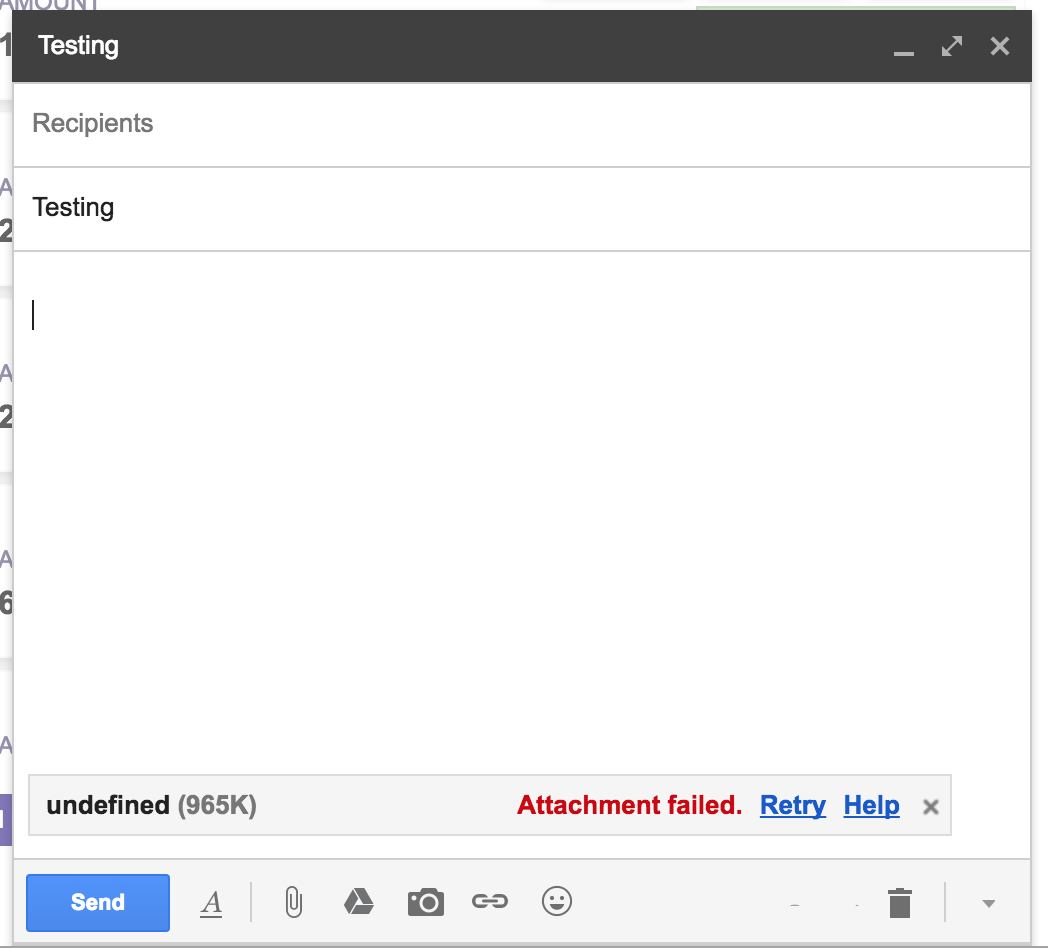
虽然我有正确的blob对象格式,但按照文档的要求,是正确的。

根据文档,我已经为blob设置了文件名,并将它在数组中传递给attachFiles函数。请你调查一下,让我知道我缺少了什么吗?
回答 1
Stack Overflow用户
发布于 2018-12-13 10:04:51
张贴解决方案。代码与问题相同,只是略有变化,我们将blob转换为一个文件,以使其工作。
//... Same as the code in the question


// Fetching attachment file from remote url
var file_btn_url = "https://api.hummingbill.com/system/invoices/invoice_files/000/033/393/original/abracadabra.txt";
var file_name = file_btn_url.split("/");
file_name = file_name[file_name.length-1];
file_type = /[^.]+$/.exec(file_name);

var blob = null;
var xhr = new XMLHttpRequest();
xhr.open("GET", file_btn_url);
xhr.responseType = "blob";
xhr.onload = function()
{
     // Solution: Convert the obtained blob to a file
     // Pass the file to openComposeBox
     blob = new Blob([xhr.response], { type: xhr.responseType });
     var file = new File([blob], file_name);
     blob.name = file_name;
     openComposeBox(sdk, file);
}
xhr.send();
希望这能有所帮助。干杯!
页面原文内容由Stack Overflow提供。腾讯云小微IT领域专用引擎提供翻译支持
原文链接:
https://stackoverflow.com/questions/39876901
复制相关文章
相似问题
腾讯云开发者

Copyright © 2013 - 2026 Tencent Cloud. All Rights Reserved. 腾讯云 版权所有
深圳市腾讯计算机系统有限公司 ICP备案/许可证号:粤B2-20090059  粤公网安备44030502008569号
腾讯云计算(北京)有限责任公司 京ICP证150476号 | 京ICP备11018762号