
基于gentelella的可滚动双列布局
基于gentelella的可滚动双列布局
提问于 2016-10-04 21:19:31
我正在创建一个基于https://github.com/puikinsh/gentelella的布局,我试图制作三个列模板,第二个列是可滚动的。
这是布局的模型。
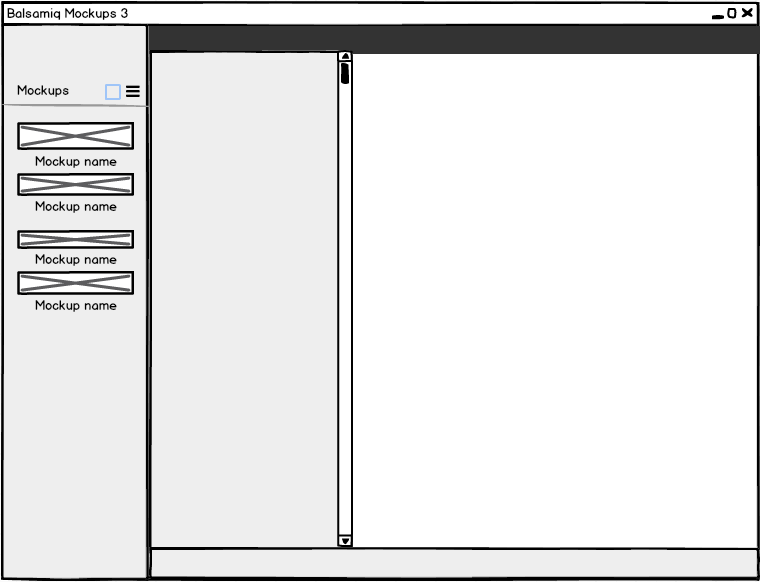
基本上,我需要在里面创建两个面板
我试着把最小高度提高到100%,然后把溢出隐藏在父母身上。具有溢出-y滚动的right_col。
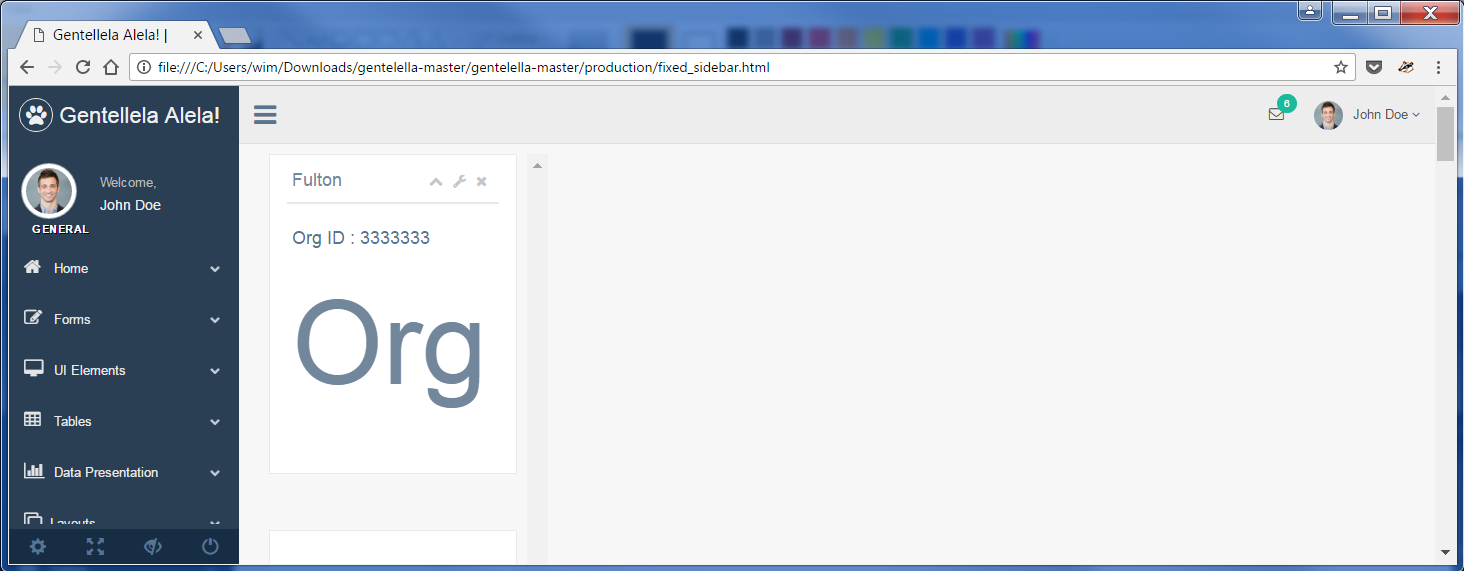
这就是问题所在。第二列看起来有滚动,但仍然占用显示内容所需的完整长度。
这是我的代码
这是我的css
回答 1
Stack Overflow用户
发布于 2016-10-05 02:51:44
如果您给容器元素的高度为100 it,那么您可以给它100%的高度。
vh是视口高度的测量单元,它可以为您提供后续相关度量的基础。
您的问题是可滚动元素没有正确的高度。设置最大高度或高度将有助于这种情况。
在本例中,将所有列的最小高度设为100%,然后给出要滚动的最大高度为100%并滚动溢出的列。
.column {
  display: inline-block;
  width: 33%;
  min-height: 100%;
  vertical-align: top;
  margin: auto;
  font-size: 3em; /* This is just for the example, so we have enough stuff to scroll */
}
#column2 {
  overflow-y: scroll;
  max-height: 100%;
}<div class="column" id="column1">
</div>
<div class="column" id="column2">
content to be scrolled
<br>content to be scrolled
<br>content to be scrolled
<br>content to be scrolled
<br>content to be scrolled
<br>content to be scrolled
<br>content to be scrolled
<br>content to be scrolled
<br>content to be scrolled
<br>content to be scrolled
<br>content to be scrolled
<br>content to be scrolled
<br>content to be scrolled
<br>
</div>
<div class="column" id="column3">
</div>
关键是定义要滚动其内容的元素的高度。
页面原文内容由Stack Overflow提供。腾讯云小微IT领域专用引擎提供翻译支持
原文链接:
https://stackoverflow.com/questions/39861941
复制相关文章
相似问题
腾讯云开发者

Copyright © 2013 - 2026 Tencent Cloud. All Rights Reserved. 腾讯云 版权所有
深圳市腾讯计算机系统有限公司 ICP备案/许可证号:粤B2-20090059  粤公网安备44030502008569号
腾讯云计算(北京)有限责任公司 京ICP证150476号 | 京ICP备11018762号