
Azure移动业务节点--基于推送的局部机误on
我正在遵循Azure的移动快速启动教程(Xamarin.Android),我能够让Facebook认证和推送通知运行。
现在,我想知道如何在本地机器上运行移动应用服务(Nodejs),而不是在Azure Cloud上运行。我遵循了本教程:https://shellmonger.com/2016/04/01/30-days-of-zumo-v2-azure-mobile-apps-day-2-local-development/
然而,在我打开这个应用程序之后,事情就变坏了。见下面的截图:
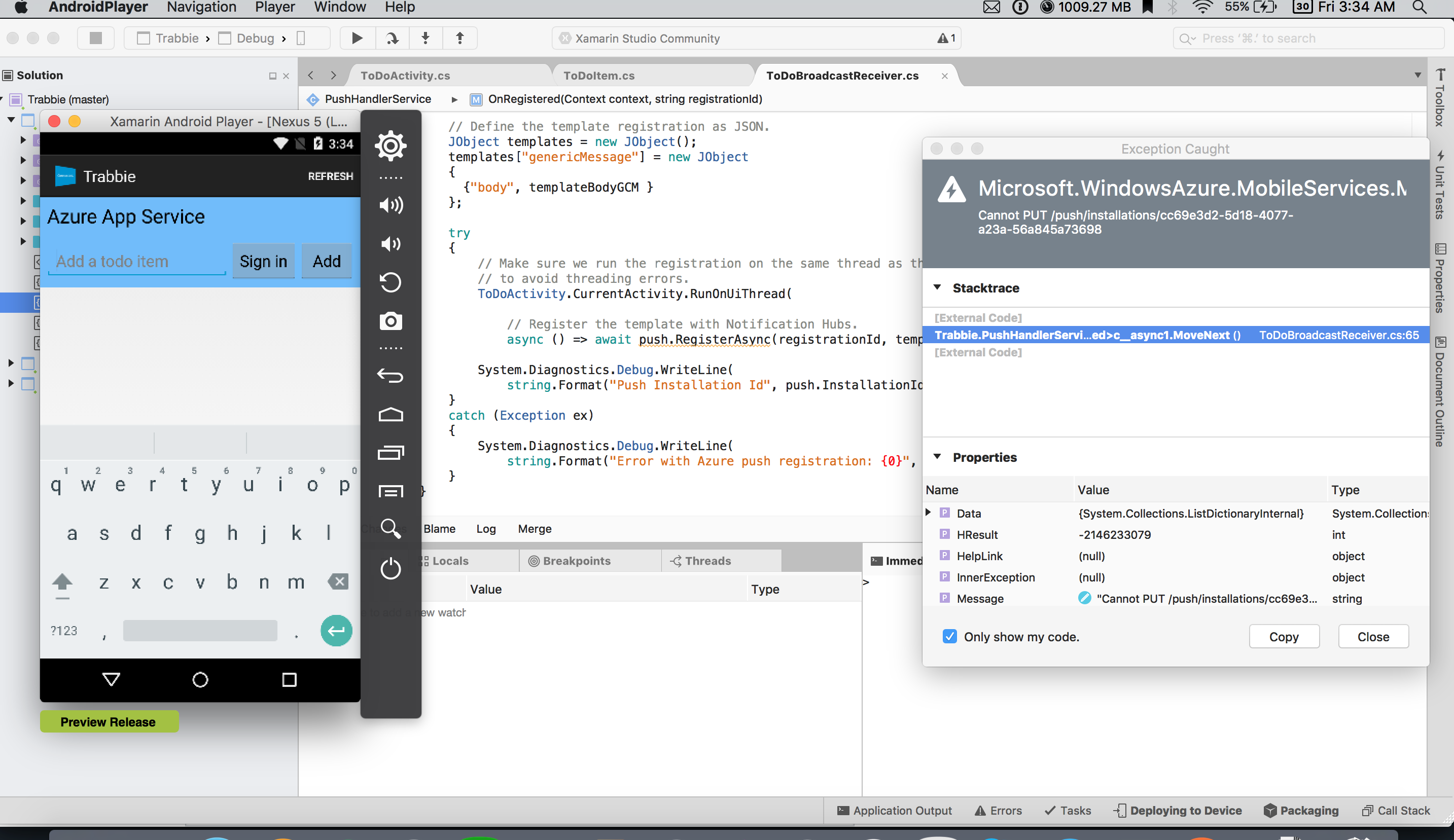
错误:
Microsoft.WindowsAzure.MobileServices.MobileServiceInvalidOperationException: Cannot PUT /push/installations/cc69e3d2-5d18-4077-a23a-56a845a73698几个注意事项:
-如果我把它连接到Azure .上的远程应用服务,这个应用程序就会正常工作。
-是的,我已经将应用服务器(nodejs)克隆在我的本地机器上--安装了所需的模块,并且正在按它应该运行的方式运行(屏幕快照)。
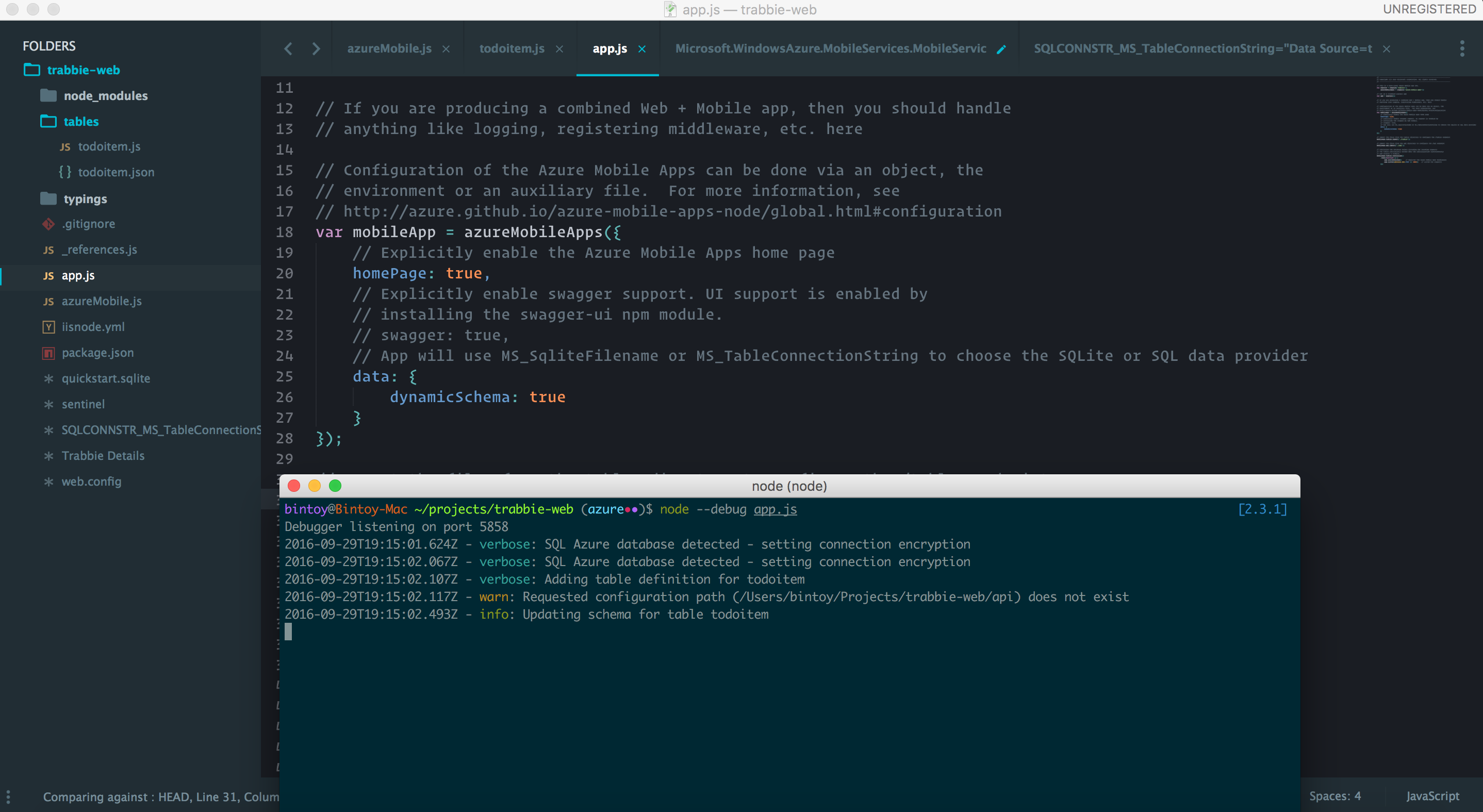
// This is a base-level Azure Mobile App SDK.
var express = require('express'),
    azureMobileApps = require('azure-mobile-apps');

// Set up a standard Express app
var app = express();

// If you are producing a combined Web + Mobile app, then you should handle
// anything like logging, registering middleware, etc. here

// Configuration of the Azure Mobile Apps can be done via an object, the
// environment or an auxiliary file.  For more information, see
// http://azure.github.io/azure-mobile-apps-node/global.html#configuration
var mobileApp = azureMobileApps({
    // Explicitly enable the Azure Mobile Apps home page
    homePage: true,
    // Explicitly enable swagger support. UI support is enabled by
    // installing the swagger-ui npm module.
    // swagger: true,
    // App will use MS_SqliteFilename or MS_TableConnectionString to choose the SQLite or SQL data provider
    data: {
        dynamicSchema: true
    }
});

// Import the files from the tables directory to configure the /tables endpoint
mobileApp.tables.import('./tables');

// Import the files from the api directory to configure the /api endpoint
mobileApp.api.import('./api');

// Initialize the database before listening for incoming requests
// The tables.initialize() method does the initialization asynchronously
// and returns a Promise.
mobileApp.tables.initialize()
    .then(function () {
        app.use(mobileApp);    // Register the Azure Mobile Apps middleware
        app.listen(process.env.PORT || 3000);   // Listen for requests
    });
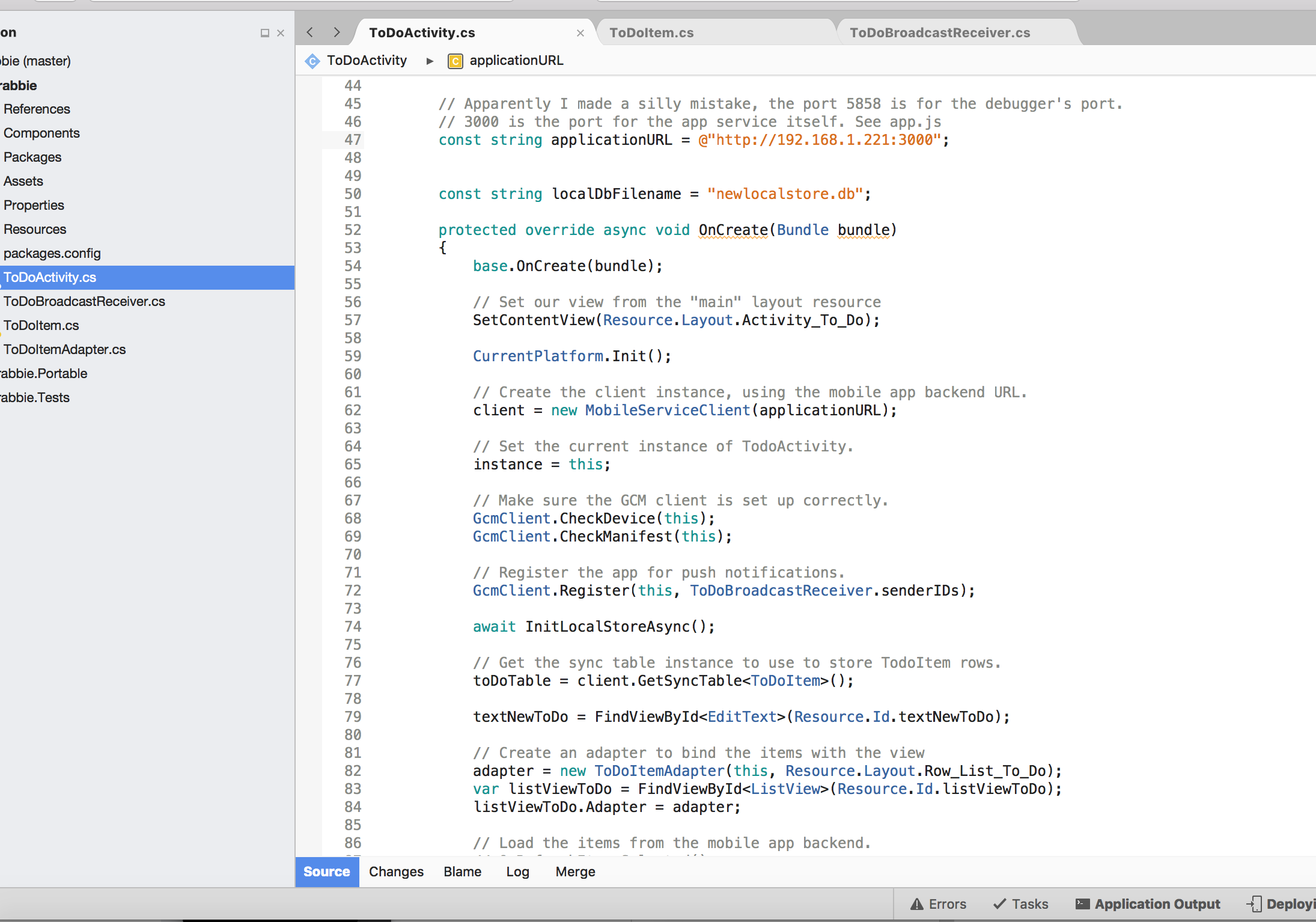
- -而且是的,我将移动应用程序客户端所需的ApplicationURL更改为本地运行的ApplicationURL(屏幕截图)
...

const string applicationURL = @"http://192.168.1.221:3000";

const string localDbFilename = "newlocalstore.db";

protected override async void OnCreate(Bundle bundle)
{
    base.OnCreate(bundle);

    // Set our view from the "main" layout resource
    SetContentView(Resource.Layout.Activity_To_Do);

    CurrentPlatform.Init();
    ...
-最后,我的IP地址已经白列在MS的防火墙设置上。因此,这不应该是一个问题,因为我也能够完全提升我的本地应用程序服务(nodejs).
你认为是什么导致了这个错误?
回答 1
Stack Overflow用户
发布于 2016-10-01 21:45:46
在本地运行时,必须提供所需的所有连接字符串--包括在云中为您自动生成的连接字符串。在这种情况下,您还没有在本地环境中定义通知集线器连接字符串。
转到Kudu (https://yoursite.scm.azurewebsites.net),查看连接字符串的环境变量。当你寻找它们时,它们是相当明显的。确保将所有连接字符串定义为相同的环境变量。
https://stackoverflow.com/questions/39778724
复制相似问题
腾讯云开发者

Copyright © 2013 - 2026 Tencent Cloud. All Rights Reserved. 腾讯云 版权所有
深圳市腾讯计算机系统有限公司 ICP备案/许可证号:粤B2-20090059  粤公网安备44030502008569号
腾讯云计算(北京)有限责任公司 京ICP证150476号 | 京ICP备11018762号