
UIView动态高度取决于标签高度
UIView动态高度取决于标签高度
提问于 2016-09-09 11:41:39
我有一个标签,它从数据库中获取一些动态的数据。这些数据是字符串,有时可以是3-4-5行等。因此,这个标记位于一个UIView中。
--UIView
--Label如何使UIView具有一定的标签动态高度??
回答 6
Stack Overflow用户
回答已采纳
发布于 2016-09-09 12:03:23
你可以用故事板--这张照片--来做
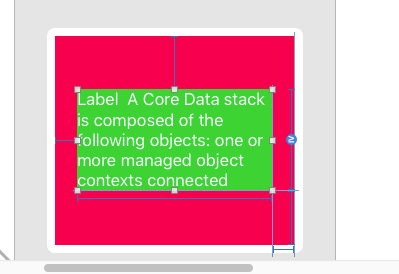
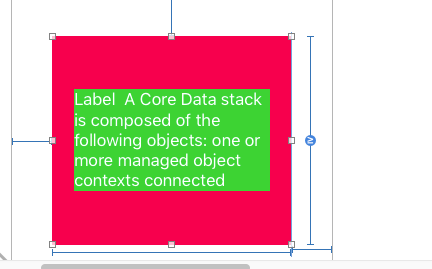
将标签高度关系设置为大于或等于
并将视图高度关系设置为大于或等于。
它像魔法一样运作
Stack Overflow用户
发布于 2016-09-09 12:01:24
贝娄是解决你问题的有效方法。我用的是autoLayout。在testView中,您不设置heightAnchor
let testView: UIView = {
    let view = UIView()
    view.translatesAutoresizingMaskIntoConstraints = false
    view.backgroundColor = UIColor.redColor()
    return view
}()

let testLabel: UILabel = {
    let label = UILabel()
    label.numberOfLines = 0
    label.translatesAutoresizingMaskIntoConstraints = false
    label.text = "jashfklhaslkfhaslkjdhflksadhflkasdhlkasdhflkadshkfdsjh"
    return label
}()


override func viewDidLoad() {
    super.viewDidLoad()

    view.addSubview(testView)
    testView.centerXAnchor.constraintEqualToAnchor(view.centerXAnchor).active = true
    testView.centerYAnchor.constraintEqualToAnchor(view.centerYAnchor).active = true
    testView.widthAnchor.constraintEqualToConstant(100).active = true


    testView.addSubview(testLabel)
    testLabel.topAnchor.constraintEqualToAnchor(testView.topAnchor, constant: 10).active = true
    testLabel.leftAnchor.constraintEqualToAnchor(testView.leftAnchor, constant: 10).active = true
    testLabel.bottomAnchor.constraintEqualToAnchor(testView.bottomAnchor, constant: -10).active = true
    testLabel.rightAnchor.constraintEqualToAnchor(testView.rightAnchor, constant: -10).active = true

}Stack Overflow用户
发布于 2019-10-30 13:05:32
我知道这是迟了的回答,但这可能会对别人有帮助。
要使UIView的动态高度遵循故事板中的简单步骤
- 在UIView中添加一个UIViewController并设置您最喜欢的背景色
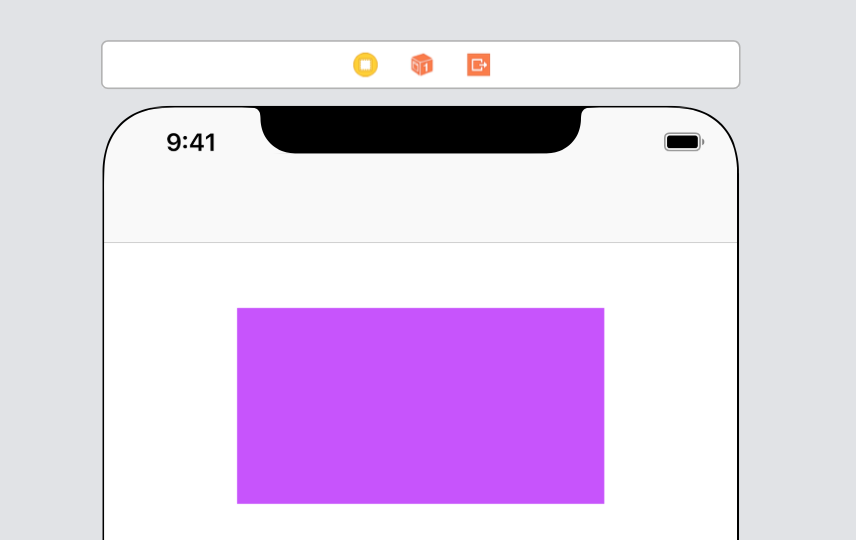
- 现在设置下面的约束,引导,顶部,尾随和高度(截至现在)。我们可以调整高度约束以进一步实现动态高度。
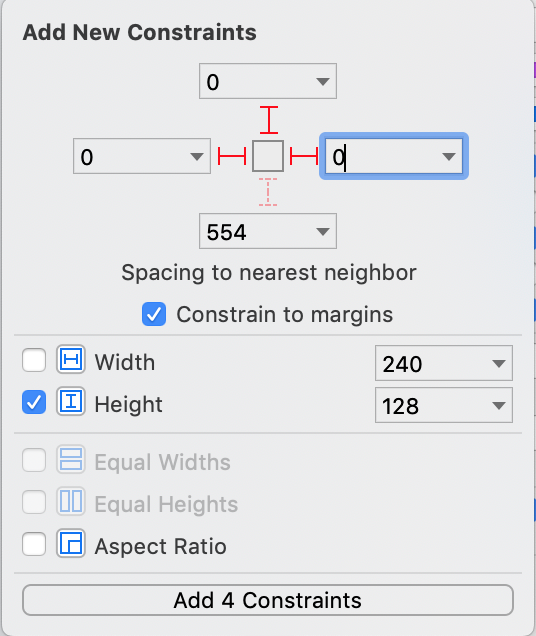
- 更新高度约束,如下所示:
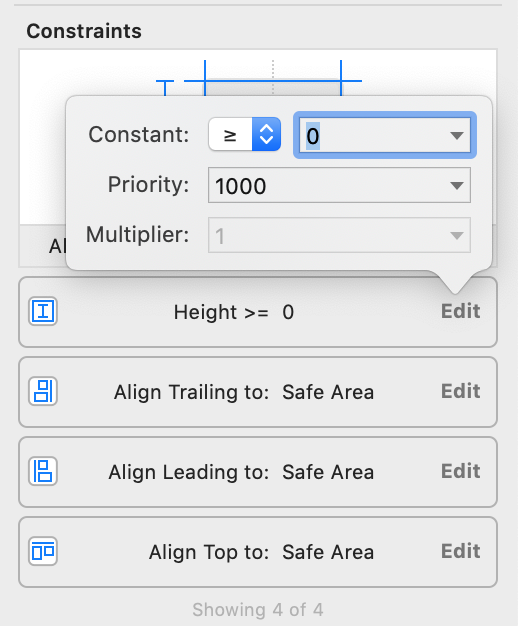
- 现在,故事板可能会向您展示不等式约束的模糊性。但我们现在要解决这个问题。只需在UIView中添加一个标签,如下所示
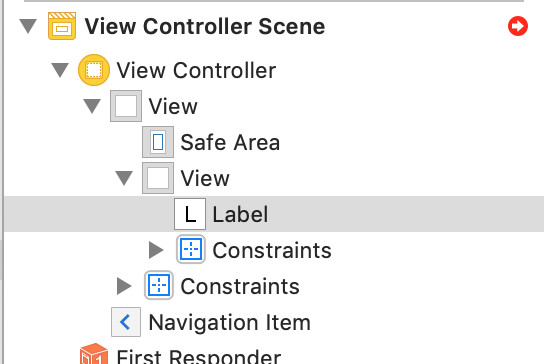
- 现在设置标签引导、尾随、顶部和底部的约束。
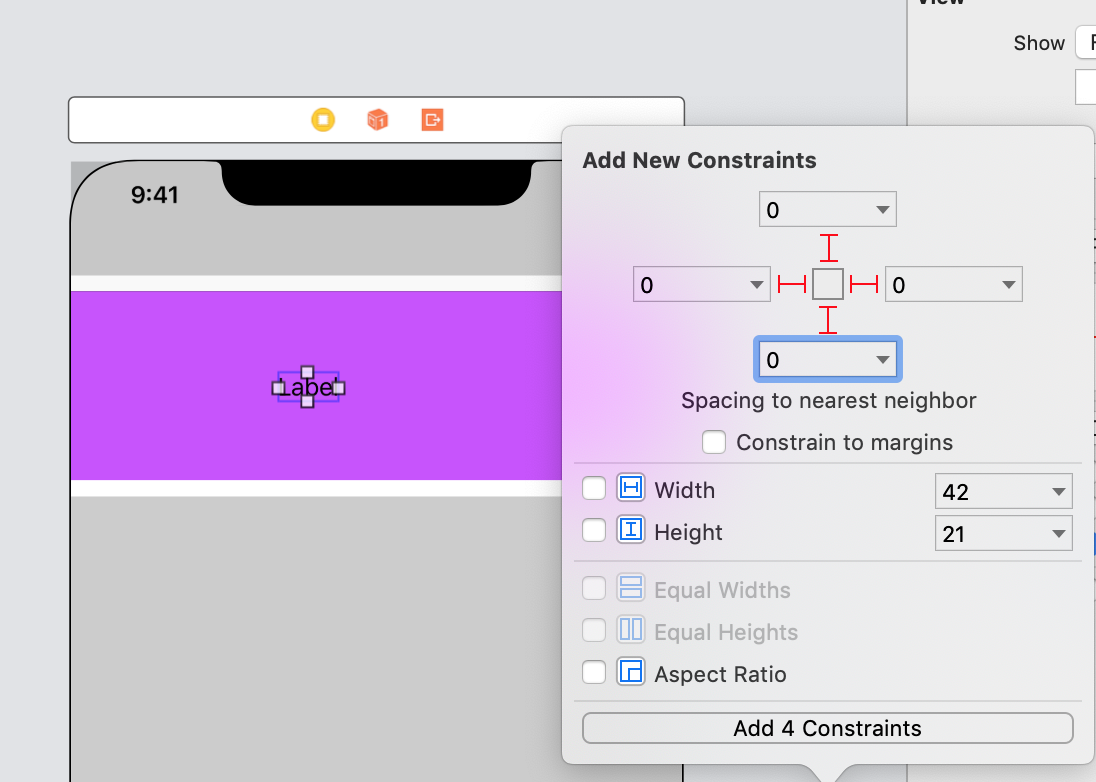
- 大家好,现在UIView的高度将根据标签的高度增加。只需对以下更改进行标签
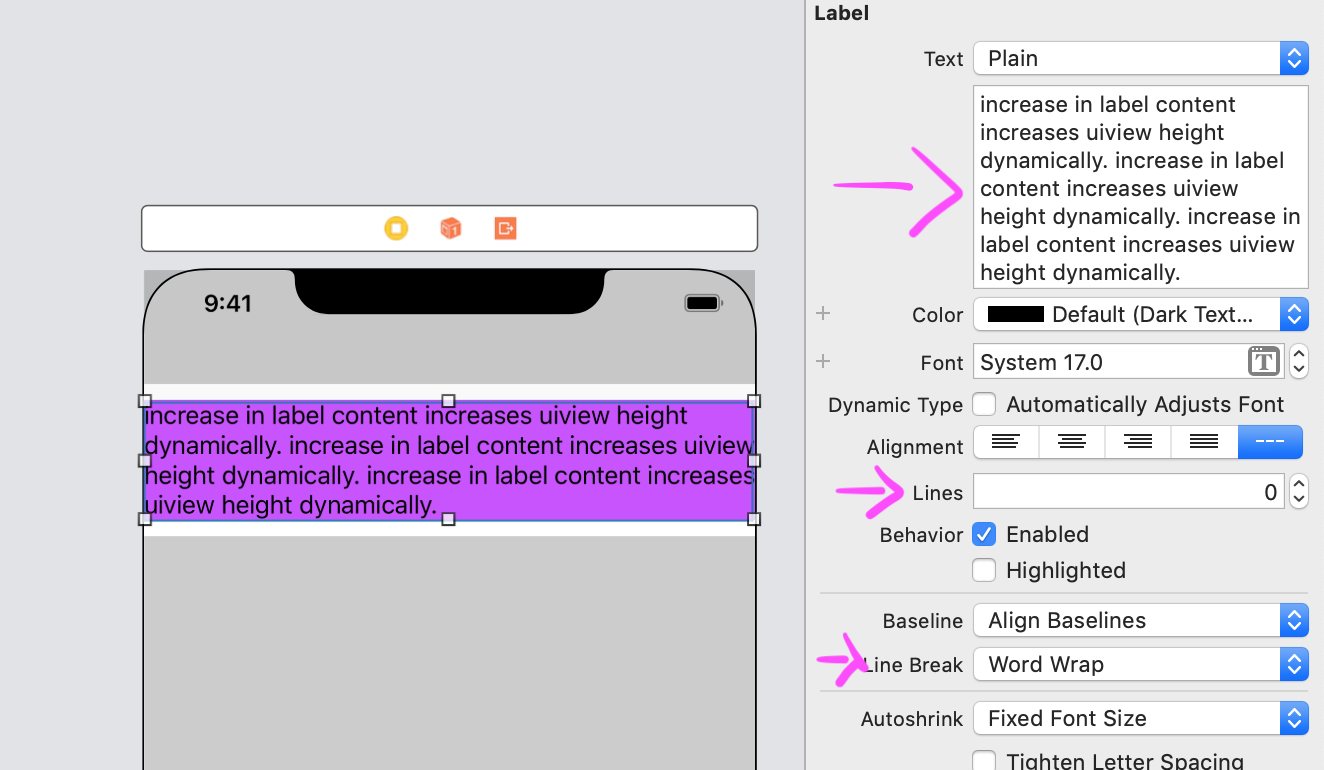
此技术与此UIView中的其他视图一起工作。问题是,您必须为这个UIView中的视图指定底部约束。
页面原文内容由Stack Overflow提供。腾讯云小微IT领域专用引擎提供翻译支持
原文链接:
https://stackoverflow.com/questions/39410796
复制相关文章
相似问题
腾讯云开发者

Copyright © 2013 - 2026 Tencent Cloud. All Rights Reserved. 腾讯云 版权所有
深圳市腾讯计算机系统有限公司 ICP备案/许可证号:粤B2-20090059  粤公网安备44030502008569号
腾讯云计算(北京)有限责任公司 京ICP证150476号 | 京ICP备11018762号