
单击图像以更改网站上的文本和其他图像。
单击图像以更改网站上的文本和其他图像。
提问于 2016-09-04 14:58:37
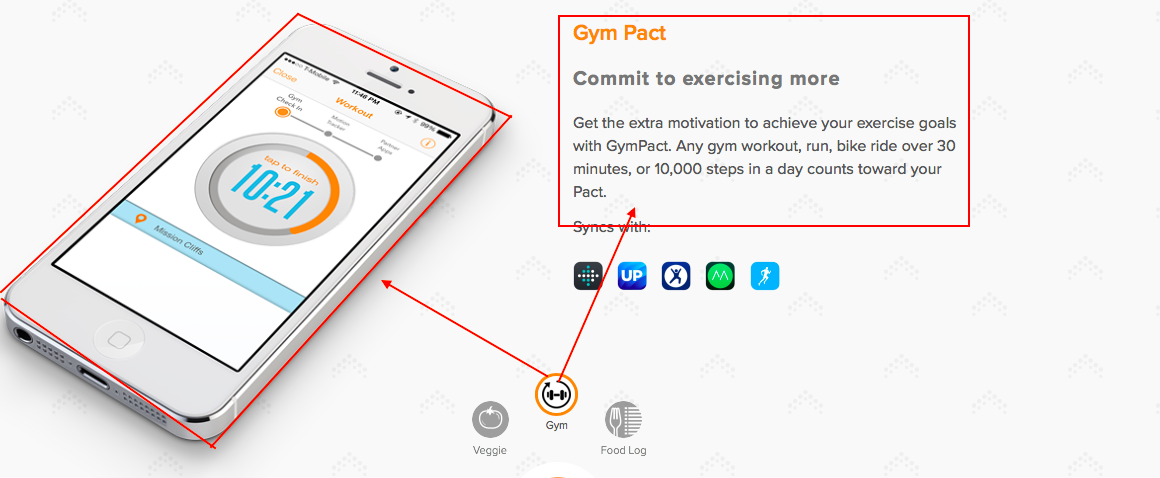
我是新来的JS,所以我需要一点帮助。
我正在建立一个html网站,我有3张图片作为按钮工作。
- 当我单击图1时,我希望text1 + image1出现。
- 当我单击图2时,我希望text2 + image2出现。
- 当我单击图3时,我希望text3 + image3出现。
文本现在正在为我工作,所以:当我点击图片1 text1是显示在网站上。
所以我需要帮助来添加图片。
这是我的密码:
function changeText(value) {
    var div = document.getElementById("div");
    var text = "";
    var image = "";

    if (value == 1) text += "this is picture one";
    if (value == 2) text += "this is picture two";
    if (value == 3) text += "this is picture tree";

div.innerHTML = text;<a href="javascript: changeText(1);">
<img id="searchconsumers" src="images/search.png" width="40px" height="40px" alt="abc" />
</a>
<a href="javascript: changeText(2);">
<img id="exploreconsumers" src="images/explore.png" width="40px" height="40px" alt="abc" />
</a>
<a href="javascript: changeText(3);">
<img id="funconsumers" src="images/fun.png" width="40px" height="40px" alt="abc" />
</a>
<div id="div"></div>
回答 2
Stack Overflow用户
回答已采纳
发布于 2016-09-04 21:31:55
你想要这样的东西吗?
function changeText(value) {
  var div = document.getElementById("div");
  var text = "";
  var image = "";

  if (value == 1) text += "this is picture one <br> <img class='custom_h_w' src='http://www.xerys.com/images/xerys/1.png'/>";
  if (value == 2) text += "this is picture two <br> <img class='custom_h_w' src='http://www.xerys.com/images/xerys/2.png'/>";
  if (value == 3) text += "this is picture tree <br> <img class='custom_h_w' src='http://www.xerys.com/images/xerys/3.png'/>";

  div.innerHTML = text;
}.custom_h_w{
top: 120px;
right: 200px;
position: absolute;
}<a href="javascript: changeText(1);">
<img id="searchconsumers" src="images/search.png" width="40px" height="40px" alt="abc" />
</a>
<a href="javascript: changeText(2);">
<img id="exploreconsumers" src="images/explore.png" width="40px" height="40px" alt="abc" />
</a>
<a href="javascript: changeText(3);">
<img id="funconsumers" src="images/fun.png" width="40px" height="40px" alt="abc" />
</a>
<div id="div"></div>
Stack Overflow用户
发布于 2016-09-04 15:53:22
这就是你所期待的??
function changeText(value) {
    var div = document.getElementById("div");
    var text = "";
    var image = "";

    if (value == 1) {
    document.getElementById("searchconsumers").style.cssText="transform: scale(2); transition: all 1s linear";
        document.getElementById("exploreconsumers").style.cssText="transform: scale(1);transition: all 1s linear";
    document.getElementById("funconsumers").style.cssText="transform: scale(1);transition: all 1s linear";

    text += "this is picture one";
     div.innerHTML = text;


    }
    if (value == 2){
     document.getElementById("searchconsumers").style.cssText="transform: scale(1);transition: all 1s linear";
        document.getElementById("exploreconsumers").style.cssText="transform: scale(2);transition: all 1s linear";
    document.getElementById("funconsumers").style.cssText="transform: scale(1);transition: all 1s linear";
    text += "this is picture two";
     div.innerHTML = text;}
    if (value == 3) {
       document.getElementById("searchconsumers").style.cssText="transform: scale(1);transition: all 1s linear";
        document.getElementById("exploreconsumers").style.cssText="transform: scale(1);transition: all 1s linear";
    document.getElementById("funconsumers").style.cssText="transform: scale(2);transition: all 1s linear";
    text += "this is picture tree";
     div.innerHTML = text;}


}<!DOCTYPE html>
<html>
<head>
<link rel="stylesheet" href="style.css">
<script src="script.js"></script>
</head>
<body>
<a href="javascript: changeText(1);">
<img id="searchconsumers" src="http://vignette3.wikia.nocookie.net/supersmashbrosfanon/images/9/91/SSB4_-_Pikachu_Artwork.png/revision/latest?cb=20150727015314" width="40px" height="40px" alt="test1" />
</a>
<a href="javascript: changeText(2);">
<img id="exploreconsumers" src="http://img2.wikia.nocookie.net/__cb20120906164108/fantendo/images/e/ee/Super_Mushroom_for_tlotll.png" width="40px" height="40px" alt="test2" />
</a>
<a href="javascript: changeText(3);">
<img id="funconsumers" src="http://www.imagenspng.com.br/wp-content/uploads/2015/02/small-super-mario.png" width="40px" height="40px" alt="test3" />
</a>
<br/>
<br/>
<div id="div"></div>
</body>
</html>
function a(value) {
    if (value == 1) {
    document.getElementById("image1").style.cssText="display:block";
          document.getElementById("image2").style.cssText="display:none";
    document.getElementById("image3").style.cssText="display:none";

  }
 if (value == 2) {
    document.getElementById("image1").style.cssText="display:none";
          document.getElementById("image2").style.cssText="display:block";
    document.getElementById("image3").style.cssText="display:none";

  }
   if (value == 3) {
    document.getElementById("image1").style.cssText="display:none";
          document.getElementById("image2").style.cssText="display:none";
    document.getElementById("image3").style.cssText="display:block";

  }
}a{
text-decoration:none;
color:black;
}
#image1,#image2,#image3{
display:none;
}
#main1{
display:inline-block;
}
input[type="submit"] {
background: #0066A2;
color: white;
border-style: outset;
border-color: #0066A2;
height: 50px;
width: 100px;
font: bold 15px arial, sans-serif;
}<!DOCTYPE html>
<html>
<head>
<link rel="stylesheet" href="style.css">
<script src="script.js"></script>
</head>
<body>
<div id="main1">
<input type="submit" value="pika" onclick="a(1)">
<br/> <br/>
<a href="javascript: changeText(1);">
<div id="image1">
<img id="searchconsumers" src="http://vignette3.wikia.nocookie.net/supersmashbrosfanon/images/9/91/SSB4_-_Pikachu_Artwork.png/revision/latest?cb=20150727015314" width="40px" height="40px" alt="test1" />
<p>This is image1</p>
</div>
</a>
</div>
<div id="main1">
<input type="submit" value="muss" onclick="a(2)">
<br/> <br/>
<a href="javascript: changeText(2);">
<div id="image2">
<img id="exploreconsumers" src="http://img2.wikia.nocookie.net/__cb20120906164108/fantendo/images/e/ee/Super_Mushroom_for_tlotll.png" width="40px" height="40px" alt="test1" />
<p>This is image2</p>
</div>
</a>
</div>
<div id="main1">
<input type="submit" value="mario" onclick="a(3)">
<br/> <br/>
<a href="javascript: changeText(3);">
<div id="image3">
<img id="funconsumers" src="http://www.imagenspng.com.br/wp-content/uploads/2015/02/small-super-mario.png" width="40px" height="40px" alt="test1" />
<p>This is image3</p>
</div>
</a>
</div>
</body>
</html>
页面原文内容由Stack Overflow提供。腾讯云小微IT领域专用引擎提供翻译支持
原文链接:
https://stackoverflow.com/questions/39318243
复制相关文章
相似问题
腾讯云开发者

Copyright © 2013 - 2026 Tencent Cloud. All Rights Reserved. 腾讯云 版权所有
深圳市腾讯计算机系统有限公司 ICP备案/许可证号:粤B2-20090059  粤公网安备44030502008569号
腾讯云计算(北京)有限责任公司 京ICP证150476号 | 京ICP备11018762号