
JavaFx创建HatchStyles (类似于C# .Net)
JavaFx创建HatchStyles (类似于C# .Net)
提问于 2016-09-02 17:18:07
在使用.Net HatchStyles或在JavaFx画布上绘图时(在jdk、第三方库、示例代码等),是否有类似于JavaFxHatchStyles填充形状的东西?
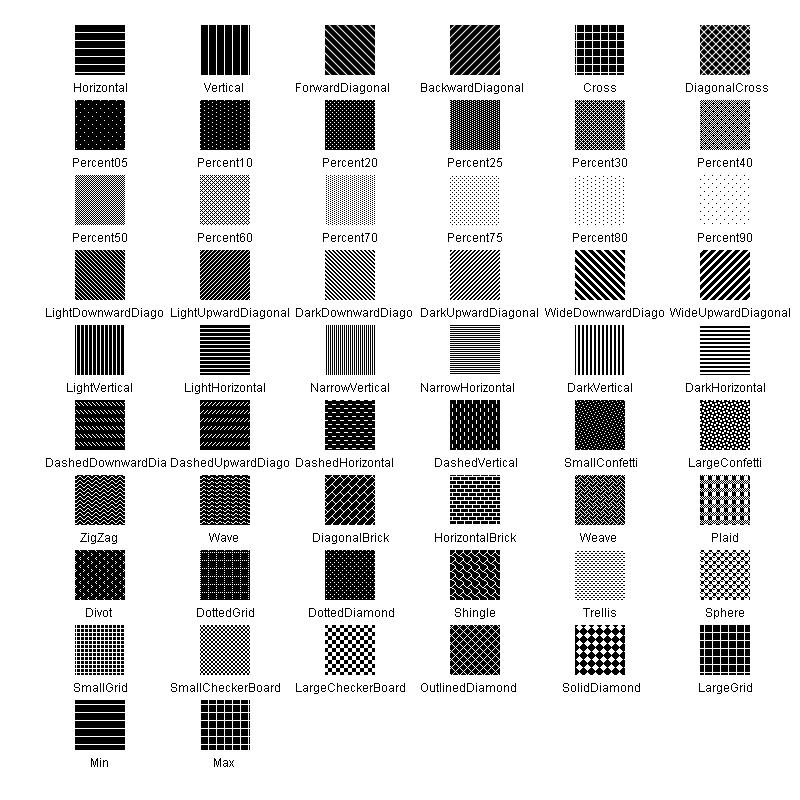
我目前所能想到的唯一解决方案是使用通过那些ImagePattern孵化样式的图像屏幕截图创建的.net!
GraphicsContext gc = canvas.getGraphicsContext2D();
ImagePattern pattern = new ImagePattern(new Image("dotnet-pattern.png");
gc.setFill(pattern);
.Net孵化样式的图形表示:
回答 1
Stack Overflow用户
回答已采纳
发布于 2016-09-02 18:54:51
一种方法是对您建议的内容稍加修改:使用ImagePattern,但使用snapshot作为底层映像的适当节点。
在不知道HatchStyle的样子的情况下,下面的变体可能会工作:
import javafx.application.Application;
import javafx.scene.Scene;
import javafx.scene.canvas.Canvas;
import javafx.scene.canvas.GraphicsContext;
import javafx.scene.image.Image;
import javafx.scene.layout.Pane;
import javafx.scene.layout.StackPane;
import javafx.scene.paint.Color;
import javafx.scene.paint.ImagePattern;
import javafx.scene.shape.Line;
import javafx.scene.shape.StrokeLineCap;
import javafx.stage.Stage;

public class HatchStyleCanvas extends Application {

    @Override
    public void start(Stage primaryStage) {
        Image hatch = createHatch();
        ImagePattern pattern = new ImagePattern(hatch, 0, 0, 20, 20, false);
        Canvas canvas = new Canvas(600, 600);
        GraphicsContext gc = canvas.getGraphicsContext2D();
        gc.setFill(pattern);
        gc.fillRect(0, 0, 600, 600);
        primaryStage.setScene(new Scene(new StackPane(canvas)));
        primaryStage.show();
    }

    private Image createHatch() {
        Pane pane = new Pane();
        pane.setPrefSize(20, 20);
        Line fw = new Line(-5, -5, 25, 25);
        Line bw = new Line(-5, 25, 25, -5);
        fw.setStroke(Color.ALICEBLUE);
        bw.setStroke(Color.ALICEBLUE);
        fw.setStrokeWidth(5);
        bw.setStrokeWidth(5);
        pane.getChildren().addAll(fw, bw);
        new Scene(pane);
        return pane.snapshot(null, null);
    }

    public static void main(String[] args) {
        launch(args);
    }
}
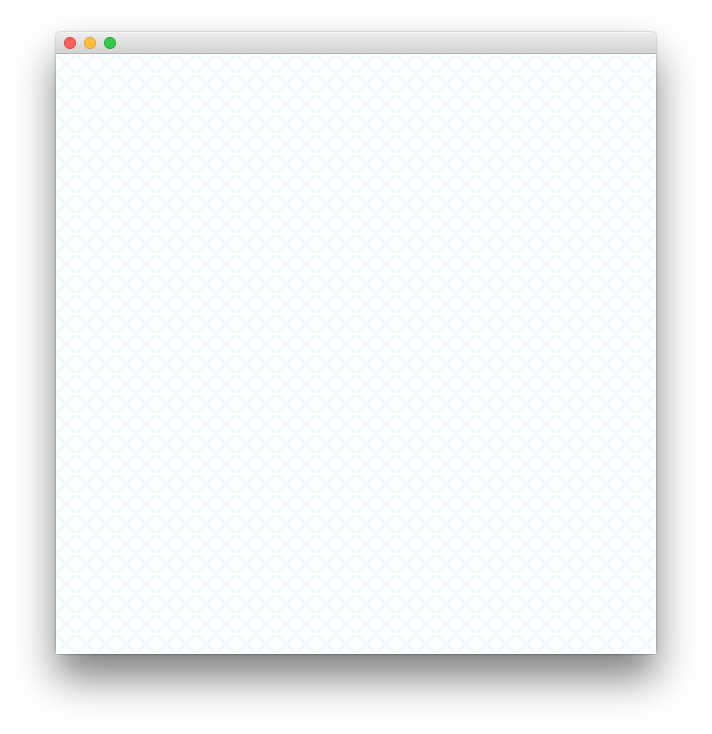
这会导致
页面原文内容由Stack Overflow提供。腾讯云小微IT领域专用引擎提供翻译支持
原文链接:
https://stackoverflow.com/questions/39297719
复制相关文章
相似问题
腾讯云开发者

Copyright © 2013 - 2026 Tencent Cloud. All Rights Reserved. 腾讯云 版权所有
深圳市腾讯计算机系统有限公司 ICP备案/许可证号:粤B2-20090059  粤公网安备44030502008569号
腾讯云计算(北京)有限责任公司 京ICP证150476号 | 京ICP备11018762号