
成批处理和分割图像
成批处理和分割图像
提问于 2016-08-20 23:45:29
我试着用这个集体形象来分割每一个魅力项目。
形状不规则,不一致:
https://i.imgur.com/sf8nOau.jpg

我有另一个图像,其中与最上面的条目行有一些一致性,但理想情况下,我可以一次处理和制动所有项目:
http://i.imgur.com/WiiYBay.jpg
我没有经验的opencv,所以我只是寻找最好的工具或方法采取。我读过背景减法和颜色聚类,但我也不确定。
对于如何最好地解决这个问题,有什么想法吗?谢谢。
回答 1
Stack Overflow用户
回答已采纳
发布于 2016-08-21 06:44:04
代码
import cv2
import numpy as np

im=cv2.imread('so1.jpg')
gray = cv2.cvtColor(im,cv2.COLOR_BGR2GRAY)
ret, thresh = cv2.threshold(gray,0,255,cv2.THRESH_BINARY_INV+cv2.THRESH_OTSU)

kernel = np.ones((3,3),np.uint8)
res = cv2.dilate(thresh,kernel,iterations = 1)
res = cv2.erode(res,kernel,iterations = 1)
res = cv2.dilate(res,kernel,iterations = 1)

cv2.imshow('thresh',res)
_,contours, hierarchy = cv2.findContours(res.copy(),cv2.RETR_EXTERNAL,cv2.CHAIN_APPROX_SIMPLE)
for cnt in contours:
    x,y,w,h = cv2.boundingRect(cnt)
    cv2.rectangle(im,(x,y),(x+w,y+h),(0,255,0),2)

cv2.imshow('image',im)
cv2.waitKey(0)
cv2.destroyAllWindows()
输出
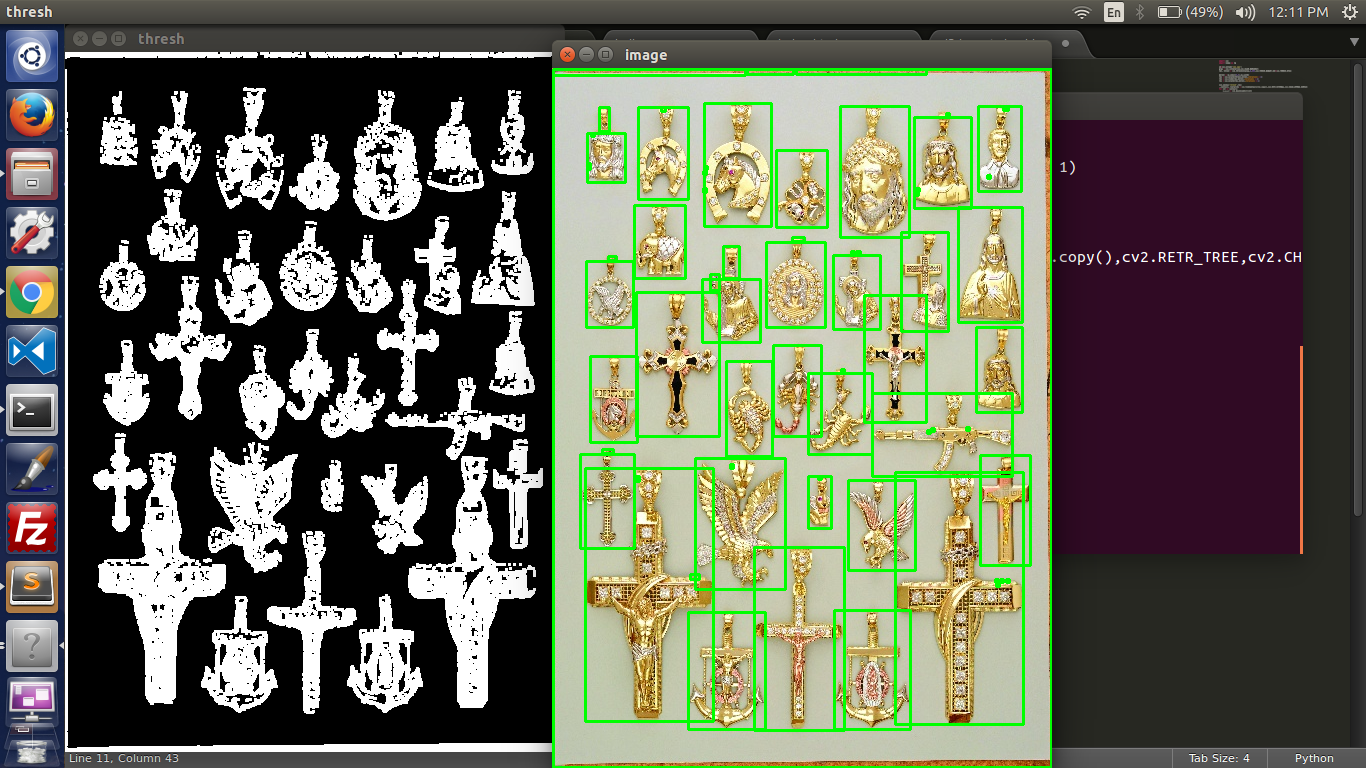
现在有了等高线,你就可以裁剪出来了
代码更新
import cv2
import numpy as np

im=cv2.imread('so.jpg')
gray = cv2.cvtColor(im,cv2.COLOR_BGR2GRAY)
ret, thresh = cv2.threshold(gray,0,255,cv2.THRESH_BINARY_INV+cv2.THRESH_OTSU)

kernel = np.ones((3,3),np.uint8)
res = cv2.dilate(thresh,kernel,iterations = 1)
res = cv2.erode(res,kernel,iterations = 1)
res = cv2.dilate(res,kernel,iterations = 8)

cv2.imshow('thresh',res)
_,contours, hierarchy = cv2.findContours(res.copy(),cv2.RETR_EXTERNAL,cv2.CHAIN_APPROX_SIMPLE)
count=0

for cnt in contours:
    blank=np.zeros(im.shape,dtype=np.uint8)
    x,y,w,h = cv2.boundingRect(cnt)
    epsilon = 0.001*cv2.arcLength(cnt,True)
    approx = cv2.approxPolyDP(cnt,epsilon,True)
    cv2.fillConvexPoly(blank,approx,(255, 255, 255))
    masked_image = cv2.bitwise_and(im, blank)
    cv2.imwrite('results_so/im'+str(count)+'.jpg',masked_image[y:y+h,x:x+w])
    count+=1
cv2.imshow('image',im)
cv2.waitKey(0)
cv2.destroyAllWindows()
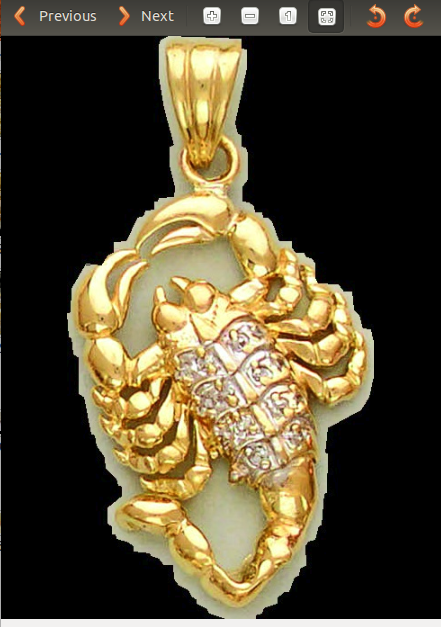
结果
很好的一个
坏的
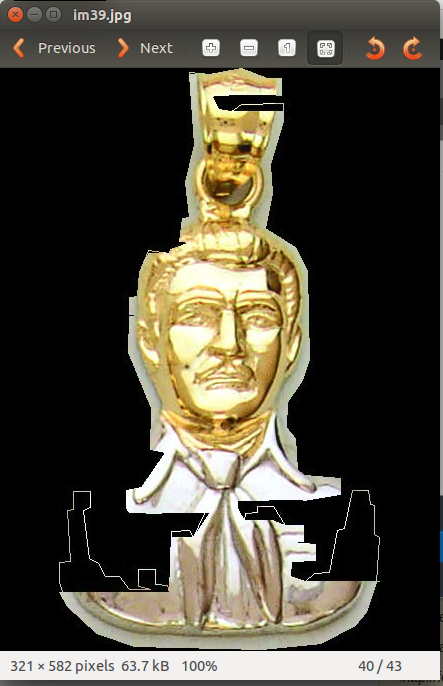
一些小的噪音也被检测为目标,你可以通过只取面积大于某一值的等值线来消除这些噪声。
页面原文内容由Stack Overflow提供。腾讯云小微IT领域专用引擎提供翻译支持
原文链接:
https://stackoverflow.com/questions/39059668
复制相关文章
相似问题
腾讯云开发者

Copyright © 2013 - 2026 Tencent Cloud. All Rights Reserved. 腾讯云 版权所有
深圳市腾讯计算机系统有限公司 ICP备案/许可证号:粤B2-20090059  粤公网安备44030502008569号
腾讯云计算(北京)有限责任公司 京ICP证150476号 | 京ICP备11018762号