
如何使用Nimbus L&F更改JSeparator的颜色
下面是我尝试根据JSeparator中的答案将垂直的How to change the color of a JSeparator?颜色从Nimbus默认的黑色更改为红色的尝试
public class TestFrame extends JFrame {

    public static void main(String[] args) {

        TestFrame frame = new TestFrame();
        frame.setSize(200, 200);
        frame.setLayout(new GridBagLayout());

        for (UIManager.LookAndFeelInfo info : UIManager.getInstalledLookAndFeels()) {
            if ("Nimbus".equals(info.getName())) {
                try {
                    UIManager.setLookAndFeel(info.getClassName());
                } catch (ClassNotFoundException ex) {
                    Logger.getLogger(TestFrame.class.getName()).log(Level.SEVERE, null, ex);
                } catch (InstantiationException ex) {
                    Logger.getLogger(TestFrame.class.getName()).log(Level.SEVERE, null, ex);
                } catch (IllegalAccessException ex) {
                    Logger.getLogger(TestFrame.class.getName()).log(Level.SEVERE, null, ex);
                } catch (UnsupportedLookAndFeelException ex) {
                    Logger.getLogger(TestFrame.class.getName()).log(Level.SEVERE, null, ex);
                }
                break;
            }
        }
        UIManager.put("Separator.background", Color.red);
        UIManager.put("Separator.foreground", Color.red);

        JSeparator separator = new JSeparator(JSeparator.VERTICAL);
        separator.setPreferredSize(new Dimension(2, 100));
        separator.setForeground(Color.red);
        separator.setBackground(Color.red);

        frame.add(separator, new GridBagConstraints());
        frame.setVisible(true);

    }

}
然而垂直隔板仍然是黑色的。我该怎么做?
注意:我知道Nimbus是问题所在,因为我尝试过而不将L&F设置为Nimbus,这很好。还需要注意的是,设置Separator[Enabled].backgroundPainter属性似乎影响了JSeperator,但没有影响到我想要的方式(只是更改了背景色与分隔线颜色)。
回答 2
Stack Overflow用户
发布于 2016-08-19 20:57:41
我通过更改Nimbus用于派生其他颜色的nimbusBlueGrey颜色来解决这个问题。将分隔符设置为不透明只会有助于改变背景色,但JSeperator's有2种颜色,一种前景和一种背景,因此设置为不透明和更改背景色修复了一半的问题。nimbusBlueGrey似乎处理了前景颜色,这似乎与setForegroundcolor()或Separator.foreground属性无关。
问题是,改变nimbusBlueGrey将影响许多其他组件的颜色。我不知道如何将颜色更改为只包含JSeperator。
Stack Overflow用户
发布于 2017-11-16 13:39:44
  /**
 * @param args the command line arguments
 */
public static void main(String args[]) {
    /* Set the Windows look and feel instead of NIMBUS*/
    //<editor-fold defaultstate="collapsed" desc=" Look and feel setting code (optional) ">
    /* If Nimbus (introduced in Java SE 6) is not available, stay with the default look and feel.
     * For details see http://download.oracle.com/javase/tutorial/uiswing/lookandfeel/plaf.html
     */
    try {
        for (javax.swing.UIManager.LookAndFeelInfo info : javax.swing.UIManager.getInstalledLookAndFeels()) {
      /*Change This Line To Make Your TextField Transparent */      if ("WINDOWS".equals(info.getName())) {
                javax.swing.UIManager.setLookAndFeel(info.getClassName());
                break;
            }
        }
    } catch (ClassNotFoundException ex) {
        java.util.logging.Logger.getLogger(Furious.class.getName()).log(java.util.logging.Level.SEVERE, null, ex);
    } catch (InstantiationException ex) {
        java.util.logging.Logger.getLogger(Furious.class.getName()).log(java.util.logging.Level.SEVERE, null, ex);
    } catch (IllegalAccessException ex) {
        java.util.logging.Logger.getLogger(Furious.class.getName()).log(java.util.logging.Level.SEVERE, null, ex);
    } catch (javax.swing.UnsupportedLookAndFeelException ex) {
        java.util.logging.Logger.getLogger(Furious.class.getName()).log(java.util.logging.Level.SEVERE, null, ex);
    }
    //</editor-fold>

    /* Create and display the form */
    java.awt.EventQueue.invokeLater(new Runnable() {
        public void run() {
            new Furious().setVisible(true);
        }
    });
}
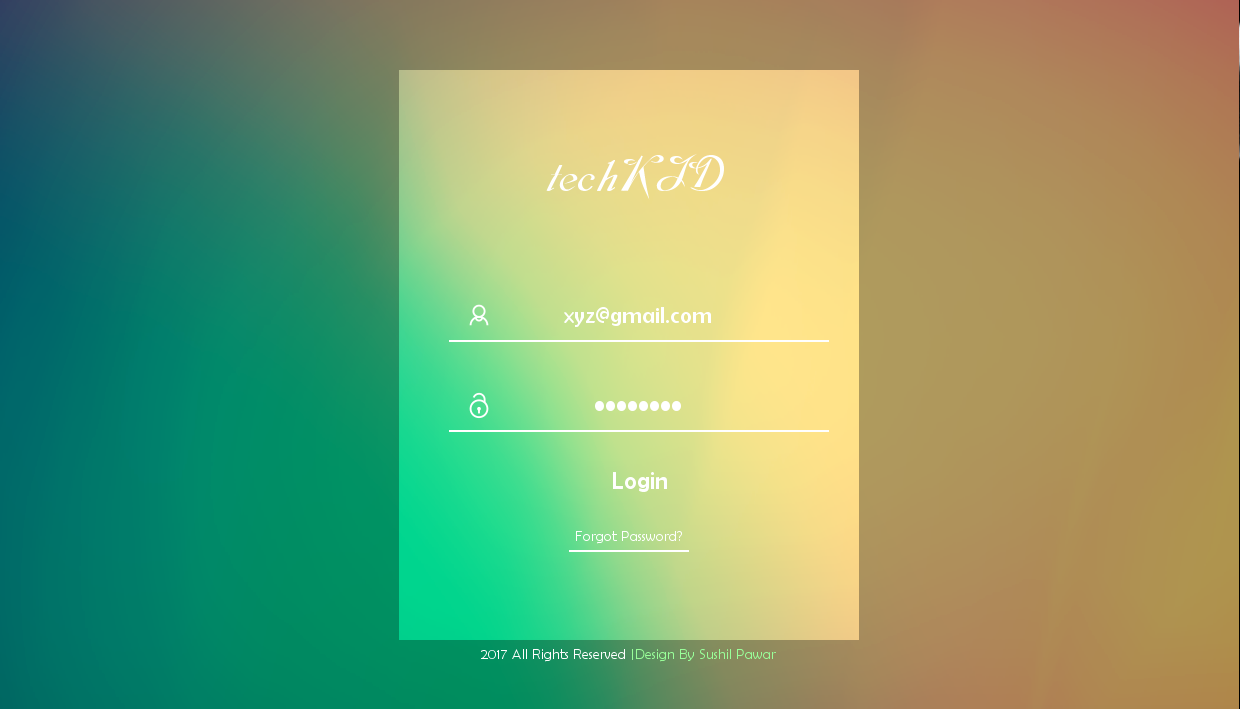
只要改变你的外观和感觉从尼姆布斯到窗口,它的工作对我来说很好。
下面是我的UI快照:
https://stackoverflow.com/questions/39046371
复制相似问题
腾讯云开发者

Copyright © 2013 - 2026 Tencent Cloud. All Rights Reserved. 腾讯云 版权所有
深圳市腾讯计算机系统有限公司 ICP备案/许可证号:粤B2-20090059  粤公网安备44030502008569号
腾讯云计算(北京)有限责任公司 京ICP证150476号 | 京ICP备11018762号