
在Google服务中使用Settings API启用“高精度”定位
在Google服务中使用Settings API启用“高精度”定位
提问于 2016-08-11 15:09:29
我正在尝试使用Settings API从应用程序中启用位置。在“位置”对话框中显示消息Use WiFi and cellular networks for location.。在选择Yes时,它启用的是位置,而不是GPS。
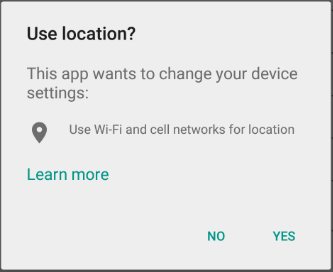
但是,当我在同一台设备上玩Google Maps时,它将消息Google Maps显示在屏幕截图下面。
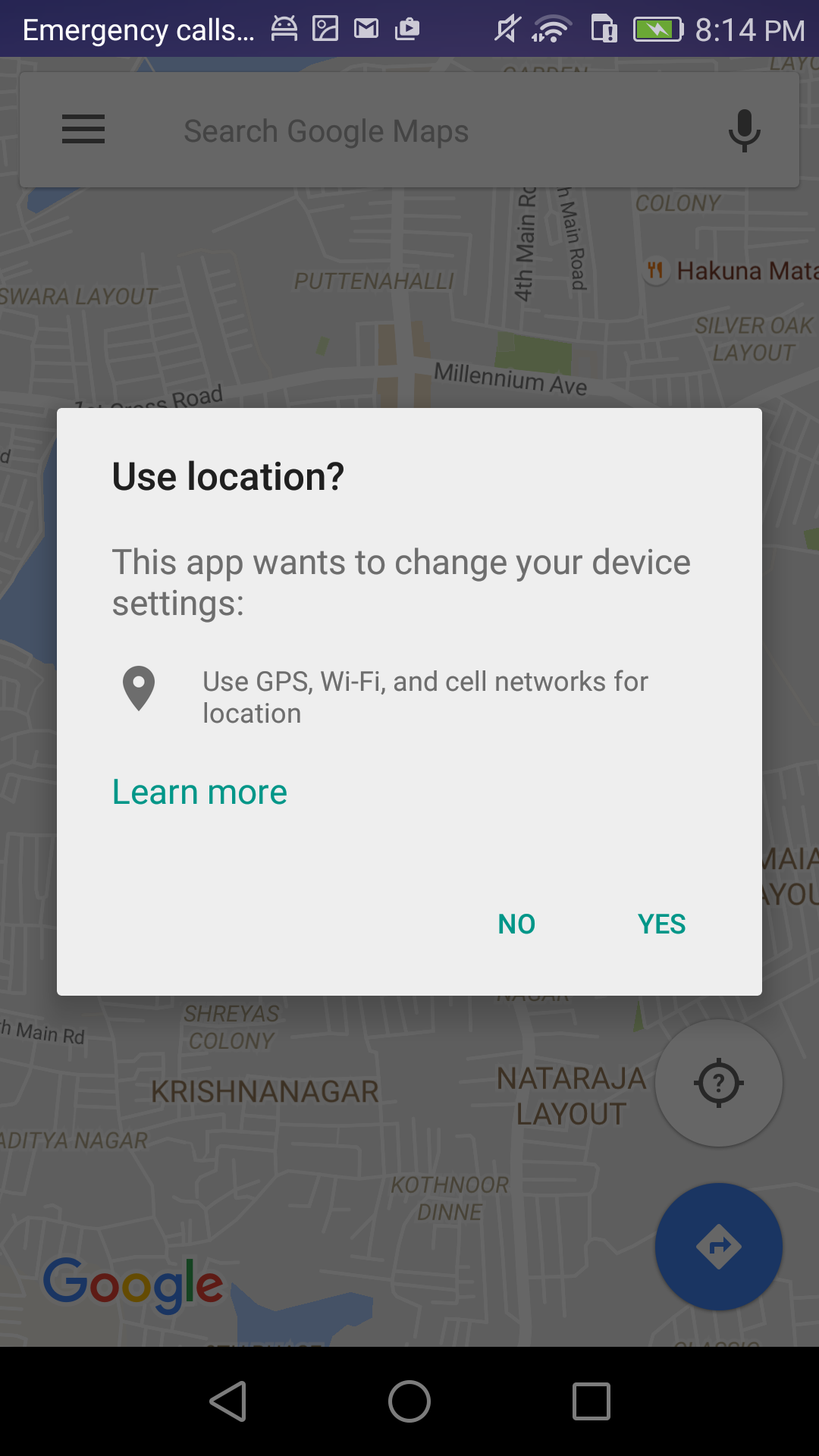
这也使GPS成为可能。如何实现与Google Maps相同的功能。
在这里发布之前,我希望我已经检查了所有可能的选项。在下面找到我的选秀名单。
我已经将priority设置为HIGH_ACCURACY和min间隔为5秒。
locationRequest = LocationRequest.create();

// Set the priority of the request
locationRequest.setPriority(LocationRequest.PRIORITY_HIGH_ACCURACY);

// Set the update interval to 10 seconds
locationRequest.setInterval(1000 * 10);

// Set the fastest update interval to 5 seconds
locationRequest.setFastestInterval(1000 * 5);仅使用FINE_LOCATION权限
<uses-permission android:name="android.permission.ACCESS_FINE_LOCATION" />也很少提到links,但没有给出确切的解决方案。我所需要的是,我想启用HIGH_ACCURACY的位置在默认情况下,这使GPS对此有任何帮助吗?
回答 1
Stack Overflow用户
发布于 2016-10-30 00:11:46
我遇到了这个问题,但是在单击“是”按钮允许使用GPS后,活动停止并运行方法onPause,然后在onResume方法中开始活动。因此,我的解决方案是重新启动onResume方法中的局部化
@Override onResume public void () {

         //your code
         LocationRequest = LocationRequest.create ();

         // Set the priority of the request
         locationRequest.setPriority(LocationRequest.PRIORITY_HIGH_ACCURACY);

         // Set the update interval to 10 seconds
         locationRequest.setInterval (1000 * 10);

         // Set the fastest update interval to 5 seconds
         locationRequest.setFastestInterval (1000 * 5);
         .....
         //start again the localizacion
LocationServices.FusedLocationApi.requestLocationUpdates(apiClient, locRequest, this);页面原文内容由Stack Overflow提供。腾讯云小微IT领域专用引擎提供翻译支持
原文链接:
https://stackoverflow.com/questions/38900109
复制相关文章
相似问题
腾讯云开发者

Copyright © 2013 - 2026 Tencent Cloud. All Rights Reserved. 腾讯云 版权所有
深圳市腾讯计算机系统有限公司 ICP备案/许可证号:粤B2-20090059  粤公网安备44030502008569号
腾讯云计算(北京)有限责任公司 京ICP证150476号 | 京ICP备11018762号