
Ionic2圆段-按钮
Ionic2圆段-按钮
提问于 2016-07-22 13:27:45
是否有人知道如何将段按钮的css从正方形更改为圆形?
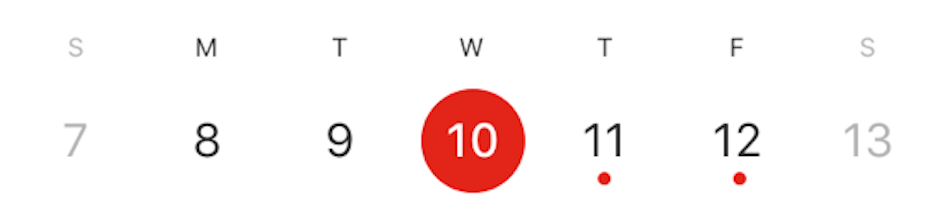
我试过使用普通的css,但是当ionic2试图转换segment-activated上的按钮时,它会变得很糟糕--这里是一个柱塞示例
<ion-segment [(ngModel)]="date" danger>
  <ion-segment-button value="1">
    1
  </ion-segment-button>
  <ion-segment-button value="2">
    2
  </ion-segment-button>
  <ion-segment-button value="3">
    3
  </ion-segment-button>
</ion-segment>
对于普通css,我失败了。当你选择另一个按钮时会变得很奇怪

回答 1
Stack Overflow用户
回答已采纳
发布于 2016-08-01 08:14:50
找到了一个黑客来做这个。NB这是一个黑客和风格不打算这一点。
Css解决方案:将其放在您的.scss文件中
ion-segment-button{
  //max-width: 25px;
  border-style: solid;
}

.segment-button {
  border-style: none;
  border-color: #e62100;
  color: #e62100;
  border-width: thin;
}

.segment-button:first-of-type {
  border-radius: 90px 90px 90px 90px;
  // margin-right: 0px;
  margin-left: 0px;
  line-height: 3.4rem;
  height: 100%;
  width: 100%}
.segment-button:not(:first-of-type) {
  border-radius: 90px 90px 90px 90px;
 // margin-right: 0px;
  margin-left: 20px;
  line-height: 3.4rem;
  height: 100%;
  width: 100%;}
.segment-button:last-of-type {
  border-radius: 90px 90px 90px 90px;
  margin-right: 0px;
  margin-left: 20px;
  line-height: 3.4rem;
  height: 100%;
  width: 100%;}


 .segment-activated{
  background-color: #e62100;
  color: #ffffff;
}页面原文内容由Stack Overflow提供。腾讯云小微IT领域专用引擎提供翻译支持
原文链接:
https://stackoverflow.com/questions/38527700
复制相关文章
相似问题
腾讯云开发者

Copyright © 2013 - 2026 Tencent Cloud. All Rights Reserved. 腾讯云 版权所有
深圳市腾讯计算机系统有限公司 ICP备案/许可证号:粤B2-20090059  粤公网安备44030502008569号
腾讯云计算(北京)有限责任公司 京ICP证150476号 | 京ICP备11018762号