
如何在UWP中设置TitleBar图标?
如何在UWP中设置TitleBar图标?
提问于 2016-07-13 00:11:06
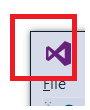
如何在TitleBar(窗口)中设置图标?
TitleBar图标示例:
回答 1
Stack Overflow用户
回答已采纳
发布于 2016-07-13 08:51:11
我们可以自定义标题栏来设置TitleBar图标。这里的关键是使用Window.SetTitleBar method。以下是一个简单的示例:
首先,我们需要一个UIElement作为新的标题栏。例如,在MainPage.xaml中,我们可以添加一个Grid,并在网格中设置图标和应用程序名称。请注意,我们需要将"TitleBar“Grid放在根网格的第一行。
<Grid Background="{ThemeResource ApplicationPageBackgroundThemeBrush}">
    <Grid.RowDefinitions>
        <RowDefinition Height="Auto" />
        <RowDefinition Height="*" />
    </Grid.RowDefinitions>

    <Grid x:Name="TitleBar">
        <Rectangle x:Name="BackgroundElement" Fill="Transparent" />
        <Grid>
            <Grid.ColumnDefinitions>
                <ColumnDefinition Width="Auto" />
                <ColumnDefinition Width="Auto" />
            </Grid.ColumnDefinitions>
            <Image Height="32" Margin="5,0" Source="Assets/StoreLogo.png" />
            <TextBlock Grid.Column="1" VerticalAlignment="Center" Text="My Application" />
        </Grid>
    </Grid>
</Grid>
然后在MainPage.xaml.cs中,我们可以使用下面的代码来设置带有图标的新标题栏。
public MainPage()
{
    this.InitializeComponent();

    CoreApplication.GetCurrentView().TitleBar.ExtendViewIntoTitleBar = true;
    // Set the BackgroundElement instead of the entire Titlebar grid
    // so that we can add clickable element in title bar.
    Window.Current.SetTitleBar(BackgroundElement);
}有关更多信息,您可以参考官方的Title bar sample on GitHub,特别是场景2:示例中的自定义绘图。
页面原文内容由Stack Overflow提供。腾讯云小微IT领域专用引擎提供翻译支持
原文链接:
https://stackoverflow.com/questions/38340721
复制相关文章
相似问题
腾讯云开发者

Copyright © 2013 - 2026 Tencent Cloud. All Rights Reserved. 腾讯云 版权所有
深圳市腾讯计算机系统有限公司 ICP备案/许可证号:粤B2-20090059  粤公网安备44030502008569号
腾讯云计算(北京)有限责任公司 京ICP证150476号 | 京ICP备11018762号