
统一游戏截图共享在ios中的多个社交平台
我正在建立我在团结的第一场比赛,我已经差不多完成了。我想在Facebook、Twitter、电子邮件等多个社交平台上分享我的游戏截图,但我做不到。我不想使用任何插件。
我想这样做
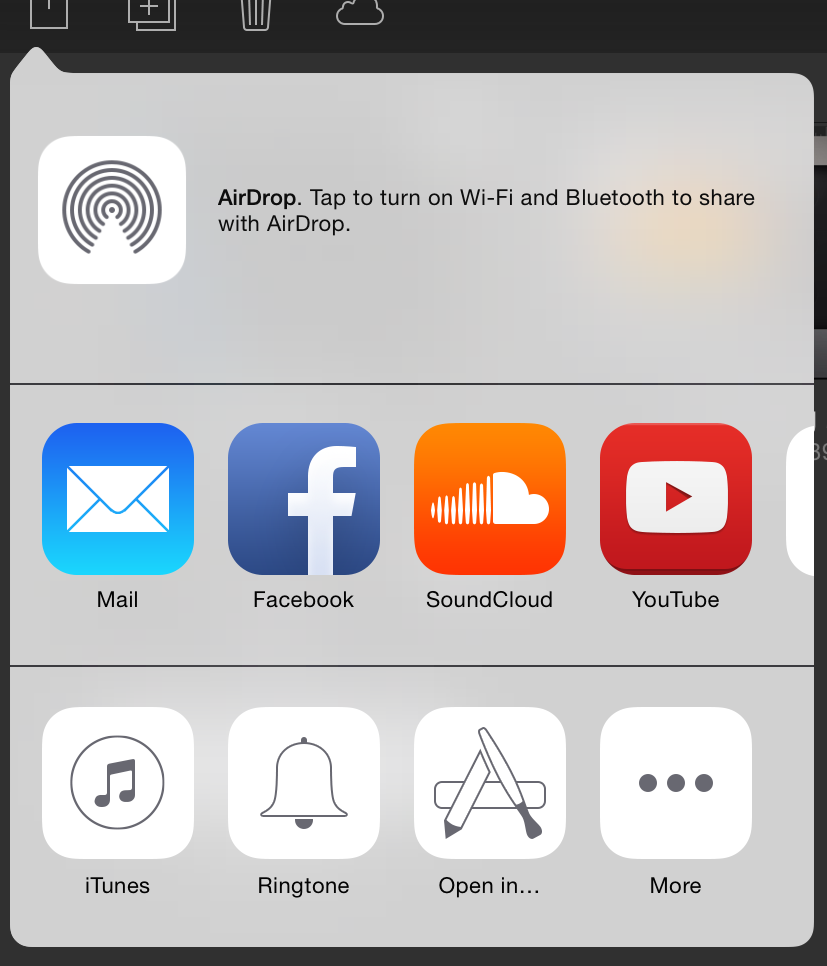
任何帮助都会有帮助。
回答 2
Stack Overflow用户
发布于 2016-07-12 09:45:38
由于您在注释中提到,您可以选择插件选项,这是我使用的插件:https://github.com/ChrisMaire/unity-native-sharing
另外要注意的一点是,如果您从the.unitypackage文件导入资产,请确保将资产/Plugins/iOS/中的导入后文件替换为来自主程序的最新版本。最近提交修复了iPad上的崩溃,但它尚未包含在.unitypackage中。
Stack Overflow用户
发布于 2016-07-27 10:26:15
很简单。在您的C#代码中,为您的本机代码添加DllImport,并创建一个接受图像路径和文本消息的简单函数。
然后在资产/Plugins/iOS/添加一个类,例如:"ShareHandler.mm“
在该类中,有一个可以调用的函数,它接受路径和文本。将路径转换为如下图像:
NSString *imagePath = [NSString stringWithUTF8String:path];
UIImage *image = [UIImage imageWithContentsOfFile:imagePath];
创建要发布的项的NSArray,如下所示:
NSArray *postItems = @[image, message];然后添加以下内容:
 UIActivityViewController *activityVc = [[UIActivityViewController alloc]initWithActivityItems:postItems applicationActivities:nil];

if ( UI_USER_INTERFACE_IDIOM() == UIUserInterfaceIdiomPad && [activityVc respondsToSelector:@selector(popoverPresentationController)] ) {

    UIPopoverController *popup = [[UIPopoverController alloc] initWithContentViewController:activityVc];

    [popup presentPopoverFromRect:
        CGRectMake(self.view.frame.size.width/2, self.view.frame.size.height/4, 0, 0)
        inView:[UIApplication sharedApplication].keyWindow.rootViewController.view
        permittedArrowDirections:UIPopoverArrowDirectionAny animated:YES];
} else {
    [[UIApplication sharedApplication].keyWindow.rootViewController presentViewController:activityVc animated:YES completion:nil];
}
之后,从类的外部"C“部分调用此函数:
extern "C"{
void shareImageWithTextOnIOS(const char * path, const char * message){
    ImageShareForiOS *vc = [[ImageShareForiOS alloc] init];
    [vc shareMethod:path Message:message];
}
这对我来说很好。希望这能有所帮助。
请阅读有关如何创建统一iOS插件的统一iOS插件文档。非常有用!https://docs.unity3d.com/Manual/PluginsForIOS.html
https://stackoverflow.com/questions/38323154
复制相似问题
腾讯云开发者

Copyright © 2013 - 2026 Tencent Cloud. All Rights Reserved. 腾讯云 版权所有
深圳市腾讯计算机系统有限公司 ICP备案/许可证号:粤B2-20090059  粤公网安备44030502008569号
腾讯云计算(北京)有限责任公司 京ICP证150476号 | 京ICP备11018762号