
Angularjs 2与visual 2013 (更新5)
我试图在VS 2013 (更新5) IDE中使用angularjs 2开发一个应用程序。
我正在使用这里的活生生的例子- https://angular.io/docs/ts/latest/cookbook/a1-a2-quick-reference.html
我没有在我的机器上安装nodejs/npm (因为公司目前不支持它),我指的是使用CDN的...so模块,如systemjs.config.js中提到的那样。
当我构建(在visual studio中构建/重新构建选项)我的应用程序时,我会遇到错误,比如-无法找到模块‘@角/核心’。无法找到模块“@角/平台-浏览器-动态”。
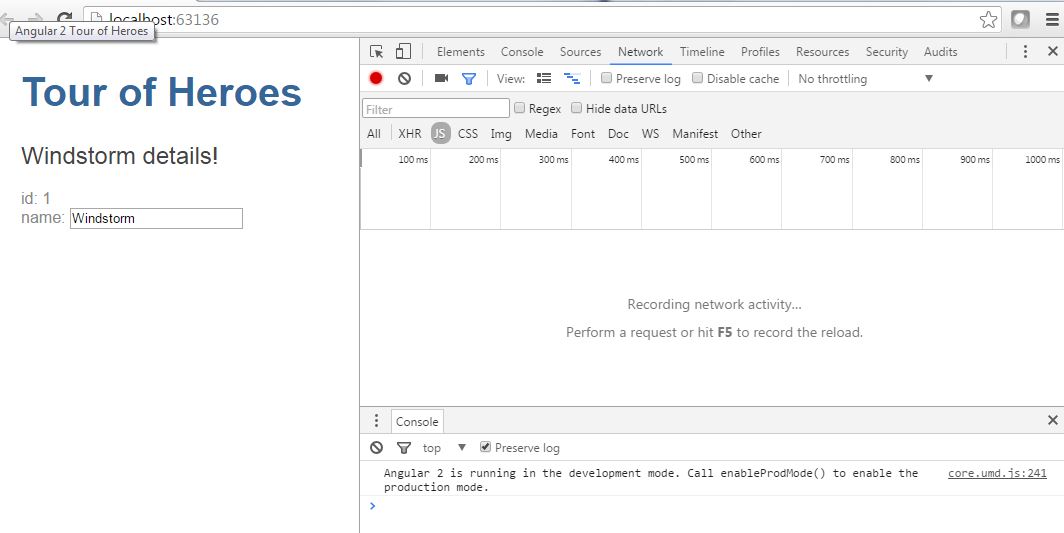
如果我运行我的应用程序-我得到错误,我在这篇文章中提到(当我按F12)。https://stackoverflow.com/questions/38044718/angularjs-2-in-visual-studio-2013-not-translpiling
我试图从另一台机器复制“角模块”--似乎找不到模块“角/核心”--这个问题正在消失。
我们是否需要在本地机器上安装npm模块才能工作?如果需要,柱塞的例子是如何工作的?
如果我们在本地引用CDN,而不是npm模块,那么tsconfig.js中的“模块化”条目会有效吗?
编辑:解决方案
回答 2
Stack Overflow用户
发布于 2016-07-07 21:37:57
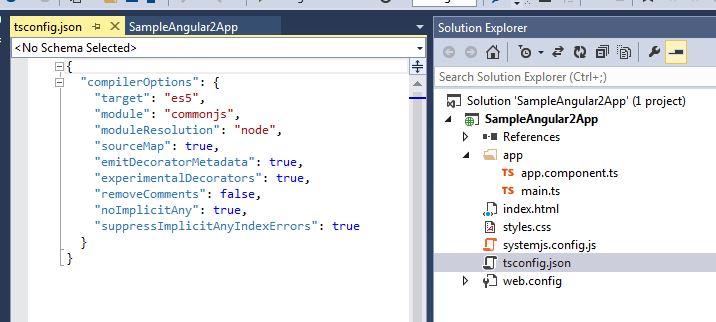
到目前为止,似乎不支持tsconfig.json。
您可以定义在项目文件中使用的相同配置。例如:
{
  "compilerOptions": {
    "target": "es5",
    "module": "commonjs",
    "moduleResolution": "node",
    "sourceMap": true,
    "emitDecoratorMetadata": true,
    "experimentalDecorators": true,
    "removeComments": false,
    "noImplicitAny": false
  }
}
can be defined in the project file as:

  <PropertyGroup Condition="'$(Configuration)' == 'Debug'">
    <TypeScriptTarget>ES5</TypeScriptTarget>
    <TypeScriptModuleKind>commonjs</TypeScriptModuleKind>
    <TypeScriptModuleResolution>node</TypeScriptModuleResolution>
    <TypeScriptSourceMap>True</TypeScriptSourceMap>
    <TypeScriptEmitDecoratorMetadata>True</TypeScriptEmitDecoratorMetadata>
    <TypeScriptExperimentalDecorators>True</TypeScriptExperimentalDecorators>
    <TypeScriptRemoveComments>False</TypeScriptRemoveComments>
    <TypeScriptNoImplicitAny>True</TypeScriptNoImplicitAny>
  </PropertyGroup>
https://github.com/Microsoft/TypeScript/issues/8784
还对您的systemjs.config.js进行如下更改。(我不知道这样做是否正确,但似乎可行)。
var config = {
    // DEMO ONLY! REAL CODE SHOULD NOT TRANSPILE IN THE BROWSER
    transpiler: 'ts',
    typescriptOptions: {
      tsconfig: false
    },
    meta: {
      'typescript': {
        "exports": "ts"
      }
    },
    map: map,
    packages: packages
  };
Stack Overflow用户
发布于 2016-07-07 14:32:47
我明白了。在你的proj文件中试试这个。(你需要卸载它来编辑它)
<!-- <Import Project="$(MSBuildExtensionsPath32)\Microsoft\VisualStudio\v$(VisualStudioVersion)\TypeScript\Microsoft.TypeScript.targets" Condition="Exists('$(MSBuildExtensionsPath32)\Microsoft\VisualStudio\v$(VisualStudioVersion)\TypeScript\Microsoft.TypeScript.targets')" /> -->
<PropertyGroup>
<TypeScriptEnabled>false</TypeScriptEnabled>
</PropertyGroup>
</Project>https://stackoverflow.com/questions/38234012
复制相似问题
腾讯云开发者

Copyright © 2013 - 2026 Tencent Cloud. All Rights Reserved. 腾讯云 版权所有
深圳市腾讯计算机系统有限公司 ICP备案/许可证号:粤B2-20090059  粤公网安备44030502008569号
腾讯云计算(北京)有限责任公司 京ICP证150476号 | 京ICP备11018762号