
图像python中有缺陷的轮廓检测
图像python中有缺陷的轮廓检测
提问于 2016-06-17 07:46:24
我想在下面的图像中检测到巨大的黑点的轮廓:
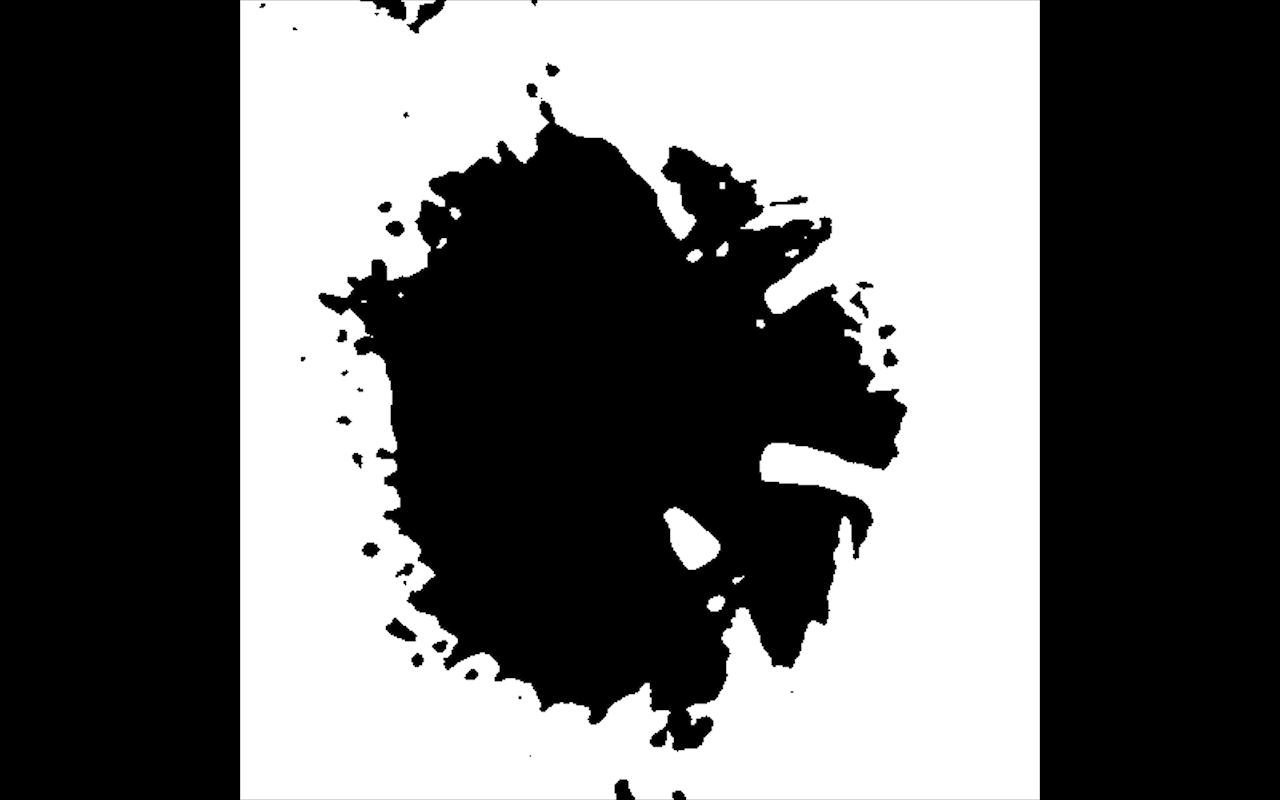
因此,我使用Canny边缘检测来使用以下代码查找边缘:
edged = cv2.Canny(image, 30, 200)
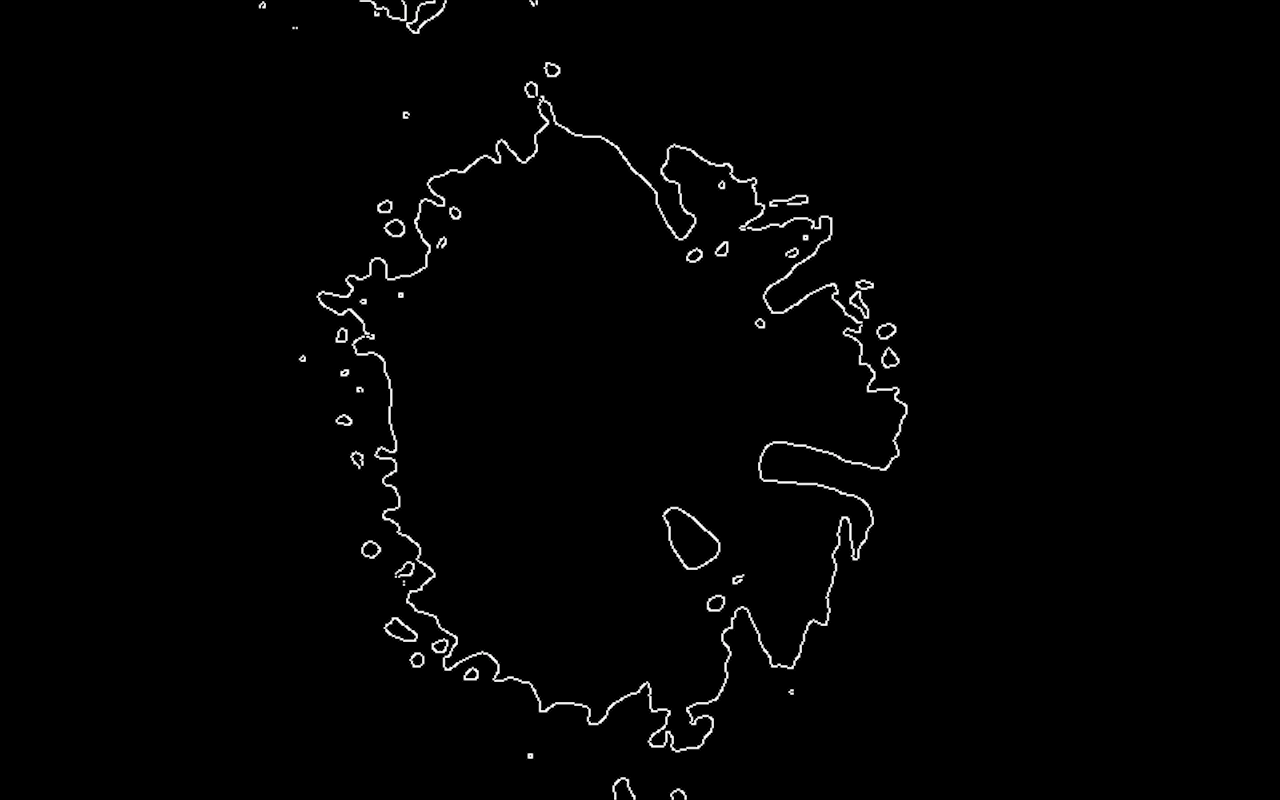
然后,当我试图找出轮廓,它只给了我一半的水珠。
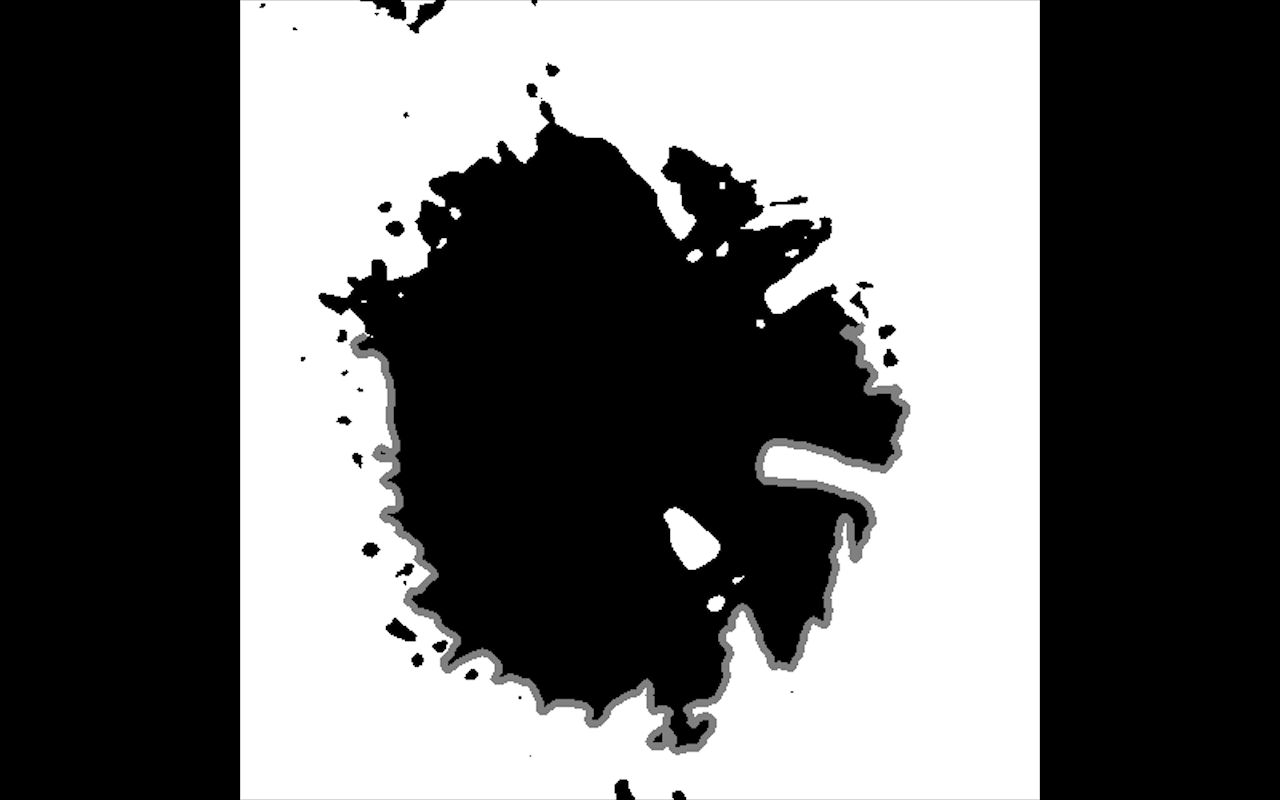
这是我用来找到轮廓的代码:
# find contours in the edged image, keep only the largest
# ones, and initialize our screen contour
(cnts, _) = cv2.findContours(image.copy(), cv2.RETR_TREE, cv2.CHAIN_APPROX_SIMPLE)
cnts = sorted(cnts, key = cv2.contourArea, reverse = True)[:10]

# Scan the contours for largest item
array_sizes = []

for numpoints in cnts:
    array_sizes.append(len(numpoints))

largest = max(array_sizes)
second = second_largest(array_sizes)
index_of_object = array_sizes.index(largest)

# Largest detected contour
screenCnt = cnts[index_of_object]
有什么改变,我可以在原来的图像,以获得一个完整和更准确的检测大黑点?所有的帮助都是感激的。
回答 1
Stack Overflow用户
回答已采纳
发布于 2016-06-17 09:27:14
问题在于你的工作流程。
将Canny操作符从处理过程中删除。它会给你一个边缘图像从你的斑点。一旦您使用contourFinder处理Canny图像,它将把边缘段视为对象。你最大的轮廓将是最长的边缘段。如果你放大你的Canny图像,你会发现在你当前的结果结束的地方有一些空白。
才能得到blob的轮廓。如果findContours将白色视为前景,则可能必须将图像倒置。
请对这些方法有一些了解和了解,这样你就不会再遇到这样的陷阱了。
页面原文内容由Stack Overflow提供。腾讯云小微IT领域专用引擎提供翻译支持
原文链接:
https://stackoverflow.com/questions/37875928
复制相关文章
相似问题
腾讯云开发者

Copyright © 2013 - 2026 Tencent Cloud. All Rights Reserved. 腾讯云 版权所有
深圳市腾讯计算机系统有限公司 ICP备案/许可证号:粤B2-20090059  粤公网安备44030502008569号
腾讯云计算(北京)有限责任公司 京ICP证150476号 | 京ICP备11018762号