
响应图像高度和宽度%用于缩放?
响应图像高度和宽度%用于缩放?
提问于 2016-05-30 15:34:02
用户可以通过上传图像或输入文本来创建灵感。
视图
<% if inspiration.image.present? %>
  <div class="inspiration-image">
    <%= link_to image_tag(inspiration.image.url(:medium)), inspiration %>
  </div>
<% else %>
  <div class="panel panel-default">
    <div class="panel-body">
      <%= inspiration.name %>
    </div>
  </div>
<% end %>
css
// for images
.inspiration-image {
  display: inline;
  img {
    width: 50%;
    margin-top: 2.5px;
    margin-bottom: 2.5px;
    position: relative;
    overflow: hidden;
    vertical-align: top;
    height: 164px;
  }
}

// for text
.panel-default {
    box-sizing: border-box;
    border-style: none;
    position: relative;
    width: 50%;
    padding-bottom: 40%;
    overflow: hidden;
    background-color: #446CB3;
    border-radius: 0;
    display: inline-block;
    margin-bottom: 0px;
    border: 2.5px white solid;
}

//for text
.panel-body {
    color: white;
    width: 100%;
    height: 100%;
    text-align: center;
    position: absolute;
    font-size: 12px;
    justify-content: center;
    align-items: center;
    display: flex;
}
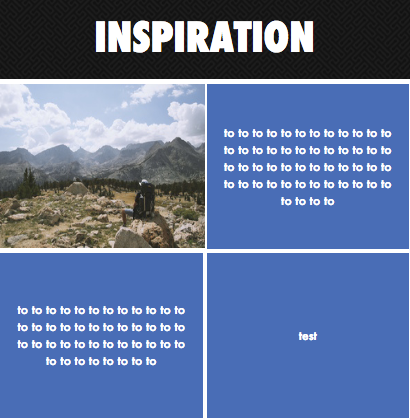
有一个固定的高度看起来很好:
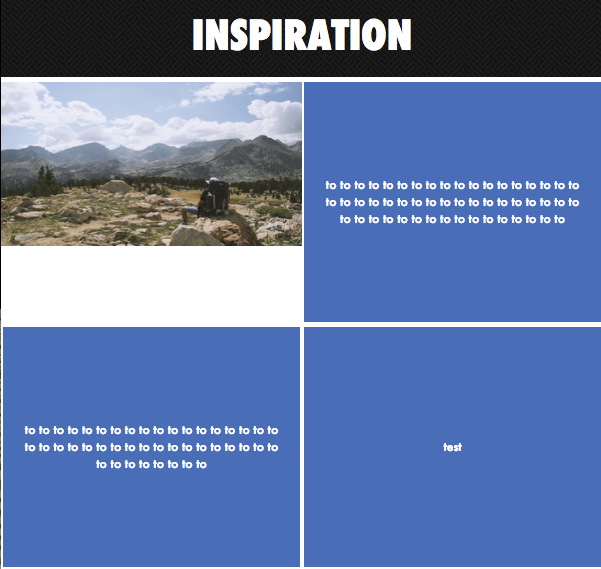
但是,如果用户增加或缩小屏幕大小,那么图像就会出现空白,这正是我想在您的帮助下避免的:
基于PASCAL问题的更新
视图
<% if inspiration.image.present? %>
  <div class="panel panel-default" id="conditions">
    <div class="panel-body">
    </div>
  </div>
<% else %>
  <div class="panel panel-default">
    <div class="panel-body">
      <div class="white-link"><%= inspiration.name %></div>
    </div>
  </div>
<% end %>
css
#conditions {
  background-image: url('goal-setting-conditions.jpeg'); # instead of this image, which I just used to test if it works, how can I make the image reflect whatever inspiration it is: <%= link_to image_tag(inspiration.image.url(:medium)), inspiration %>
  background-size: cover;
}
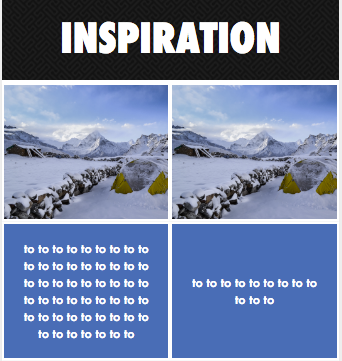
这是我所希望的那种行为,无论屏幕大小、图像和文本框、宽度和高度是相等的:
回答 1
Stack Overflow用户
发布于 2016-05-30 15:54:56
使用jQuery将图像作为背景添加到父div中。
jQuery(document).ready(function() {
    jQuery('.inspiration-image').find('img').each(function(n, image) {
        var image = jQuery(image);
        var thisurl = jQuery(this).attr('src');
        image.parents('.inspiration-image').css('background-image', 'url(' + thisurl + ')');
    });
});在CSS中,将background-size设置为div。将图像隐藏在容器中。
.inspiration-image {background-size:cover;}
.inspiration-image img{opacity:0;}页面原文内容由Stack Overflow提供。腾讯云小微IT领域专用引擎提供翻译支持
原文链接:
https://stackoverflow.com/questions/37529345
复制相关文章
相似问题
腾讯云开发者

Copyright © 2013 - 2026 Tencent Cloud. All Rights Reserved. 腾讯云 版权所有
深圳市腾讯计算机系统有限公司 ICP备案/许可证号:粤B2-20090059  粤公网安备44030502008569号
腾讯云计算(北京)有限责任公司 京ICP证150476号 | 京ICP备11018762号