
使用python检测图像上的白色背景
有没有办法用python来判断图片是否是白色背景,如何才能获得对这个问题的“信心百分比”呢?似乎互联网上的文献没有完全涵盖这个案例,而且我找不到任何严格相关的东西。
我想要分析的图片是典型的电子商务网站产品图片,所以他们应该有一个单一的聚焦对象,在中间和白色的背景下,只有在边界。
另一个可用的信息是对象应该占用的图像空间的最大百分比。
回答 3
Stack Overflow用户
发布于 2016-05-02 13:33:13
我会做这样的事。
- 减少图像的对比度,使最亮、最白的像素--大约为240而不是255 --使在图像中和产品部分中发现的白色不再是纯白色。
- 在你的图像周围放一个1像素宽的白色边框--这将允许下一步的洪水在边缘“流动”(即使“产品”接触到框架的边缘),并从所有边界/边缘“渗透”到图像中。
- Floofdill您的图像从左上角开始(步骤2后必须是纯白色的),在匹配白色时允许10%-20%的容忍度,以防背景关闭-白色或轻微阴影,白色将流入您的图像周围的边缘,直到它到达产品的中心。
- 看看你现在有多少纯白像素--这些是背景像素。纯白色像素的百分比将给你一个信心的指标,在白色背景下的产品图像。
我将在命令行中使用ImageMagick,如下所示:
convert product.jpg +level 5% -bordercolor white -border 1 \
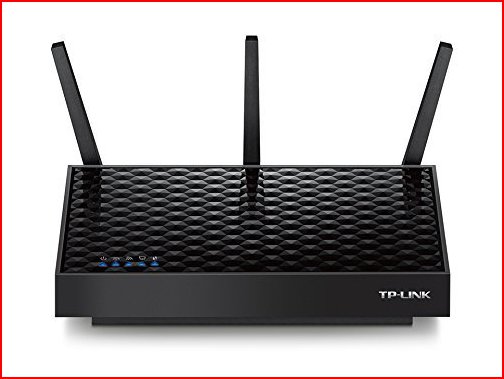
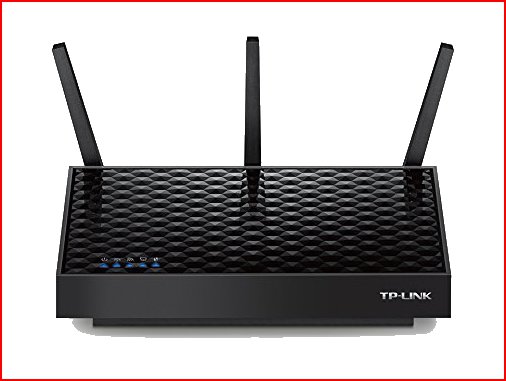
-fill white -fuzz 25% -draw "color 0,0 floodfill" result.jpg我将在以下2幅图片周围放置一个红色边框,这样您就可以看到StackOverflow的白色背景上的边缘,并向您展示前后的图像--查看结果图像中的白色数量(第二个图像中没有白色背景),以及路由器下面的阴影,以查看-fuzz的效果。
先于
后
如果要将其作为百分比,则可以将所有非白色像素设置为黑色,然后计算白色像素的百分比,如下所示:
convert product.jpg -level 5%                                      \
   -bordercolor white -border 1                                    \
   -fill white -fuzz 25% -draw "color 0,0 floodfill" -shave 1      \
   -fuzz 0 -fill black +opaque white -format "%[fx:int(mean*100)]" info:
62
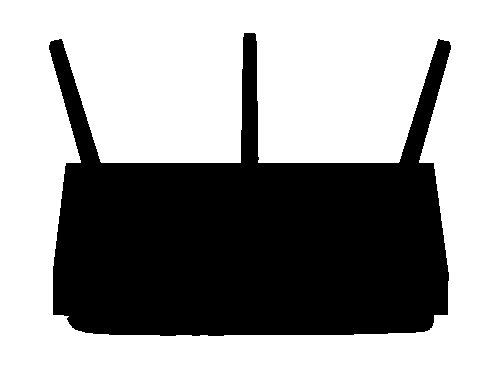
先于

后

ImageMagick有Python,所以您可以在Python中完成上面的操作,或者使用OpenCV和Python实现相同的算法。
Stack Overflow用户
发布于 2022-02-11 16:34:14
这个问题可能是几年前的事了,但我最近也有类似的任务。在这里分享我的答案可能也会帮助其他遇到同样任务的人,我也可能通过让社会人士来研究来改进我的答案。
import cv2 as cv
import numpy as np

THRESHOLD_INTENSITY = 230

def has_white_background(img):
    # Read image into org_img variable
    org_img = cv.imread(img, cv.IMREAD_GRAYSCALE)
    # cv.imshow('Original Image', org_img)

    # Create a black blank image for the mask
    mask = np.zeros_like(org_img)

    # Create a thresholded image, I set my threshold to 200 as this is the value
    # I found most effective in identifying light colored object
    _, thres_img = cv.threshold(org_img, 200, 255, cv.THRESH_BINARY_INV)

    # Find the most significant contours
    contours, hierarchy = cv.findContours(thres_img, cv.RETR_EXTERNAL, cv.CHAIN_APPROX_NONE)
    # Get the outermost contours
    outer_contours_img = max(contours, key=cv.contourArea)

    # Get the bounding rectangle of the contours
    x,y,w,h = cv.boundingRect(outer_contours_img)
    # Draw a rectangle base on the bounding rectangle of the contours to our mask
    cv.rectangle(mask,(x,y),(x+w,y+h),(255,255,255),-1)
    # Invert the mask so that we create a hole for the detected object in our mask
    mask = cv.bitwise_not(mask)

    # Apply mask to the original image to subtract it and retain only the bg
    img_bg = cv.bitwise_and(org_img, org_img, mask=mask)

    # If the size of the mask is similar to the size of the image then the bg is not white
    if h == org_img.shape[0] and w == org_img.shape[1]:
        return False

    # Create a np array of the
    np_array = np.array(img_bg)

    # Remove the zeroes from the "remaining bg image" so that we dont consider the black part,
    # and find the average intensity of the remaining pixels
    ave_intensity = np_array[np.nonzero(np_array)].mean()

    if ave_intensity > THRESHOLD_INTENSITY:
        return True
    else:
        return False
下面是上面代码中的步骤的图像:
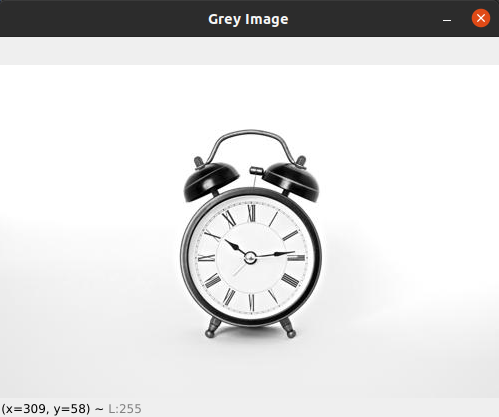
这是原始图像。没有侵犯版权的意图。(无法从不溅找到实际图像的url )
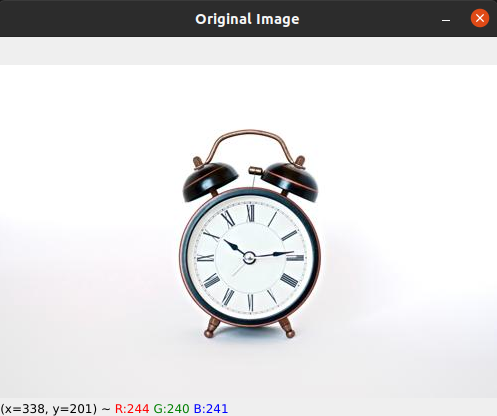
第一步是将图像转换为灰度。
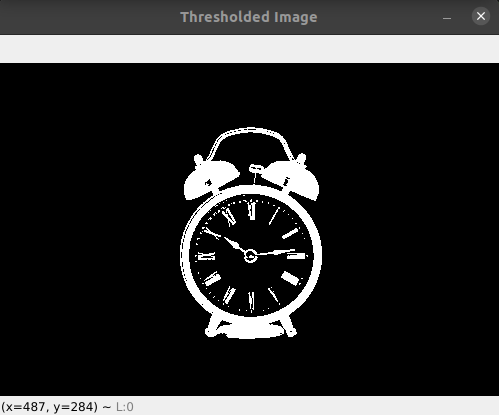
对图像进行阈值处理。
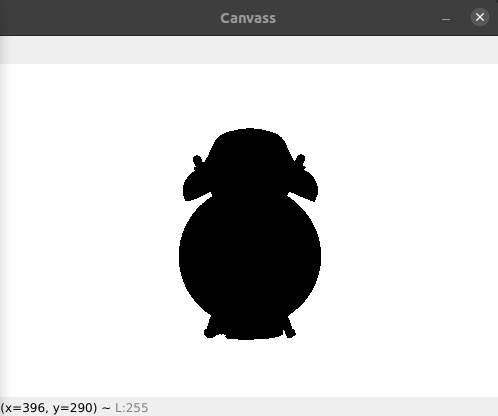
获取“阈值”图像的轮廓并得到轮廓。绘制等高线是可选的。
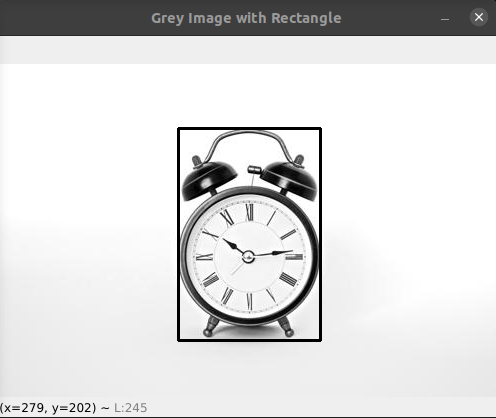
从等高线中,得到外部轮廓的值,并找到它的边界矩形。还可以选择将矩形绘制到图像中,以便查看假设的阈值值是否适合矩形中的对象。
从边框中创建一个掩码。
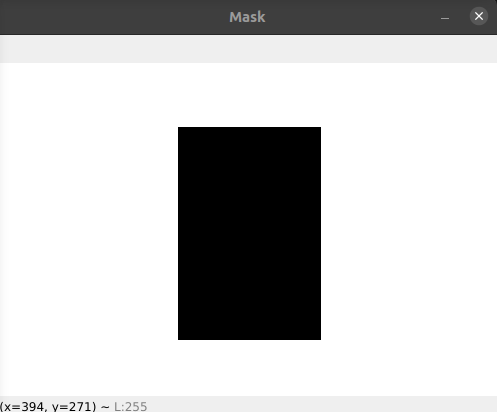
最后,将掩码减去灰度图像。剩下的是背景图像减去掩码。
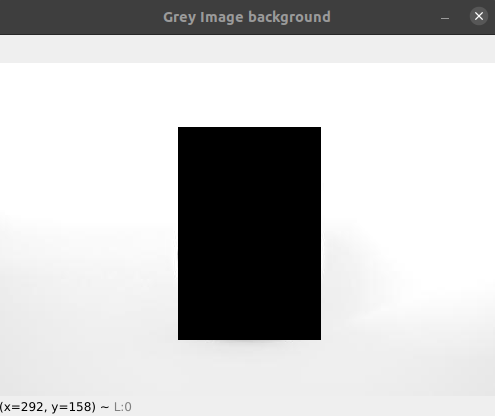
若要最终识别背景是否为白色,请找出背景图像的平均强度值(不包括图像阵列的0值)。并根据一定的阈值,将其归类为白色或非白色。
希望这能有所帮助。如果你认为它还可以改进,或者如果我的解决方案有缺陷,请在下面评论。
Stack Overflow用户
发布于 2016-05-02 12:19:54
最流行的图像格式是.png。PNG图像可以具有透明的颜色(alpha)。通常与白色背景页匹配。使用枕很容易发现哪些像素是透明的。
一个好的起点:
from PIL import Image

img = Image.open('image.png')
img = img.convert("RGBA")

pixdata = img.load()

for y in xrange(img.size[1]):
    for x in xrange(img.size[0]):
        pixel = pixdata[x, y]
        if pixel[3] == 255:
           # tranparent....
或者,如果您检查左上角像素是否为白色,可能就足够了:
pixel = pixdata[0, 0]
if item[0] == 255 and item[1] == 255 and item[2] == 255:
# it's whitehttps://stackoverflow.com/questions/36982097
复制相似问题
腾讯云开发者

Copyright © 2013 - 2026 Tencent Cloud. All Rights Reserved. 腾讯云 版权所有
深圳市腾讯计算机系统有限公司 ICP备案/许可证号:粤B2-20090059  粤公网安备44030502008569号
腾讯云计算(北京)有限责任公司 京ICP证150476号 | 京ICP备11018762号