
崇高的文本3 JSX Linting
崇高的文本3 JSX Linting
提问于 2016-04-26 06:06:06
我的ESLint设置在我的中给出了以下错误:
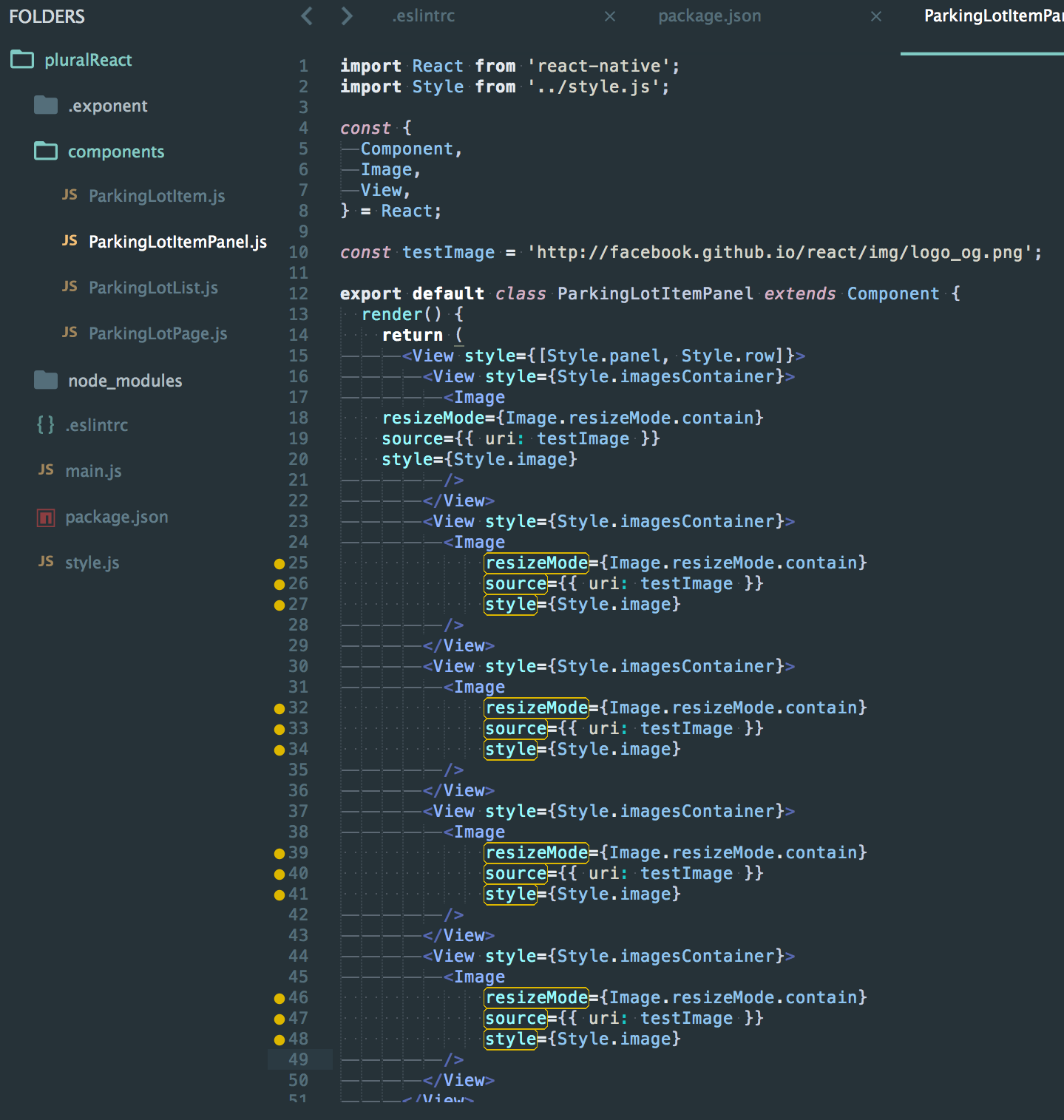
Mixed spaces and tabs: Expected indentation of 4 space characters but found 14.出于某种原因,它想要的行,它不喜欢只缩进4个空格,而不是14个,它应该是。
下面是linter所接受的内容:
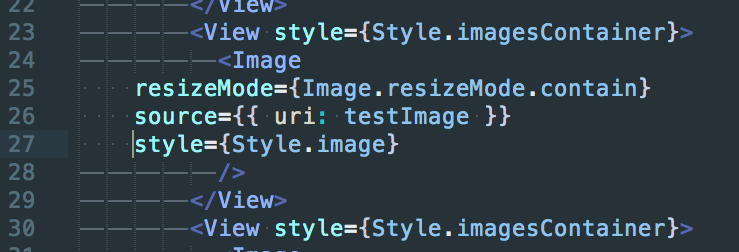
很明显,第25-27行不是我想要的。
是否有一些设置,我错过了,或一个额外的插件,以实现这一点?
我正在使用:
- ESLint
- 崇高的文本3
- 用于JSX突出显示的卓越Babel插件
- 下面的.eslintrc
- 下面的eslint插件/依赖项
.eslintrc
{
    "extends": ["airbnb/base", "plugin:react/recommended"],
    "plugins": [
        "react",
        "react-native"
    ],
    "env": {
        "node": true,
        "jasmine": true,
        "es6": true
    },
    "rules": {
        "indent": ["error", 2],
        "no-console": 0,
        "no-unused-vars": [1, {"vars": "local", "args": "none"}],
        "react/forbid-prop-types": 1,
        "react/jsx-boolean-value": 1,
        "react/jsx-closing-bracket-location": 1,
        "react/jsx-curly-spacing": 1,
        "react/jsx-indent-props": 1,
        "react/jsx-key": 1,
        "react/jsx-max-props-per-line": 1,
        "react/jsx-no-duplicate-props": 1,
        "react/jsx-no-undef": 1,
        "react/jsx-quotes": 0,
        "jsx-quotes": 1,
        "react/sort-prop-types": 1,
        "react/jsx-sort-props": 1,
        "react/jsx-uses-react": 1,
        "react/jsx-uses-vars": 1,
        "react/no-danger": 1,
        "react/no-did-mount-set-state": 1,
        "react/no-did-update-set-state": 1,
        "react/no-direct-mutation-state": 1,
        "react/no-multi-comp": 1,
        "react/no-set-state": 1,
        "react/no-unknown-property": 1,
        "react/prefer-es6-class": 1,
        "react/prop-types": 1,
        "react/react-in-jsx-scope": 1,
        "react/require-extension": 1,
        "react/self-closing-comp": 1,
        "react/sort-comp": 1,
        "react/wrap-multilines": 1,
        "id-length": 0,
        "react-native/no-unused-styles": 2,
        "react-native/split-platform-components": 2
    },
    "parserOptions": {
        "ecmaVersion": 6,
        "ecmaFeatures": {
          "jsx": true
        }
    }
}
package.json
{
  "name": "pluralReact",
  "version": "0.0.0",
  "description": "template",
  "author": "= <=> (=)",
  "private": true,
  "main": "main.js",
  "exp": {
    "sdkVersion": "5.0.0"
  },
  "dependencies": {
    "react": "^0.14.5",
    "react-native": "github:exponentjs/react-native#sdk-5.0.0"
  },
  "devDependencies": {
    "eslint": "^2.8.0",
    "eslint-config-airbnb": "^8.0.0",
    "eslint-config-airbnb-base": "^1.0.3",
    "eslint-plugin-import": "^1.6.0",
    "eslint-plugin-jsx-a11y": "^1.0.2",
    "eslint-plugin-react": "^5.0.1",
    "eslint-plugin-react-native": "^1.0.0"
  },
  "scripts": {
    "test": "echo \"Error: no test specified\" && exit 1"
  },
  "keywords": [],
  "license": "ISC"
}
答:
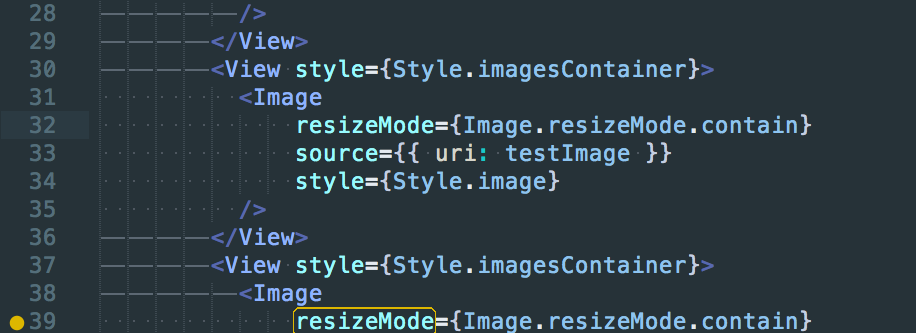
通过使用空格而不是表更改周围的Image标记解决了以下问题:
回答 2
Stack Overflow用户
回答已采纳
发布于 2016-04-26 07:06:48
您的代码可能是由制表符而不是空格缩进的。有一种设置可以使视觉区分更容易。
"draw_white_space": "all"(默认情况下,它被设置为"selection",因此只有在选择代码时才能看到这些视觉提示)
由于JSX (以及其他工具)似乎更喜欢空格而不是制表符,所以您应该在用户设置中使用add以下内容。
"translate_tabs_to_spaces": true
"tab_size": 2
确保重新缩进您的代码之后。
Stack Overflow用户
发布于 2017-06-29 23:46:48
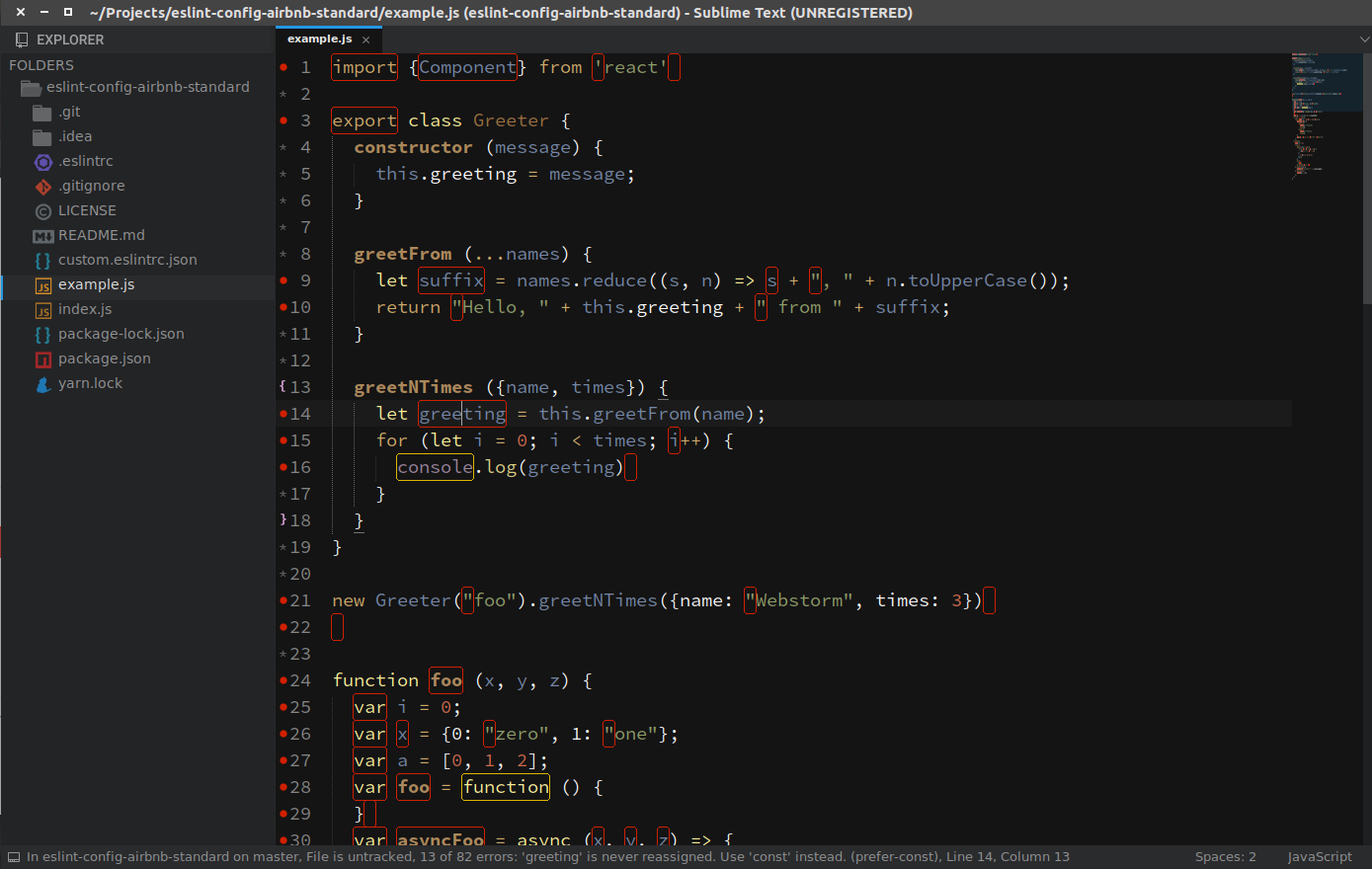
使用eslint-config-airbnb-standard npm模块:
npm install -g eslint-config-airbnb-standard它在全球安装eslint。它使用Airbnb样式的配置+ StandardJS配置。易于安装,与崇高的文本3和WebStorm工作。检查这里的安装说明。
页面原文内容由Stack Overflow提供。腾讯云小微IT领域专用引擎提供翻译支持
原文链接:
https://stackoverflow.com/questions/36856485
复制相关文章
相似问题
腾讯云开发者

Copyright © 2013 - 2026 Tencent Cloud. All Rights Reserved. 腾讯云 版权所有
深圳市腾讯计算机系统有限公司 ICP备案/许可证号:粤B2-20090059  粤公网安备44030502008569号
腾讯云计算(北京)有限责任公司 京ICP证150476号 | 京ICP备11018762号