
使用Facebook登录时出错
使用Facebook登录时出错
提问于 2016-04-09 12:34:51
我遵循本教程https://www.youtube.com/watch?v=cpANieebE2M,但我使用CocoaPod来安装FBSDK,而不是下载框架并拖到我的项目中。
我使用了FBSDK版本: 4.10.1
这是我的豆荚文件:
# Uncomment this line to define a global platform for your project
platform :ios, '8.0'
# Uncomment this line if you're using Swift
use_frameworks!

target 'GiftsToMyFriends' do
    pod "FBSDKCoreKit"
    pod "FBSDKLoginKit"
    pod "FBSDKShareKit"
    pod "FBSDKMessengerShareKit"
end
这是我的LoginViewController:
import UIKit
import FBSDKCoreKit
import FBSDKLoginKit
import FBSDKShareKit
import FBSDKMessengerShareKit

class LoginViewController: UIViewController {

    override func viewDidLoad() {
        super.viewDidLoad()

        if (FBSDKAccessToken.currentAccessToken() == nil) {
            print("Not loged in..")
        } else {
            print("Loged in...")
        }

        let loginButton = FBSDKLoginButton()
        loginButton.readPermissions = ["public_profile", "email", "user_friends"]
        loginButton.center = self.view.center
        loginButton.delegate = self

        self.view.addSubview(loginButton)
    }

}

extension LoginViewController: FBSDKLoginButtonDelegate {

    func loginButton(loginButton: FBSDKLoginButton!, didCompleteWithResult result: FBSDKLoginManagerLoginResult!, error: NSError!) {

        if error == nil {
            print("login completed...")
            self.performSegueWithIdentifier("goTo", sender: self)
        } else {
            print(error.localizedDescription)
        }
    }

    func loginButtonDidLogOut(loginButton: FBSDKLoginButton!) {
        print("User Loged out...")
    }
}
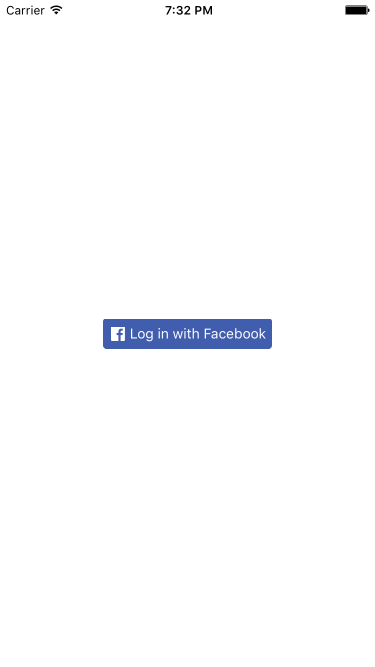
但是当我点击登录按钮时:
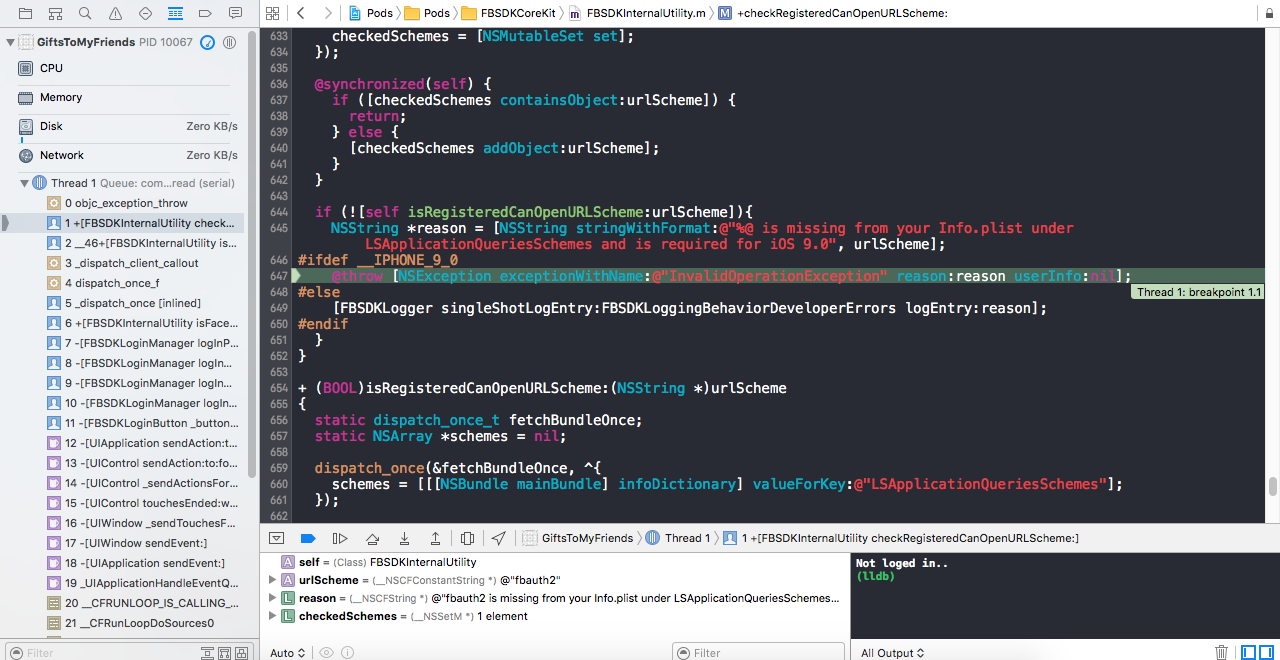
它坠毁了:
回答 2
Stack Overflow用户
回答已采纳
发布于 2016-04-09 12:59:41
根据您的截图,fbauth2在您的info.plist文件中丢失了。您需要将此添加到您的info.plist中
<key>LSApplicationQueriesSchemes</key>
<array>
  <string>fbapi</string>
  <string>fbapi20130214</string>
  <string>fbapi20130410</string>
  <string>fbapi20130702</string>
  <string>fbapi20131010</string>
  <string>fbapi20131219</string>
  <string>fbapi20140410</string>
  <string>fbapi20140116</string>
  <string>fbapi20150313</string>
  <string>fbapi20150629</string>
  <string>fbauth</string>
  <string>fbauth2</string>
  <string>fb-messenger-api20140430</string>
</array>Stack Overflow用户
发布于 2016-04-09 13:58:27
由于您没有提到可可荚中的任何特定版本,而且如果您刚刚集成了可可荚,则您必须只包括它,因为您的SDK版本高于4.6.0版本。
如果使用的是版本4.6.0或更高版本的SDK,只需添加:
<key>LSApplicationQueriesSchemes</key>
<array>
        <string>fbapi</string>
        <string>fb-messenger-api</string>
        <string>fbauth2</string>
        <string>fbshareextension</string>
</array>
如果你的版本仍然低于4.6.0,你可以查看Ahmed的答案
此外,请检查您是否在plist中设置了facebook应用程序id,如果在添加LSApplicationQueriesSchemas后仍然收到错误
有关这方面的更多信息可以在入门: Facebook中找到。
检查5. Configure Xcode Project
页面原文内容由Stack Overflow提供。腾讯云小微IT领域专用引擎提供翻译支持
原文链接:
https://stackoverflow.com/questions/36516826
复制相关文章
相似问题
腾讯云开发者

Copyright © 2013 - 2026 Tencent Cloud. All Rights Reserved. 腾讯云 版权所有
深圳市腾讯计算机系统有限公司 ICP备案/许可证号:粤B2-20090059  粤公网安备44030502008569号
腾讯云计算(北京)有限责任公司 京ICP证150476号 | 京ICP备11018762号