
Android文本格式
Android文本格式
提问于 2016-04-08 04:28:55
我需要格式化文本,如在图片上-一些部分的文本必须在圆形矩形,如形状背景。尝试使用HTML格式,但不起作用。找不到如何用span实现它的信息。
有什么想法吗?

回答 2
Stack Overflow用户
回答已采纳
发布于 2016-04-08 04:38:40
您可以使用自定义形状可绘制,并使用Spannable在您的TextView中设置它。
SpannableString ss = new SpannableString(your string);
Drawable d = getResources().getDrawable(R.drawable.shape_drawable);
d.setBounds(0, 0, d.getIntrinsicWidth(), d.getIntrinsicHeight());
ImageSpan span = new ImageSpan(d, ImageSpan.ALIGN_BASELINE);
ss.setSpan(span, 0, 3, Spannable.SPAN_INCLUSIVE_EXCLUSIVE);
textView.setText(ss); 有关更多信息,请参阅this答案
Stack Overflow用户
发布于 2016-04-08 05:02:49
您可以创建一个可绘图并将其设置为文本视图的背景。
以下是一个例子:
在可绘图文件夹中创建一个shape.xml
下面是可以放入shape.xml文件的代码示例
<shape xmlns:android="http://schemas.android.com/apk/res/android"
    android:shape="rectangle" >

    <corners android:radius="17dp" />

    <stroke
        android:width="1dp"
        android:color="#ffffff" />

    <size
        android:height="20dp"
        android:width="60dp" />

</shape>
您可以根据需要在此shape.xml中更改颜色和角。
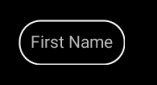
然后将其设置为文本视图( layout.xml )的背景。
<RelativeLayout xmlns:android="http://schemas.android.com/apk/res/android"
    xmlns:tools="http://schemas.android.com/tools"
    android:layout_width="match_parent"
    android:layout_height="match_parent" >

    <TextView
        android:layout_width="wrap_content"
        android:layout_height="wrap_content"
        android:background="@drawable/shape"
        android:padding="10dp"
        android:text="@string/First_name" />

</RelativeLayout>
如下所示:
页面原文内容由Stack Overflow提供。腾讯云小微IT领域专用引擎提供翻译支持
原文链接:
https://stackoverflow.com/questions/36491543
复制相关文章
相似问题
腾讯云开发者

Copyright © 2013 - 2026 Tencent Cloud. All Rights Reserved. 腾讯云 版权所有
深圳市腾讯计算机系统有限公司 ICP备案/许可证号:粤B2-20090059  粤公网安备44030502008569号
腾讯云计算(北京)有限责任公司 京ICP证150476号 | 京ICP备11018762号