
响应图像与模糊效应问题
响应图像与模糊效应问题
提问于 2016-04-04 16:32:11
第一期
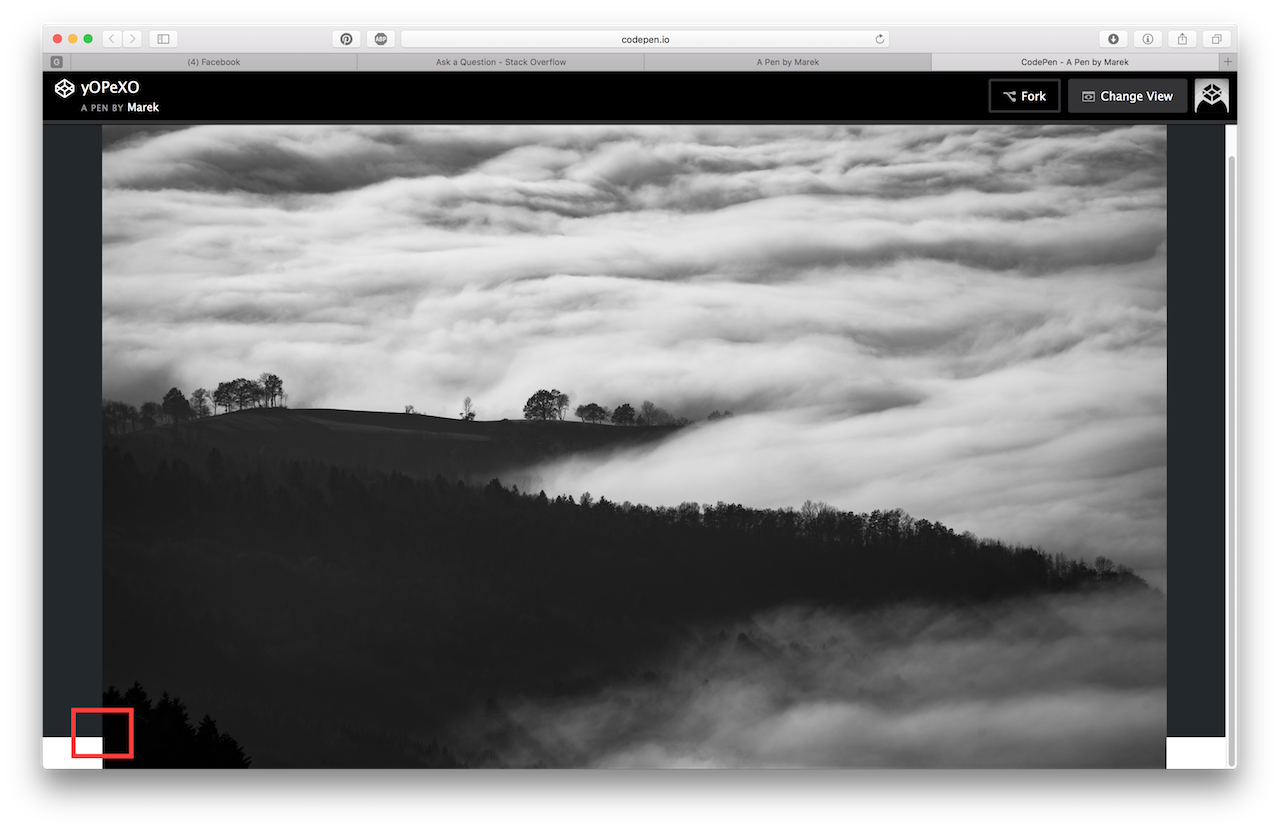
我的页面上有图片库。如果你点击照片,你可以看到更大的预览。因为我需要处理手机所以我设置:
.overview img {
  height: auto;
  width: 90%;
}但我有问题。img的高度超过了.overview的高度,.I需要切断img的末端或其他解决问题的方法。
PEN - http://codepen.io/marekkobida/pen/yOPeXO
HTML:
<div class="dark" id="photo-gallery">
  <div class="container">
    <h1>A</h1>

    <p>B</p>

    <div class="photos">
      <div class="photo"></div>
      <div class="photo"></div>
      <div class="photo"></div>
      <div class="photo"></div>
      <div class="photo"></div>
      <div class="photo"></div>
      <div class="photo"></div>
      <div class="photo"></div>
    </div>

    <div class="overview">
      <img src="">
    </div>
  </div>
</div>
CSS:
.container {
  margin-left: auto;
  margin-right: auto;
  padding: 8rem 1.25rem;
  text-align: center;
}

@media (min-width: 65rem) {
  .container {
    width: 60rem;
  }
}

#photo-gallery {
  position: relative;
}

#photo-gallery .photos {
  display: flex;
  flex-wrap: wrap;
  justify-content: center;
  margin-bottom: -0.625rem;
  margin-top: 0.625rem;
}

#photo-gallery .photos > div {
  border: 1px solid;
  flex: 0 0 210px;
  height: 210px;
  margin: 0.625rem;
}

#photo-gallery .overview {
  align-items: center;
  background: #23282d;
  display: none;
  height: 100%;
  justify-content: center;
  left: 0;
  position: absolute;
  top: 0;
}

#photo-gallery .overview img {
  height: auto;
  width: 90%;
}
第二期
我想去掉.overview的背景,用模糊的效果代替它。(例子:filter: blur(5px);)
问题是,当我在画廊上应用模糊效果时,.overview也是模糊的。
回答 1
Stack Overflow用户
回答已采纳
发布于 2016-04-05 08:41:37
您的第一个问题可以通过将max-height: 100%交给img来解决
#photo-gallery .overview img {
  height: auto;
  width: 90%;
  max-height: 100%;
}参见此钢笔
关于第二个问题,
当使用模糊或不透明属性时,不可能忽略子元素。如果将这些属性中的任何一个应用于父元素,它也将自动应用于子元素。
您必须选择替代解决方案,请参阅此如何模糊(Css) div而不模糊子元素
页面原文内容由Stack Overflow提供。腾讯云小微IT领域专用引擎提供翻译支持
原文链接:
https://stackoverflow.com/questions/36408089
复制相关文章
相似问题
腾讯云开发者

Copyright © 2013 - 2026 Tencent Cloud. All Rights Reserved. 腾讯云 版权所有
深圳市腾讯计算机系统有限公司 ICP备案/许可证号:粤B2-20090059  粤公网安备44030502008569号
腾讯云计算(北京)有限责任公司 京ICP证150476号 | 京ICP备11018762号