
如何使用Gitlab CI/CD部署流星项目?
正如在他们的网站上宣称的那样,在一些代码被推入存储库后,Gitlab可以用于自动部署项目,但我无法弄清楚如何实现。有很多红宝石教程,但没有流星或节点。
基本上,在代码被推入我的主分支之后,我只需要在我的服务器上重新构建一个Docker容器。有人知道如何实现这一目标吗?我对..gitlab ci.yml的东西非常陌生,非常感谢你的帮助。
回答 1
Stack Overflow用户
发布于 2016-05-12 13:34:58
简介:我运行一个Meteor1.3.2应用程序,托管在数字海洋(Ubuntu14.04)上,从4个月开始。我正在使用Gitlab诉8.3.4,运行在与Meteor应用程序相同的数字海洋水滴上。这是一个2GB/2 CPU液滴(每月20美元)。使用内置的Gitlab CI进行CI/CD。到目前为止,此设置已成功运行。(我们目前不使用Docker,但这不重要。)
我们的CI/CD策略:
- 我们在本地的笔记本电脑上查了一下主支部。该分支机构包含整个Meteor项目,如下所示:
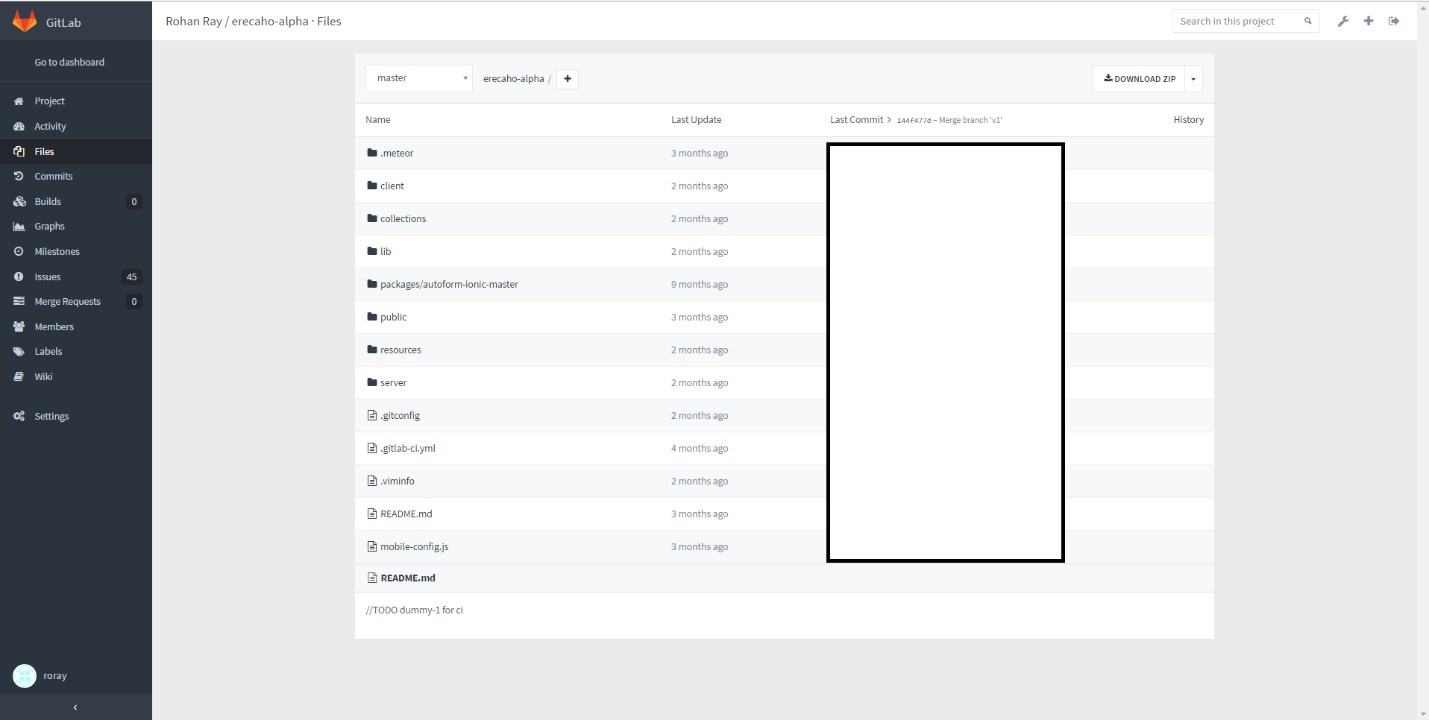
我们使用Windows上的git工具连接到我们的Gitlab服务器。(用于拉、推等类似的常规git活动)
- 在Atom编辑器中打开签出的项目。我们还将Atom与Gitlab集成在一起。这有助于Atom编辑器本身的快速git状态/拉/推等。做定期流星工作,即。修复错误等。
- 在本地笔记本电脑上进行测试后,我们在主计算机上进行git推并提交。这会触发使用Gitlab CI进行自动生成,其结果(包括构建日志)可以在Gitlab中看到,如下所示:
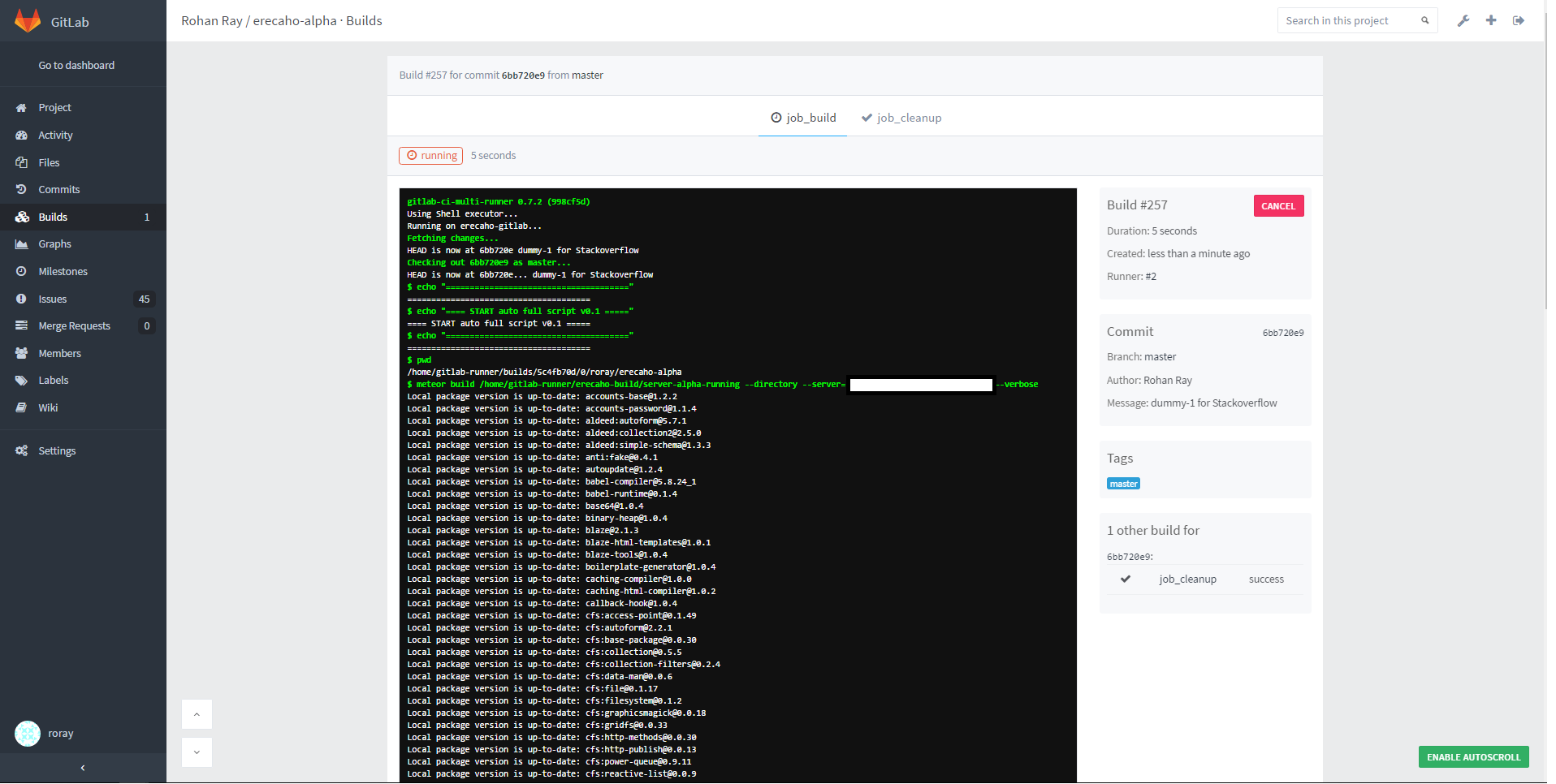
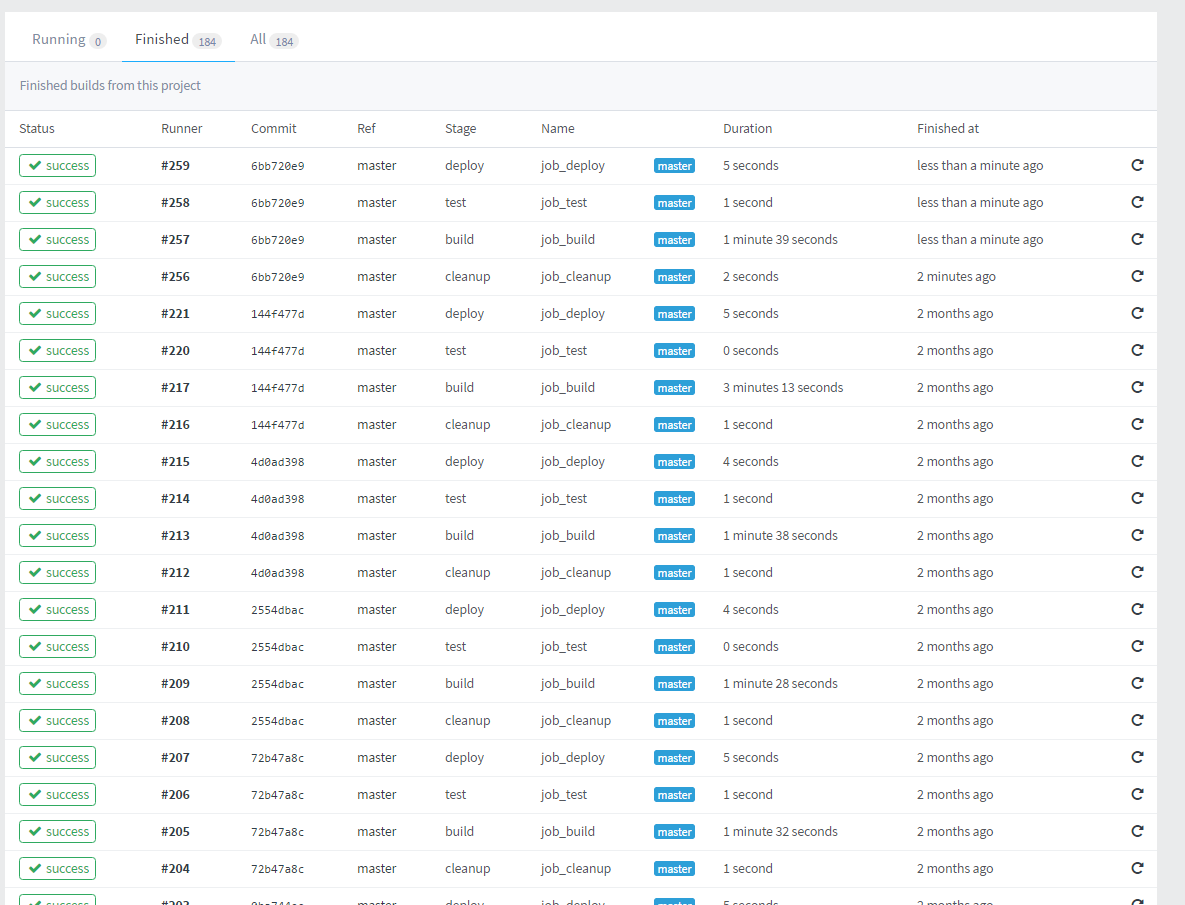
下图显示了所有以前的构建日志:
请遵循以下步骤:
- 在DO液滴上安装流星。
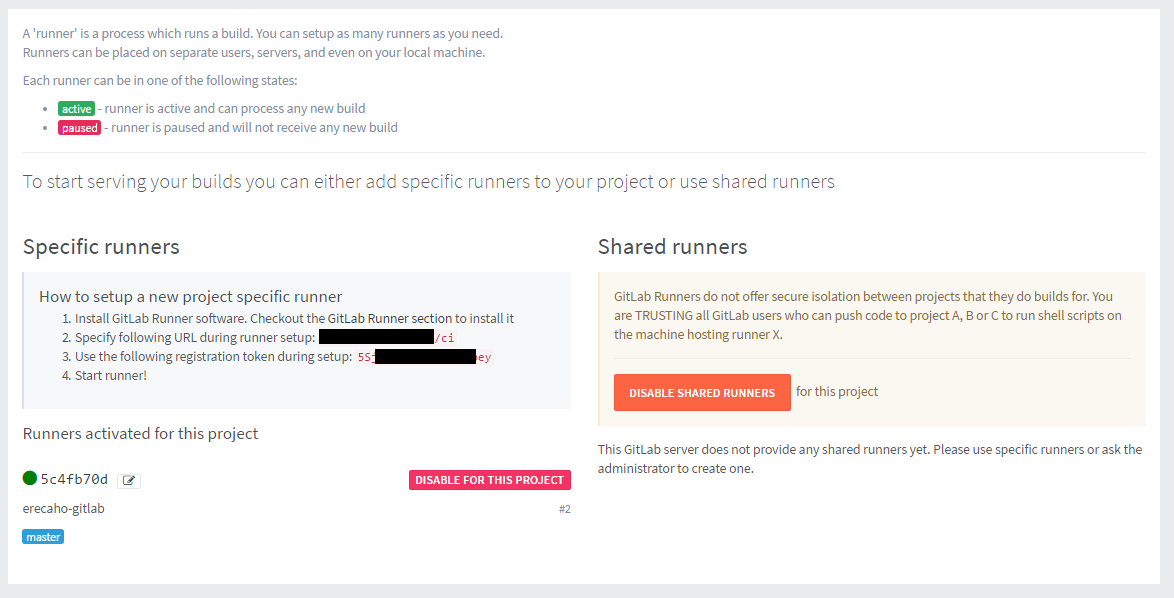
- 在DO上安装Gitlab (如果可能的话使用1点部署)或手动安装。确保您正在安装Gitlab v.8.3.4或更新版本。我在我的液滴上做了一键部署。启动gitlab服务器&从浏览器登录到gitlab。打开项目并从左侧菜单转到项目设置-> Runners
- SSH到您的DO服务器&在液滴上配置一个新的upstart服务作为根: vi /etc/init/meteor-service.conf
样本文件:
#upstart service file at /etc/init/meteor-service.conf
description "Meteor.js (NodeJS) application for eaxmple.com:3000"
author "rohanray@gmail.com"

# When to start the service
start on runlevel [2345]

# When to stop the service
stop on shutdown

# Automatically restart process if crashed
respawn
respawn limit 10 5

script
    export PORT=3000
    # this allows Meteor to figure out correct IP address of visitors
    export HTTP_FORWARDED_COUNT=1
    export MONGO_URL=mongodb://xxxxxx:xxxxxx@example123123.mongolab.com:59672/meteor-db
    export ROOT_URL=http://<droplet_ip>:3000
    exec /home/gitlab-runner/.meteor/packages/meteor-tool/1.1.10/mt-os.linux.x86_64/dev_bundle/bin/node /home/gitlab-runner/erecaho-build/server-alpha-running/bundle/main.js >> /home/gitlab-runner/erecaho-build/server-alpha-running/meteor.log
end script- 从这里安装gitlab多重运行程序:https://gitlab.com/gitlab-org/gitlab-ci-multi-runner/blob/master/docs/install/linux-repository.md,按照Cheatsheet的说明: curl -L https://packages.gitlab.com/install/repositories/runner/gitlab-ci-multi-runner/script.deb.sh \ sudo bash sudo apt-获取安装gitlab-ci-多转轮sudo gitlab-ci-多转轮寄存器 输入步骤2的详细信息。
- 现在新的流道应该是绿色的,或者在需要的时候激活流道。
- 在meteor项目目录中创建..gitlab ci.yml 样本文件: before_script:- echo "======================================“- echo "==== START before_script v0.1 =====”- echo "======================================“类型:-清理-构建-测试-部署job_cleanup:类型:清除脚本:- cd /home/gitlab-runner/erecaho-build - echo”清理现有的包文件夹“-回显”清理当前服务器-运行的文件夹“- rm -fr ./server-alpha-运行- mkdir ./server-alpha-运行-主标签:- master job_build: type: build:- pwd - meteor /home/gitlab-runner/erecaho-build/server-alpha-running --目录-server=http://example.org:3000-只-主标记:- master job_test: type: test脚本:- echo“test仅限于:-主标记:- master /home/gitlab-runner/erecaho-build/server-alpha-running/bundle/programs/server/ : type:-la脚本:- echo“-la-部署-”cd -la& /home/gitlab-runner/.meteor/packages/meteor-tool/1.1.10/mt-os.linux.x86_64/dev_bundle/bin/npm install ./.- sudo重新启动流星服务- sudo状态流星-仅服务:-主标签:- master
- 在gitlab中签入上述文件。这将触发Gitlab,在构建过程完成后,新应用程序将可用@ example.net:3000
备注:在首次签入..gitlab ci.yml后,应用程序将不可用,因为重新启动meteor服务将导致服务找不到。手动运行sudo启动流星服务一次做SSH控制台。将此新签入发布到gitlab主版将触发自动CI/CD,新版本的应用程序将在构建成功完成后在example.com:3000上提供。
P.S.:可以在http://doc.gitlab.com/ee/ci/yaml/README.html找到gitlab文档,以便您进行定制,并了解上面的示例yaml文件。如需码头专用跑步者,请参阅https://gitlab.com/gitlab-org/gitlab-ci-multi-runner
https://stackoverflow.com/questions/36312494
复制相似问题
腾讯云开发者

Copyright © 2013 - 2026 Tencent Cloud. All Rights Reserved. 腾讯云 版权所有
深圳市腾讯计算机系统有限公司 ICP备案/许可证号:粤B2-20090059  粤公网安备44030502008569号
腾讯云计算(北京)有限责任公司 京ICP证150476号 | 京ICP备11018762号