
如何建立和使用Mosby图书馆?
如何建立和使用Mosby图书馆?
提问于 2016-03-19 11:38:50
我试图将Mosby图书馆添加到我的宠物项目中,但我无法理解如何将它包含到项目中?我尝试添加mosby作为模块->项目,但它没有编译。
请帮我链接一些教程,如何将项目(源代码)添加到我的项目中,然后如何使用它(我的意思是从我的代码访问libs类)。
谢谢!
项目商店在K:\PetProject。莫斯科: K:\mosby。
settings.gradle (我的项目):
include ':app', ':mvp', ':sample-dagger2-rx', ':sample', ':mvp-common', ':viewstate', ':sample-kotlin', ':sample-flow', ':testing', ':sample-mail', ':sample-dagger1'build.gradle:
// Top-level build file where you can add configuration options common to all    sub-projects/modules.

buildscript {
   repositories {
       jcenter()
 }
dependencies {
    classpath 'com.android.tools.build:gradle:2.0.0-beta7'

    // NOTE: Do not place your application dependencies here; they belong
    // in the individual module build.gradle files


  }
}

allprojects {
   repositories {
       jcenter()
  }
}

task clean(type: Delete) {
    delete rootProject.buildDir
}
build.gradle在myproject\app:
apply plugin: 'com.android.application'

android {
   compileSdkVersion 23
   buildToolsVersion "23.0.2"

 defaultConfig {
    applicationId "net.simplevolk.mafiagm"
    minSdkVersion 19
    targetSdkVersion 23
    versionCode 1
    versionName "1.0"
}
buildTypes {
    release {
        minifyEnabled false
        proguardFiles getDefaultProguardFile('proguard-android.txt'), 'proguard-rules.pro'
    }
}
sourceSets { main { java.srcDirs = ['src/main/java', 'src/main/java/2'] } }
}
dependencies {
    compile fileTree(include: ['*.jar'], dir: 'libs')
    testCompile 'junit:junit:4.12'
    compile 'com.android.support:appcompat-v7:23.2.1'
    compile 'com.android.support:design:23.2.1'
    compile 'com.android.support:support-v4:23.2.1'
}
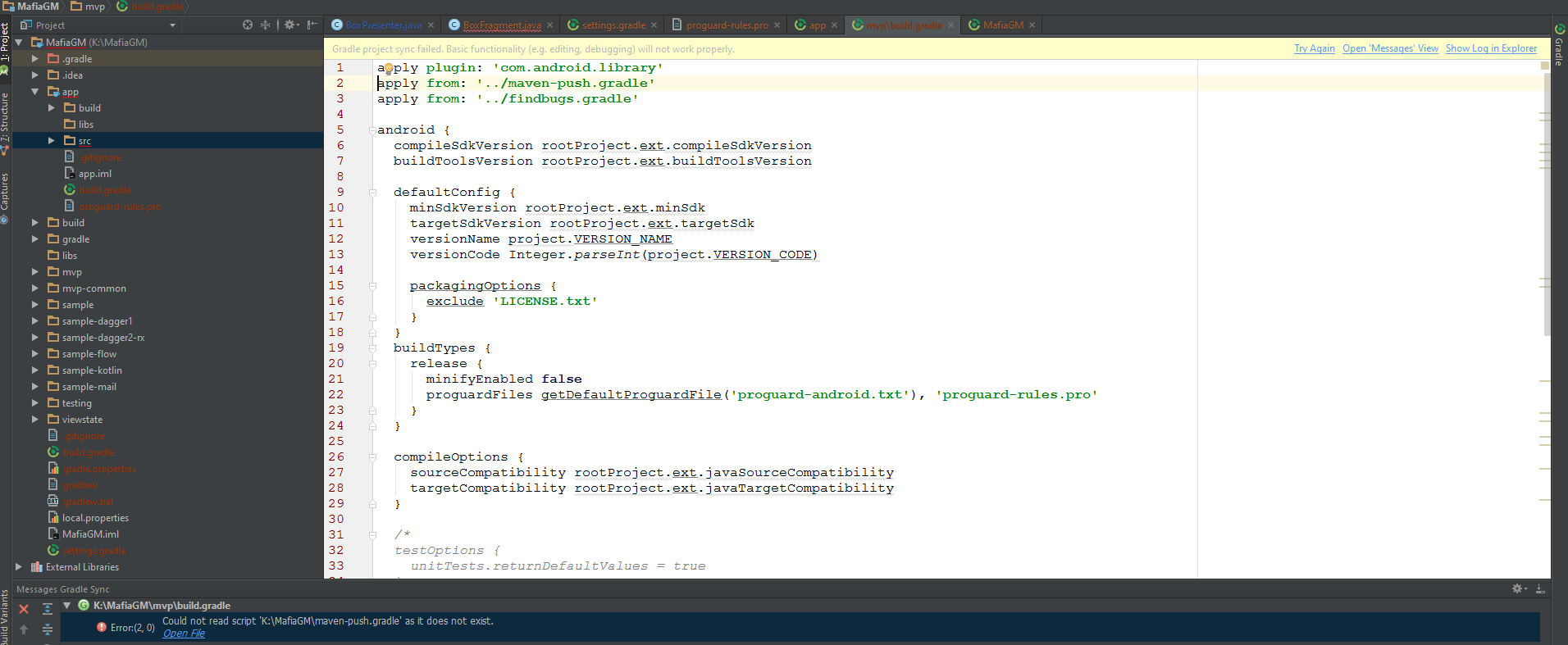
回答 1
Stack Overflow用户
回答已采纳
发布于 2016-03-19 13:04:46
应该将以下内容添加到您的项目中,方法是将以下内容添加到您的build.gradle at myproject\app中的build.gradle部分,而不是像您如何实现它那样作为一个模块。
compile 'com.hannesdorfmann.mosby:mvp:2.0.1'
compile 'com.hannesdorfmann.mosby:viewstate:2.0.1' // optional viewstate feature至于使用Mosby的教程,Mosby github页面顶部的url链接到有关库的信息,包括关于如何使用它的教程。当我开始使用Mosby时,我发现http://hannesdorfmann.com/mosby/first-app/的示例邮件应用程序很有帮助。
页面原文内容由Stack Overflow提供。腾讯云小微IT领域专用引擎提供翻译支持
原文链接:
https://stackoverflow.com/questions/36101210
复制相关文章
相似问题
腾讯云开发者

Copyright © 2013 - 2026 Tencent Cloud. All Rights Reserved. 腾讯云 版权所有
深圳市腾讯计算机系统有限公司 ICP备案/许可证号:粤B2-20090059  粤公网安备44030502008569号
腾讯云计算(北京)有限责任公司 京ICP证150476号 | 京ICP备11018762号