
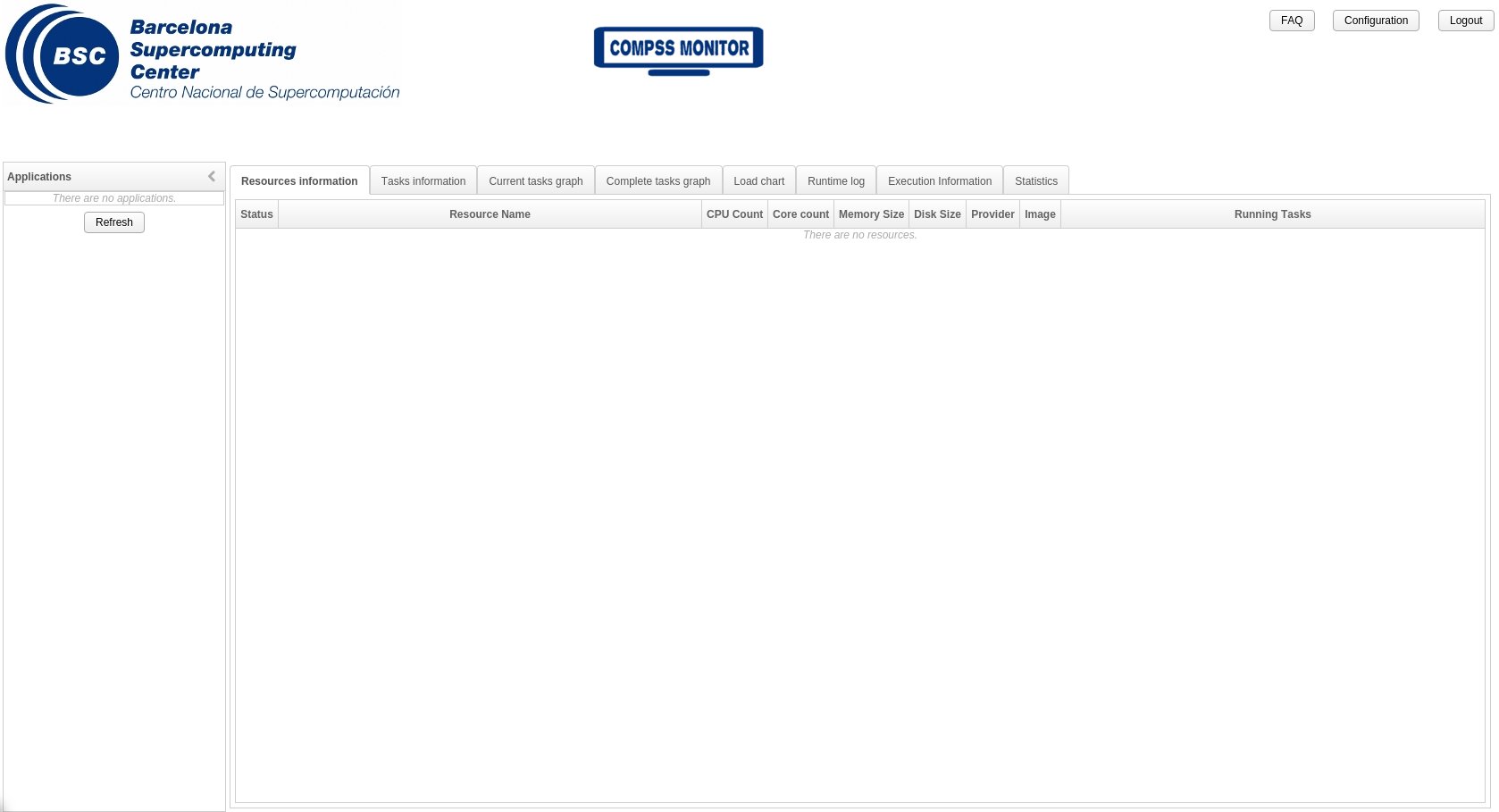
COMPSs监视器没有显示任何应用程序
我正在使用COMPSs样本应用手册中显示的增量应用程序COMPSs运行。我添加了-m标志以启用监视功能:
$ runcompss -m --debug increment.Increment 5 1 2 3应用程序正常运行和完成( std输出/错误中没有显示错误,.COMPSs文件夹中的.COMPSs没有任何堆栈跟踪)。
我还启动了COMPSs监视器服务,运行以下命令(我还添加了它的输出)
$ /etc/init.d/compss-monitor start
* Starting COMPSs Monitor
* Checking JAVA Installation...
   Success
* Checking IT_HOME...
WARNING: IT_HOME not defined. Trying default location /opt/COMPSs/
   Success
* Checking IT_MONITOR...
     IT_MONITOR=/root/.COMPSs/
   Success
* Checking COMPSs Monitor Port...
Warning: COMPSs_MONITOR_PORT not defined.
  Loading from configuration file.
      COMPSs_MONITOR_PORT=8080
   Success
* Checking COMPSs Monitor Timeout...
Warning: COMPSs_MONITOR_TIMEOUT not defined.
  Loading from configuration file.
      COMPSs_MONITOR_TIMEOUT=20000
   Success
* Configuring COMPSs Monitor service...
   Success
root's password:
Using CATALINA_BASE:   /opt/COMPSs/Tools/monitor/apache-tomcat
Using CATALINA_HOME:   /opt/COMPSs/Tools/monitor/apache-tomcat
Using CATALINA_TMPDIR: /opt/COMPSs/Tools/monitor/apache-tomcat/temp
Using JRE_HOME:        /usr/lib64/jvm/jdk1.7.0_71/jre
Using CLASSPATH:       /opt/COMPSs/Tools/monitor/apache-tomcat/bin/bootstrap.jar:/opt/COMPSs/Tools/monitor/apache-tomcat/bin/tomcat-juli.jar
Tomcat started.
但是,当我打开监视器网页时,我无法选择任何应用程序执行,因为左边的菜单是空的(参见图像)。
如果我需要配置更多的东西来显示COMPSs监视器,有人知道怎么做吗?我是否遗漏了runcompss命令或环境中的任何其他标志?
回答 1
Stack Overflow用户
发布于 2016-03-15 09:16:15
COMPSs监视器有一个环境变量,指向将用于加载执行的应用程序的文件夹。您可以通过编辑compss-monitor.conf文件来修改其默认值。例如,您可以运行:
$ sudo vi /opt/COMPSs/Tools/monitor/apache-tomcat/conf/compss-monitor.conf
IT_MONITOR=/home/yourUSER/.COMPSs/

$ /etc/init.d/compss-monitor restart默认情况下,此变量指向/root/.COMPSs文件夹。在您所描述的情况下,监视器正在从这个文件夹而不是/home/yourUSER/.COMPSs/文件夹加载已执行的应用程序(这就是为什么您看不到任何应用程序的执行)。
如果不愿意修改此变量的默认值,请记住,您可以使用unix用户或绝对路径登录到监视器(在wellcome页面中)。
欲了解更多信息,请访问:COMPSs应用程序执行手册,4.2节。COMPSs监视器
https://stackoverflow.com/questions/35943094
复制相似问题
腾讯云开发者

Copyright © 2013 - 2026 Tencent Cloud. All Rights Reserved. 腾讯云 版权所有
深圳市腾讯计算机系统有限公司 ICP备案/许可证号:粤B2-20090059  粤公网安备44030502008569号
腾讯云计算(北京)有限责任公司 京ICP证150476号 | 京ICP备11018762号