
更改TintColor of UIImageView in moreNavigationController
更改TintColor of UIImageView in moreNavigationController
提问于 2016-03-09 11:33:57
我有以下代码来自定义我的moreNavigationController:
UITableView *tView = (UITableView*)tabController.moreNavigationController.topViewController.view;
if ([[tView subviews] count]) {
    for (UITableViewCell *cCell in [tView visibleCells]) {
        cCell.textLabel.textColor = TABLECELL_TEXT_COLOR;
        cCell.textLabel.highlightedTextColor = TABLECELL_TEXT_COLOR_HIGHLIGHTED;
        cCell.contentView.backgroundColor = TABLECELL_BACKGROUND_COLOR;
        cCell.backgroundColor = TABLECELL_BACKGROUND_COLOR;
        UIView * selectedBackgroundView = [[UIView alloc] init];
        UIColor *uicCell = TABLECELL_BACKGROUND_COLOR_SELECTED
        [selectedBackgroundView setBackgroundColor:uicCell];
        [cCell setSelectedBackgroundView:selectedBackgroundView];
    }
}
我已经把我的TabBar的图片改成了灰色和绿色,但是当我点击更多的按钮时,结果是:
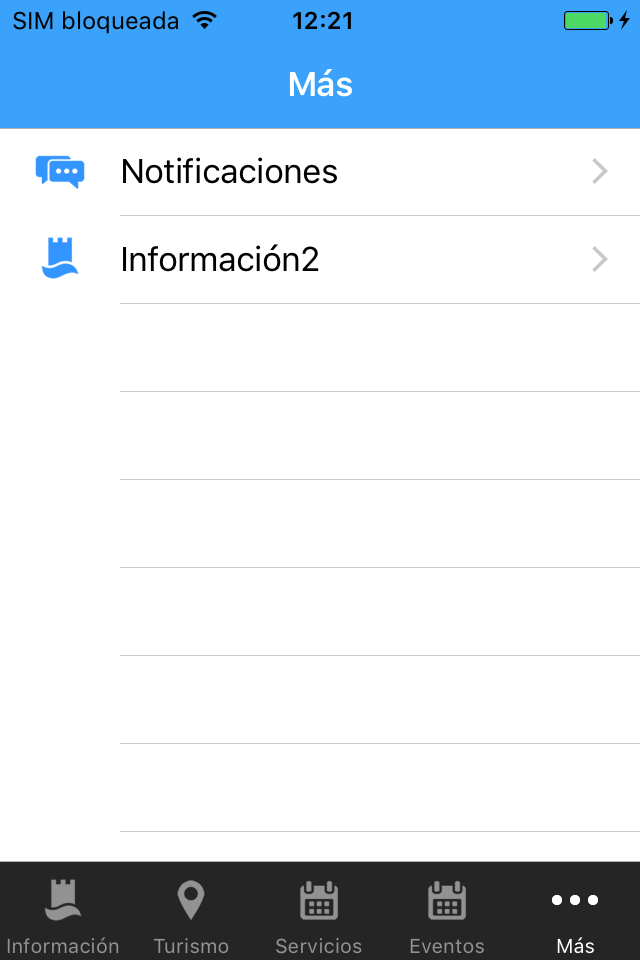
我不明白为什么是蓝色,所以我试着改变颜色,但没有接缝工作。
我将此代码添加到我的函数中:
UIImageView *imgV = cCell.imageView;
imgV.tintColor = [UIColor redColor];
[imgV setTintColor:[UIColor redColor]];
UIImageView *imgV2 = imgV;
这就是我能从变量中看到的:
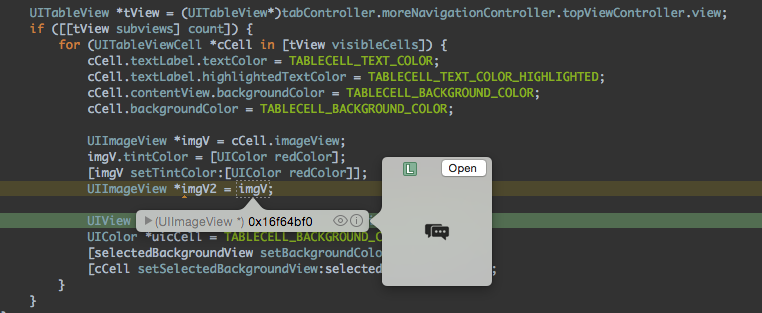
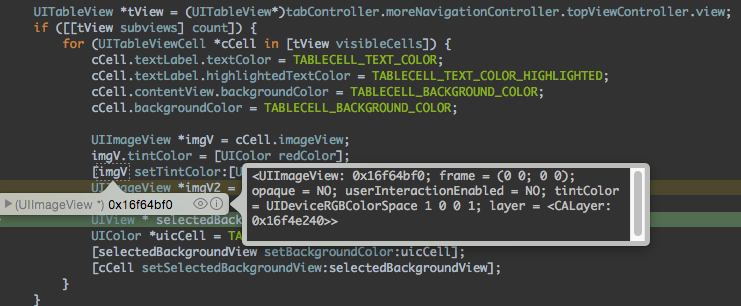
任何帮助都将不胜感激。
回答 2
Stack Overflow用户
回答已采纳
发布于 2016-03-09 15:10:34
经过多次尝试,这是最后的代码:
UITableView *tView = (UITableView*)tabController.moreNavigationController.topViewController.view;
UIColor *tViewColor = MORE_TINTCOLOR;
[tView setTintColor: tViewColor];
if ([[tView subviews] count]) {
    for (UITableViewCell *cCell in [tView visibleCells]) {
        cCell.textLabel.textColor = TABLECELL_TEXT_COLOR;
        cCell.textLabel.highlightedTextColor = TABLECELL_TEXT_COLOR_HIGHLIGHTED;
        cCell.contentView.backgroundColor = TABLECELL_BACKGROUND_COLOR;
        cCell.backgroundColor = TABLECELL_BACKGROUND_COLOR;
        UIView * selectedBackgroundView = [[UIView alloc] init];
        UIColor *uicCell = TABLECELL_BACKGROUND_COLOR_SELECTED
        [selectedBackgroundView setBackgroundColor:uicCell];
        [cCell setSelectedBackgroundView:selectedBackgroundView];
    }
}
您必须更改UITableView TintColor。
多亏了所有人。
Stack Overflow用户
发布于 2019-09-03 19:48:35
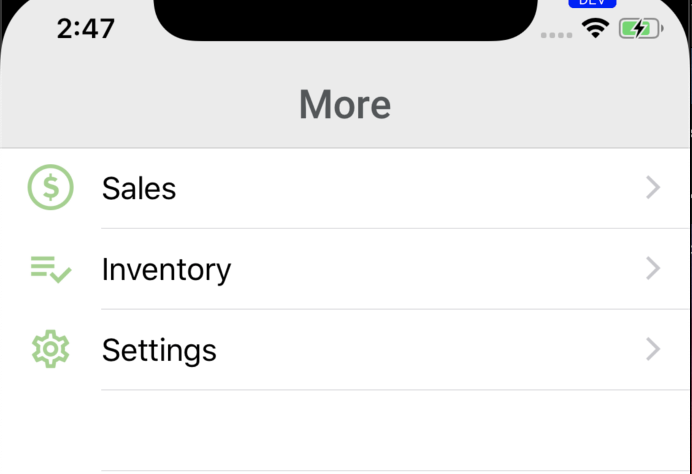
这是Swift 5的解决方案
在viewDidLoad中添加UITabBarController子类的以下内容
if let topViewController = self.moreNavigationController.topViewController {
    if let tableView = topViewController.view as? UITableView {
        tableView.tintColor = .accent
    }
}
页面原文内容由Stack Overflow提供。腾讯云小微IT领域专用引擎提供翻译支持
原文链接:
https://stackoverflow.com/questions/35890461
复制相关文章
相似问题
腾讯云开发者

Copyright © 2013 - 2026 Tencent Cloud. All Rights Reserved. 腾讯云 版权所有
深圳市腾讯计算机系统有限公司 ICP备案/许可证号:粤B2-20090059  粤公网安备44030502008569号
腾讯云计算(北京)有限责任公司 京ICP证150476号 | 京ICP备11018762号