
OpenCV:如何检测特定颜色的线条?
我正在做一个小的OpenCV项目,从手机摄像头中检测特定颜色的线条。
简言之,我想:
- 将输入图像转换为特定颜色的图像(例如,特定上下区域的红色)
- 将Hough线变换应用于生成的图像,使其只检测特定颜色的线条。
- 将检测到的线条叠加在原始图像上。
这些是我想要使用的函数,但我不确定如何填充缺失的部分。
这是在处理来自CvVideoCamera实例的图像时从智能手机应用程序调用的processImage函数。
- (void)processImage:(Mat&)image;
{
cv::Mat orig_image = image.clone();

cv::Mat red_image = ??

// Apply houghes transformation to detect lines between a minimum length and a maximum length (I was thinking of using the CV_HOUGH_PROBABILISTIC method..)
// Comment.. see below..我无法理解这里的文件,因为C++方法签名没有方法字段。
vector<Vec2f> lines;从正式文件中: C++:void HoughLines(InputArray图像,OutputArray线,双rho,双θ,int门限,双srn=0,双重stn=0 )
HoughLines(dst, lines, 1, CV_PI/180, 100, 0, 0 ); 摘自示例代码,还没有正确理解它是如何工作的。 (例如,θ的用法是什么?如何将不同的角度反射到直线检测中?)
for( size_t i = 0; i < lines.size(); i++ )
{
在这里,我只考虑一定尺寸以上的线。(不知道如何)
}在这里,我应该将结果行添加到原始图像(不知道如何),以便它们可以显示在屏幕上。
任何帮助都将不胜感激。
回答 2
Stack Overflow用户
发布于 2016-03-08 12:24:40
您可以使用HSV颜色空间提取颜色色调信息。
这里有一些带有注释的代码,如果有任何问题,请随意提问:
int main(int argc, char* argv[])
{
    cv::Mat input = cv::imread("C:/StackOverflow/Input/coloredLines.png");

    // convert to HSV color space
    cv::Mat hsvImage;
    cv::cvtColor(input, hsvImage, CV_BGR2HSV);

    // split the channels
    std::vector<cv::Mat> hsvChannels;
    cv::split(hsvImage, hsvChannels);

    // hue channels tells you the color tone, if saturation and value aren't too low.

    // red color is a special case, because the hue space is circular and red is exactly at the beginning/end of the circle.
    // in literature, hue space goes from 0 to 360 degrees, but OpenCV rescales the range to 0 up to 180, because 360 does not fit in a single byte. Alternatively there is another mode where 0..360 is rescaled to 0..255 but this isn't as common.
    int hueValue = 0; // red color
    int hueRange = 15; // how much difference from the desired color we want to include to the result If you increase this value, for example a red color would detect some orange values, too.

    int minSaturation = 50; // I'm not sure which value is good here...
    int minValue = 50; // not sure whether 50 is a good min value here...

    cv::Mat hueImage = hsvChannels[0]; // [hue, saturation, value]

    // is the color within the lower hue range?
    cv::Mat hueMask;
    cv::inRange(hueImage, hueValue - hueRange, hueValue + hueRange, hueMask);

    // if the desired color is near the border of the hue space, check the other side too:
    // TODO: this won't work if "hueValue + hueRange > 180" - maybe use two different if-cases instead... with int lowerHueValue = hueValue - 180
    if (hueValue - hueRange < 0 || hueValue + hueRange > 180)
    {
        cv::Mat hueMaskUpper;
        int upperHueValue = hueValue + 180; // in reality this would be + 360 instead
        cv::inRange(hueImage, upperHueValue - hueRange, upperHueValue + hueRange, hueMaskUpper);

        // add this mask to the other one
        hueMask = hueMask | hueMaskUpper;
    }

    // now we have to filter out all the pixels where saturation and value do not fit the limits:
    cv::Mat saturationMask = hsvChannels[1] > minSaturation;
    cv::Mat valueMask = hsvChannels[2] > minValue;

    hueMask = (hueMask & saturationMask) & valueMask;

    cv::imshow("desired color", hueMask);

    // now perform the line detection
    std::vector<cv::Vec4i> lines;
    cv::HoughLinesP(hueMask, lines, 1, CV_PI / 360, 50, 50, 10);

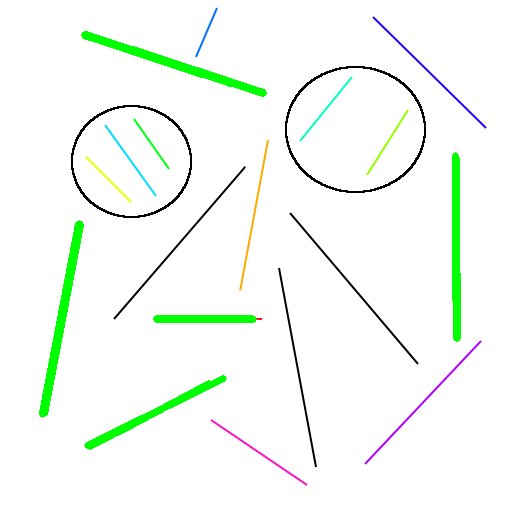
    // draw the result as big green lines:
    for (unsigned int i = 0; i < lines.size(); ++i)
    {
        cv::line(input, cv::Point(lines[i][0], lines[i][1]), cv::Point(lines[i][2], lines[i][3]), cv::Scalar(0, 255, 0), 5);
    }


    cv::imwrite("C:/StackOverflow/Output/coloredLines_mask.png", hueMask);
    cv::imwrite("C:/StackOverflow/Output/coloredLines_detection.png", input);

    cv::imshow("input", input);
    cv::waitKey(0);
    return 0;
}
使用此输入图像:
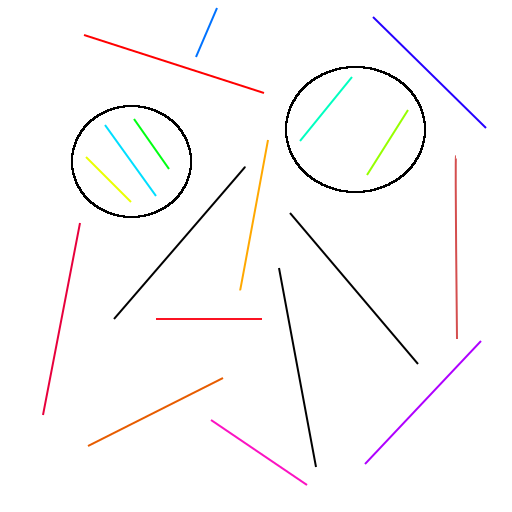
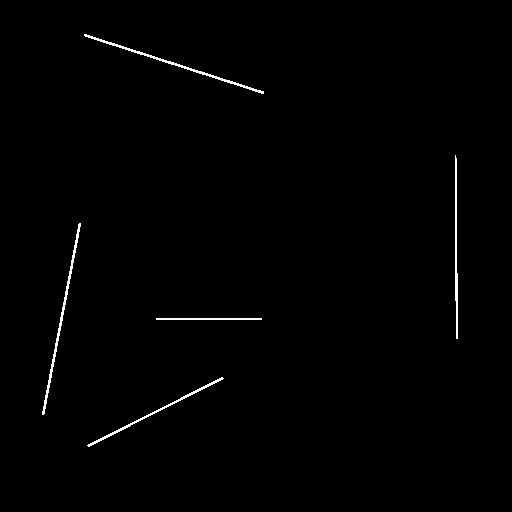
将提取此“红色”颜色(调整hueValue和hueRange以检测不同颜色):
HoughLinesP从掩码中检测到这些行(应该与HoughLines类似地工作):
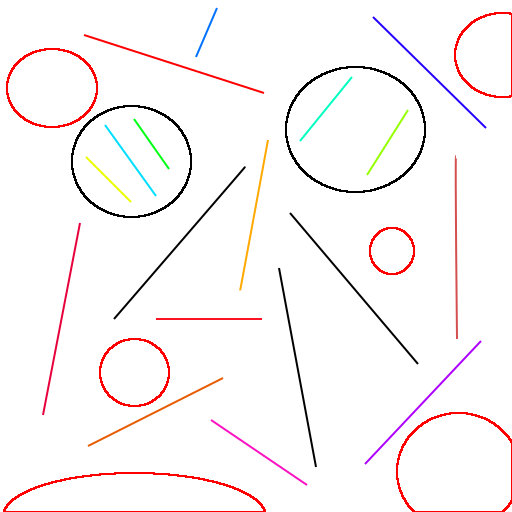
这是另一组非直线图像.
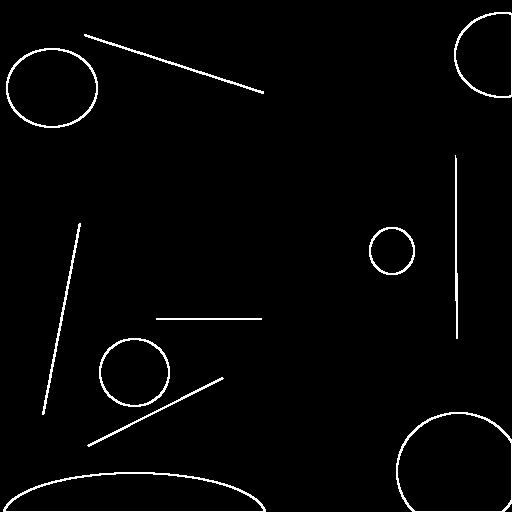
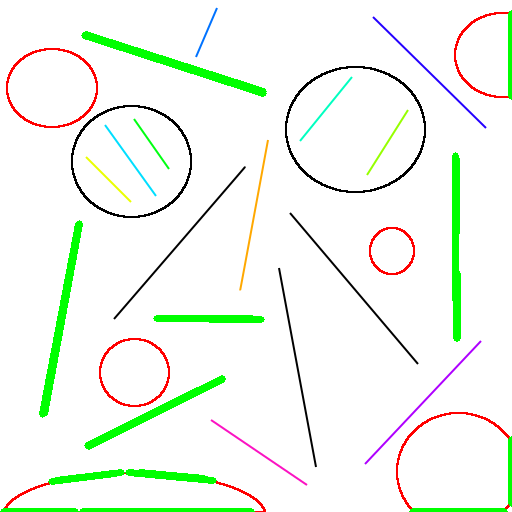
关于你的不同问题:
- 有两个函数HoughLines和HoughLinesP。HoughLines不提取线长,但是您可以通过再次检查边缘掩码(HoughLines输入)的像素与提取的线对应,在后处理中计算它。
- 参数:
图像边缘图像(应该是清晰的?)直线-以角度和位置表示的直线,没有长度或某物。它们被解释为无限长的rho --累加器分辨率。越大,越健壮的情况下,它应该是轻微扭曲的线,但在提取线的位置/角度阈值不太准确-越大,较少的假阳性,但你可能会错过一些线的can角分辨率:越小,可以检测到更多的不同线(取决于方向)。如果直线的方向不适合角度步骤,则可能无法检测到这条线。例如,如果
CV_PI/180将在1°分辨率中检测到,如果您的行具有0.5°(例如33.5°)方向,则可能会忽略它。
我不太确定所有的参数,也许你必须看看关于hough线检测的文献,或者其他人可以在这里添加一些提示。
如果您使用cv::HoughLinesP,将检测到具有起始点和结束点的线段,这更容易解释,并且可以从cv::norm(cv::Point(lines[i][0], lines[i][1]) - cv::Point(lines[i][2], lines[i][3]))中计算线段长度。
Stack Overflow用户
发布于 2016-03-08 17:05:22
我不会向您展示代码,而是使用一些技巧说明步骤。
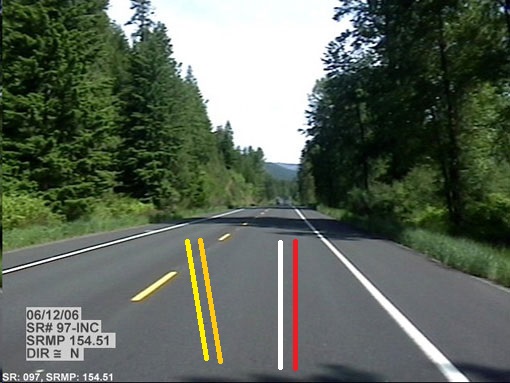
假设您想要检测行车线(这是白色或浅黄色的线条,并具有一些特定的属性)。
原始图像(我增加了一些额外的行来制造噪音)
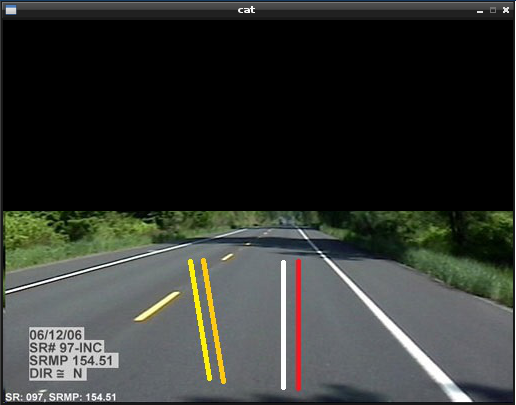
步骤1:删除不需要使用的部分图像,保存CPU使用(简单但有用)
步骤2:转换为灰度图像
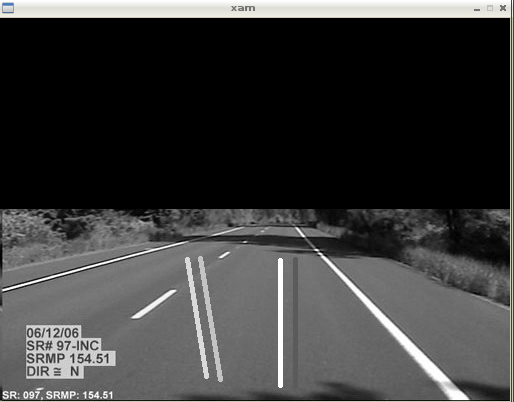
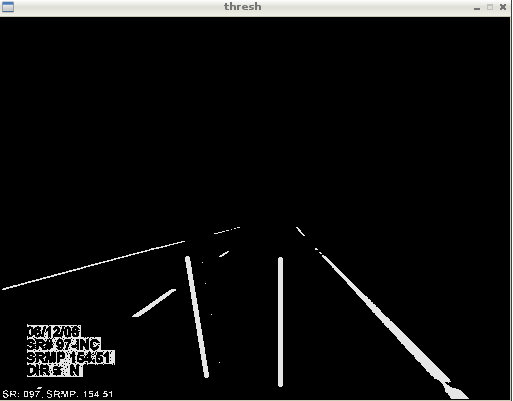
步骤3:阈值
根据线条的颜色使用阈值,颜色将变成白色,其他颜色将变成黑色。
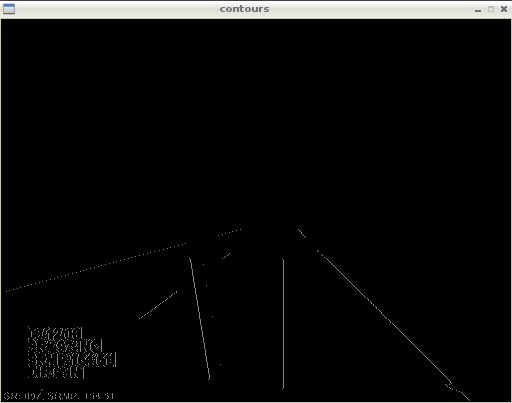
步骤4:使用等高线查找对象的界限()
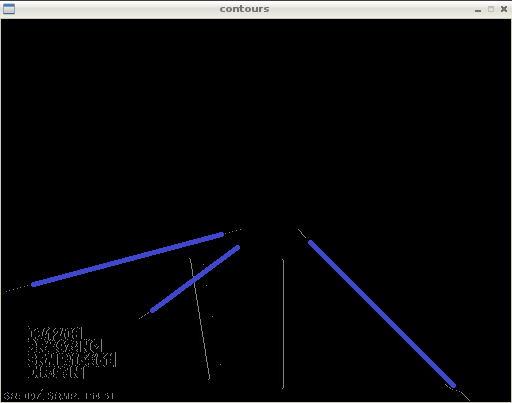
步骤5:在前一步中使用带等高线的Fitline输入回线方程,
Fitline返回(x0,y0)和向量v= (a,b)
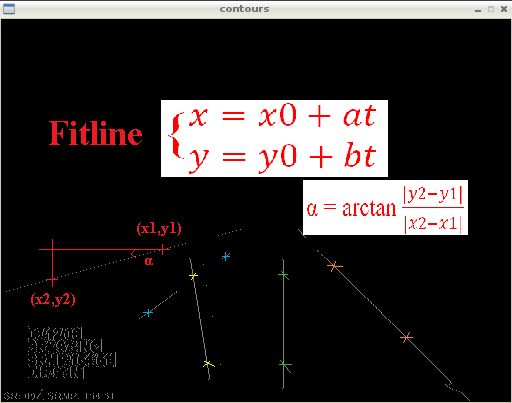
步骤6:使用直线方程,您可以在任何您想要的线中绘制
https://stackoverflow.com/questions/35866411
复制相似问题
腾讯云开发者

Copyright © 2013 - 2026 Tencent Cloud. All Rights Reserved. 腾讯云 版权所有
深圳市腾讯计算机系统有限公司 ICP备案/许可证号:粤B2-20090059  粤公网安备44030502008569号
腾讯云计算(北京)有限责任公司 京ICP证150476号 | 京ICP备11018762号