
在SWRevealViewController中处理SWRevealViewController?
在SWRevealViewController中处理SWRevealViewController?
提问于 2016-03-06 07:57:21
问题:如果用户“登录”,我想在单元格中显示"Logout“选项,反之亦然。但是我在Storyboard中创建了UI
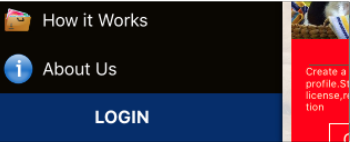
我已经创建了自定义的UITableView类,cellForRowAtIndexPath看起来像
 override func tableView(tableView: UITableView, cellForRowAtIndexPath indexPath: NSIndexPath) -> UITableViewCell {

  //  var cell : UITableViewCell? = tableView.dequeueReusableCellWithIdentifier("cell") as! UITableViewCell!

     let cell : UITableViewCell? = menuListView.cellForRowAtIndexPath(indexPath)

    if indexPath.row == 20
    {
        let titleLabel = cell?.contentView.viewWithTag(100) as! UILabel
        if(NSUserDefaults.standardUserDefaults().integerForKey("UserID") <= 0 ){
            //logout
               cell?.contentView.backgroundColor = UIColor(red: 6.0/255, green: 46.0/255, blue: 107.0/255, alpha: 1.0)
               titleLabel.text = "Login"
        }else{
                //user is login
                cell?.contentView.backgroundColor = UIColor.redColor()
                titleLabel.text = "Logout"
        }
    }

    return cell!

}
但我得到的是零手机。我设置了Datasource、Delegate、table connection.How来解决这个问题?
回答 1
Stack Overflow用户
回答已采纳
发布于 2016-03-06 08:45:08
通过使用下面的代码修复。使用tableview委托方法willDisplayCell。
 override func tableView(tableView: UITableView, willDisplayCell cell: UITableViewCell, forRowAtIndexPath indexPath: NSIndexPath) {

            if indexPath.row == 20
            {
                let titleLabel = cell.contentView.viewWithTag(100) as! UILabel
                if(NSUserDefaults.standardUserDefaults().integerForKey("UserID") <= 0 ){
                    //logout
                    cell.contentView.backgroundColor = UIColor(red: 6.0/255, green: 46.0/255, blue: 107.0/255, alpha: 1.0)
                    titleLabel.text = "Login"
                }else{
                    //user is login
                    cell.contentView.backgroundColor = UIColor.redColor()
                    titleLabel.text = "Logout"
                }
            }

}页面原文内容由Stack Overflow提供。腾讯云小微IT领域专用引擎提供翻译支持
原文链接:
https://stackoverflow.com/questions/35824486
复制相关文章
相似问题
腾讯云开发者

Copyright © 2013 - 2026 Tencent Cloud. All Rights Reserved. 腾讯云 版权所有
深圳市腾讯计算机系统有限公司 ICP备案/许可证号:粤B2-20090059  粤公网安备44030502008569号
腾讯云计算(北京)有限责任公司 京ICP证150476号 | 京ICP备11018762号