
Android:覆盖TextView在LockScreen上
Android:覆盖TextView在LockScreen上
提问于 2016-02-10 22:33:46
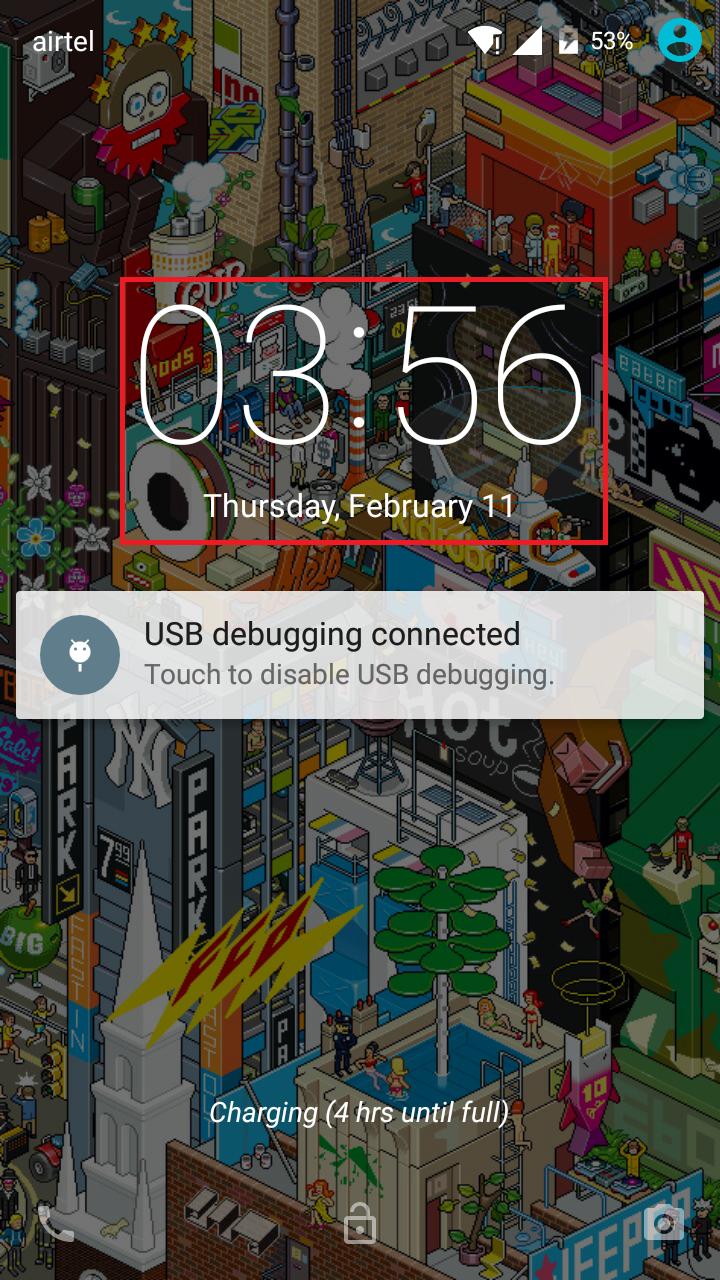
我试图在LockScreen上覆盖一个LockScreen(类似于Android覆盖时间的方式)。
注:我不想通过锁屏,但只是画在上面(不干扰任何触摸事件)。
我尝试使用以下标志(在onCreate中):
getWindow().addFlags(WindowManager.LayoutParams.FLAG_NOT_FOCUSABLE);
    getWindow().addFlags(WindowManager.LayoutParams.FLAG_NOT_TOUCHABLE);
    getWindow().addFlags(WindowManager.LayoutParams.FLAG_SHOW_WHEN_LOCKED);
    getWindow().addFlags(WindowManager.LayoutParams.FLAG_KEEP_SCREEN_ON);
    getWindow().addFlags(WindowManager.LayoutParams.TYPE_SYSTEM_OVERLAY);
    getWindow().addFlags(WindowManager.LayoutParams.FLAG_WATCH_OUTSIDE_TOUCH);
    getWindow().addFlags(PixelFormat.TRANSLUCENT);
并将下列主题(适用于具体活动):
   <style name="Transparent">
    <item name="android:windowNoTitle">true</item>
    <item name="android:windowContentOverlay">@null</item>
    <item name="android:windowIsTranslucent">true</item>
    <item name="android:windowBackground">@android:color/transparent</item>
    <item name="android:windowActionBar">false</item>
    <item name="android:backgroundDimEnabled">false</item>
 <item name="android:windowIsFloating">true</item>
</style>
但是这会吸引到锁屏的顶部,隐藏锁屏并禁用所有的触摸事件。
编辑:activity_overlay.xml
<RelativeLayout xmlns:android="http://schemas.android.com/apk/res/android"
xmlns:tools="http://schemas.android.com/tools"
android:layout_width="match_parent"
android:layout_height="match_parent"
android:paddingBottom="@dimen/activity_vertical_margin"
android:paddingLeft="@dimen/activity_horizontal_margin"
android:paddingRight="@dimen/activity_horizontal_margin"
android:paddingTop="@dimen/activity_vertical_margin"
tools:context="com.example.coco.MainActivity" >

<TextView
    android:id="@+id/textView1"
    android:layout_width="match_parent"
    android:layout_height="wrap_content"
    android:textColor="@android:color/white"
    android:layout_alignParentBottom="true"
    android:text="TextView" />

</RelativeLayout>
最宣言的活动(膨胀overlay_activity.xml)
      <activity
        android:name=".DisplayActivity"
        android:label="@string/app_name"
android:theme="@style/Transparent" />回答 2
Stack Overflow用户
回答已采纳
发布于 2016-02-19 17:46:21
因为你想在你的应用程序活动中显示东西,所以你可以使用服务和WindowManager,就像Facebook Messenger和其他浮动窗口应用程序一样;)
LockScreenTextService.class
import android.app.Service;
import android.content.BroadcastReceiver;
import android.content.Context;
import android.content.Intent;
import android.content.IntentFilter;
import android.graphics.PixelFormat;
import android.os.IBinder;
import android.support.v4.content.ContextCompat;
import android.view.Gravity;
import android.view.WindowManager;
import android.widget.TextView;

/**
 * Created on 2/20/2016.
 */
public class LockScreenTextService extends Service {

    private BroadcastReceiver mReceiver;
    private boolean isShowing = false;

    @Override
    public IBinder onBind(Intent intent) {
        // TODO Auto-generated method stub
        return null;
    }

    private WindowManager windowManager;
    private TextView textview;
    WindowManager.LayoutParams params;

    @Override
    public void onCreate() {
        super.onCreate();

        windowManager = (WindowManager)getSystemService(WINDOW_SERVICE);

        //add textview and its properties
        textview = new TextView(this);
        textview.setText("Hello There!");
        textview.setTextColor(ContextCompat.getColor(this, android.R.color.white));
        textview.setTextSize(32f);

        //set parameters for the textview
        params = new WindowManager.LayoutParams(
                WindowManager.LayoutParams.WRAP_CONTENT,
                WindowManager.LayoutParams.WRAP_CONTENT,
                WindowManager.LayoutParams.TYPE_SYSTEM_OVERLAY,
                WindowManager.LayoutParams.FLAG_NOT_FOCUSABLE
                        | WindowManager.LayoutParams.FLAG_NOT_TOUCH_MODAL
                        | WindowManager.LayoutParams.FLAG_SHOW_WHEN_LOCKED
                        | WindowManager.LayoutParams.FLAG_WATCH_OUTSIDE_TOUCH,
                PixelFormat.TRANSLUCENT);
        params.gravity = Gravity.BOTTOM;

        //Register receiver for determining screen off and if user is present
        mReceiver = new LockScreenStateReceiver();
        IntentFilter filter = new IntentFilter(Intent.ACTION_SCREEN_OFF);
        filter.addAction(Intent.ACTION_USER_PRESENT);

        registerReceiver(mReceiver, filter);
    }

    @Override
    public int onStartCommand(Intent intent, int flags, int startId) {
        return START_STICKY;
    }

    public class LockScreenStateReceiver extends BroadcastReceiver {
        @Override
        public void onReceive(Context context, Intent intent) {
            if (intent.getAction().equals(Intent.ACTION_SCREEN_OFF)) {
                //if screen is turn off show the textview
                if (!isShowing) {
                    windowManager.addView(textview, params);
                    isShowing = true;
                }
            }

            else if(intent.getAction().equals(Intent.ACTION_USER_PRESENT)) {
                //Handle resuming events if user is present/screen is unlocked remove the textview immediately
                if (isShowing) {
                    windowManager.removeViewImmediate(textview);
                    isShowing = false;
                }
            }
        }
    }

    @Override
    public void onDestroy() {
        //unregister receiver when the service is destroy
        if (mReceiver != null) {
            unregisterReceiver(mReceiver);
        }

        //remove view if it is showing and the service is destroy
        if (isShowing) {
            windowManager.removeViewImmediate(textview);
            isShowing = false;
        }
        super.onDestroy();
    }

}
,并在AndroidManifest.xml上添加必要的权限,并添加服务
<?xml version="1.0" encoding="utf-8"?>
<manifest xmlns:android="http://schemas.android.com/apk/res/android"
    package="com.example.textonlockscreenusingservice">

    <uses-permission android:name="android.permission.SYSTEM_ALERT_WINDOW"/> //this

    <application
        android:allowBackup="true"
        android:icon="@mipmap/ic_launcher"
        android:label="@string/app_name"
        android:supportsRtl="true"
        android:theme="@style/AppTheme">
        <activity
            android:name=".MainActivity"
            android:label="@string/app_name"
            android:theme="@style/AppTheme.NoActionBar">
            <intent-filter>
                <action android:name="android.intent.action.MAIN" />

                <category android:name="android.intent.category.LAUNCHER" />
            </intent-filter>
        </activity>

        <service android:name=".LockScreenTextService" /> //this

    </application>

</manifest>不要忘记在活动的onCreate()上启动服务
@Override
protected void onCreate(Bundle savedInstanceState) {
    super.onCreate(savedInstanceState);

    Intent intent = new Intent(this, LockScreenTextService.class);
    startService(intent);

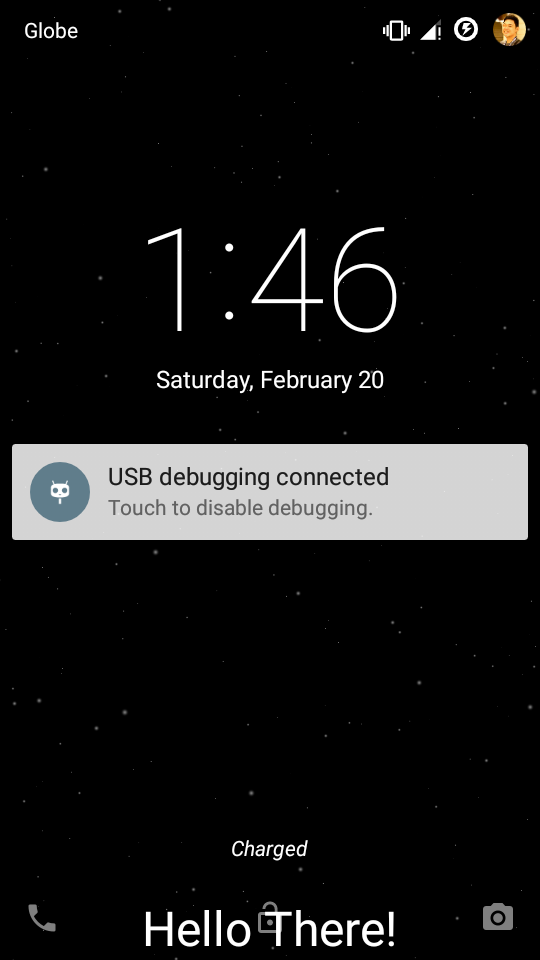
}TextView显示在锁屏上
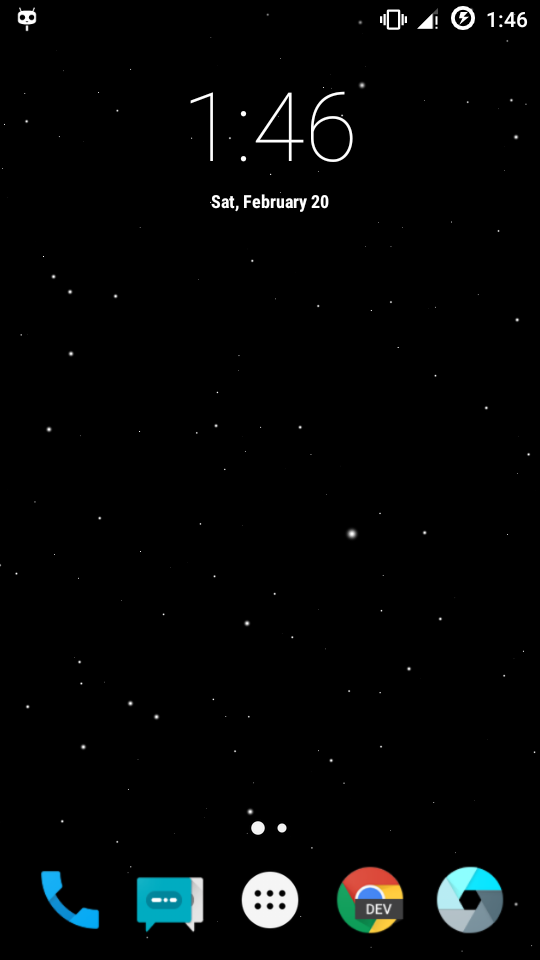
TextView在解锁时被删除
Stack Overflow用户
发布于 2016-02-14 09:44:17
从Android (5.0),对锁屏小部件的支持已被移除(请参阅最下面的)开始。相反,您应该使用通知,它现在可以显示在锁定屏幕上。
页面原文内容由Stack Overflow提供。腾讯云小微IT领域专用引擎提供翻译支持
原文链接:
https://stackoverflow.com/questions/35327328
复制相关文章
相似问题
腾讯云开发者

Copyright © 2013 - 2026 Tencent Cloud. All Rights Reserved. 腾讯云 版权所有
深圳市腾讯计算机系统有限公司 ICP备案/许可证号:粤B2-20090059  粤公网安备44030502008569号
腾讯云计算(北京)有限责任公司 京ICP证150476号 | 京ICP备11018762号