
从AdobeLabsUXMagicSelectionView (Adobe )获取前台
我正在尝试使用AdobeLabsUXMagicSelectionView,我面临着两个问题。我希望使用以下两种方法“裁剪”选定的区域(前景):
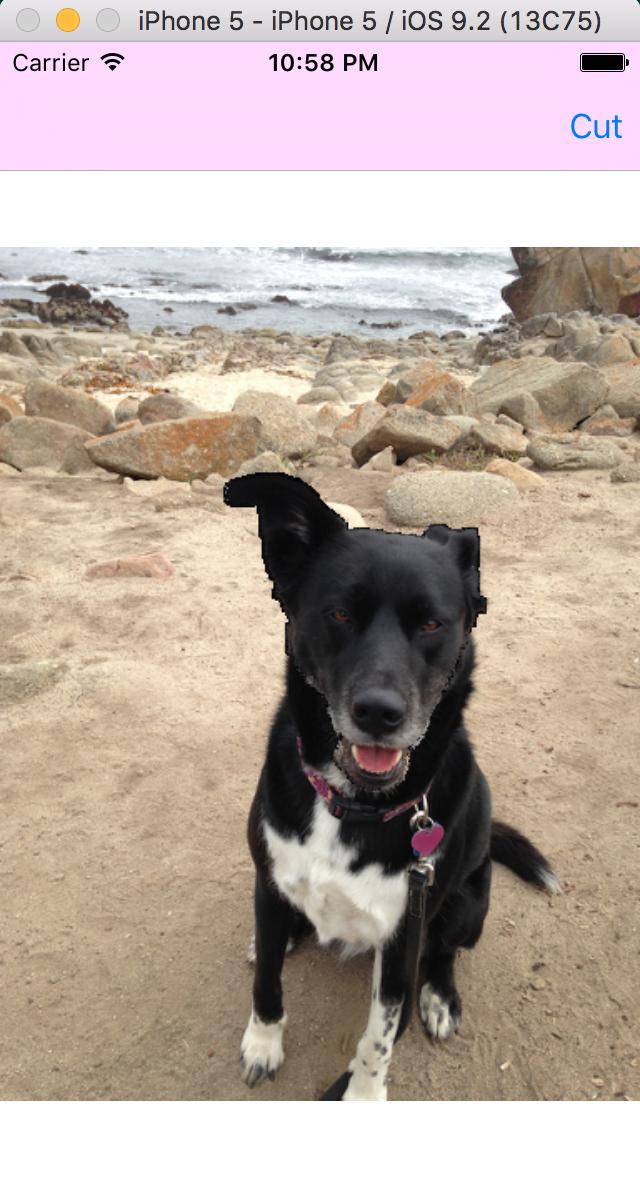
方法1) getForeground:andMatte:它没有给我正确的前景。当我选择一个区域并调用getForeground:andMatte时,我会给出前景和背景(混合)。
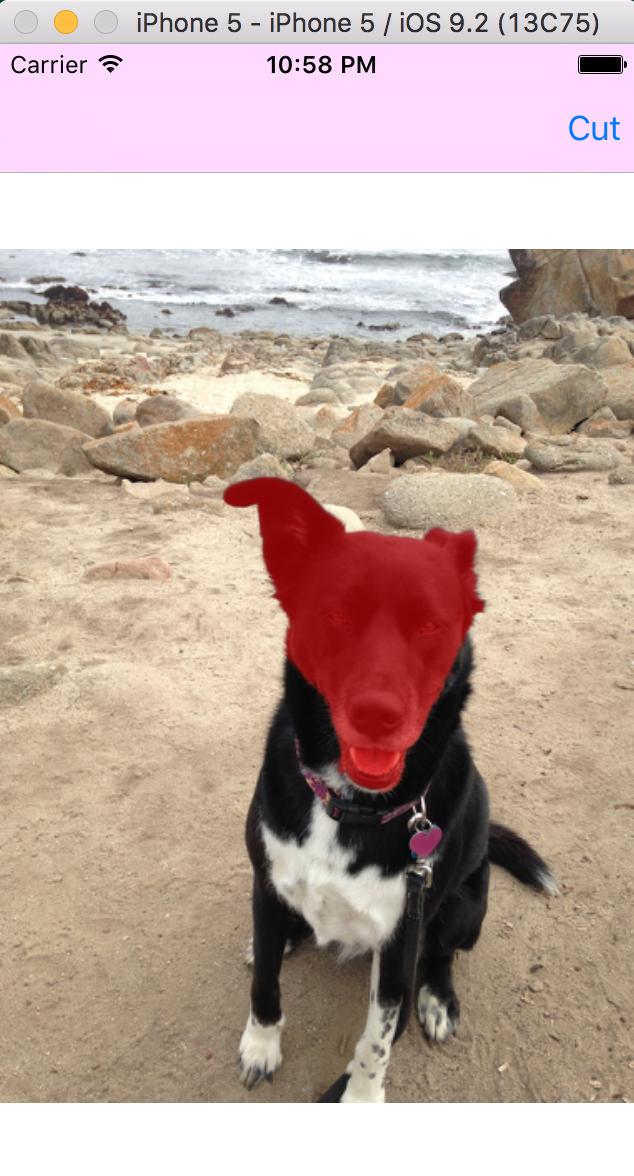
选狗脸
割狗脸
文件上说:
或者,如果您不需要直接处理底层位图,并且打算将结果用作CoreGraphics或CoreImage的输入,则可以调用:
方法2)在此之后,我试图像文档那样“裁剪”
extension AdobeLabsUXMagicSelectionView {

    func foregroundCGImage() -> CGImage {
        let w = size_t(self.image.size.width)
        let h = size_t(self.image.size.height)
        let data = UnsafeMutablePointer<UInt8>(malloc(4 * w * h * sizeof(UInt8)))
        self.readForegroundAndMatteIntoBuffer(data)

        for var i = 0; i < 4 * w * h; i += 4 {
            let alpha: UInt8 = UInt8(data[i + 3]) / 255
            data[i] *= alpha
            data[i + 1] *= alpha
            data[i + 2] *= alpha
        }

        let bitmapInfo = CGBitmapInfo(rawValue: CGImageAlphaInfo.NoneSkipLast.rawValue)
        let ctx = CGBitmapContextCreate(data, w, h, 8, 4 * w, CGColorSpaceCreateDeviceRGB(), bitmapInfo.rawValue)
        let imageRef = CGBitmapContextCreateImage(ctx)!

        return imageRef
    }

}
但它只绘制(黑色)图像的非选定部分(背景)。
有人能帮忙吗?我想要的是获得选定区域的最终图像。
更新:
就像唐伍德沃德说的那样,我创造了这个Cattegory:
@implementation AdobeLabsUXMagicSelectionView (Foreground)

- (UIImage *)getForeground {
    // show the results
    // first create a UIImage of just the foreground bits per the documentation in AdobeLabsUXMagicSelectionView.h
    size_t w = self.image.size.width;
    size_t h = self.image.size.height;

    uint8_t *data = (uint8_t *)malloc(4*w*h*sizeof(uint8_t));
    [self readForegroundAndMatteIntoBuffer:data];

    // Paint the non-selected portion of the image black
    for (int i = 0; i < 4*w*h; i += 4) {
        float alpha = (float)data[i + 3] / 255;
        data[i    ] *= alpha;
        data[i + 1] *= alpha;
        data[i + 2] *= alpha;
    }
    CGContextRef ctx = CGBitmapContextCreate(data, w, h, 8, 4*w, CGColorSpaceCreateDeviceRGB(), (CGBitmapInfo)kCGImageAlphaNoneSkipLast);
    CGImageRef imageRef = CGBitmapContextCreateImage(ctx);
    UIImage * foregroundBits = [UIImage imageWithCGImage:imageRef];
    CGImageRelease(imageRef);

    return foregroundBits;
}

@end
但结果在“前景”周围有很多黑色像素。
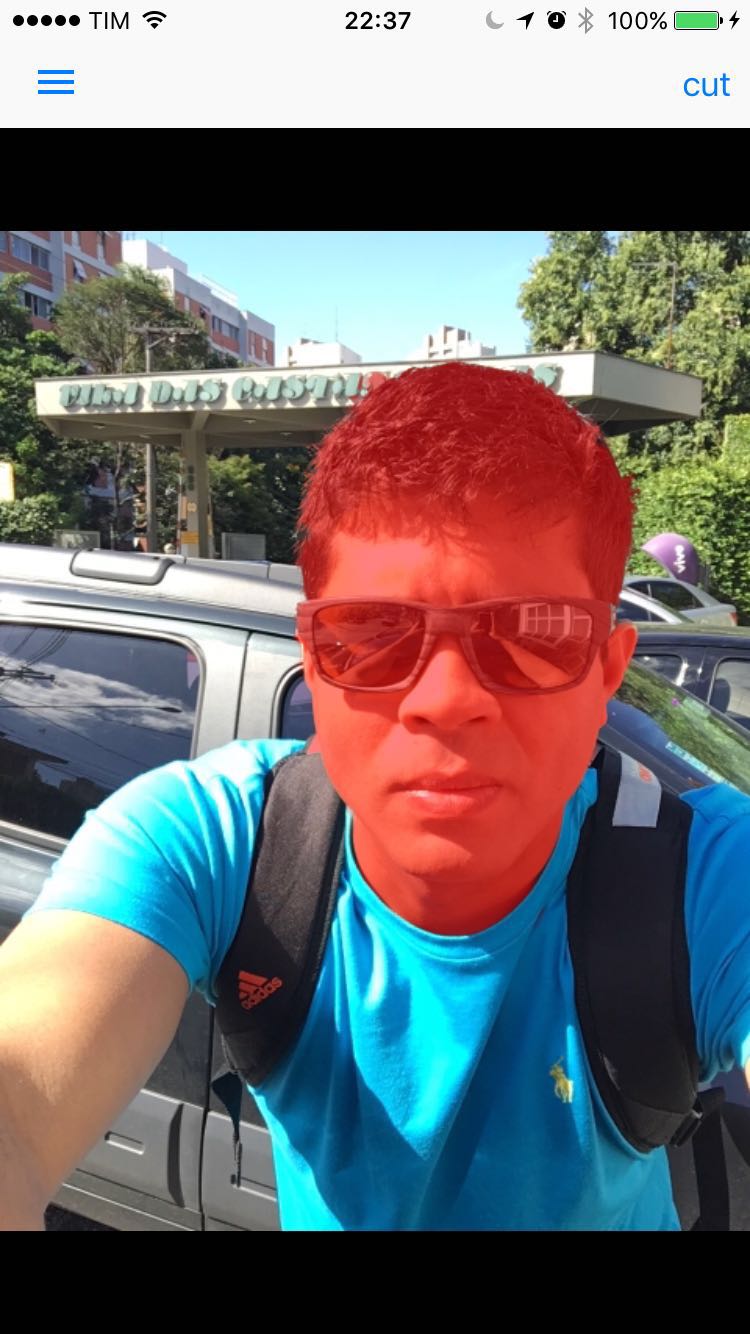
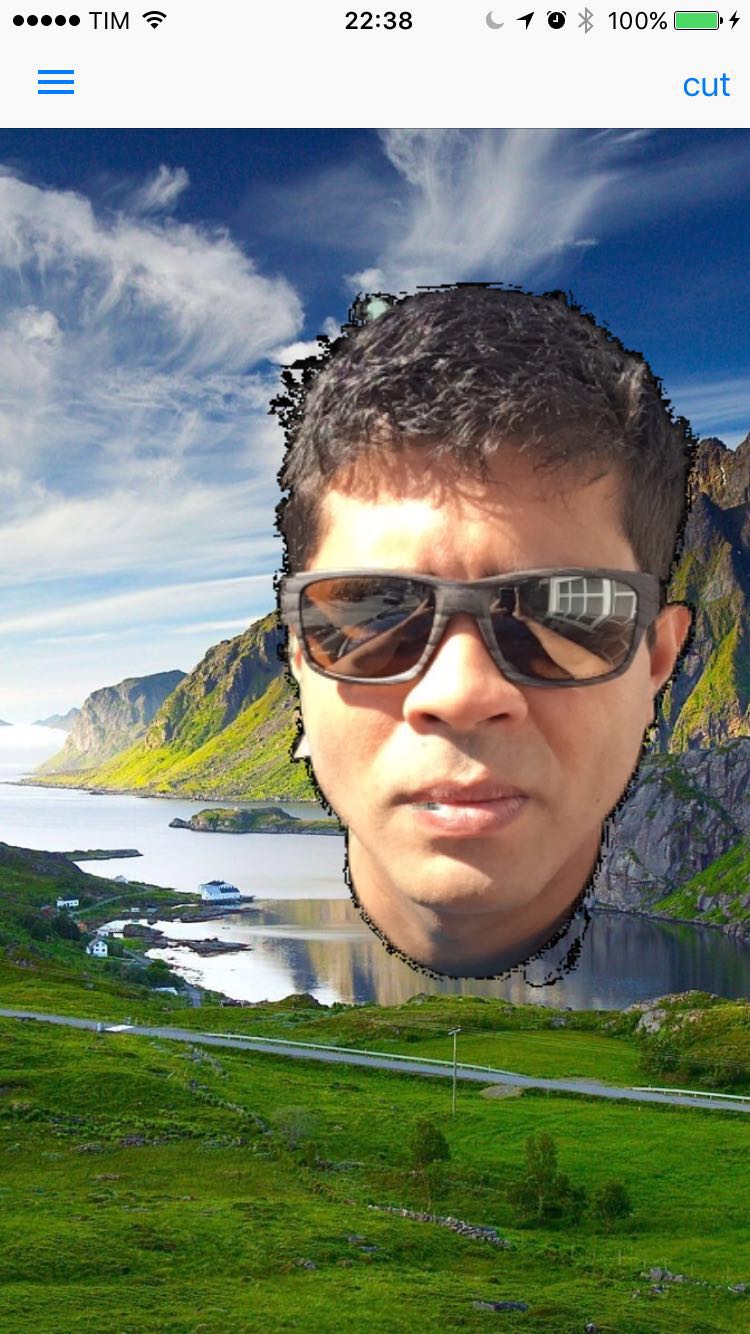
我需要什么?获取一个“干净”的前景(选定的区域没有黑色像素)放置在UIImageView上。
回答 2
Stack Overflow用户
发布于 2016-03-17 08:05:42
在这种情况下,您将RGB通道与alpha通道相乘,这意味着在创建上下文时要使用kCGImageAlphaPremultipliedLast,如下所示:
// Paint the non-selected portion of the image black
for (int i = 0; i < 4*w*h; i += 4)
{
    float alpha = (float)data[i + 3] / 255;
    data[i    ] *= alpha;
    data[i + 1] *= alpha;
    data[i + 2] *= alpha;
}
CGContextRef ctx = CGBitmapContextCreate(data, w, h, 8, 4*w, CGColorSpaceCreateDeviceRGB(), (CGBitmapInfo)kCGImageAlphaPremultipliedLast);
CGImageRef imageRef = CGBitmapContextCreateImage(ctx);
UIImage * foregroundBits = [UIImage imageWithCGImage:imageRef];
CGImageRelease(imageRef);更多信息可以在CGImage文档中找到。
此外,您还可以尝试使用CGImageCreateWithMask,其输出为
- (void)getForeground:(UIImage **)foregroundImage andMatte:(UIImage **)matteImage如石英2D编程指南所述
UIImage *fg;
UIImage *matte;

[_magicSelectionView getForeground:&fg andMatte:&matte];

CGImageRef mattedForeground = CGImageCreateWithMask(fg.CGImage, matte.CGImage);
UIImage *foregroundBits = [UIImage imageWithCGImage:mattedForeground];

// show the results
_resultsView = [[UIImageView alloc] initWithFrame: CGRectMake(0, VIEW_Y_OFFSET, self.view.bounds.size.width, self.view.bounds.size.height-VIEW_Y_OFFSET)];
_resultsView.contentMode = UIViewContentModeScaleAspectFit;
[_resultsView setImage: foregroundBits];
[self.view addSubview: _resultsView];如果这两种方法都不起作用,那么用于呈现结果的UIImageViews配置可能会出现一些问题,但是如果没有这些代码,就很难说了。
Stack Overflow用户
发布于 2016-02-02 18:30:30
我认为问题在于,您的缩放因子是uint8_t类型,所以您将缩放因子裁剪为零。让它浮起来,它应该能工作。下面是MagicPuppy (目标c中)的代码:
    // show the results
    // first create a UIImage of just the foreground bits per the documentation in AdobeLabsUXMagicSelectionView.h
    size_t w = _magicSelectionView.image.size.width;
    size_t h = _magicSelectionView.image.size.height;

    uint8_t *data = (uint8_t *)malloc(4*w*h*sizeof(uint8_t));
    [_magicSelectionView readForegroundAndMatteIntoBuffer:data];

    // Paint the non-selected portion of the image black
    for (int i = 0; i < 4*w*h; i += 4)
    {
        float alpha = (float)data[i + 3] / 255;
        data[i    ] *= alpha;
        data[i + 1] *= alpha;
        data[i + 2] *= alpha;
    }
    CGContextRef ctx = CGBitmapContextCreate(data, w, h, 8, 4*w, CGColorSpaceCreateDeviceRGB(), (CGBitmapInfo)kCGImageAlphaNoneSkipLast);
    CGImageRef imageRef = CGBitmapContextCreateImage(ctx);
    UIImage * foregroundBits = [UIImage imageWithCGImage:imageRef];
    CGImageRelease(imageRef);

    // show the results
    _resultsView = [[UIImageView alloc] initWithFrame: CGRectMake(0, VIEW_Y_OFFSET, self.view.bounds.size.width, self.view.bounds.size.height-VIEW_Y_OFFSET)];
    _resultsView.contentMode = UIViewContentModeScaleAspectFit;
    [_resultsView setImage: foregroundBits];
[self.view addSubview: _resultsView];https://stackoverflow.com/questions/35043434
复制相似问题
腾讯云开发者

Copyright © 2013 - 2026 Tencent Cloud. All Rights Reserved. 腾讯云 版权所有
深圳市腾讯计算机系统有限公司 ICP备案/许可证号:粤B2-20090059  粤公网安备44030502008569号
腾讯云计算(北京)有限责任公司 京ICP证150476号 | 京ICP备11018762号