
聚合物1.0科多瓦,我能做什么改变主页的方向?
聚合物1.0科多瓦,我能做什么改变主页的方向?
提问于 2016-01-24 18:35:41
每当我启动应用程序时,总是以地址:http://127.0.0.1:49218/www/index.html#!/www/index.html开头,但我想从地址:http://127.0.0.1:49218/www/index.html#!/home开始,这是我的应用程序中的"home (Inicio)“部分。这是我的密码:
<!DOCTYPE html>
<html>

<head>
    <meta name="format-detection" content="telephone=no">
    <meta name="msapplication-tap-highlight" content="no">
    <meta name="viewport" content="user-scalable=no, initial-scale=1, maximum-scale=1, minimum-scale=1, width=device-width">
    <script src="bower_components/webcomponentsjs/webcomponents.js"></script>
    <link rel="stylesheet" href="css/style.css">
    <link rel="import" href="bower_components/polymer/polymer.html">
    <link rel="import" href="bower_components/paper-scroll-header-panel/paper-scroll-header-panel.html">
    <link rel="import" href="bower_components/paper-toolbar/paper-toolbar.html">
    <link rel="import" href="bower_components/paper-icon-button/paper-icon-button.html">
    <link rel="import" href="bower_components/iron-icons/iron-icons.html">
    <link rel="import" href="bower_components/iron-icon/iron-icon.html">
    <link rel="import" href="bower_components/paper-drawer-panel/paper-drawer-panel.html">
    <link rel="import" href="bower_components/paper-menu/paper-menu.html">
    <link rel="import" href="bower_components/paper-styles/paper-styles.html">
    <link rel="import" href="bower_components/paper-styles/typography.html">
    <link rel="import" href="bower_components/pushstate-anchor/pushstate-anchor.html">
    <link rel="import" href="bower_components/iron-pages/iron-pages.html">
    <link rel="import" href="bower_components/neon-animation/neon-animated-pages.html">
    <link rel="import" href="bower_components/neon-animation/neon-animations.html">
    <link rel="import" href="catalogo-component/catalogo-component.html">
    <link rel="import" href="home-component/home-component.html">
    <link rel="import" href="promociones-component/promociones-component.html">
    <link rel="import" href="contacto-component/contacto-component.html">
    <link rel="import" href="about-component/about-component.html">
    <link rel="import" href="elements/routing.html">
    <link rel="import" href="css/app-theme.html">
    <style is="custom-style" include="app-theme.html"></style>
    <title>Reino Unido</title>
</head>

<body unresolved>
    <span id="browser-sync-binding"></span>
    <template is="dom-bind" id="app">
        <paper-drawer-panel>
            <paper-scroll-header-panel drawer fixed>
                <div drawer class="menu">
                    <paper-toolbar class="drawer">
                        <span>Reino Unido</span>
                    </paper-toolbar>
                    <paper-menu attr-for-selected="data-route" selected="[[route]]">
                        <a data-route="home" href="/home">
                            <iron-icon icon="home"></iron-icon><span class="Menu">Inicio</span></a>
                        <a data-route="catalogo" href="/catalogo">
                            <iron-icon icon="shopping-cart"></iron-icon><span class="Menu">Catálogo</span></a>
                        <a data-route="promociones" href="/promociones">
                            <iron-icon icon="star"></iron-icon><span class="Menu">Promociones</span></a>
                        <a data-route="contacto" href="/contacto">
                            <iron-icon icon="drafts"></iron-icon><span class="Menu">Contáctanos</span></a>
                        <a data-route="about" href="/about">
                            <iron-icon icon="info"></iron-icon><span class="Menu">Acerca de</span></a>
                    </paper-menu>
                </div>
            </paper-scroll-header-panel>
            <paper-scroll-header-panel main id="headerPanelMain" condenses keep-condensed-header>
                <div main class="page">
                    <paper-toolbar class="main">
                        <paper-icon-button icon="menu" paper-drawer-toggle></paper-icon-button>
                        <span title class="flex">Inicio</span>
                        <paper-icon-button icon="refresh"></paper-icon-button>
                    </paper-toolbar>
                    <neon-animated-pages attr-for-selected="data-route" selected="{{route}}" class="secciones" entry-animation="slide-from-right-animation" exit-animation="slide-left-animation">
                        <section data-route="home">
                            <home-component></home-component>
                        </section>

                        <section data-route="catalogo">
                            <catalogo-component></catalogo-component>
                        </section>

                        <section data-route="promociones">
                            <promociones-component></promociones-component>
                        </section>

                        <section data-route="contacto">
                            <contacto-component></contacto-component>
                        </section>

                        <section data-route="about">
                            <about-component></about-component>
                        </section>
                    </neon-animated-pages>
                </div>
            </paper-scroll-header-panel>
        </paper-drawer-panel>
    </template>
</body>

</html>
下面是这个应用的截图:
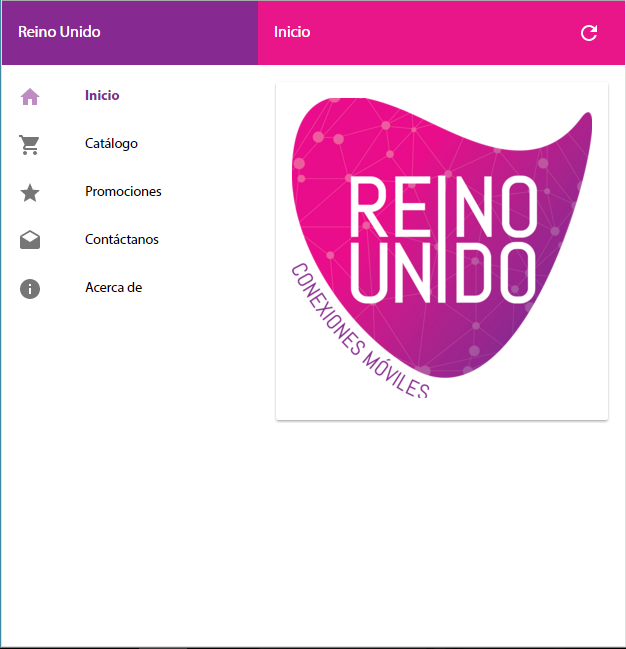
回答 1
Stack Overflow用户
回答已采纳
发布于 2016-01-26 10:57:19
尝试编辑config.xml中的内容标记。它看起来可能是这样的:
<content src="index.html" />只需更改src值,使其满足您的需要。
页面原文内容由Stack Overflow提供。腾讯云小微IT领域专用引擎提供翻译支持
原文链接:
https://stackoverflow.com/questions/34979783
复制相关文章
相似问题
腾讯云开发者

Copyright © 2013 - 2026 Tencent Cloud. All Rights Reserved. 腾讯云 版权所有
深圳市腾讯计算机系统有限公司 ICP备案/许可证号:粤B2-20090059  粤公网安备44030502008569号
腾讯云计算(北京)有限责任公司 京ICP证150476号 | 京ICP备11018762号