
以实际广告代替测试广告的广告投放
我看到的是实际的广告,而不是我的应用程序中的测试广告。检查一下图像和代码。
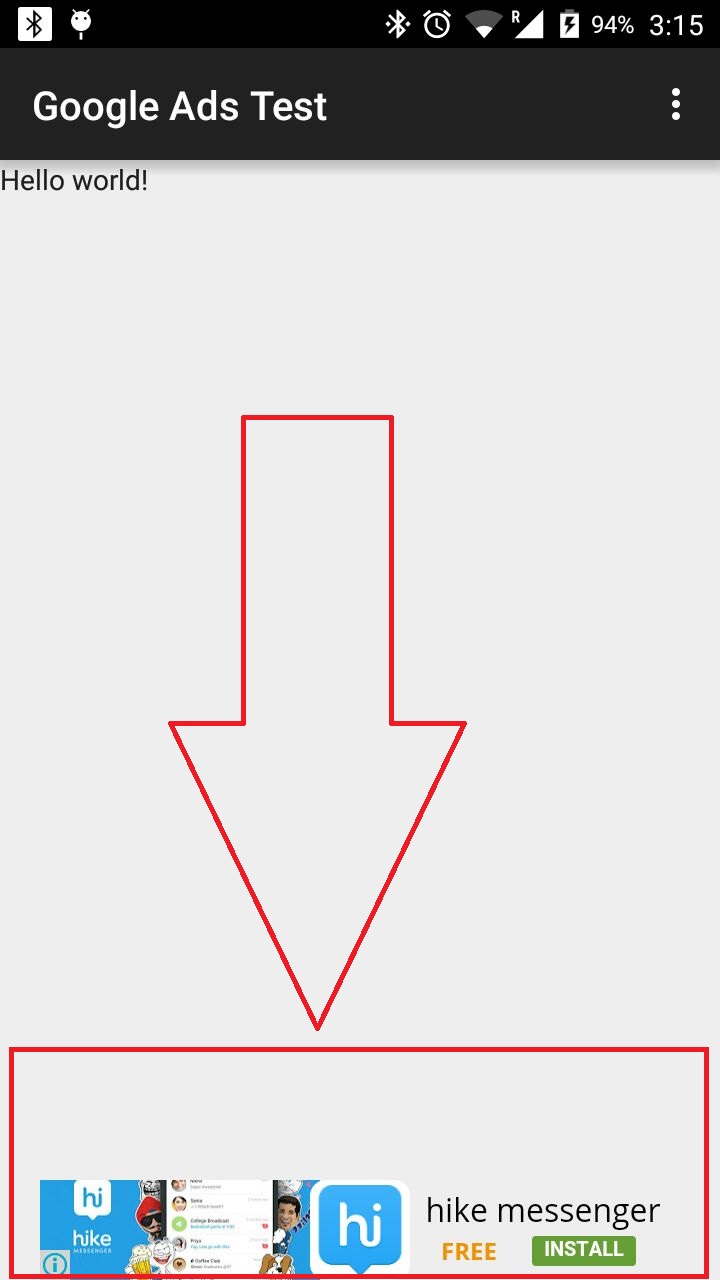
AdView mAdView = (AdView) findViewById(R.id.adView);
    //AdRequest adRequest = new AdRequest.Builder().build();
    AdRequest request = new AdRequest.Builder()
            .addTestDevice(AdRequest.DEVICE_ID_EMULATOR)        // All emulators
            .addTestDevice("32F40C185F4A9214").addTestDevice("31B340D6693D6C01").addTestDevice("759E79391A5A27C3")
            .addTestDevice("aa6705960ab37b0d")
            .build();
mAdView.loadAd(request);回答 3
Stack Overflow用户
发布于 2015-12-31 10:23:30
您确定在这4个设备id中有一个有效的设备id吗?
请检查您的日志,Admob打印您的设备id在其中。在addTestDevice()中放置相同的设备id;
Stack Overflow用户
发布于 2015-12-31 10:28:27
您的设备Id可能是错误的.
像这样添加测试deviceId,所以在设备更改时不需要替换它。
.addTestDevice(getDeviceId(context))getDeviceId()和md5()代码
public static String getDeviceId(Context context)
{
    String android_id = Settings.Secure.getString(context.getContentResolver(), Settings.Secure.ANDROID_ID);
    String deviceId = md5(android_id).toUpperCase();
    //return deviceId;
    return "0";
}

public static final String md5(final String s) {
    try {
        // Create MD5 Hash
        MessageDigest digest = java.security.MessageDigest
                .getInstance("MD5");
        digest.update(s.getBytes());
        byte messageDigest[] = digest.digest();

        // Create Hex String
        StringBuffer hexString = new StringBuffer();
        for (int i = 0; i < messageDigest.length; i++) {
            String h = Integer.toHexString(0xFF & messageDigest[i]);
            while (h.length() < 2)
                h = "0" + h;
            hexString.append(h);
        }
        return hexString.toString();

    } catch (NoSuchAlgorithmException e) {
        e.printStackTrace();
    }
    return "";
}Stack Overflow用户
发布于 2015-12-31 10:28:03
当将AdMob广告集成到应用程序中时,建议使用测试模式。在测试模式测试中,始终会返回ads。在每个设备的基础上启用测试模式.要启用设备的测试模式,首先请求广告,然后查看LogCat中的一行,如下所示: 要在模拟器上获得测试广告,请使用AdManager.setTestDevices..。 一旦您有了设备ID,就可以通过调用主活动AdManager.setTestDevices来启用测试模式: AdManager.setTestDevices(新String[] { AdManager.TEST_EMULATOR,"E83D20734F72FB3108F104ABC0FFC738",//Phone ID } );
比较这两个屏幕截图,在我看来,您的程序被正确地配置为测试模式。
https://stackoverflow.com/questions/34544815
复制相似问题
腾讯云开发者

Copyright © 2013 - 2026 Tencent Cloud. All Rights Reserved. 腾讯云 版权所有
深圳市腾讯计算机系统有限公司 ICP备案/许可证号:粤B2-20090059  粤公网安备44030502008569号
腾讯云计算(北京)有限责任公司 京ICP证150476号 | 京ICP备11018762号