
崩溃:只能对符合PFObject的子类调用-[ PFSubclassing init]
你好,我正在学习Swift,我正在尝试在我的应用程序中实现Parse。所以我有一个MapView,它有一些注释。这些注释是从存储在Parse数据库中的坐标中提取的。Parse中的每个坐标元组都有其他细节,如FirstName、LastName和all。现在,一旦用户单击mapView中存在的DETAILS按钮。它将用户带到一个表视图控制器,在该控制器中,用户可以看到与mapView中可见的坐标有关的所有细节。到现在为止一切都很好。因此,如果我在地图视图中有4个注释。然后,通过单击DETAILS,我被重定向到Table控制器,在那里我可以看到与mapView中的所有坐标/注释相关的细节。现在,我需要一个功能,用户可以单击表视图控制器单元格,并且我可以将数据传递给与该特定单元格相关的另一个视图。因此,如果在表视图控制器中,用户单击属于地图视图上显示的注释之一的第4单元格。我想把第四个单元格的细节传递给另一个视图控制器。
映射视图(带有多个注释)、->表视图控制器(带有多个单元格)、->视图控制器(属于用户单击的单元格)。
问题:只要我单击表视图控制器中的任何单元格,以便在另一个视图控制器中看到该单元格的详细信息,我的应用程序就会崩溃,我将错误视为
2015-11-30 21:38:42.998 LifeLine[53788:6661072] *** Terminating app due to uncaught exception 'NSInternalInconsistencyException', reason: 'Can only call -[PFObject init] on subclasses conforming to PFSubclassing.'我在表视图控制器中放置了PREPAREFORSEGUE方法的断点。但是即使在预置的方法断点到达之前,我的应用程序已经崩溃了。所以崩溃发生在--我点击细胞和在预制板上击打断点之间。
我的MapViewController:
import UIKit
import MapKit
import MessageUI

class MultipleAnnotationViewController: UIViewController, MKMapViewDelegate, MFMailComposeViewControllerDelegate
{
    var arrayOfPFObject: [PFObject] = [PFObject]()
    var lat_ :Double = 0
    var long_ :Double = 0
    @IBOutlet weak var dispAnnotation: MKMapView!
    let currentUser = PFUser.currentUser()
    var pinAnnotationView:MKPinAnnotationView!


    override func viewDidLoad()
    {
        super.viewDidLoad()
        dispAnnotation.delegate = self
        for coordinateItem in arrayOfPFObject
        {
            let pointAnnotation = MKPointAnnotation()
            self.lat_ = coordinateItem["Latitude"] as! Double
            self.long_ = coordinateItem["Longitude"] as! Double
            pointAnnotation.coordinate = CLLocationCoordinate2D(latitude:  self.lat_, longitude: self.long_)
            dispAnnotation.addAnnotation(pointAnnotation)

            pointAnnotation.title =  String(coordinateItem["FirstName"]) + "  " + String(coordinateItem["LastName"])


            let miles = 10.0
            let scalingFactor =  abs(( cos ( 2*M_PI*pointAnnotation.coordinate.latitude/360.0  ) ) )
            var span = MKCoordinateSpan(latitudeDelta: 0, longitudeDelta: 0)
            span.latitudeDelta = miles/69.0
            span.longitudeDelta = miles/(scalingFactor * 69.0)
            let region = MKCoordinateRegionMake(pointAnnotation.coordinate, span)
            [ self.dispAnnotation.setRegion(region, animated: true)]
        }
    }

    override func prepareForSegue(segue: UIStoryboardSegue, sender: AnyObject?)
    {
        if segue.identifier == "TableView"
        {
            let controller = segue.destinationViewController as! TableViewController

            controller.arrayOfPFObject = arrayOfPFObject
        }
        if segue.identifier == "TableView2"
        {
            let controller = segue.destinationViewController as! ChecklistViewController

            controller.arrayOfPFObject = arrayOfPFObject
        }

    }


    func mapView(mapView: MKMapView, viewForAnnotation annotation: MKAnnotation) -> MKAnnotationView?
    {
        guard !(annotation is MKUserLocation)
            else
        {
            return nil }
        let identifier = "com.domain.app.something"
        var annotationView = mapView.dequeueReusableAnnotationViewWithIdentifier(identifier) as? MKPinAnnotationView
        if annotationView == nil
        {
            annotationView = MKPinAnnotationView(annotation: annotation, reuseIdentifier: identifier)
            annotationView?.pinTintColor = UIColor.redColor()
            annotationView?.canShowCallout = true
        }
        else
        {
            annotationView?.annotation = annotation
        }
        return annotationView
    }
}
我的TableViewController:
import UIKit

class ChecklistViewController: UITableViewController
{

    override func viewDidLoad() {
        super.viewDidLoad()

    }

 var arrayOfPFObject: [PFObject] = [PFObject]()

    override func tableView(tableView: UITableView, numberOfRowsInSection section: Int) -> Int{
        return arrayOfPFObject.count
    }


    override func tableView(tableView: UITableView, cellForRowAtIndexPath indexPath: NSIndexPath) -> UITableViewCell
    {
        let cell = tableView.dequeueReusableCellWithIdentifier(
            "ChecklistItem", forIndexPath: indexPath)
        let label = cell.viewWithTag(1000) as! UILabel
        print(arrayOfPFObject.count)
            print(indexPath.row)
            let coordinateItem = arrayOfPFObject[indexPath.row]

            label.text = String(coordinateItem["Address"])
        return cell

    }

    override func prepareForSegue(segue: UIStoryboardSegue, sender: AnyObject?)
    {
 if segue.identifier == "call"
  {
  let controller = segue.destinationViewController as! CallEmailViewController
if let indexPath = tableView.indexPathForCell( sender as! UITableViewCell)
    {
        controller.itemToEdit = arrayOfPFObject[indexPath.row]
          }

 }

   }
}
我的视图控制器,我想在这里显示点击的单元格的细节。
import UIKit
import CoreLocation
import MapKit

class CallEmailViewController: UITableViewController
{
    var itemToEdit: PFObject = PFObject()

    override func viewDidLoad()
    {
        super.viewDidLoad()
        mail()  //print(arrayOfPFObject.count)

    }

    func mail()
    {
        print("")
    }
}
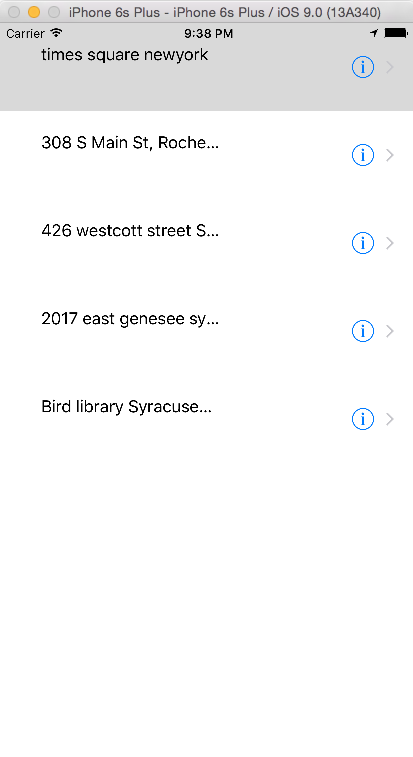
下面是表视图图像。只要单击任何一个表视图,就会得到错误。
回答 1
Stack Overflow用户
发布于 2015-12-01 03:27:29
将var itemToEdit: PFObject = PFObject()改为
var itemToEdit: PFObject?https://stackoverflow.com/questions/34012011
复制相似问题
腾讯云开发者

Copyright © 2013 - 2026 Tencent Cloud. All Rights Reserved. 腾讯云 版权所有
深圳市腾讯计算机系统有限公司 ICP备案/许可证号:粤B2-20090059  粤公网安备44030502008569号
腾讯云计算(北京)有限责任公司 京ICP证150476号 | 京ICP备11018762号