
Windows 10操作系统上的Windows窗体图形问题
Windows 10操作系统上的Windows窗体图形问题
提问于 2015-11-07 21:54:49
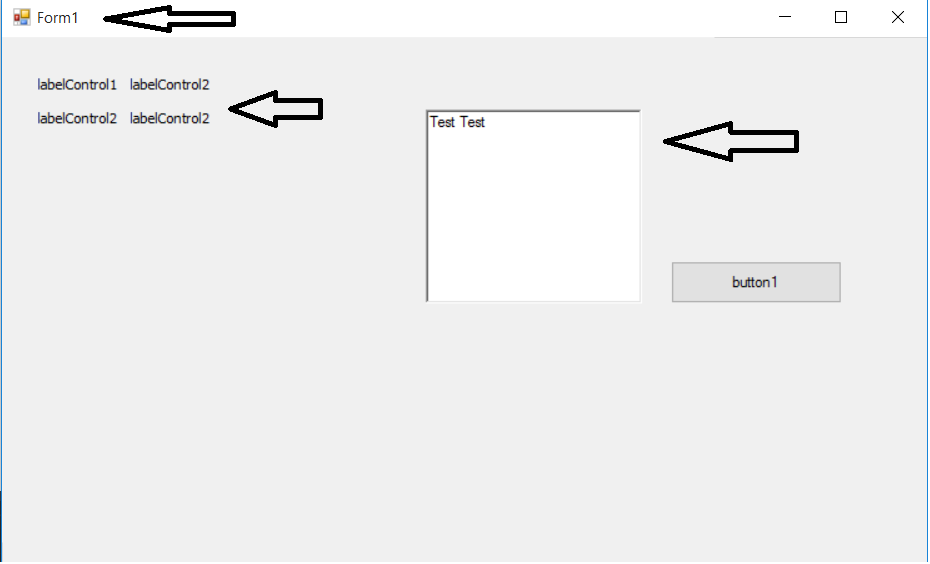
当我在Windows 10中运行任何Windows窗体应用程序时,窗口中的图形似乎被扭曲:
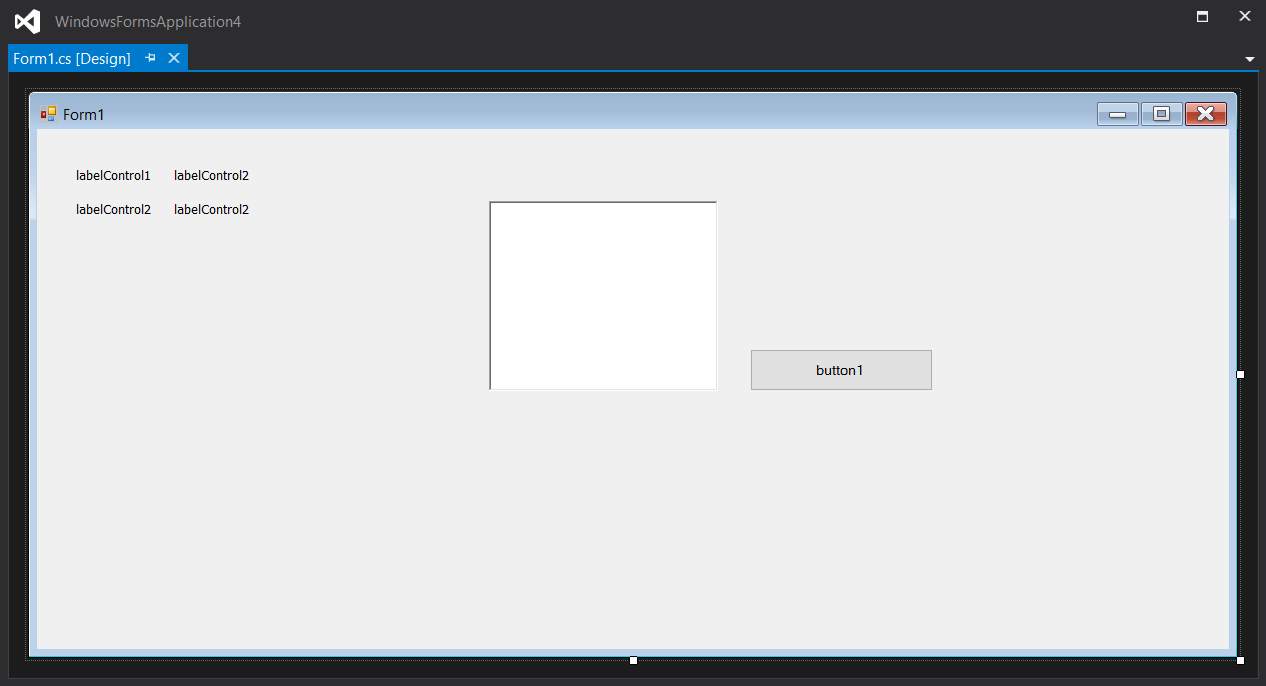
在设计时,这种情况不会发生:
有人经历过这种事吗?
(请打开图像以便看得更清楚。)
回答 1
Stack Overflow用户
回答已采纳
发布于 2015-11-07 22:21:26
要解决这个问题,您可以使用以下两种选项之一使您的应用程序具有DPI感知:
重要注意事项:建议您通过应用程序清单(而不是API调用)设置进程默认意识。
使用应用程序报表文件
要使应用程序具有新闻部感知功能,可以向项目中添加应用程序报表文件。然后在app.manifest文件中,取消与DPI相关的部分的注释:
<application xmlns="urn:schemas-microsoft-com:asm.v3">
 <windowsSettings>
   <dpiAware xmlns="http://schemas.microsoft.com/SMI/2005/WindowsSettings">true</dpiAware>
 </windowsSettings>
</application>然后,在app.config文件中,将EnableWindowsFormsHighDpiAutoResizing设置值添加为true:
<appSettings>
  <add key="EnableWindowsFormsHighDpiAutoResizing" value="true" />
</appSettings>
有关更多信息,请参阅Microsoft文档中的下列主题:
- Windows环境下高点对点桌面应用程序开发
SetProcessDPIAware API调用示例
您可以在显示主窗体之前使用SetProcessDPIAware()方法来设置应用程序dpi感知和防止窗口缩放应用程序。此外,您还应该检查windows版本是否大于或等于vista:
static class Program
{
    [DllImport("user32.dll", SetLastError = true)]
    static extern bool SetProcessDPIAware();

    /// <summary>
    /// The main entry point for the application.
    /// </summary>
    [STAThread]
    static void Main()
    {
        if (Environment.OSVersion.Version.Major >= 6)
            SetProcessDPIAware();

        Application.EnableVisualStyles();
        Application.SetCompatibleTextRenderingDefault(true);
        Application.Run(new Form1());
    }
}
Notes
- 正如上面已经提到的,建议您通过应用程序清单(而不是API调用)设置进程默认DPI感知。
- 在使用API调用之前,请阅读文档以了解支持的OS,以及如果DLL在初始化过程中缓存dpi设置,则可能存在的争用条件。还要记住,DLL应该接受主机进程的dpi设置,而不是API调用自己。
- 您可能会发现这个
DpiHelper类在WinForms for .NET Core3.0中实现很有用。
页面原文内容由Stack Overflow提供。腾讯云小微IT领域专用引擎提供翻译支持
原文链接:
https://stackoverflow.com/questions/33588241
复制相关文章
相似问题
腾讯云开发者

Copyright © 2013 - 2026 Tencent Cloud. All Rights Reserved. 腾讯云 版权所有
深圳市腾讯计算机系统有限公司 ICP备案/许可证号:粤B2-20090059  粤公网安备44030502008569号
腾讯云计算(北京)有限责任公司 京ICP证150476号 | 京ICP备11018762号