
如何将QFrame放在QGraphicsScene中?
如何将QFrame放在QGraphicsScene中?
提问于 2015-11-02 19:24:23
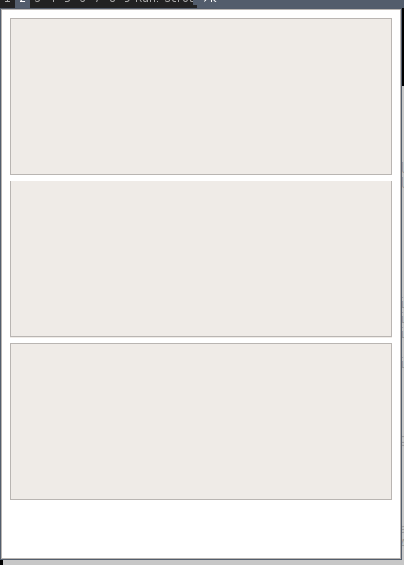
我想把3 QFrames一个一个地放进QGraphicsScene中,一个一个地垂直排列。我试着使用QHBoxLayout和QLayout,没有什么,QGraphicsScene不接受QLayout。
QFrame * top = new QFrame;
QFrame * middle = new QFrame;
QFrame * bottom = new QFrame;

top->setFrameStyle(QFrame::StyledPanel | QFrame::Plain);
middle->setFrameStyle(QFrame::StyledPanel | QFrame::Plain);
bottom->setFrameStyle(QFrame::StyledPanel | QFrame::Plain);

top->setLineWidth(1);
middle->setLineWidth(1);
bottom->setLineWidth(1);

top->setFixedWidth(400);
top->setFixedHeight(150);
middle->setFixedWidth(400);
middle->setFixedHeight(250);
bottom->setFixedWidth(400);
bottom->setFixedHeight(150);

scene = new QGraphicsScene;
scene->setSceneRect(0, 0, 400, 550);
scene->addWidget(top);
scene->addWidget(middle);
scene->addWidget(bottom);

setHorizontalScrollBarPolicy(Qt::ScrollBarAlwaysOff);
setVerticalScrollBarPolicy(Qt::ScrollBarAlwaysOff);
setFixedSize(400, 550);
setScene(scene);
show();
我该怎么做才能让它发挥作用?
回答 1
Stack Overflow用户
回答已采纳
发布于 2015-11-02 20:26:26
QFrame * top = new QFrame;
QFrame * middle = new QFrame;
QFrame * bottom = new QFrame;

top->setFrameStyle(QFrame::StyledPanel | QFrame::Plain);
middle->setFrameStyle(QFrame::StyledPanel | QFrame::Plain);
bottom->setFrameStyle(QFrame::StyledPanel | QFrame::Plain);

top->setLineWidth(1);
middle->setLineWidth(1);
bottom->setLineWidth(1);

scene = new QGraphicsScene;
scene->setSceneRect(0, 0, 400, 550);
QGraphicsWidget *topWidget = scene->addWidget(top);
QGraphicsWidget *midWidget = scene->addWidget(middle);
QGraphicsWidget *botWidget = scene->addWidget(bottom);

QGraphicsGridLayout *layout = new QGraphicsGridLayout;
layout->addItem(topWidget, 0, 0);
layout->addItem(midWidget, 1, 0);
layout->addItem(botWidget, 2, 0);

QGraphicsWidget *form = new QGraphicsWidget;
form->setLayout(layout);
form->setPreferredSize(400,500);
scene->addItem(form);


setHorizontalScrollBarPolicy(Qt::ScrollBarAlwaysOff);
setVerticalScrollBarPolicy(Qt::ScrollBarAlwaysOff);

setFixedSize(400, 550);
setScene(scene);
show();
页面原文内容由Stack Overflow提供。腾讯云小微IT领域专用引擎提供翻译支持
原文链接:
https://stackoverflow.com/questions/33485277
复制相关文章
相似问题
腾讯云开发者

Copyright © 2013 - 2026 Tencent Cloud. All Rights Reserved. 腾讯云 版权所有
深圳市腾讯计算机系统有限公司 ICP备案/许可证号:粤B2-20090059  粤公网安备44030502008569号
腾讯云计算(北京)有限责任公司 京ICP证150476号 | 京ICP备11018762号