
在同一个模块中使用时,IntelliJ无法找到生成的源
我正在使用谷歌的AutoFactory的注释处理器。我用@AutoFactory对SomeClass进行了注释,并在同一个模块中的其他地方引用了new SomeClassFactory().create()。
Maven配置:
我在Maven中添加了必要的依赖项:
    <dependency>
        <groupId>com.google.auto.factory</groupId>
        <artifactId>auto-factory</artifactId>
        <version>1.0-beta2</version>
        <optional>true</optional>
</dependency>在运行$ mvn clean compile时,我看到创建了target/generated-sources/annotions/somepackage/SomeClassFactory,模块没有错误地编译。
IntelliJ配置:
Reimport all maven modulesPreferences->Annotation Processors->Enable annotation processingRebuild Project
如果我的理解是正确的,在我的IDEA (v14.1.4)版本中,这应该就足够了。
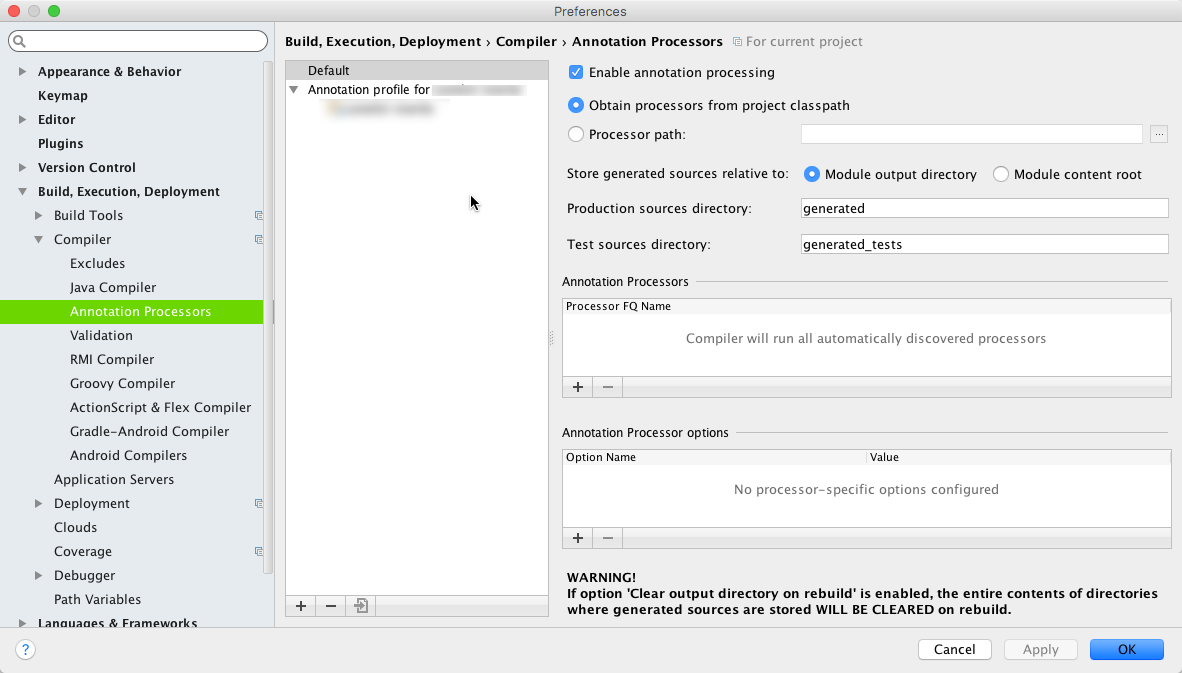
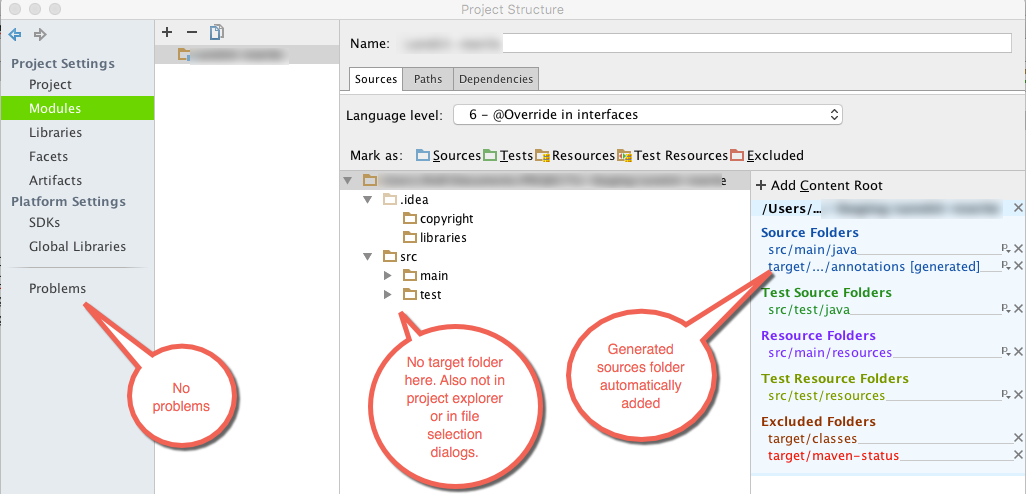
我还执行了以下步骤:
- 验证
generated-sources文件夹是作为Project Structure中的源添加的 - 验证Maven首选项
Generated sources folders设置为Detect automatically - 验证源代码实际上是在重新构建时生成的(首先删除
target文件夹,以确保它是由IntelliJ生成的) - 按照
Exclude output paths的建议,在项目结构中禁用@tilpner - 使缓存失效并重新启动
- 删除
.idea文件夹和.iml文件 Phase to be used for folders update在Preferences->Maven->Importing中的不同设置实验
问题:
执行所有这些步骤之后,生成的类不会出现在项目资源管理器中。事实上,整个target目录是无处可见的。编译失败,cannot find symbol: SomeClassFactory和new SomeClassFactory().create()在编辑器中标记为红色,而Maven生成和编译时没有任何问题。
我自己没有选择了,任何帮助或建议都将是非常欢迎的!
更新:当我注释导致编译错误的代码时,IntelliJ在编译消息:Warning:Output path /Users/.../target/generated-sources/annotations intersects with a source root. Only files that were created by build will be cleaned.中打印此警告
回答 1
Stack Overflow用户
发布于 2015-10-22 18:38:00
我得到了Jetbrains支持的帮助,结果发现问题是对被排除的文件的偏爱。有两个地方可以配置这些内容:
请检查
Preferences > Build, Execution, Deployment > Compiler > Excludes中未排除文件夹/文件,Preferences > Editor > File Types -> Ignored files and folders中未列出文件/文件夹模式
在我的例子中,target包含在Editor > File Types中被忽略的文件和文件夹列表中。
然后仍然存在一个编译问题,我通过丢弃IDEA项目文件并再次创建该项目来解决这个问题。
https://stackoverflow.com/questions/33260148
复制相似问题
腾讯云开发者

Copyright © 2013 - 2026 Tencent Cloud. All Rights Reserved. 腾讯云 版权所有
深圳市腾讯计算机系统有限公司 ICP备案/许可证号:粤B2-20090059  粤公网安备44030502008569号
腾讯云计算(北京)有限责任公司 京ICP证150476号 | 京ICP备11018762号