
如何将导航和用户体验优化到登录表单中?
我开发了一个通用应用程序,它使用一个登录表单,允许用户连接或创建一个帐户。
这是一个简单的页面,如下所示:
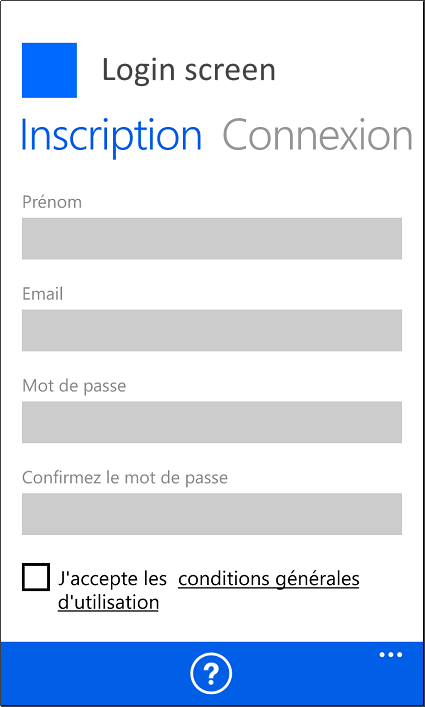
这个XAML代码也非常简单:
    <ScrollViewer>
        <StackPanel>
            <TextBlock x:Uid="loginRegisterTextblockMessage"
                       Style="{StaticResource TitleTextBlockStyle}"
                       Text="Remplissez vos informations d'inscription" />
            <TextBox x:Uid="loginRegisterTextboxOrganizationURL"
                     Header="Organisation ou URL"
                     IsSpellCheckEnabled="False"
                     IsHitTestVisible="True"
                     IsTextPredictionEnabled="False"
                     Text="{Binding OrganizationURL, Mode=TwoWay}" />
            <TextBox x:Uid="loginRegisterTextboxLastName"
                     Header="Nom"
                     Text="{Binding LastName, Mode=TwoWay}" />
            <TextBox x:Uid="loginRegisterTextboxFirstName"
                     Header="Prénom"
                     Text="{Binding FirstName, Mode=TwoWay}" />
            <TextBox x:Uid="loginRegisterTextboxEmail"
                     Header="Email"
                     InputScope="EmailSmtpAddress"
                     Text="{Binding Email, Mode=TwoWay}"/>
            <PasswordBox x:Uid="loginRegisterPasswordboxPassword"
                         Header="Mot de passe"
                         Password="{Binding Password, Mode=TwoWay}" />
            <PasswordBox x:Uid="loginRegisterPasswordboxConfirmPassword"
                         Header="Confirmez le mot de passe"
                         Password="{Binding PasswordConfirmation, Mode=TwoWay}" />
            <CheckBox x:Uid="loginRegisterCheckboxTermsOfUse"
                      IsChecked="{Binding TermsOfUse, Mode=TwoWay}" >
                <TextBlock Style="{StaticResource BaseTextBlockStyle}">
                    <Run x:Uid="loginRegisterTextblockTermsOfUse1"
                         Text="J'accepte les " />
                    <Underline>
                        <Hyperlink x:Uid="loginRegisterHyperlinkTermsOfUse"
                                   NavigateUri="http://termsofuse.html" >
                            <Run x:Uid="loginRegisterTextblockTermsOfUse2"
                                 Text="conditions générales d'utilisation" />
                        </Hyperlink>
                    </Underline>
                </TextBlock>
            </CheckBox>
            <Button x:Uid="loginRegisterButtonRegister"
                    Content="S'inscrire"
                    Command="{Binding RegisterCommand}" />
        </StackPanel>
    </ScrollViewer>
但是,在本页的每个字段之间导航时,我遇到了一个“问题”:
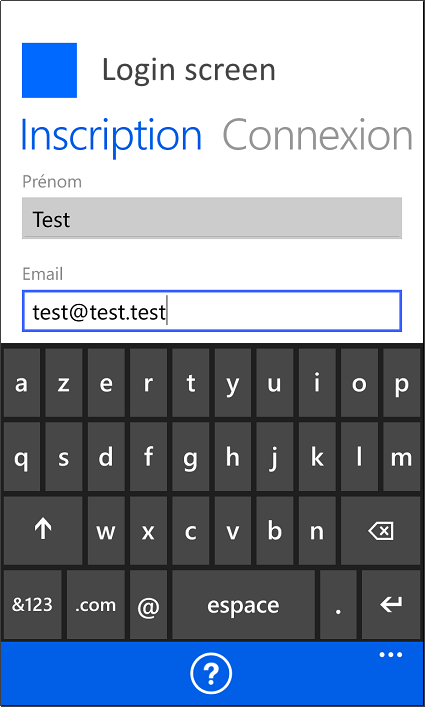
=>用户必须单击TextBlock外部以隐藏键盘并选择下一个字段:这不是非常适合用户的。
我看了一下类似的"system“表单:用来创建帐户以访问Windows的页面。
该页面看起来与我自己的页面非常相似:
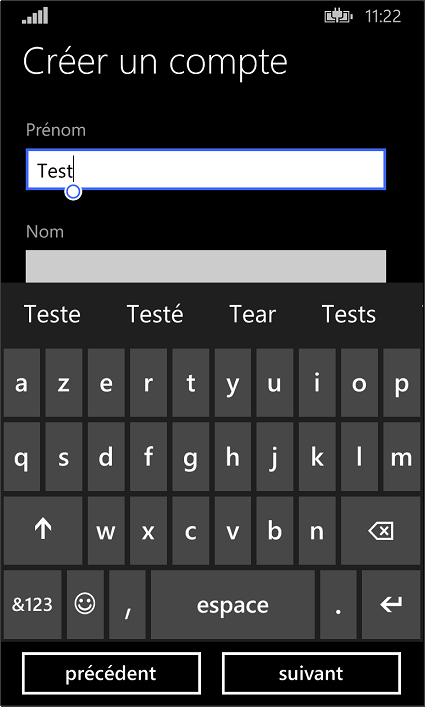
但是,可以通过单击下一个字段的标题来激活它:
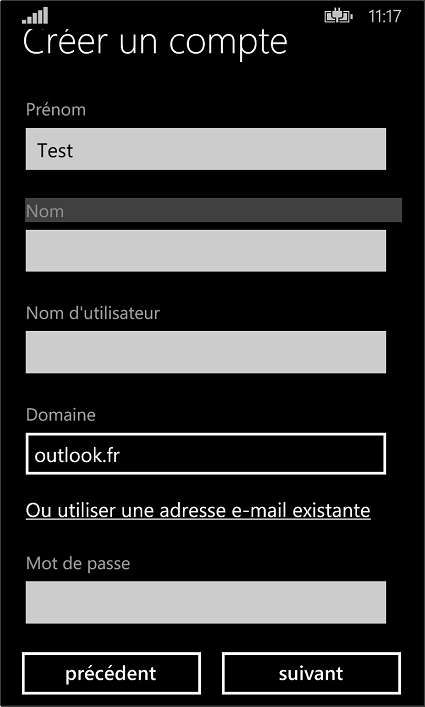
焦点移到字段上,键盘也自动显示:
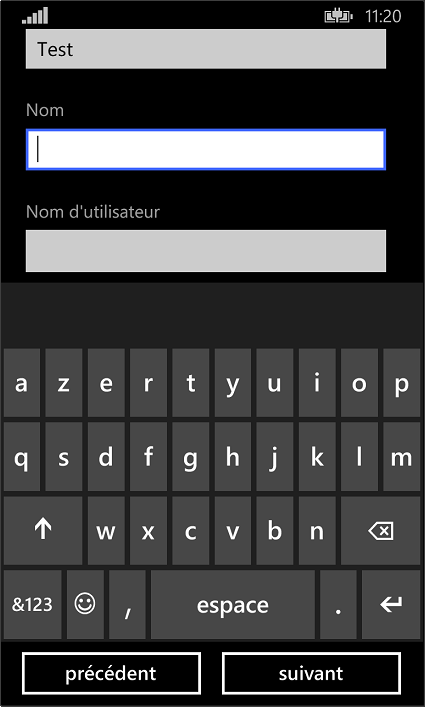
如果单击下一个标题"Nom d‘’utilisateur“,我可以看到next字段现在是"Domaine",方法是自动移动到显示的内容中:
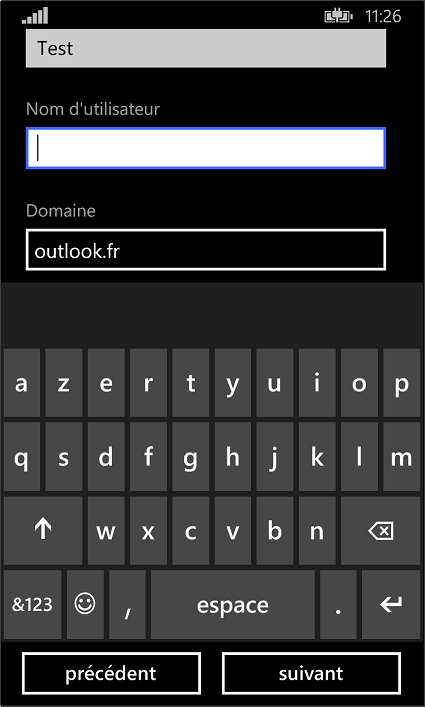
=>有一个简单的方法来复制这种行为吗?是基于"TextBox“的”标头“,还是使用分隔的"TextBlock”来显示标头?
回答 1
Stack Overflow用户
发布于 2015-10-15 12:54:10
我一直在寻找一个好的解决方案,但我没有找到。我在XAML中为TextBox和PasswordBox on GetFocus和KeyDown添加了事件。在代码隐藏中,我现在可以管理"Enter“键,它将焦点放在下一个TextBox上。
        private void RegisterTextBox_KeyDown(object sender, KeyRoutedEventArgs e)
    {
        TextBox currentTextBox = (TextBox)sender;
        if (currentTextBox != null)
        {
            if (e.Key == Windows.System.VirtualKey.Enter)
            {
                FocusManager.TryMoveFocus(FocusNavigationDirection.Next);
            }
        }
}但我还没有像我希望的那样管理ScrollViewer自动投影片。我试图从这个链接中激励我,但没有结果:Keyboard-Overlaps-Textbox
=>是否真的有一种方法可以复制Windows?注册表单中使用的自动投币式
https://stackoverflow.com/questions/33099987
复制相似问题
腾讯云开发者

Copyright © 2013 - 2026 Tencent Cloud. All Rights Reserved. 腾讯云 版权所有
深圳市腾讯计算机系统有限公司 ICP备案/许可证号:粤B2-20090059  粤公网安备44030502008569号
腾讯云计算(北京)有限责任公司 京ICP证150476号 | 京ICP备11018762号