
用网格绘制一个实心盒子
用网格绘制一个实心盒子
提问于 2015-09-15 15:37:31
我试图通过编程方式使用AutoCAD使用C#绘制一个实心框/矩形。我很接近,但是网眼的顶部和底部都不是实心的。这是我绘制网格的方法
[CommandMethod("TESTSIMPLEMESH")]
public void TestSimpleMesh()
{
    // Get the current document and database, and start a transaction
    Database _database = HostApplicationServices.WorkingDatabase;
    Document acDoc = Autodesk.AutoCAD.ApplicationServices.Application.DocumentManager.MdiActiveDocument;
    Database acCurDb = acDoc.Database;
    using (Transaction acTrans = acCurDb.TransactionManager.StartTransaction())
    {
        BlockTable acBlkTbl = acTrans.GetObject(_database.BlockTableId, OpenMode.ForRead) as BlockTable; // Open the Block table record for read
        BlockTableRecord acBlkTblRec = acTrans.GetObject(acBlkTbl[BlockTableRecord.ModelSpace], OpenMode.ForWrite) as BlockTableRecord; // Open the Block table record Model space for write

        // Create a polygon mesh
        PolygonMesh acPolyMesh = new PolygonMesh();

        /*
         * M indicates No of rows and N indicates No of columns, visualize it as Grid
         * So to have cube, we need two rows of vertices and 4 colomns of vertices
         * Now we need to close last column of vertices with first column of vertices that makes a simple cube or else planar surface with facets.
         */
        acPolyMesh.MSize = 2;
        acPolyMesh.NSize = 4;
        acPolyMesh.MakeNClosed(); //This function sets the PolygonMesh to be closed in the N direction. This means that the mesh will be treated as continuous from the last row on to the first row.

        // Add the new object to the block table record and the transaction
        acBlkTblRec.AppendEntity(acPolyMesh);
        acTrans.AddNewlyCreatedDBObject(acPolyMesh, true);

        //Creating collection of points to add to the mesh
        Point3dCollection acPts3dPMesh = new Point3dCollection();
        acPts3dPMesh.Add(new Point3d(100, 100, 0));
        acPts3dPMesh.Add(new Point3d(200, 100, 0));
        acPts3dPMesh.Add(new Point3d(200, 200, 0));
        acPts3dPMesh.Add(new Point3d(100, 200, 0));
        acPts3dPMesh.Add(new Point3d(100, 100, 100));
        acPts3dPMesh.Add(new Point3d(200, 100, 100));
        acPts3dPMesh.Add(new Point3d(200, 200, 100));
        acPts3dPMesh.Add(new Point3d(100, 200, 100));

        //Converting those points to PolygonMeshVertecies and appending them to the PolygonMesh
        foreach (Point3d acPt3d in acPts3dPMesh)
        {
            PolygonMeshVertex acPMeshVer = new PolygonMeshVertex(acPt3d);
            acPolyMesh.AppendVertex(acPMeshVer);
            acTrans.AddNewlyCreatedDBObject(acPMeshVer, true);
        }

        // Save the new objects to the database
        acTrans.Commit();
    }
}
这是结果

看起来很好直到你能看到鸟瞰它..。
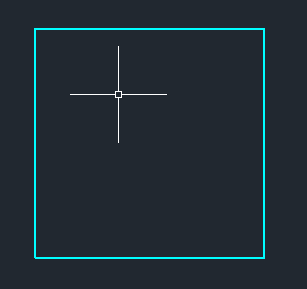
所以边是实心的,上下两面都不是。我怎么能改变上面的方法,使六个边都是实心的呢?
回答 1
Stack Overflow用户
回答已采纳
发布于 2015-09-15 17:33:40
如果您想要实体,请使用Solid3d.CreateBox而不是PolygonMesh。
如果您想要一个网格,您应该使用SubDMesh类而不是PolygonMesh类,后者很难创建一个旧的网格。
[CommandMethod("CREATESUBDMESH")]
public void CreateSubDMesh()
{
  Document doc = Application.DocumentManager.MdiActiveDocument;
  Database db = doc.Database;
  Editor ed = doc.Editor;
  using (Transaction tr = db.TransactionManager.StartTransaction())
  {
    var mesh = new SubDMesh();
    mesh.Setbox(100, 100, 100, 1, 1, 1, 0);
    var currentSpace = (BlockTableRecord) tr.GetObject(db.CurrentSpaceId, OpenMode.ForWrite);
    currentSpace.AppendEntity(mesh);
    tr.AddNewlyCreatedDBObject(mesh, true);
    tr.Commit();
  }
}页面原文内容由Stack Overflow提供。腾讯云小微IT领域专用引擎提供翻译支持
原文链接:
https://stackoverflow.com/questions/32590183
复制相关文章
相似问题
腾讯云开发者

Copyright © 2013 - 2026 Tencent Cloud. All Rights Reserved. 腾讯云 版权所有
深圳市腾讯计算机系统有限公司 ICP备案/许可证号:粤B2-20090059  粤公网安备44030502008569号
腾讯云计算(北京)有限责任公司 京ICP证150476号 | 京ICP备11018762号