
EASELJS -划线文本
我在框架中没有看到任何对此的原生支持,所以我做了一些代码,通过测量字体高度并在下面画一条线。我需要知道字体有多少下降,因为getMeasureHeight只测量字体基线。
到目前为止,我有以下代码:
var textLayer = new createjs.Text();
var fontSizeInPx = Math.round((self.fontSize() / 72) * 300, 0) + "px";

textLayer.textBaseline = 'bottom';
textLayer.text = text;
textLayer.font = getFontStyle(self.isBold(), self.isItalic(), fontSizeInPx, 'Arial');;
var textMeasures = textLayer.getBounds();

var underlineShape = new createjs.Shape();

var startYCoords = self.positionY() + textMeasures.height;

underlineShape.graphics.beginStroke(self.color()).setStrokeStyle(2)
    .moveTo(self.positionX(), startYCoords)
    .lineTo(textMeasures.width + self.positionX(), startYCoords);
这就是结果:
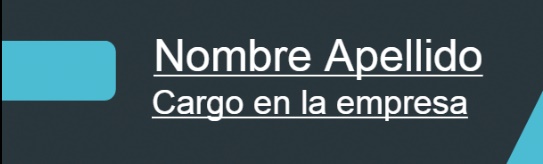
我怎样才能得到这个指标?
谢谢
回答 2
Stack Overflow用户
发布于 2015-09-13 22:04:26
我在这里找到了一个解决方案,用于获取字体度量:https://stackoverflow.com/a/9847841/3202740
有了字体下降,唯一需要做的事情就是获取字体高度并添加字体下降:
var lineBreaks = self.canvasLayer.text.split("\n");

$.each(lineBreaks, function (idx, text) {
    if (text != '') {
        var textLayer = new createjs.Text();
        var fontSizeInPx = Math.round((self.fontSize() / 72) * 300, 0) + "px";

        textLayer.textBaseline = 'bottom';
        textLayer.text = text;
        textLayer.font = getFontStyle(self.isBold(), self.isItalic(), fontSizeInPx, 'Arial');;
        var textMeasures = textLayer.getBounds();
        var textMetrics = getTextHeight('Arial');

        var underlineShape = new createjs.Shape();

        var startYCoords = self.positionY() + (textMeasures.height * (idx+1));

        underlineShape.graphics.beginStroke(self.color()).setStrokeStyle(2)
            .moveTo(self.positionX(), startYCoords + textMetrics.descent)
            .lineTo(textMeasures.width + self.positionX(), startYCoords + textMetrics.descent);

        underlineShapes.push(underlineShape);

        self.canvasLayer.stage.addChild(underlineShape);
    }
});
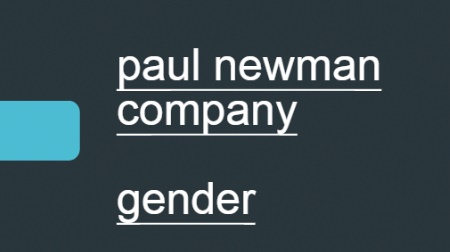
其结果是:
Stack Overflow用户
发布于 2015-09-12 18:52:16
最简单的方法是利用textBaseline属性。将其设置为alphabetic而不是top (默认)将在y=0处使用字体基线绘制文本。然后,您可以使用getMeasuredWidth()获取宽度,并在文本对象的x&y处绘制直线(可能将y偏移一两个像素,以将其放置在您想要的位置)。
下面是一个例子:http://jsfiddle.net/gskinner/y919oszd/
还值得注意的是,其他基线值,如“表意”非常不可靠,并且在不同的浏览器上表现不同。最可靠的是“字母表”,其次是"top",它由FireFox:bug.cgi?id=737852不正确地呈现。
https://stackoverflow.com/questions/32534886
复制相似问题
腾讯云开发者

Copyright © 2013 - 2026 Tencent Cloud. All Rights Reserved. 腾讯云 版权所有
深圳市腾讯计算机系统有限公司 ICP备案/许可证号:粤B2-20090059  粤公网安备44030502008569号
腾讯云计算(北京)有限责任公司 京ICP证150476号 | 京ICP备11018762号