
来自Windows设备的视频流使用AForge倒挂
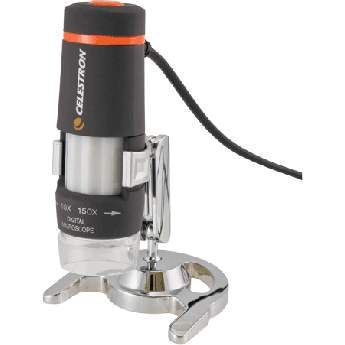
我使用AForge.net版本2.25来显示来自USB数字显微镜的视频提要,塞莱斯特龙44302-B。使用显微镜软件,在Windows7 x64工作站上正确显示视频。
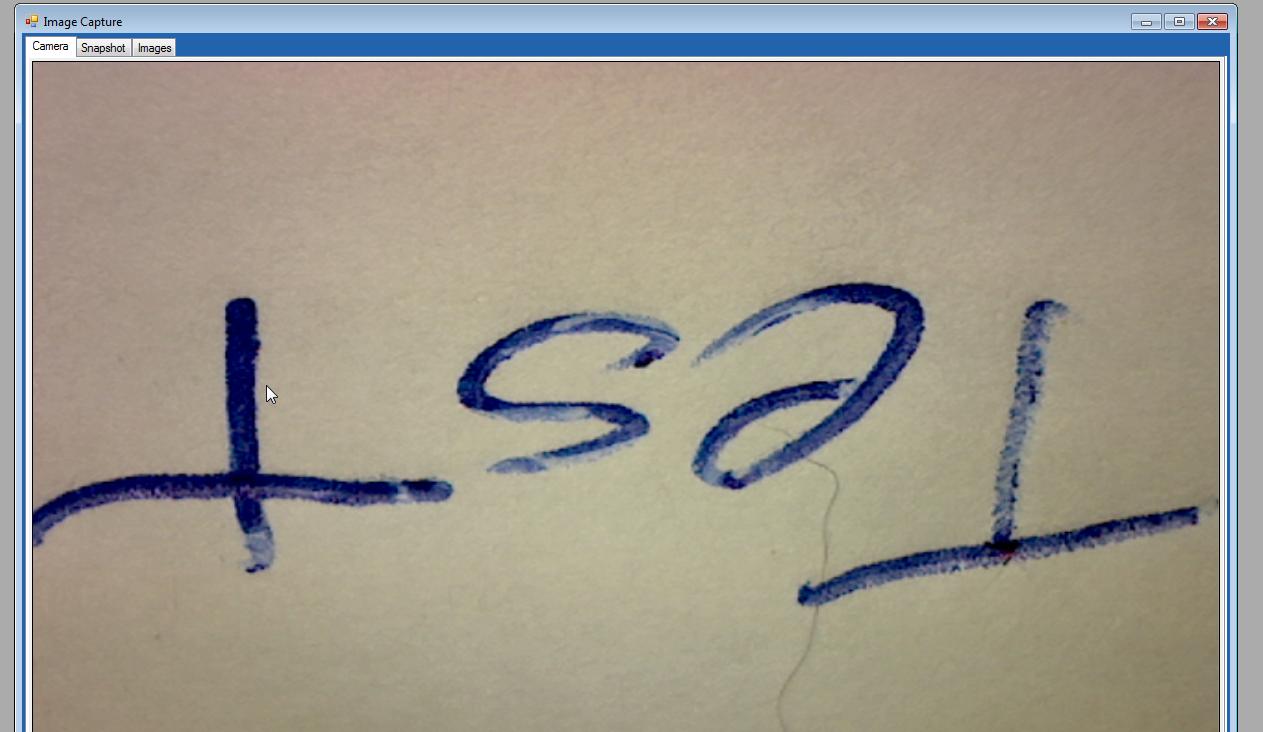
代码是基于样本应用程序与Aforge。结果如下所示,在AForge.Controls.videoSourcePlayer中的视频馈送是颠倒的。
我可以很容易地翻转一个位图(快照从视频流),但我想让用户定位和聚焦显微镜,而视频馈送是连接和运行。
using AForge.Controls
using AForge.Video;
using AForge.Video.DirectShow;

void connectButton_Click(object sender, EventArgs e)
{
      VideoCaptureDevice _videoDevice = new VideoCaptureDevice(_videoDevices[devicesCombo.SelectedIndex].MonikerString);

        if (_videoDevice != null)
        {
            if ((_videoCapabilities != null) && (_videoCapabilities.Length != 0))
            {
                _videoDevice.VideoResolution = _videoCapabilities[videoResolutionsCombo.SelectedIndex];
            }

            if ((_snapshotCapabilities != null) && (_snapshotCapabilities.Length != 0))
            {
                _videoDevice.ProvideSnapshots = true;
                _videoDevice.SnapshotResolution = _snapshotCapabilities[snapshotResolutionsCombo.SelectedIndex];
                _videoDevice.SnapshotFrame += videoDevice_SnapshotFrame;

            }

           EnableConnectionControls(false);
           videoSourcePlayer.VideoSource = _videoDevice;
           videoSourcePlayer.Start();

        }

}

回答 3
Stack Overflow用户
发布于 2015-09-07 13:14:27
解决方案是使用来自NewFrame的Aforge.Controls.videoSourcePlayer事件。
在启动视频提要之前订阅该事件:
 videoSourcePlayer.VideoSource = _videoDevice;
 videoSourcePlayer.VideoSource.NewFrame += VideoSource_NewFrame;
 videoSourcePlayer.Start();
我试过这个密码:
private void VideoSource_NewFrame(object sender, NewFrameEventArgs eventArgs)
{
   eventArgs.Frame.RotateFlip(RotateFlipType.Rotate180FlipXY);
}
但这是行不通的,我认为从文档中看,新的框架应该是旋转的,但是没有在videoSourcePlayer中显示出来。
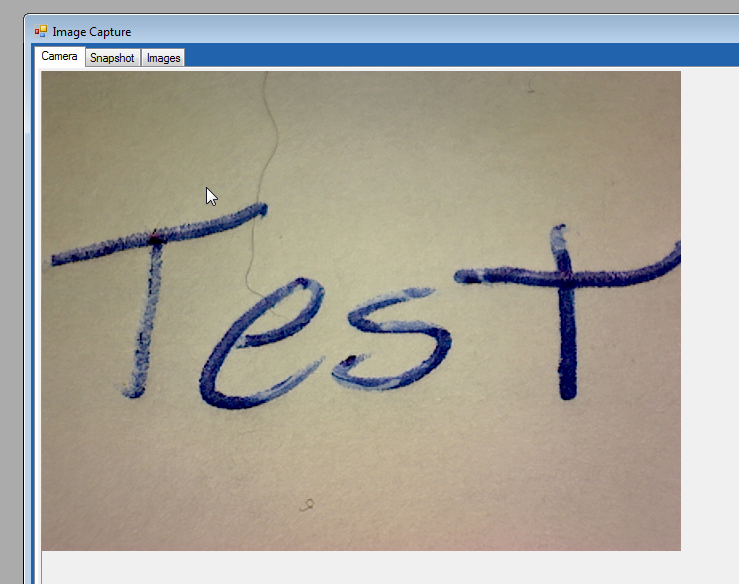
解决方案是将旋转的位图显示到picturebox中,并隐藏视频播放器。
private void VideoSource_NewFrame(object sender, NewFrameEventArgs eventArgs)
{
      Mirror filter = new Mirror(true, true);
      filter.ApplyInPlace(img);
      pbxCamera.Image = img;
}
Stack Overflow用户
发布于 2016-05-15 14:21:12
很抱歉这么晚才发布这条评论。对于第一个不能工作的解决方案,您应该在VideoCaptureDevice对象上添加VideoCaptureDevice事件,而不是VideoSource。这样它就能工作了
Stack Overflow用户
发布于 2017-11-02 04:46:18
您可以使用代码:
 _videoDevice.NewFrame += new NewFrameEventHandler(videoSource_NewFrame);
 videoSourcePlayer.VideoSource = _videoDevice;
 videoSourcePlayer.Start();
以及:
private void videoSource_NewFrame(object sender, NewFrameEventArgs eventArgs)
{
    eventArgs.Frame.RotateFlip(RotateFlipType.Rotate180FlipNone);
}
这对我有用。
https://stackoverflow.com/questions/32439219
复制相似问题
腾讯云开发者

Copyright © 2013 - 2026 Tencent Cloud. All Rights Reserved. 腾讯云 版权所有
深圳市腾讯计算机系统有限公司 ICP备案/许可证号:粤B2-20090059  粤公网安备44030502008569号
腾讯云计算(北京)有限责任公司 京ICP证150476号 | 京ICP备11018762号