
Swift -单击编辑时UITableView editActionsForRowAtIndexPath打开UIPresentationController
Swift -单击编辑时UITableView editActionsForRowAtIndexPath打开UIPresentationController
提问于 2015-09-06 12:15:12
嗨,有什么方法可以打开一个UIPresentationController时,滑动左边是触发,并点击Edit?
    func tableView(tableView: UITableView, editActionsForRowAtIndexPath indexPath: NSIndexPath) -> [UITableViewRowAction]? {
        let delete = ....
        let edit = UITableViewRowAction(style: .Normal, title: "Edit") { action, index in
            //OPEN UIPresentationController HERE
        }
        return [delete, edit]
}回答 2
Stack Overflow用户
回答已采纳
发布于 2015-09-13 02:17:50
和@patchdiaz一样,我不能百分之百确定你想做什么。但是,这个代码块可能足以自定义以实现您的目标:
override func tableView(tableView: UITableView, editActionsForRowAtIndexPath indexPath: NSIndexPath) -> [AnyObject]? {
    let edit = UITableViewRowAction(style: .Normal, title: "Edit") { action, index in
        // OPEN UIPresentationController HERE
        let vc = UIViewController(nibName: nil, bundle: nil)
        vc.view.frame = CGRect(x: 0, y: 0, width: 100, height: 200)
        vc.view.backgroundColor = UIColor.orangeColor()
        vc.modalPresentationStyle = .Popover

        let popover = vc.popoverPresentationController!
        let cell = tableView.cellForRowAtIndexPath(indexPath)!

        var cellAbsolutePosition = cell.superview!.convertPoint(cell.frame.origin, toView: nil)
        cellAbsolutePosition.x = cell.frame.width - 60
        popover.sourceRect = CGRect(origin: cellAbsolutePosition, size: cell.frame.size)
        popover.sourceView = tableView

        self.presentViewController(vc, animated: true, completion: nil)
    }
    return [edit]
}
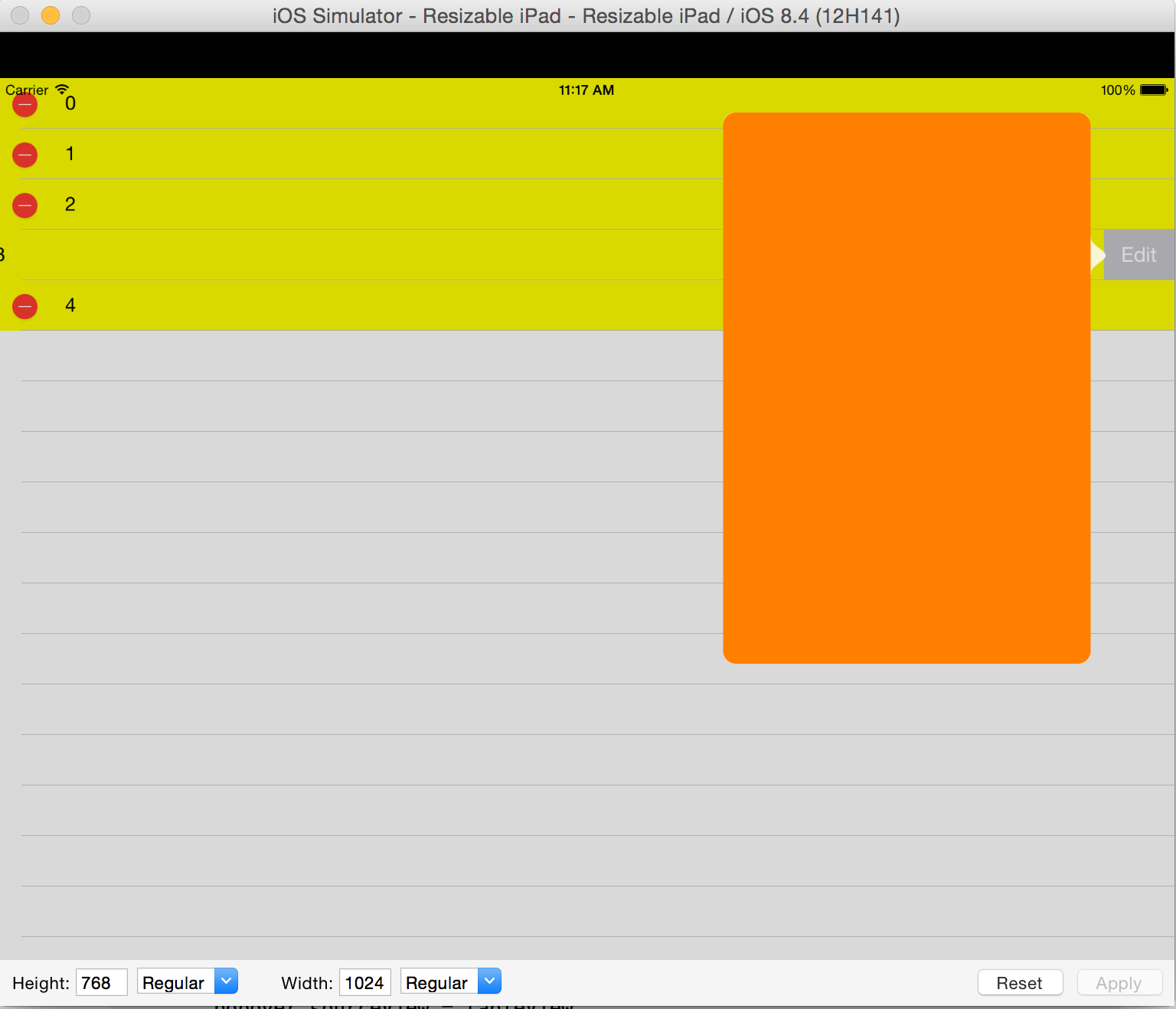
它将在“编辑”按钮位置显示一个弹出窗口,如下所示:
Stack Overflow用户
发布于 2015-09-12 21:25:56
不知道你在问什么。像这样的东西应该可以工作(这是在Swift 2中):
override func tableView(tableView: UITableView, editActionsForRowAtIndexPath indexPath: NSIndexPath) ->
        [UITableViewRowAction]? {
            let delete = ...
            let edit = UITableViewRowAction(style: .Normal, title: "Edit") { [weak self] _ in
                let viewController = ...
                viewController.modalPresentationStyle = .Custom
                self?.presentViewController(viewController, animated: true, completion: nil)
            }
            return [delete, edit]
}页面原文内容由Stack Overflow提供。腾讯云小微IT领域专用引擎提供翻译支持
原文链接:
https://stackoverflow.com/questions/32423449
复制相关文章
相似问题
腾讯云开发者

Copyright © 2013 - 2026 Tencent Cloud. All Rights Reserved. 腾讯云 版权所有
深圳市腾讯计算机系统有限公司 ICP备案/许可证号:粤B2-20090059  粤公网安备44030502008569号
腾讯云计算(北京)有限责任公司 京ICP证150476号 | 京ICP备11018762号