
如何使用jQuery布局创建“侧栏”布局?
如何使用jQuery布局创建“侧栏”布局?
提问于 2015-09-02 20:02:41
我正在创建一个具有多个窗格的web应用程序。我以前使用过一些Dojo,但是对于这个项目来说太重了,所以我计划使用jQuery布局。
不过,我喜欢Dojo的BorderContainers允许您使用“侧栏”设计的方式,其中东西窗格都是完全高度的,而不是默认的完全宽度的北窗格和南窗格。有什么方法可以用jQuery布局来使用或模仿这种外观吗?
我尝试在垂直分割布局中嵌套水平分割布局,但是布局增加了太多填充,看起来不太正确:
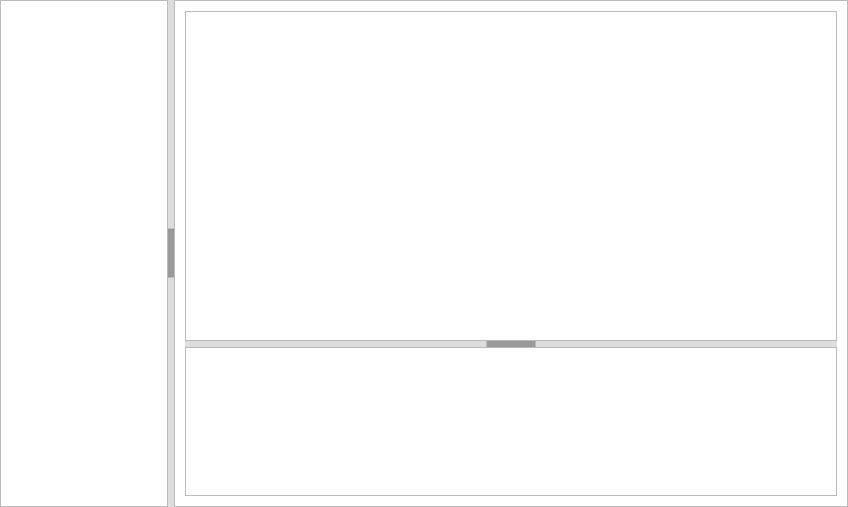
当我设置.ui-layout-pane { padding: 0 }时,情况就更糟了:
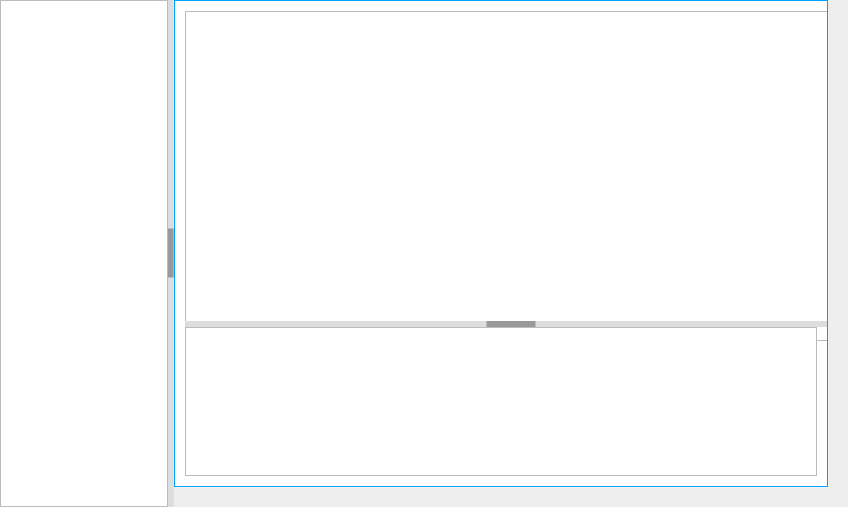
但是如果有一种更好的方法来去除填充物,那也是可行的。
来源
index.html
<!DOCTYPE html>
<html>
  <head>
    <link rel="stylesheet" href="style/lib/jquery-layout/layout-default.css"/>
    <link rel="stylesheet" href="style/style.css"/>

    <script src="js/lib/jquery.min.js"></script>
    <script src="js/lib/jquery-ui.min.js"></script>
    <script src="js/lib/jquery.layout.js"></script>
    <script src="js/main.js"></script>
  </head>

  <body>
    <div class="ui-layout-west"></div>
    <div class="ui-layout-center">
      <div class="ui-layout-center"></div>
      <div class="ui-layout-south"></div>
    </div>
  </body>
</html>
style.css
html, body {
  width: 100%;
  height: 100%;
  margin: 0;
  padding: 0;
}

body > .ui-layout-pane {
  padding: 0;
}
main.js
jQuery(function($) {
  $("body").layout({
    west: {
      size: "20%",
      minSize: "10%",
      maxSize: "50%",
    },
    center: {
    }
  });

  $("body > .ui-layout-center").layout({
    center: {
    },
    south: {
      size: "10%"
    }
  });
});
开发控制台样式
element.style {
    position: absolute;
    margin: 0px;
    left: 215px;
    right: 0px;
    top: 0px;
    bottom: 0px;
    height: 1137px;
    width: 837px;
    z-index: 0;
    display: block;
    visibility: visible;
    overflow: hidden;
}

body > .ui-layout-pane {
    padding: 0;
}

.ui-layout-pane {
    background: #FFF;
    border: 1px solid #BBB;
    padding: 10px;
    overflow: auto;
}

/* user agent stylesheet */

div {
    display: block;
}

/* Inherited from body.ui-layout-container */

body {
    font-family: Lucida Grande, Lucida Sans, Geneva, Arial, Helvetica, sans-serif;
    font-size: 100%;
    background-color: #EEE;
}回答 1
Stack Overflow用户
回答已采纳
发布于 2015-09-03 18:27:29
问题在于你的CSS --特别是">“运算符--意思是”直接后代“,你猜怎么着,布局框架的内部集合不是直接的后代。
变化
body > .ui-layout-pane {
    padding: 0;
}
至
body .ui-layout-pane {
    padding: 0;
}
(或者把“身体”完全排除在外),它会对你起作用。
见工作这里的例子
页面原文内容由Stack Overflow提供。腾讯云小微IT领域专用引擎提供翻译支持
原文链接:
https://stackoverflow.com/questions/32362093
复制相关文章
相似问题
腾讯云开发者

Copyright © 2013 - 2026 Tencent Cloud. All Rights Reserved. 腾讯云 版权所有
深圳市腾讯计算机系统有限公司 ICP备案/许可证号:粤B2-20090059  粤公网安备44030502008569号
腾讯云计算(北京)有限责任公司 京ICP证150476号 | 京ICP备11018762号