
基于CamanJS的图像处理
我找到了一个名为CamanJS的图像处理库,示例看起来不错,所以我尝试使用它。我得到了以下html:
<ion-view class="menu-content" view-title="Filter">
    <ion-content overflow-scroll="true">
        <div id="polaroid-filter-img" class="polaroid-filter-img">
            <img id="polaroid-filter-img-img" ng-src="{{polaroid.cropped}}" />
        </div>
        <div class="polaroid-filter-examples">
            <div ng-repeat="filter in filters" ng-click="performFilter(filter.id)" id="filter.id">
                <img id="{{filter.id}}" ng-src="{{filter.image}}"/>
                <span>{{filter.name}}</span>
            </div>
        </div>
    </ion-content>
</ion-view>
这个css:
.polaroid-filter-img {
    display: block;
    position: relative;
    margin-left: auto;
    margin-right: auto;
    top: 10%;
}

.polaroid-filter-img img {
    position: absolute;
    width: 100%;
    height: 100%;
    top: 0;
    left: 0;
}

@media only screen and (orientation: portrait) {
    .polaroid-filter-examples {
        position: fixed;
        bottom: 0;
        left: 0;
        width: 100%;
        overflow: auto;
        overflow-x: scroll;
        overflow-y: hidden;
        white-space: nowrap;
    }
    .polaroid-filter-examples div {
        display: inline-block;
    }
}

@media only screen and (orientation: landscape) {
    .polaroid-filter-examples {
        position: fixed;
        top: 0;
        right: 0;
        height: 100%;
        overflow: auto;
        overflow-x: hidden;
        overflow-y: scroll;
        white-space: nowrap;
    }
    .polaroid-filter-examples div {
        display: block;
    }
}

.polaroid-filter-examples div {
    font-size: 14px;
    text-align: center;
    color: white;
}

.polaroid-filter-examples img {
    margin: 0 auto;
    padding: 2px 2px 2px 2px;
    width: 125px;
    height: 125px;
}

.polaroid-filter-examples span {
    display: block;
    padding-bottom: 10px;
    padding-top: 10px;
}
这个JavaScript:
angular.module("App.Polaroids-Edit-Filter")

.controller("PolaroidsEditFilterController", function ($scope, $stateParams, PolaroidsService, FiltersService) {
    $scope.polaroid = PolaroidsService.getPolaroid($stateParams.id, $stateParams.size);
    $scope.filters = FiltersService.getFilters();

    var previousFilter = null;

    $scope.performFilter = function (id) {
        if (id != null && id != previousFilter) {
            if (previousFilter != null) {
                document.getElementById(previousFilter).style.border = "none";
            }

            document.getElementById(id).style.border = "solid #FF0000";

            if (id == "normal") {
                var image = document.getElementById("polaroid-filter-img-img");

                img.src = $scope.polaroid.cropped;
            } else {
                var image = document.getElementById("polaroid-filter-img-img");

                Caman(image, function () {
                    if (id == "vintage") {
                        this.vintage();
                    }

                    this.render(function () {
                        console.log("filtering finished");
                    });
                });
            }

            previousFilter = id;
        }
    };

    function initView() {
        var width = screen.width * 0.7;
        var height = width;
        var initialId = $scope.filters[0].id;

        previousFilter = initialId;

        document.getElementById("polaroid-filter-img").style.width = width + "px";
        document.getElementById("polaroid-filter-img").style.height = height + "px";
        document.getElementById(initialId).style.border = "solid #FF0000";
    }

    var intervalId = setInterval(function () {
        initView();

        window.clearInterval(intervalId);
    }, 100);
});
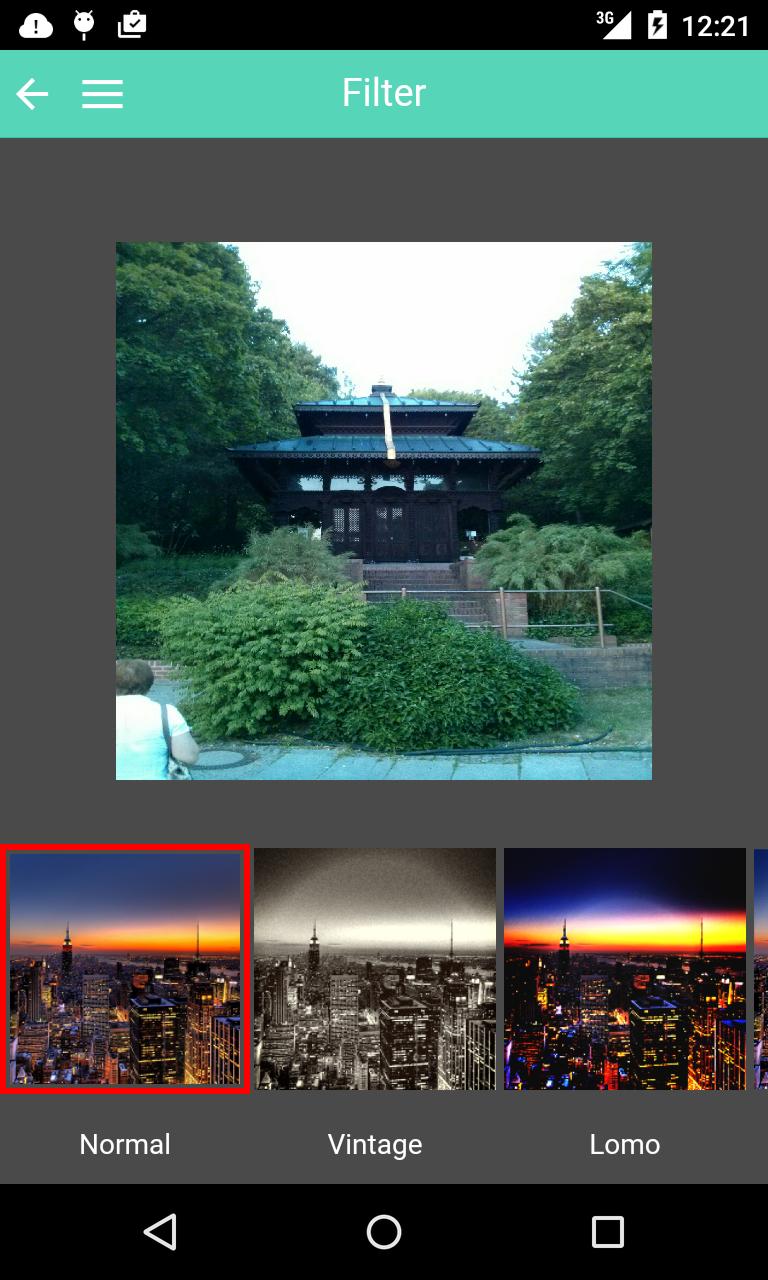
当我启动我的应用程序并选择一张图片时,我得到以下信息:
当我现在单击老式过滤器时,会发生以下情况:
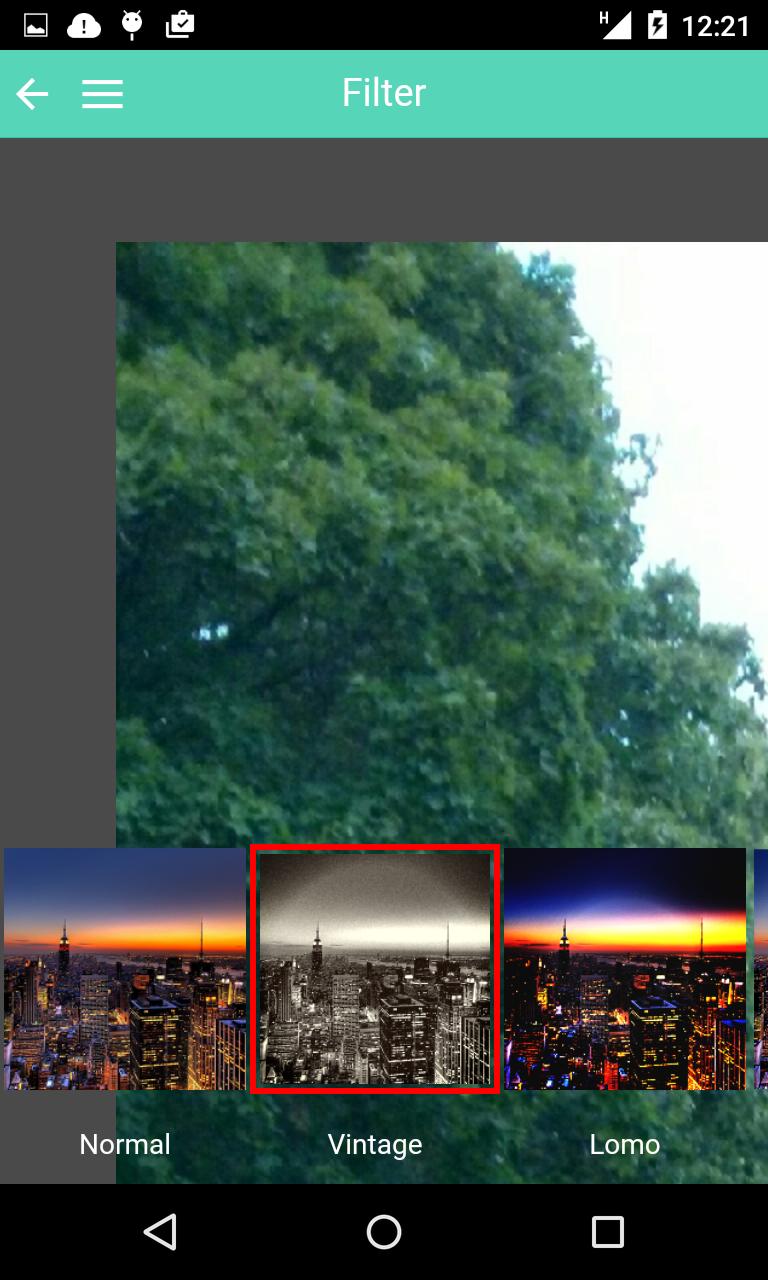
如您所见,图像被调整到实际宽度和高度,大约20秒后:
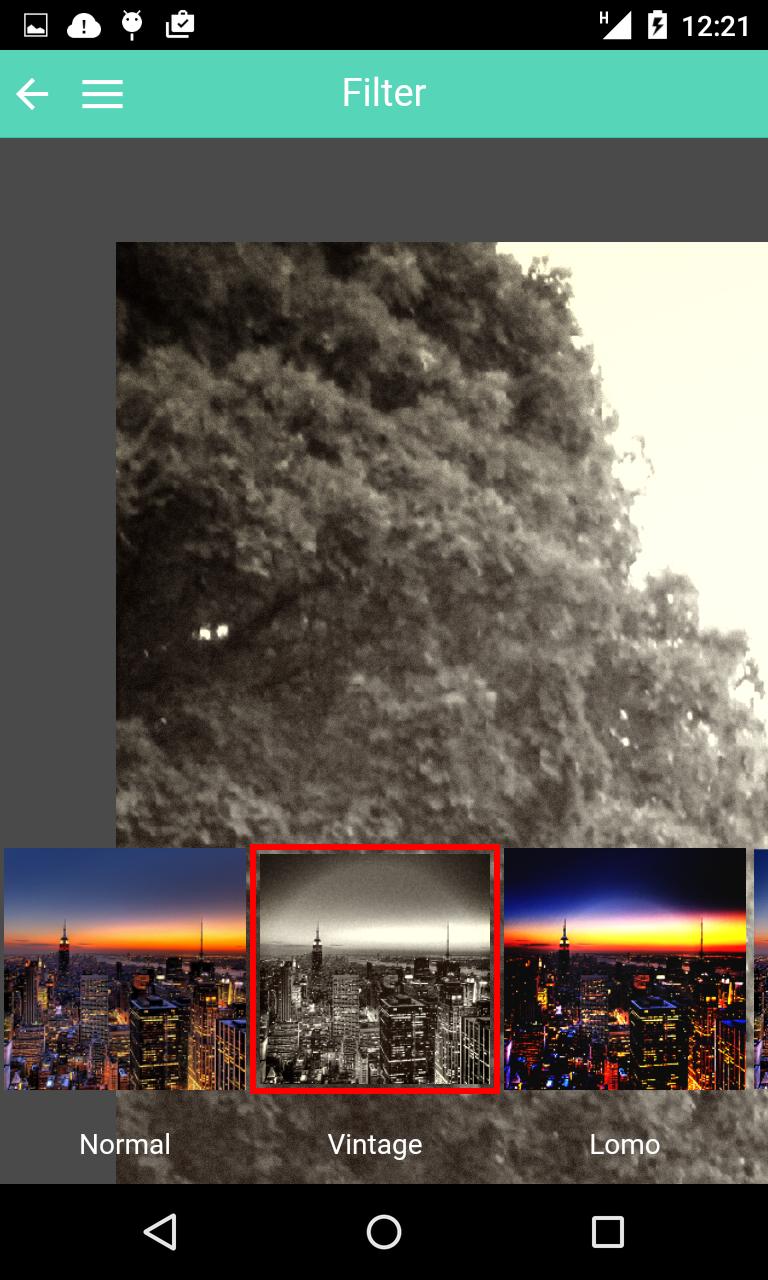
过滤器会被应用。所以有两种奇怪的行为我不明白。
- 首先:为什么要调整图像的大小?
- 第二:为什么要花这么长时间(20秒)才能应用过滤器?我找到了一个他们使用CamanJS的演示,在这个演示中,过滤几乎立即执行:Instagram滤波器
你能帮我理解哪里出了什么问题吗?
编辑
如果我用一个像这里这样的画布来完成它,那么在应用过滤器时,画布就会消失。
回答 2
Stack Overflow用户
发布于 2015-09-23 22:24:36
如果它仍然帮助您解决问题,请检查另一篇文章Angularjs代码工作在桌面铬,但不适用于移动铬。 --那里的解决方案与Ionic+AngularJS+Phonegap很好地合作,没有奇怪的调整大小。HTH。
Stack Overflow用户
发布于 2015-08-30 12:23:40
我已经检查了您的代码,并发现一个小问题的css。在您的类.polaroid-filter-img img中,有position: absolute;。这应该是position: relative;。例如:
.polaroid-filter-img img {
    position: relative;
    width: 100%;
    height: 100%;
    top: 0;
    left: 0;
}我想的另一个问题是函数initView中的javascript。在这个函数中,您的下列值出错了height和width:
    var width = screen.width * 0.7;
    var height = width;
var initialId = $scope.filters[0].id;请在height控制台日志中检查和width
https://stackoverflow.com/questions/32295557
复制相似问题
腾讯云开发者

Copyright © 2013 - 2026 Tencent Cloud. All Rights Reserved. 腾讯云 版权所有
深圳市腾讯计算机系统有限公司 ICP备案/许可证号:粤B2-20090059  粤公网安备44030502008569号
腾讯云计算(北京)有限责任公司 京ICP证150476号 | 京ICP备11018762号