
Matlab立体相机标定场景重建误差
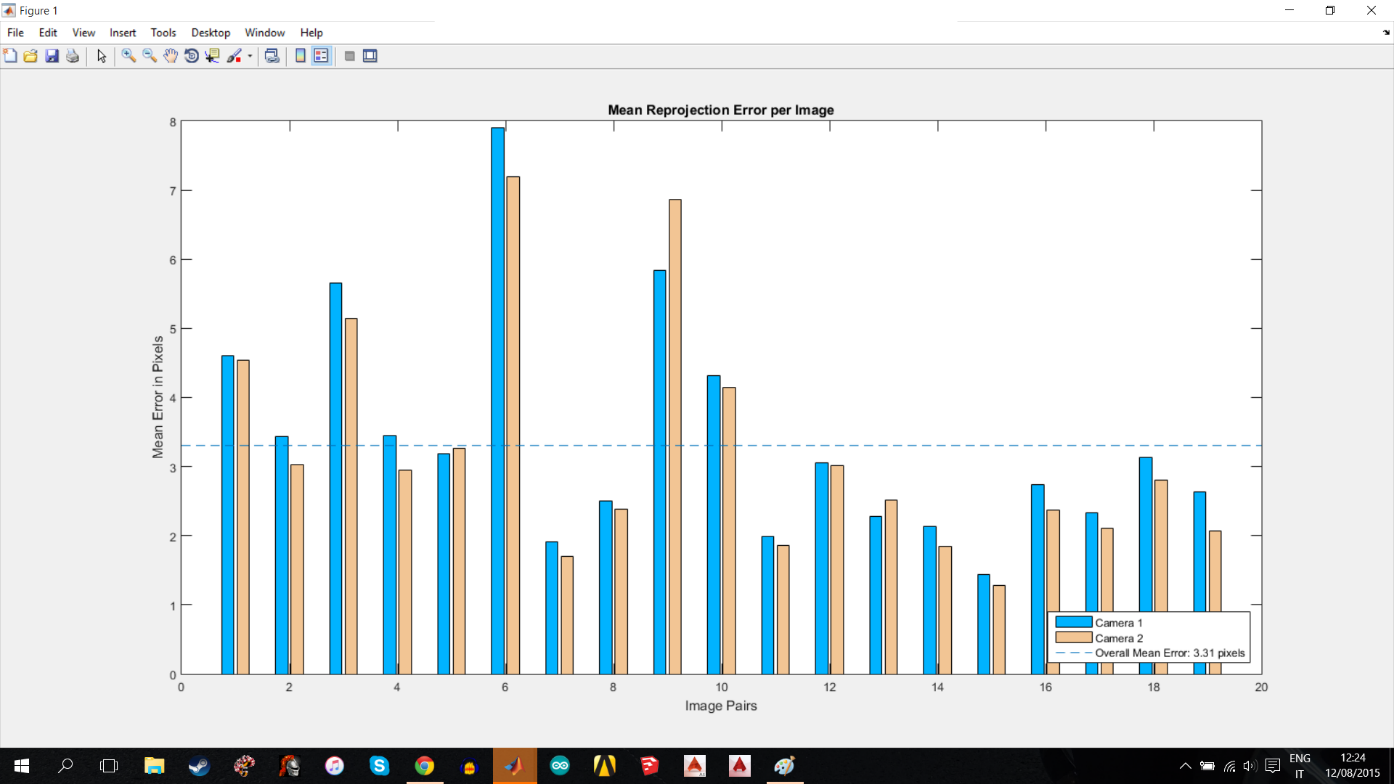
我正在尝试使用计算机视觉系统工具箱来校准下面的一对相机,以便能够在1到5米的范围内产生一个三维点云。每幅棋盘校准图像的输出图像大小约为1MB,棋盘方格尺寸为25 mm。使用的相机是一对SJ4000 HD1080P相机。相机尽可能地平行放置,在垂直轴上没有角度。校验板的校准是在强光和白板的帮助下进行的。使用立体相机校准码的每个像素的平均误差为3.31,成功配对31/32。与棋盘的距离约为30 cm,摄像机之间的距离为20 cm。
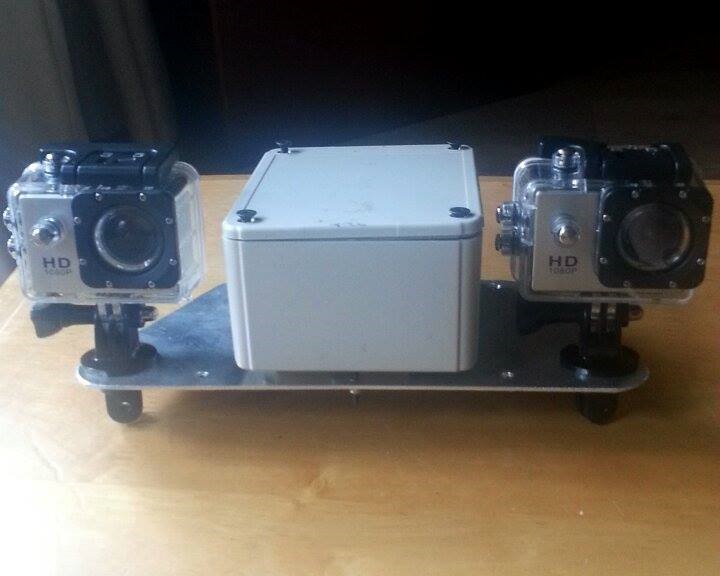
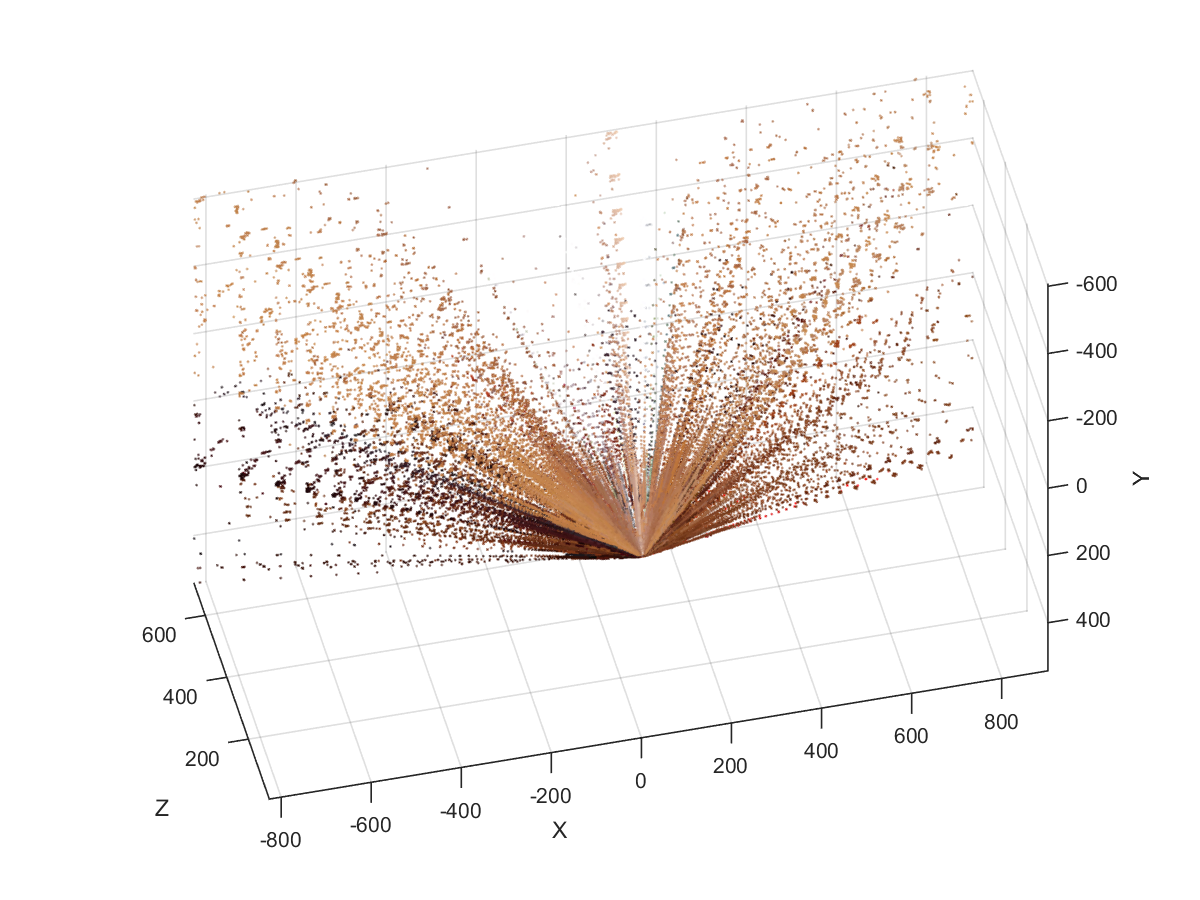
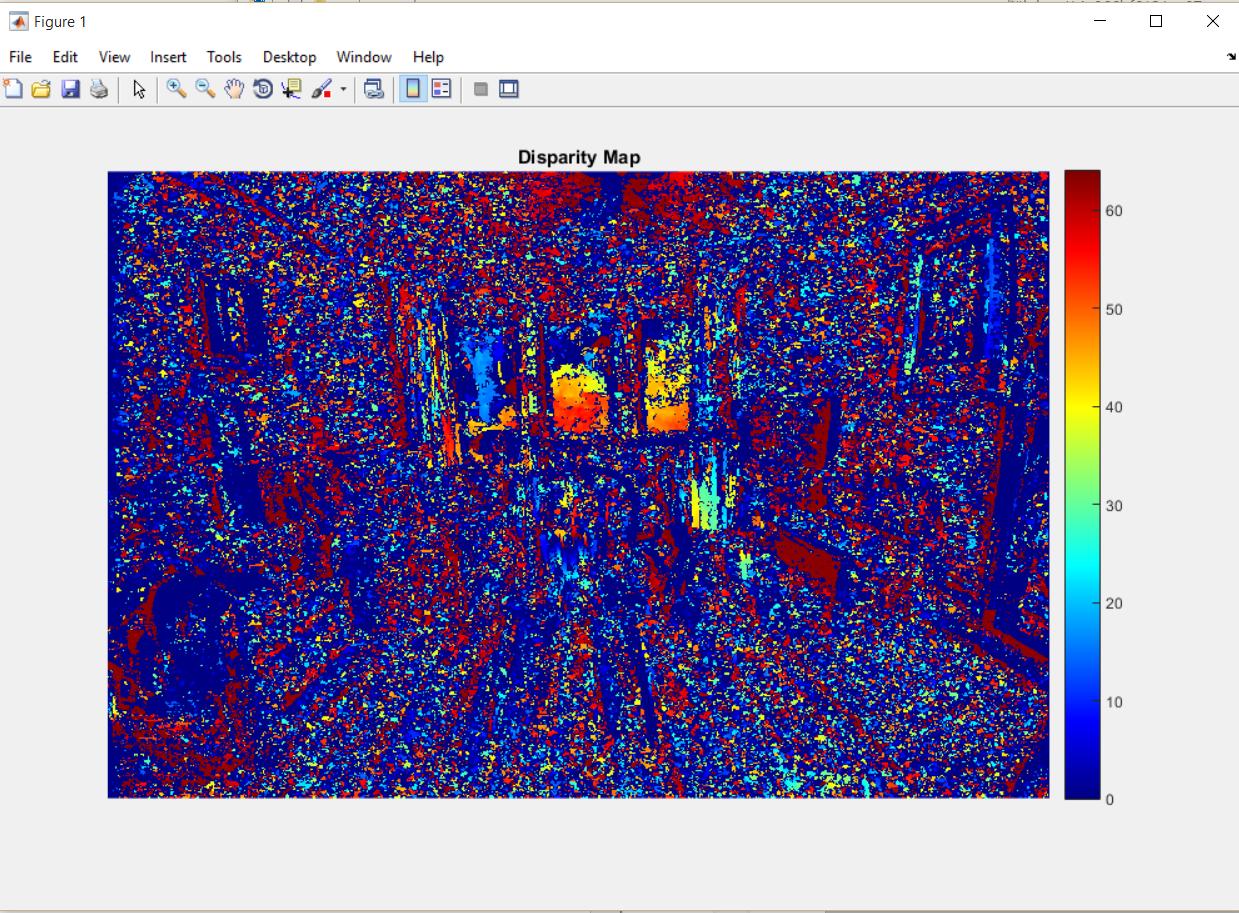
我在纠正时遇到的问题是在场景的三维重建过程中。下面的数字是输出的数字。我不确定相机设置中是否缺少参数,或者脚本中是否缺少/需要添加什么内容。下面是用于立体打印和场景重建的代码,该代码是从Matlab立体相机校准教程中改编的。
% Read in the stereo pair of images.
I1 = imread('left.jpg');
I2 = imread('right.jpg');

% Rectify the images.
[J1, J2] = rectifyStereoImages(I1, I2, stereoParams);

% Display the images before rectification.
figure;
imshow(stereoAnaglyph(I1, I2), 'InitialMagnification', 50);
title('Before Rectification');

% Display the images after rectification.
figure;
imshow(stereoAnaglyph(J1, J2), 'InitialMagnification', 50);
title('After Rectification');
%
% Compute Disparity for 3-D Reconstruction
% The distance in pixels between corresponding points in the rectified images is called disparity.
% The disparity is used for 3-D reconstruction, because it is proportional to the distance between the cameras and the 3-D world point.
disparityMap = disparity(rgb2gray(J1), rgb2gray(J2));
figure;
imshow(disparityMap, [0, 64], 'InitialMagnification', 50);
colormap('jet');
colorbar;
title('Disparity Map');

%Reconstruct the 3-D Scene
%Reconstruct the 3-D world coordinates of points corresponding to each pixel     from the disparity map.

point3D = reconstructScene(disparityMap, stereoParams);

% Convert from millimeters to meters.
point3D = point3D / 1000;

% Visualize the 3-D Scene
% Plot points between 3 and 7 meters away from the camera.
z = point3D(:, :, 3);
zdisp = z;
point3Ddisp = point3D;
point3Ddisp(:,:,3) = zdisp;
showPointCloud(point3Ddisp, J1, 'VerticalAxis', 'Y',...
    'VerticalAxisDir', 'Down' );
xlabel('X');
ylabel('Y');
zlabel('Z');
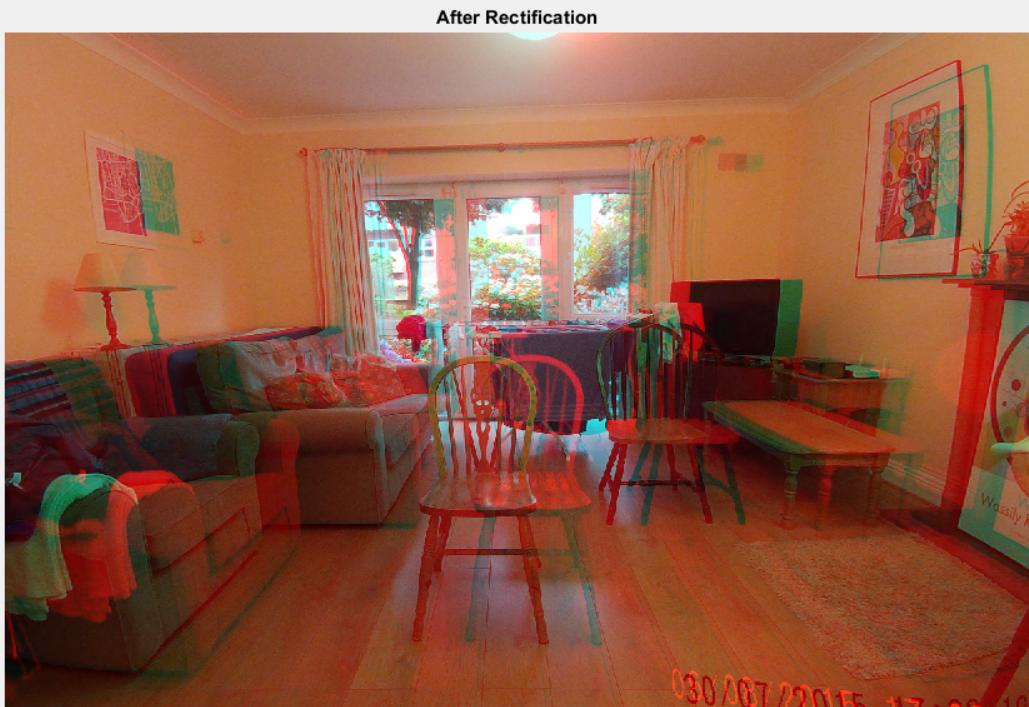
我已经包括了图像的场景重建,视差图,平均误差每像素和纠正后。我使用的Matlab版本是从Matlab网站购买的R2014b学生版。
回答 2
Stack Overflow用户
发布于 2015-08-24 14:15:57
你这里有两个问题。正如@ezfn所指出的,其中之一就是镜头畸变可能太严重了。最好的尝试是采取更多的校准图像,使您的棋盘接近边缘和角落的视野。另外,尝试将棋盘放置在离相机不同的距离上。看看你能不能把那些重投影错误记下来。
这里的第二个问题是您需要更改'DisparityRange'函数的disparity参数。使用imtool显示anaglyph图像,并使用标尺小部件测量对应点对之间的距离。这应该让你知道差距的范围应该是什么。只要看一下图像,我就能看到0 64太小了。
Stack Overflow用户
发布于 2015-08-18 22:24:24
- 我认为这里最明显的问题是,在立体校准中得到的重投影误差(超过3个像素)指向了一个校准问题。我建议你重新校准,以获得一个较小的再投影误差(应该大大低于1像素,以获得良好的重建结果)。
- 关于你的校准的另一个问题:你使用什么样的镜头畸变模型?我相信你有鱼眼镜片在那里-我不确定Matlab工具箱是否知道如何处理这些。
https://stackoverflow.com/questions/32026385
复制相似问题
腾讯云开发者

Copyright © 2013 - 2026 Tencent Cloud. All Rights Reserved. 腾讯云 版权所有
深圳市腾讯计算机系统有限公司 ICP备案/许可证号:粤B2-20090059  粤公网安备44030502008569号
腾讯云计算(北京)有限责任公司 京ICP证150476号 | 京ICP备11018762号