
调整PNotify通知的初始位置
调整PNotify通知的初始位置
提问于 2015-08-06 22:04:22
我正在尝试调整我的PNotify通知的初始位置。正如您在图像中所看到的,通知阻塞了我的搜索栏。我希望将通知的初始位置降低约50‘t,这样它就不会阻塞搜索栏。
我在谷歌上搜索这个问题已经很久了,但没有结果:
我试过:
- 通过添加
margin-top: 50px更改通知的CSS - 在文档下有一些自定义类来更改初始位置,但它们都是自定义类,如
stack_bar_top或stack_bar_bottom。我想自己调整这些价值观。 - 这个答案出现在Github页面上,但是我被抛出了
no such class as pnotify.css错误
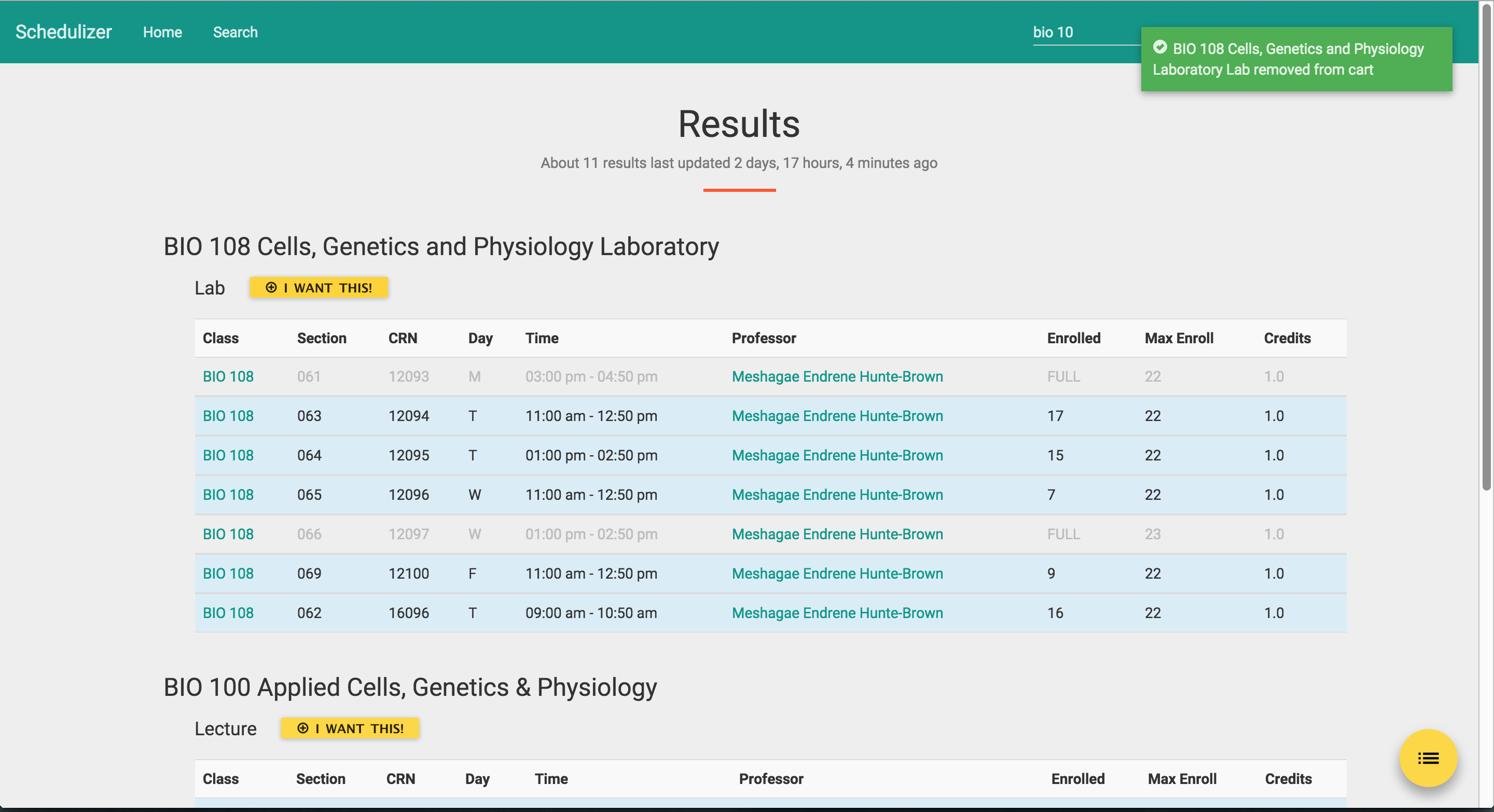
这是我目前为PNotify编写的代码:
    function notification(text, type) {
        new PNotify({
            text: text,
            type: type,
            animation: 'slide',
            delay: 3000,
            top:"500px",
            min_height: "16px",
            animate_speed: 400,
            text_escape: true,
            nonblock: {
                nonblock: true,
                nonblock_opacity: .1
            },
            buttons: {
                show_on_nonblock: true
            },
            before_open: function(PNotify){
                PNotify.css({
                    "top":"50px"
                });
            }
        });
}我检查了CSS,似乎ui-pnotify负责定位。默认情况是top: 25px。
我在CSS中创建了一个新类,并将其命名为:
.ui-pnotify {
  top: 50px;
}
不过,似乎不起作用。
回答 2
Stack Overflow用户
发布于 2015-09-11 18:31:22
下载pnotify的最后版本,并用下面的代码修改css文件中选择器.ui-pnotify的样式(在我的例子中,我使用pnotify.custom.min.css):
.ui-pnotify {
      top: 50px;/*Replace the 25px with the top that you need*/
      right:25px;
      position:absolute;
      height:auto;
      z-index:9999
}Stack Overflow用户
发布于 2020-05-17 12:31:40
在您的配置中,设置firstpos1变量。
因此,当您定义堆栈时,它可能如下所示:
const defaultStack = {
    dir1: 'down',
    dir2: 'left',
    firstpos1: 50, // This is the initial position of the first popup relative to dir1
    firstpos2: 20,
    spacing1: 10,
    spacing2: 10,
    push: 'top',
    overlayClose: true,
    modal: false,
    context: document.body
};页面原文内容由Stack Overflow提供。腾讯云小微IT领域专用引擎提供翻译支持
原文链接:
https://stackoverflow.com/questions/31866596
复制相关文章
相似问题
腾讯云开发者

Copyright © 2013 - 2026 Tencent Cloud. All Rights Reserved. 腾讯云 版权所有
深圳市腾讯计算机系统有限公司 ICP备案/许可证号:粤B2-20090059  粤公网安备44030502008569号
腾讯云计算(北京)有限责任公司 京ICP证150476号 | 京ICP备11018762号