
IE的HTML / CSS高度问题
IE的HTML / CSS高度问题
提问于 2015-07-27 12:30:23
我正在尝试更新pfSense专用门户身份验证页面,除了IE (桌面和移动版本)外,它在任何地方都很好。问题是上表行(从2行的表中)正在扩展到大的大小,如下图所示。HTML是:
<html>
<link rel="stylesheet" type="text/css" href="style.css">
<body>
<form method="post" action="#PORTAL_ACTION#" align="center" >
<input name="redirurl" type="hidden" value="#PORTAL_REDIRURL#">
<input name="zone" type="hidden" value="#PORTAL_ZONE#">
<center>
<table class="MainTable">
<!--Beginning of Form title heading-->
<tr class="TableTopRow">
<td class="TableTopCell1">
<img src="captiveportal-wifi_icon.png" width="50%" height="3%" align="right">
</td>
<td class="TableTopCell2" >
<img src="captiveportal-aragon_logo.png" width="50%" height="3%" align="left">
</td>
</tr>
<!--End of Form title heading-->
<!--Beginning of main area which contains authentication form and an area reserved for showing errors-->
<tr class="TableLowerRow" colspan="2" height="70%">
<td colspan="2" width="100%">
<div id="mainlevel">
<center>
<table height="100%" width="100%" border="0" cellpadding="0">
<tr>
<td style="color:#0B173B;font-family:arial; font-weight:bold; font-size:90%"><center>
Welcome to Aragon House Business Center
</td>
</tr>
<tr>
<td>
<center>
<div id="mainarea">
<center>
<table width="100%" border="0" cellpadding="1px" cellspacing="2">
<tr height="20%">
<td>
<div id="maindivarea">
<center>
<!-- The statusbox area is where errors will be shown should there be an error when authenticating with the hotspot-->
<div id='statusbox'>
<font color='red' face='arial' size='+1'>
<b>
#PORTAL_MESSAGE#
</b>
</font>
</div>
<!--End of error message area-->
<br />
<!--Beginning of form area; this area will contain fields for authenticating users with the hotspot system-->
<div id='loginbox'>
<table>
<!-- Beginning of area where you input the authentication details-->
<tr><td> </td></tr>
<tr><td align="right" style="color:#333333;font-family:arial; font-size:98%;">Username:</td><td><input name="auth_user" type="text" style="border: 1px solid;"></td></tr>
<tr><td align="right" style="color:#333333;font-family:arial; font-size:98%;">Password:</td><td><input name="auth_pass" type="password" style="border: 1px solid;"></td></tr>
<tr><td> </td></tr>
<tr>
<td align="right" style="color:#333333;font-family:arial; font-size:98%;">Enter Voucher Code: </td>
<td><input name="auth_voucher" type="text" style="border:1px solid;" size="20"></td>
</tr>
<tr>
<td colspan="2" align="right" style="padding-right:10px"><input name="accept" type="submit" value="Continue"></td>
</tr>
<!-- End of area where you input the authentication details-->
</table>
</div>
<!--End of authentication form area-->
</center>
</div>
</td>
</tr>
</table>
</center>
</div>
</center>
</td>
</tr>
</table>
</center>
</div>
</td>
</tr>
</table>
</center>
<!--End of main area-->
</form>
</body>
</html>而CSS是:
    .MainTable{
    height: 40%;
    width: 30%;
    padding: 0;
    border-radius: 15px;
    border:1px solid #000000;
}

.TableTopRow{
    width: 30%;
    height: 30%;
    background-color:#CCCCCC;
    border-top-right-radius: 15px;
    border-top-left-radius: 15px;
    border-top:1px #6DA4DE;
}

.TableLowerRow{
    height: 70%;
}

.TableTopCell1{
    width: 50%;
    border-top-left-radius: 15px;
}
.TableTopCell2{
    width: 50%;
    border-top-right-radius: 15px;
}
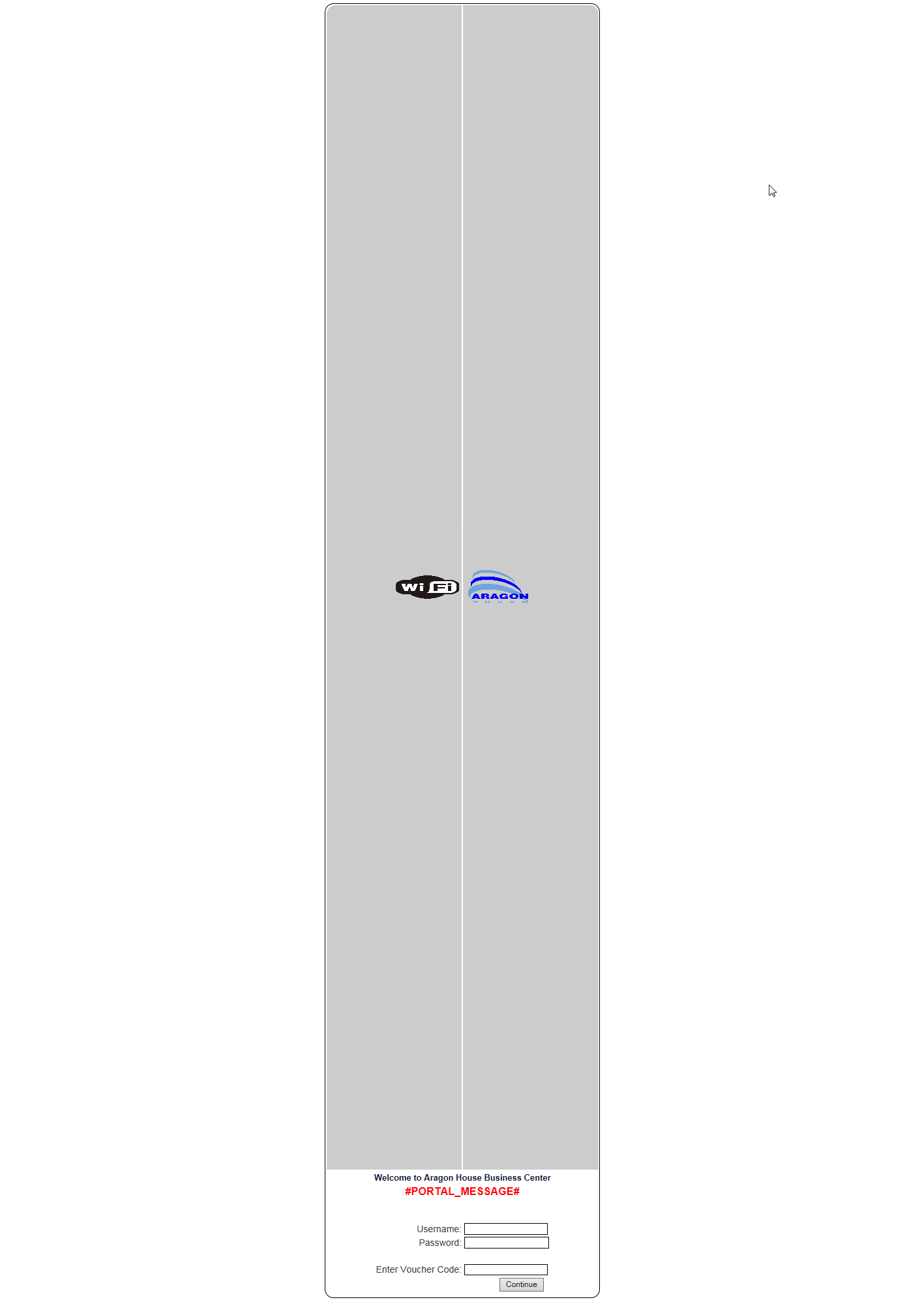
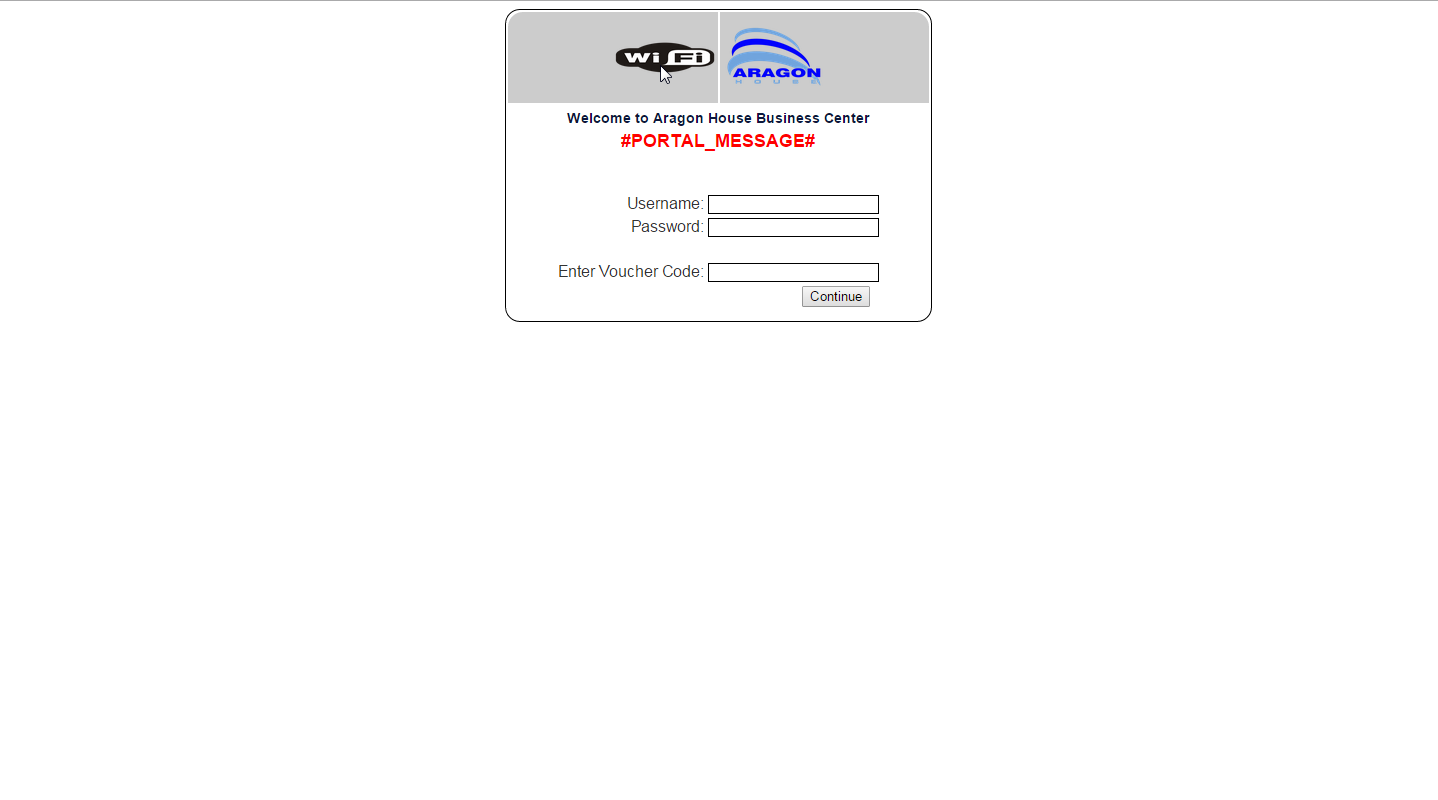
第一张图片显示了该表单在IE中的显示方式,而下面的图片则显示了该表单在Chrome中的显示方式。
我们非常感谢你的帮助。
提前谢谢你,J
回答 3
Stack Overflow用户
发布于 2015-07-27 13:38:30
6打开了 <center>,5关闭了 </center>。可能IE不够聪明,不能为您正确地关闭它:D
Stack Overflow用户
发布于 2015-07-27 12:45:04
为什么您的css可能无法工作
添加display: inline;通常会修复IE中的这些bug,这取决于您所使用的版本
您还缺少了一个doctype,它修复了IE Quirksmode CSS修补程序中的许多问题
把这个放在html页面的顶部。
<!DOCTYPE html>当我们在做类似的事情时,你应该把你的css放在外部文件中,而不是混合和匹配。在当今时代,使用表格进行造型是一种糟糕的做法
<div id='loginbox'>
<table>
<!-- Beginning of area where you input the authentication details-->
<tr>
<td> </td>
</tr>
<tr>
<td align="right" style="color:#333333;font-family:arial; font-size:98%;">Username:</td>
<td><input name="auth_user" type="text" style="border: 1px solid;"></td>
</tr>
<tr>
<td align="right" style="color:#333333;font-family:arial; font-size:98%;">Password:</td>
<td><input name="auth_pass" type="password" style="border: 1px solid;"></td>
</tr>
<tr>
<td> </td>
</tr>
<tr>
<td align="right" style="color:#333333;font-family:arial; font-size:98%;">Enter Voucher Code: </td>
<td><input name="auth_voucher" type="text" style="border:1px solid;" size="20"></td>
</tr>
<tr>
<td colspan="2" align="right" style="padding-right:10px"><input name="accept" type="submit" value="Continue"></td>
</tr>
<!-- End of area where you input the authentication details-->
</table>
</div>Stack Overflow用户
发布于 2015-07-27 13:29:05
显然问题是图像大小,它需要以像素而不是百分比为单位。
页面原文内容由Stack Overflow提供。腾讯云小微IT领域专用引擎提供翻译支持
原文链接:
https://stackoverflow.com/questions/31653165
复制相关文章
相似问题
腾讯云开发者

Copyright © 2013 - 2026 Tencent Cloud. All Rights Reserved. 腾讯云 版权所有
深圳市腾讯计算机系统有限公司 ICP备案/许可证号:粤B2-20090059  粤公网安备44030502008569号
腾讯云计算(北京)有限责任公司 京ICP证150476号 | 京ICP备11018762号